
- 新春6折: Odoo19全面升级已完成,微信小程序支付全场6折。
- 即时下载:购买后从我的 应用中心下载
- 服务支持:购买后15天内邮件 安装指导
- 授权许可:购买即代表同意 用户协议
- 售后承诺: odooApp.cn 的模块与主题均保证功能与您下载时所见描述一致,如有异议可在下单后15天内申请免费退款
- 更多支持:务必参考 FAQ常见问题与答疑
Manufacturing Enhance, bom direct show
Manufacturing Enhance help you quick use odoo mrp.
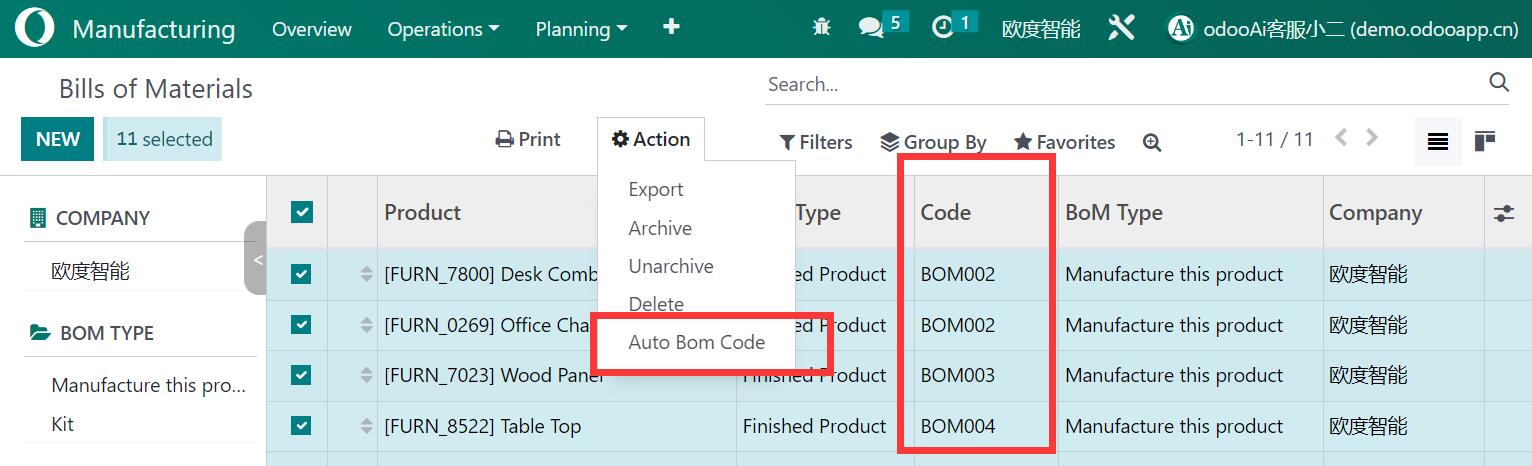
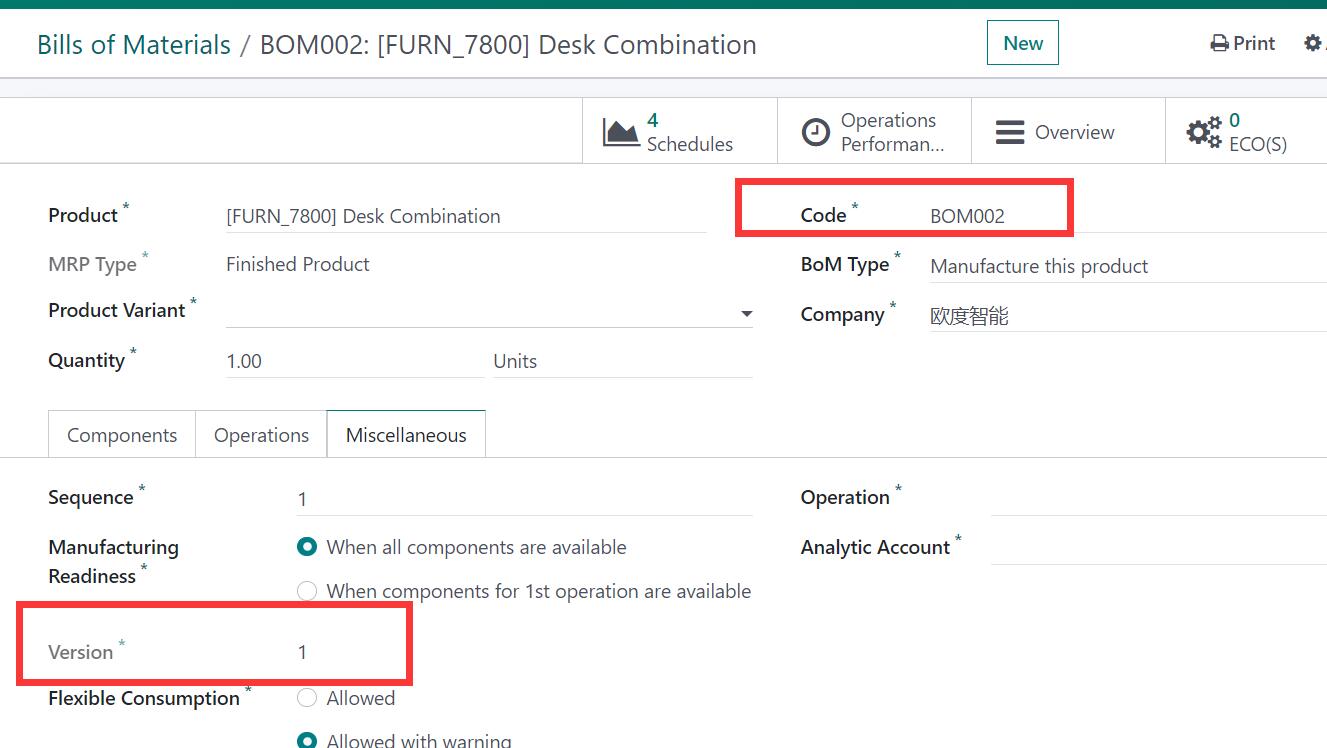
Bom auto sequence number, uniq reference. Bom version.
One click to do bom operation. Easy manage MO and unbuild order.
MRP制造增强 / MRP Manufacturing Enhanced
Odoo生产制造全面增强,BoM自动编码版本管理、批量完成MO、领料打印、BOM精度设置
All-in-one MRP enhancement: BoM auto code/version, mass done MO, picking print, BOM precision
功能概述 / Overview
Odoo生产制造开箱即用增强模块。包含BoM自动编码和唯一引用、版本管理、MO物料领料与完工显示、快速领料打印、一键创建/查看BOM、限制MO关联BOM删除、BOM数量精度设置、一键批量完成MO等功能。
All-in-one MRP manufacturing enhancement module. Includes BoM auto code and unique reference, version management, MO material picking display, quick picking print, one-click create/view BoM, restrict MO-linked BoM deletion, BOM quantity precision, and mass done MO.
完整功能列表 / Complete Feature List
-
1. PLM BoM自动编码、唯一引用和版本管理
PLM Bom auto code, uniq reference. Bom version. -
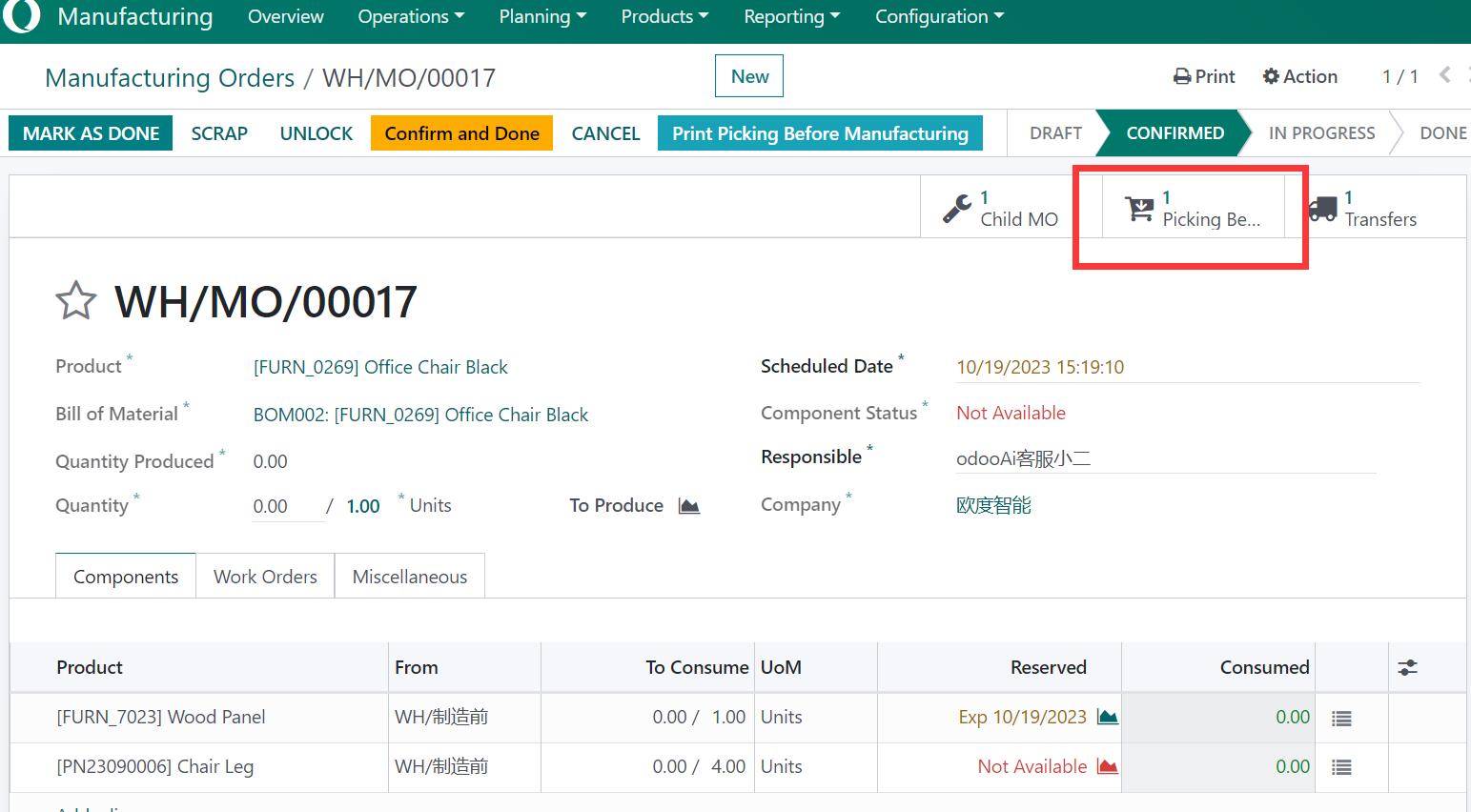
2. MO视图显示领料和完工信息,添加快速领料打印
Show Material picking and finish picking in MO view. add quick picking print. -
3. 无BOM时一键创建,仅1个BOM时一键查看
One click create bom detail if no bom. One click to show bom detail if only 1 bom. -
4. 在产品视图和BoM行视图中直接显示BoM明细
Direct show bom detail in product view and bom line view. -
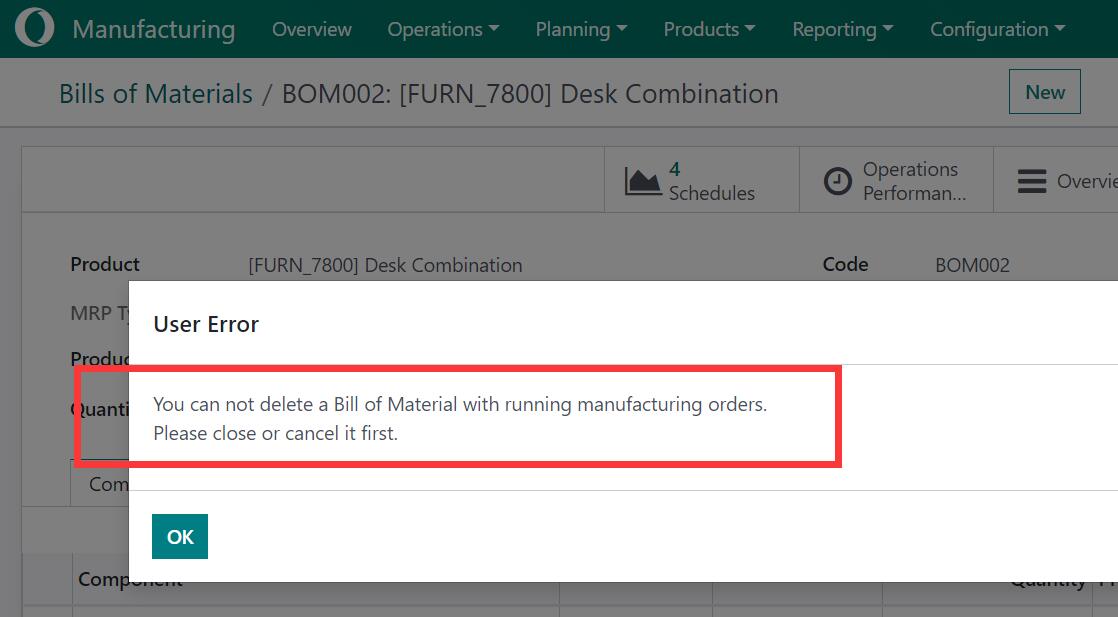
5. BOM在MO中使用时限制删除
Restrict delete bom if the bom use in MO. -
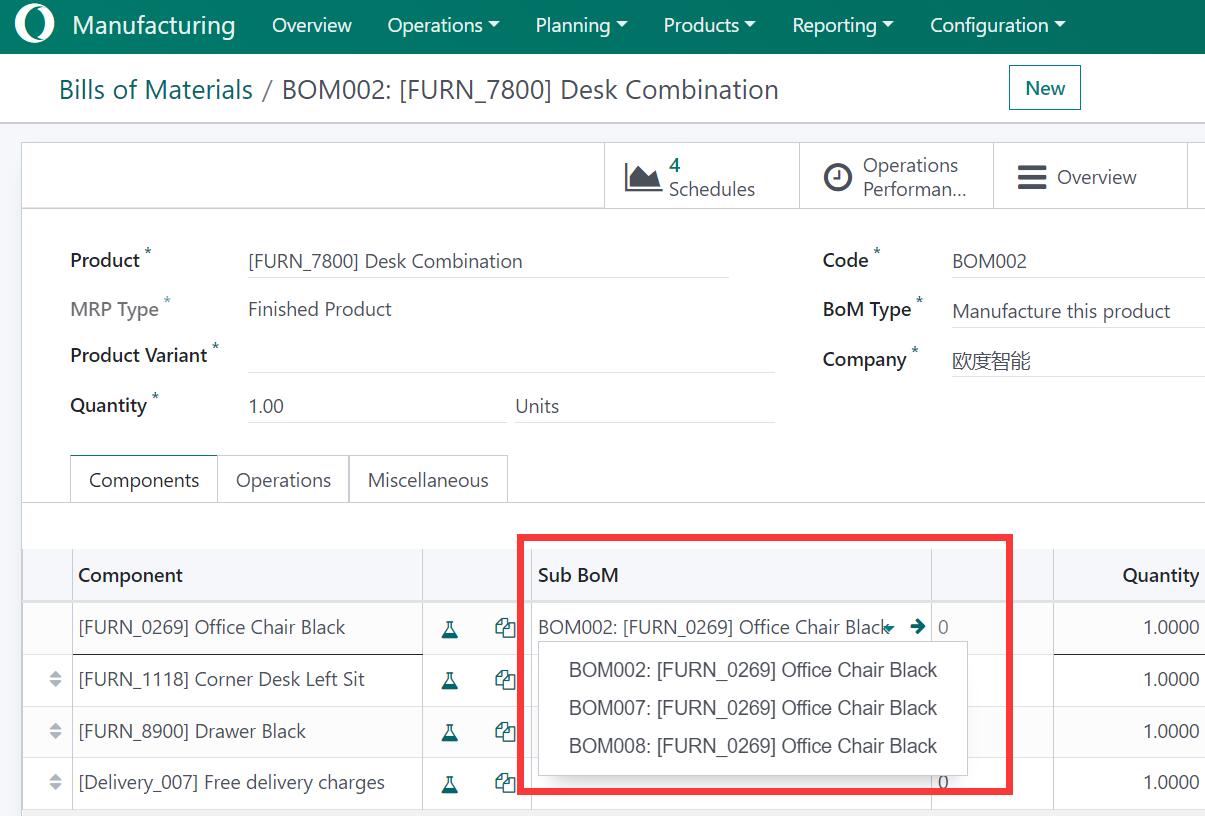
6. 可在BoM行产品中设置产品BoM
Can set product bom in bom line product. -
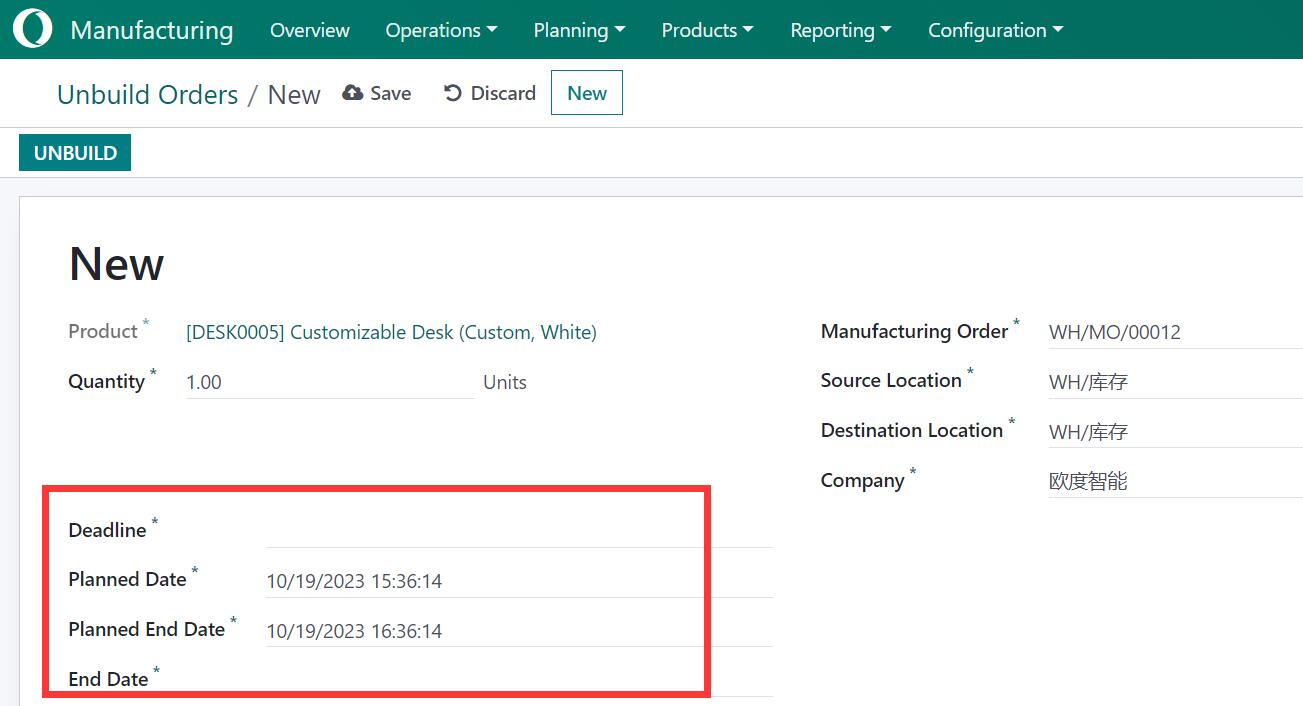
7. 为制造订单和拆解订单添加日期时间信息
Add date time information for mrp order and unbuild order. -
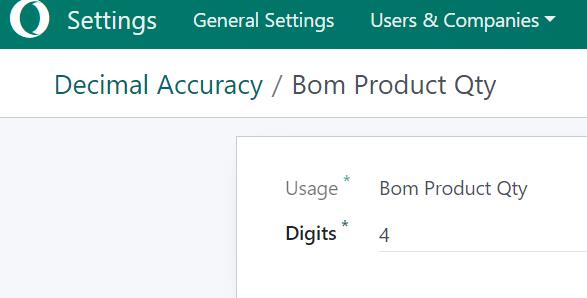
8. BOM数量的小数精度设置
Add Bom decimal precision setting for qty. -
9. 一键批量完成制造订单
Mass Done in One click to finish MO Manufacture. -
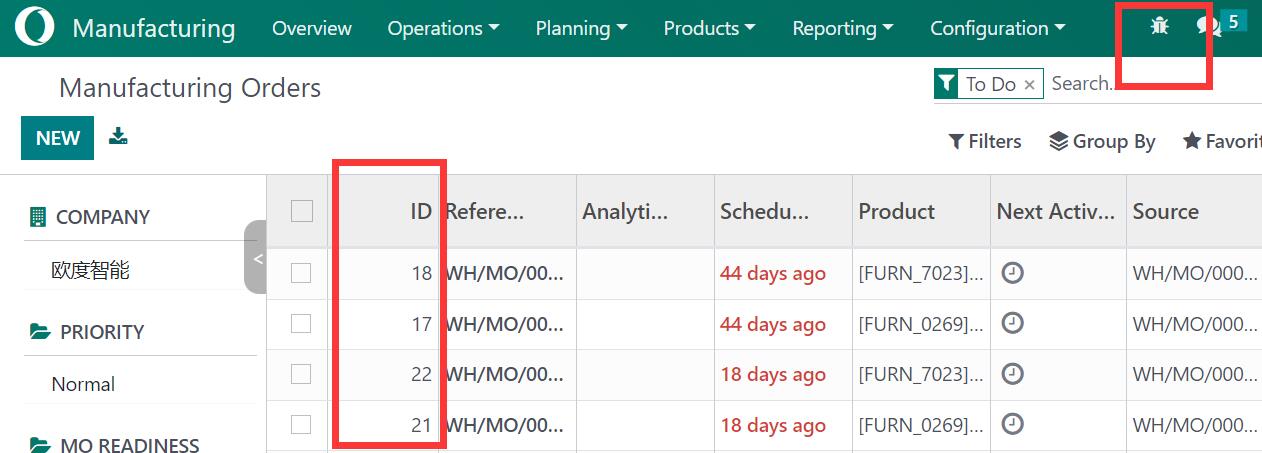
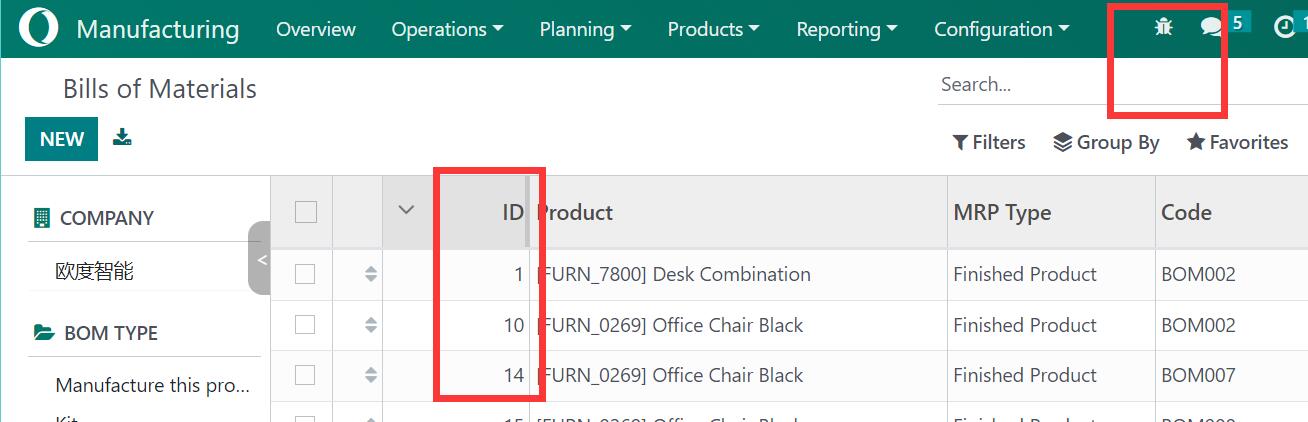
10. MRP视图中添加有用的调试信息
Add useful debug info to some mrp view. -
11. 为MO和BoM添加工序提示
Add Operation tip for MO, BoM.
核心亮点 / Key Highlights
1. BoM自动编码 / BoM Auto Code
BoM自动编码、唯一引用和版本管理
2. 物料领料 / Material Picking
MO视图显示领料和完工信息,支持快速领料打印
3. 一键BoM / One-Click BoM
无BOM时一键创建,仅1个BOM时一键查看
4. BOM保护 / BoM Protection
BOM在MO中使用时限制删除
5. 日期时间 / Date Time Info
MO和拆解单增加日期时间信息
6. 精度设置 / Precision Setting
BOM数量的小数精度设置
7. 批量完成 / Mass Done
一键批量完成制造订单
8. 调试信息 / Debug Info
MRP视图中添加有用的调试信息
通用特性 / General Features
多语言与多公司
Multi-Language & Multi-Company
完整的多语言翻译支持,适配全球化企业部署。原生多公司架构,数据严格隔离。
全版本兼容
Full Version Support
支持 Odoo 19, 18, 17, 16, 15, 14, 13, 12,EE/CE/.SH,兼容企业版、社区版及在线 SaaS。
代码完全开源
Full Open Source
基于 LGPL-3 协议开源,代码透明可审计,支持二次开发与定制。
界面截图 / Screenshots
1. PLM Bom auto code, uniq reference. Bom version / BoM自动编码唯一引用版本管理
Auto Version / 自动版本
2. Material picking and finish picking / 物料领料与完工
Picking print with barcode / 条码领料打印
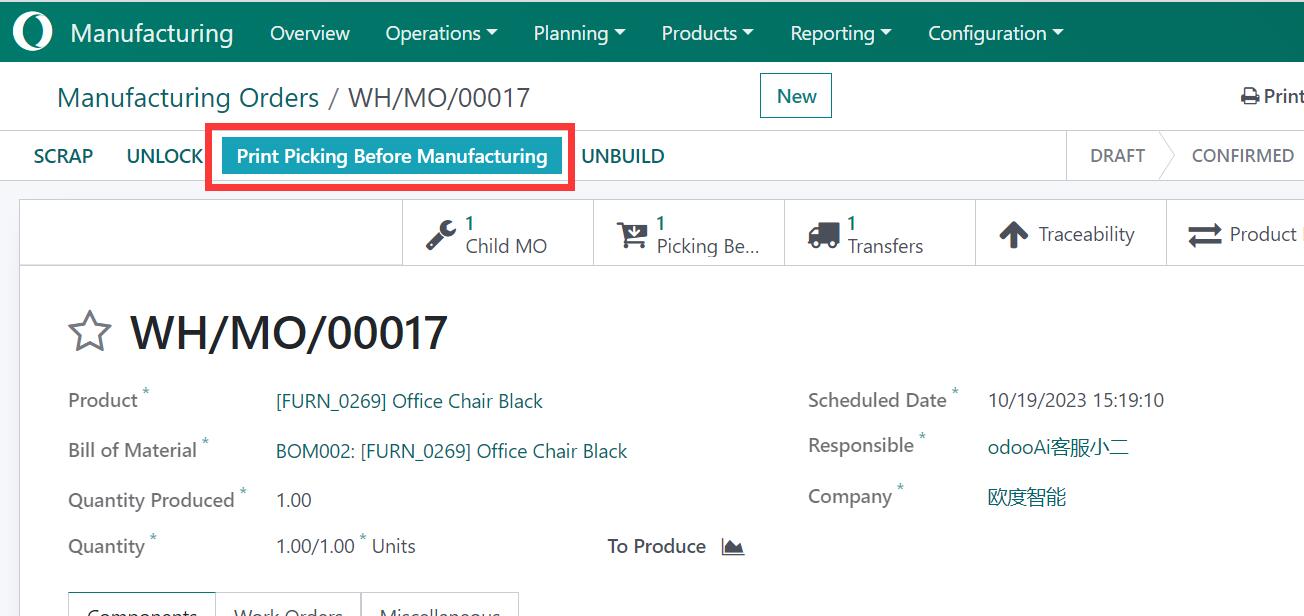
3. One click create bom detail / 一键创建BOM
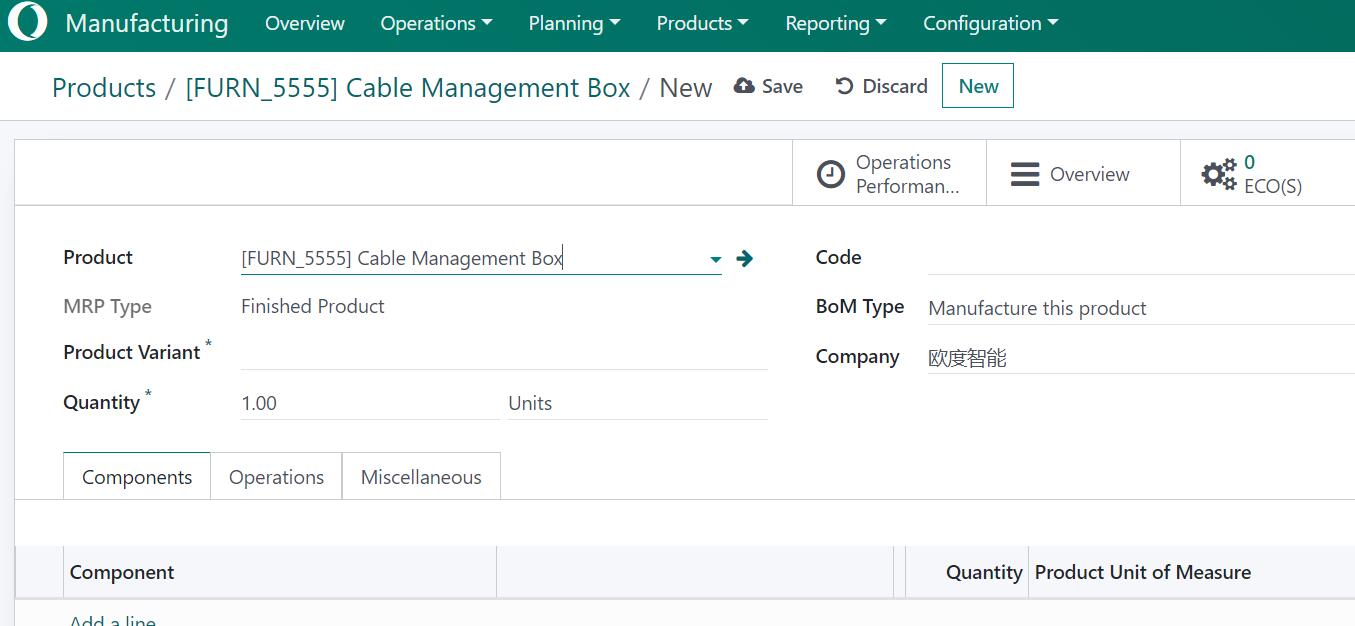
4. Direct show bom detail in product view / 产品视图直接显示BoM
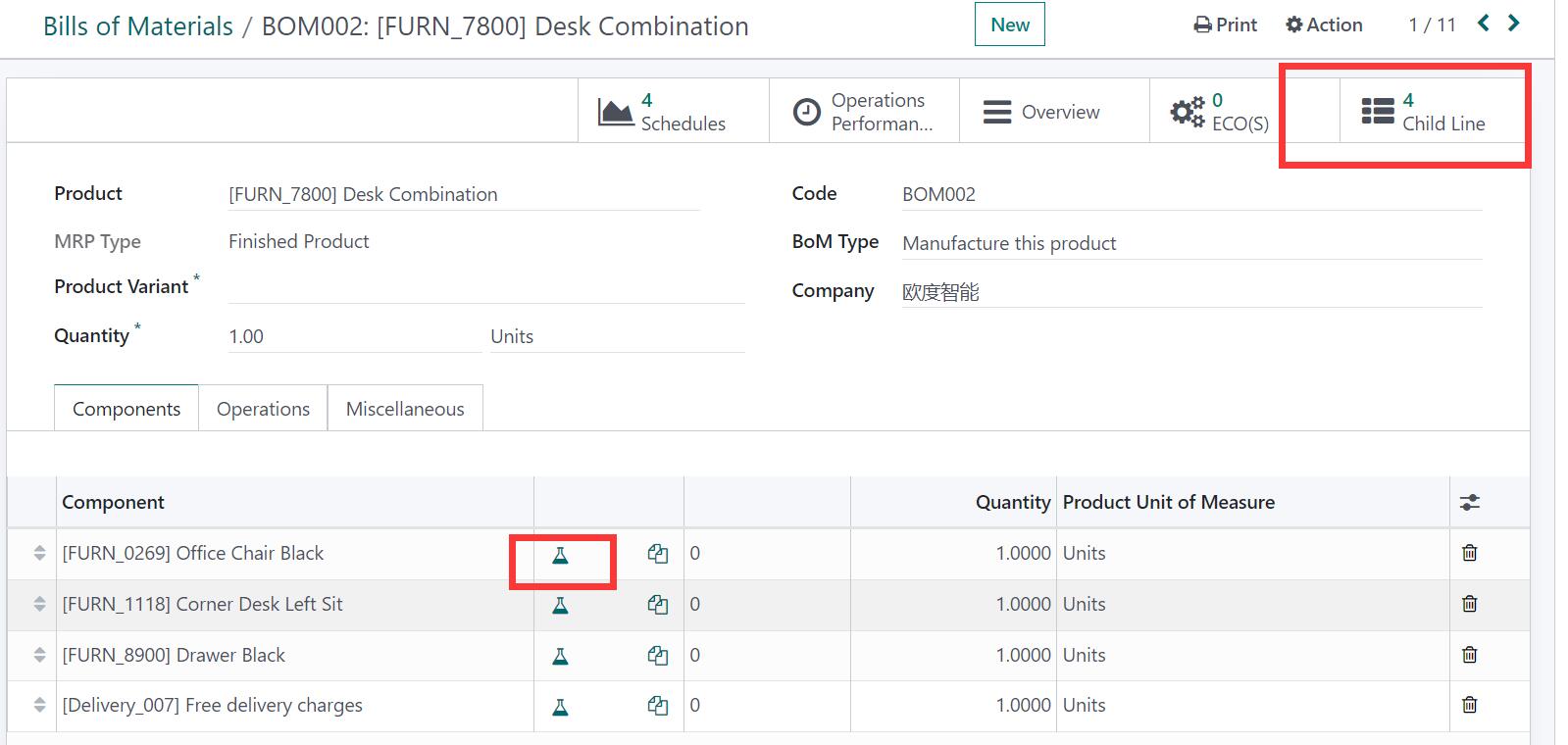
5. Restrict delete bom if used in MO / MO关联BOM保护
6. Set product bom in bom line product / BoM行设置产品BoM
7. Date time for mrp order / MO日期时间
8. Bom decimal precision / BOM精度设置
9. Mass Done in One click / 一键批量完成MO
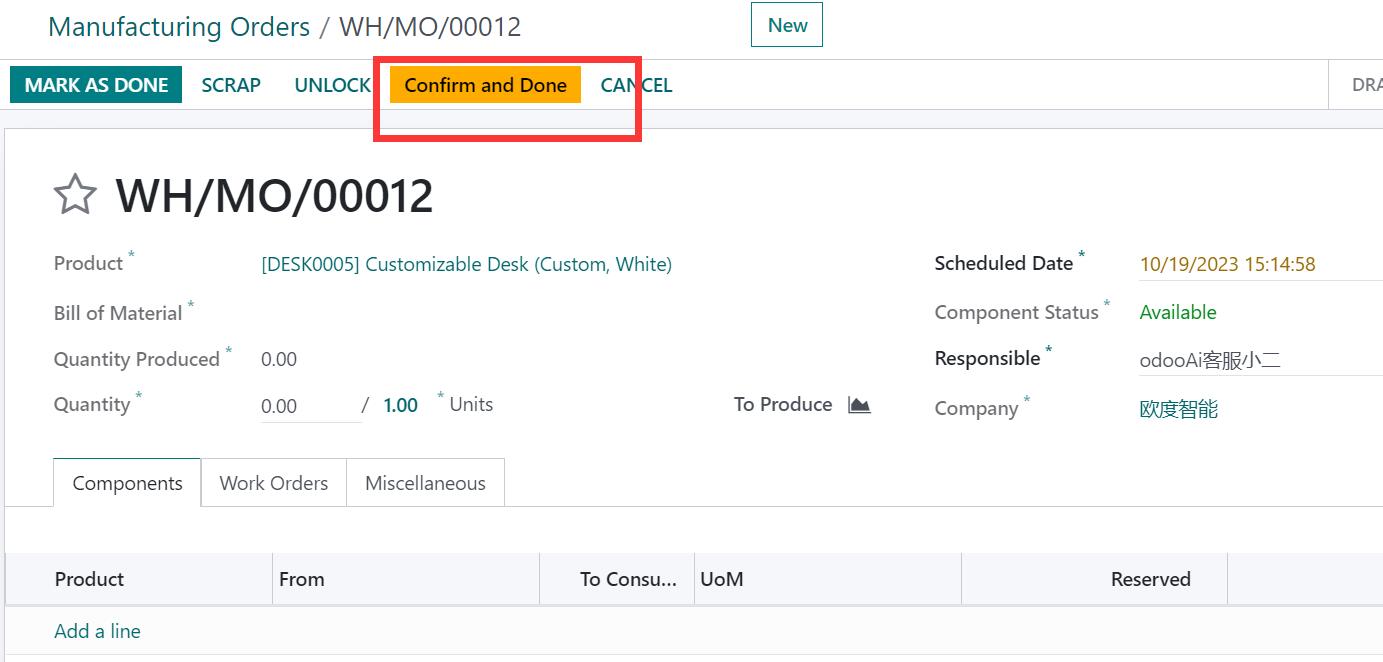
10. Debug info / 调试信息
Bom view debug / BoM视图调试
使用流程 / How It Works
安装模块
Install Module
BoM自动编码与版本管理
BoM Auto Code & Version
创建MO并管理领料
Create MO & Manage Picking
一键批量完成MO
Mass Done MO in One Click
支持与依赖模块 / Supported & Dependent Modules
- mrp
- app_common
- app_partner_user

odooai.cn
专业Odoo服务伙伴-开发实施咨询培训全套解决方案 / Professional Odoo Solutions

Specifications
| 版本 | 20.0, 19.0, 18.0, 17.0, 16.0, 15.0, 14.0, 13.0 |