
- 新春6折: Odoo19全面升级已完成,微信小程序支付全场6折。
- 即时下载:购买后从我的 应用中心下载
- 服务支持:购买后15天内邮件 安装指导
- 授权许可:购买即代表同意 用户协议
- 售后承诺: odooApp.cn 的模块与主题均保证功能与您下载时所见描述一致,如有异议可在下单后15天内申请免费退款
- 更多支持:务必参考 FAQ常见问题与答疑

odoo 16 Customize OEM(Boost, Data reset)
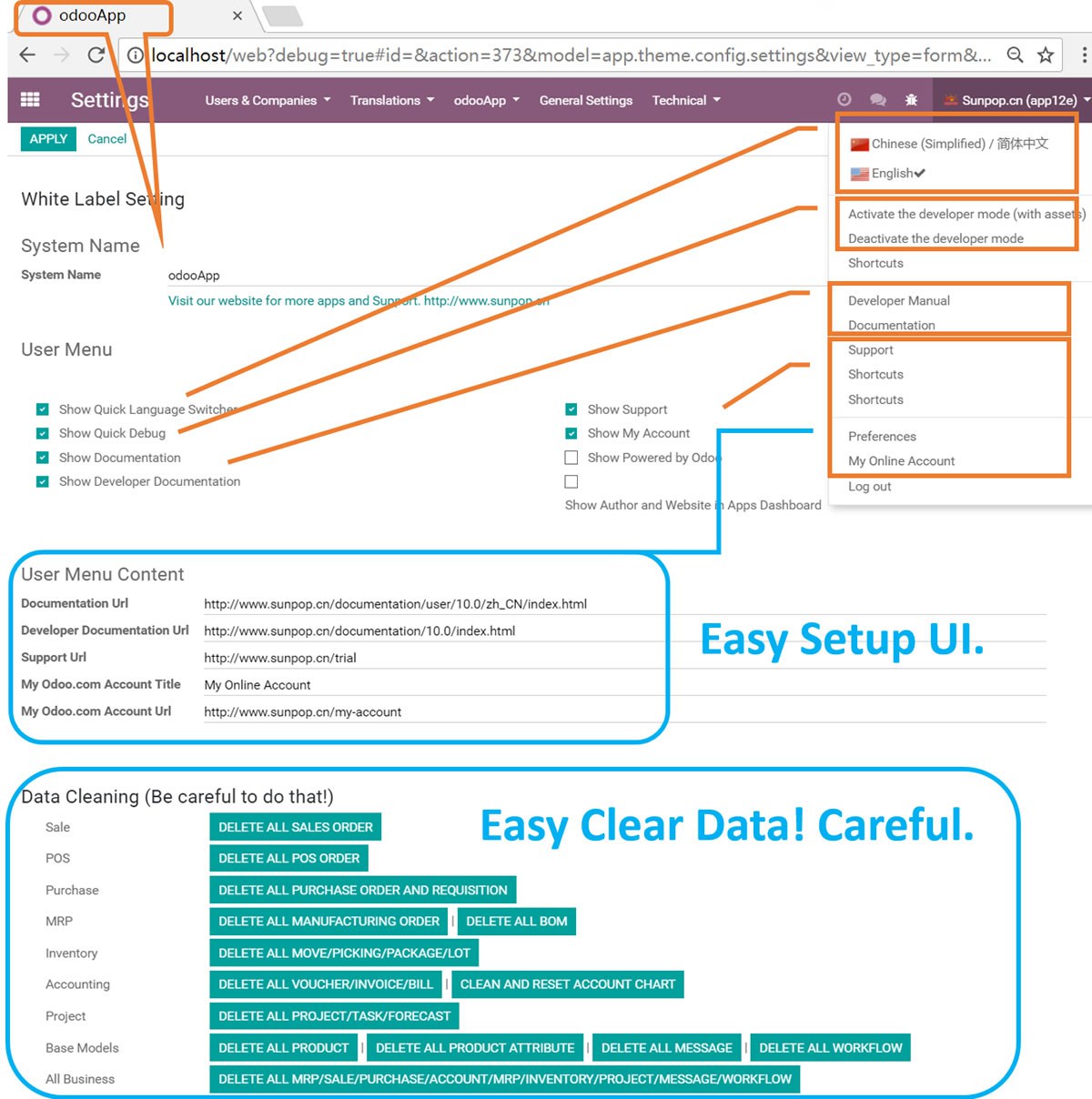
1 click customize odoo, reset data. For quick develop. Set brand, boost, reset data, debug. Language Switcher.
Easy Delete data.reset account chart.
customize my odoo.

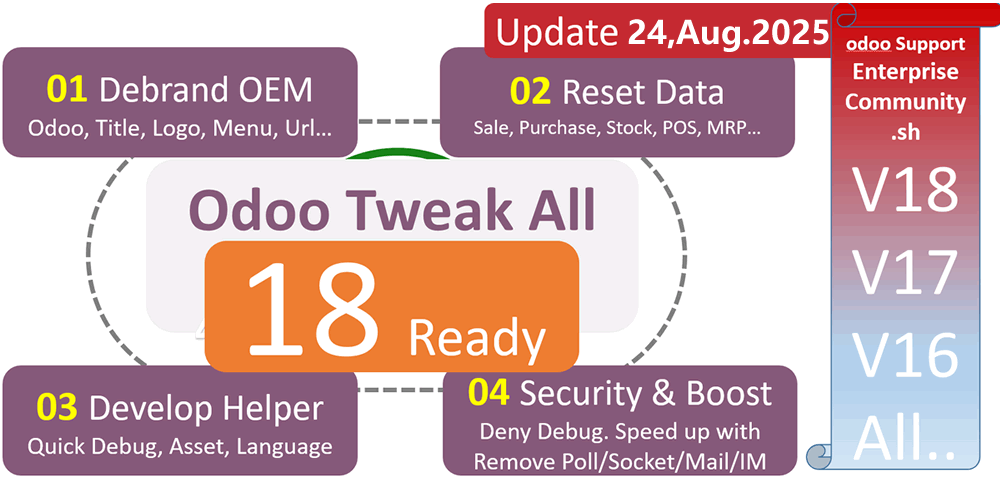
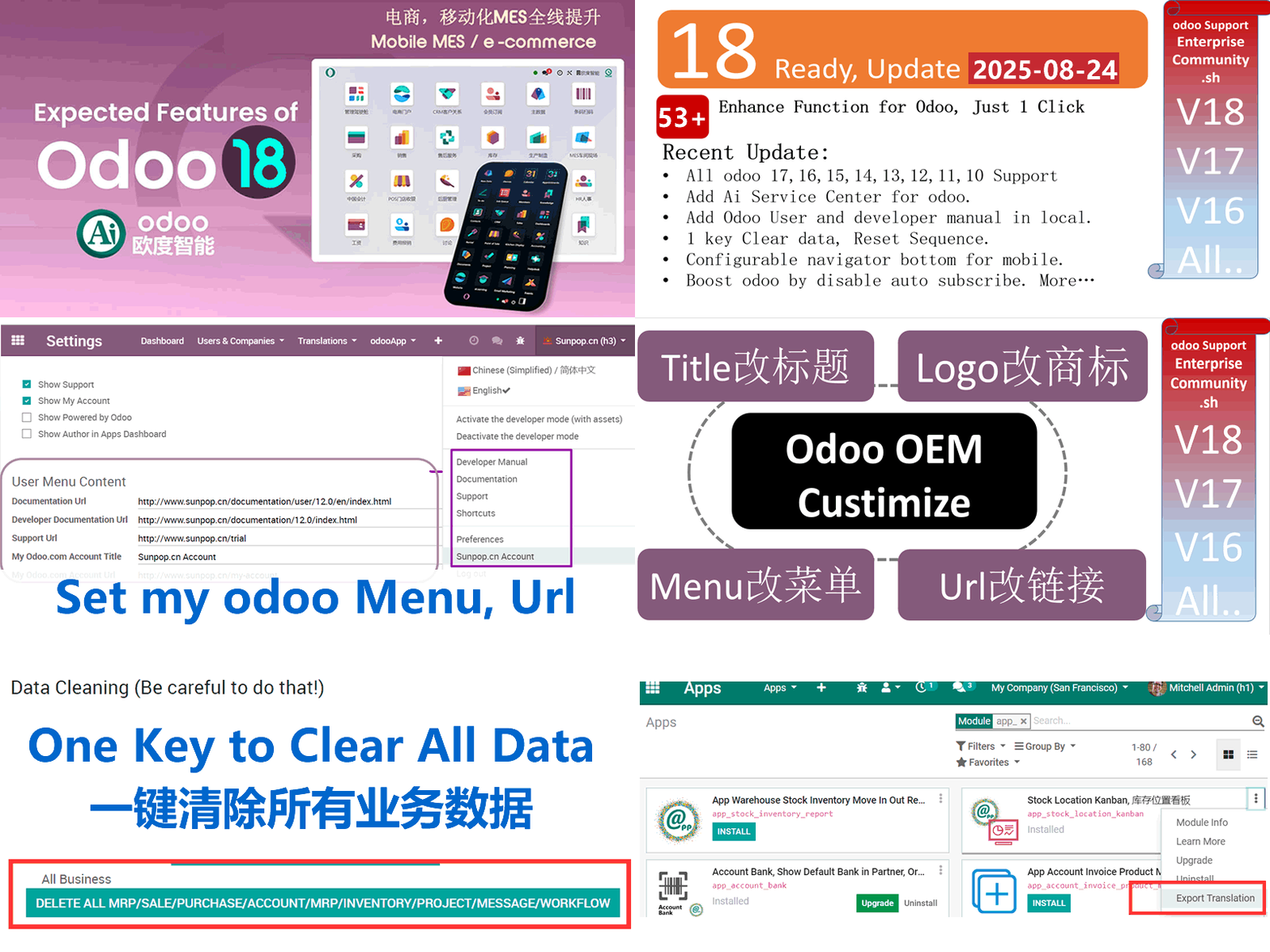
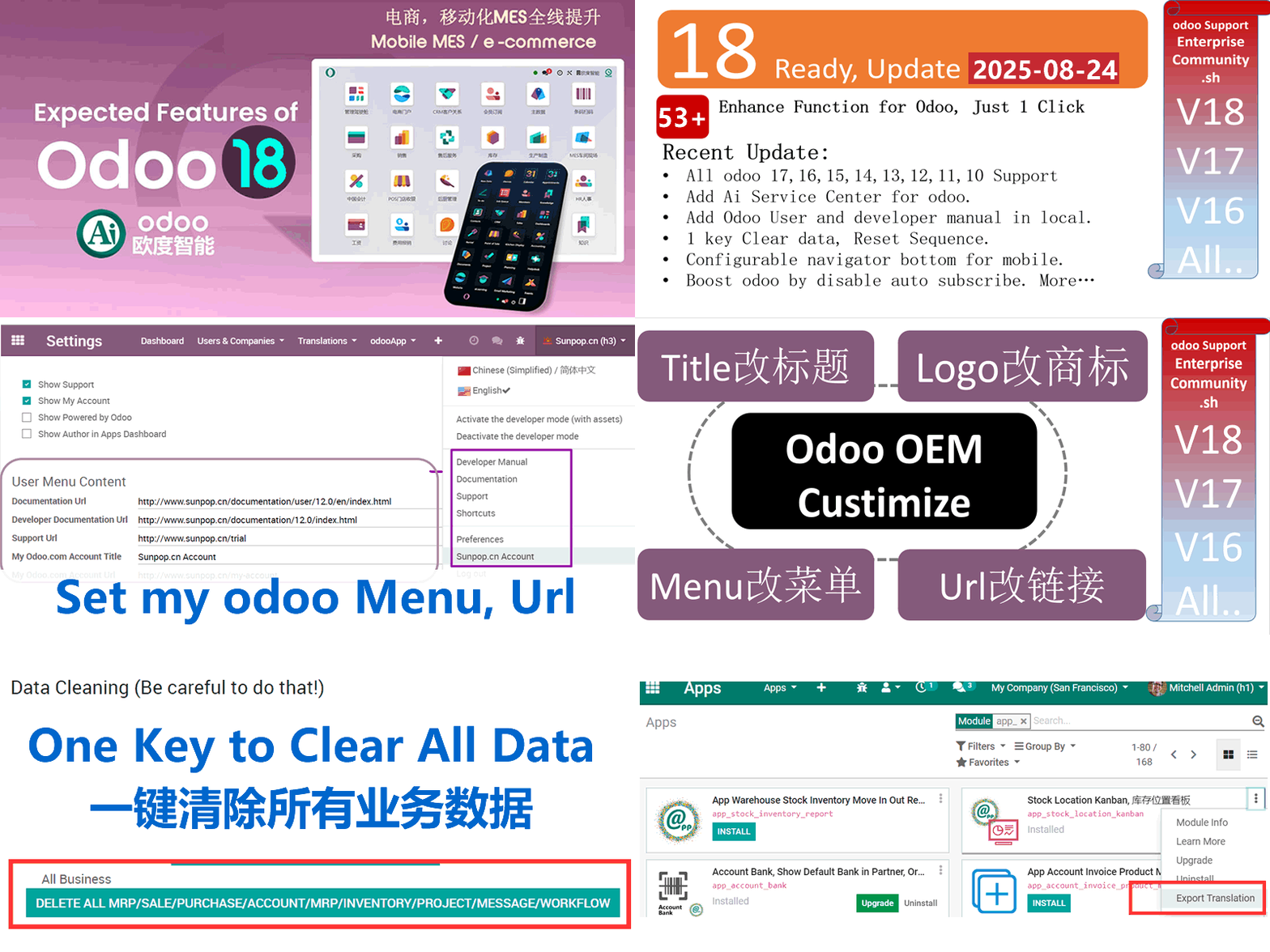
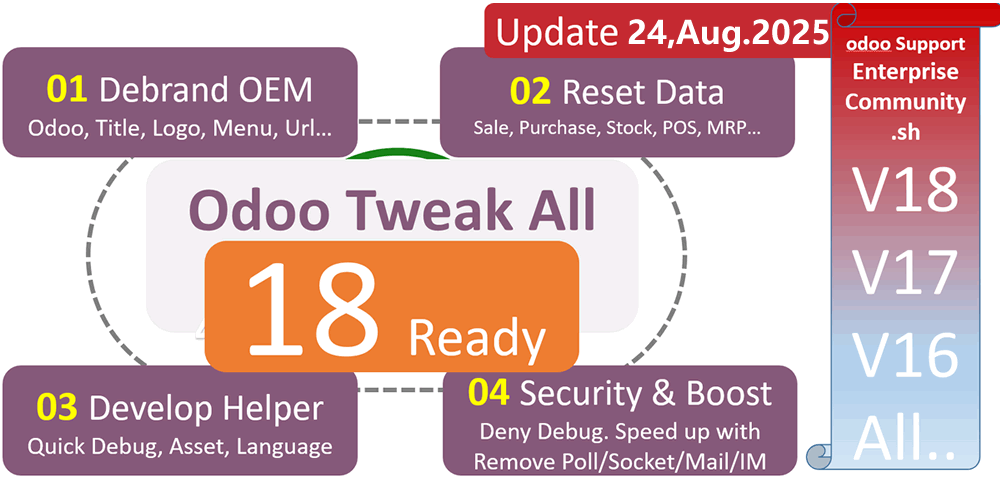
Odoo18优化提速OEM大全 / 54+ Odoo18 Tweak OEM Boost Customize All in One
54+项一键优化,OEM去标、提速、安全、数据清理、AI集成 / 54+ Enhancements: OEM Branding, Boost, Security, Data Reset, AI Integration
白标定制你的Odoo系统:替换标题、去Logo、自定义链接、快速调试、语言切换
White label your Odoo: replace title, remove branding, customize links, quick debug, language switcher
功能概述 / Overview
54+项Odoo优化功能集于一身。一键OEM白标定制,替换系统名称、页脚Logo、登录界面品牌;快速调试与语言切换;安全增强与性能提速;一键清理测试数据与重置序号;AI员工集成与全场景帮助文档;移动端导航优化与可拖拽对话框;快速菜单管理、模型字段查看、数据库测试/生产切换等开发者利器。
54+ Odoo enhancements in one module. OEM white label with custom system name, footer, login branding. Quick debug and language switcher. Security boost and performance improve. One-click test data delete and sequence reset. AI employee integration and context help docs. Mobile navbar enhance and draggable dialog. Quick menu manager, model field viewer, database neutralize/restore and more developer tools.
完整功能列表 / Complete Feature List
保留原始功能描述 / Preserved original feature descriptions
-
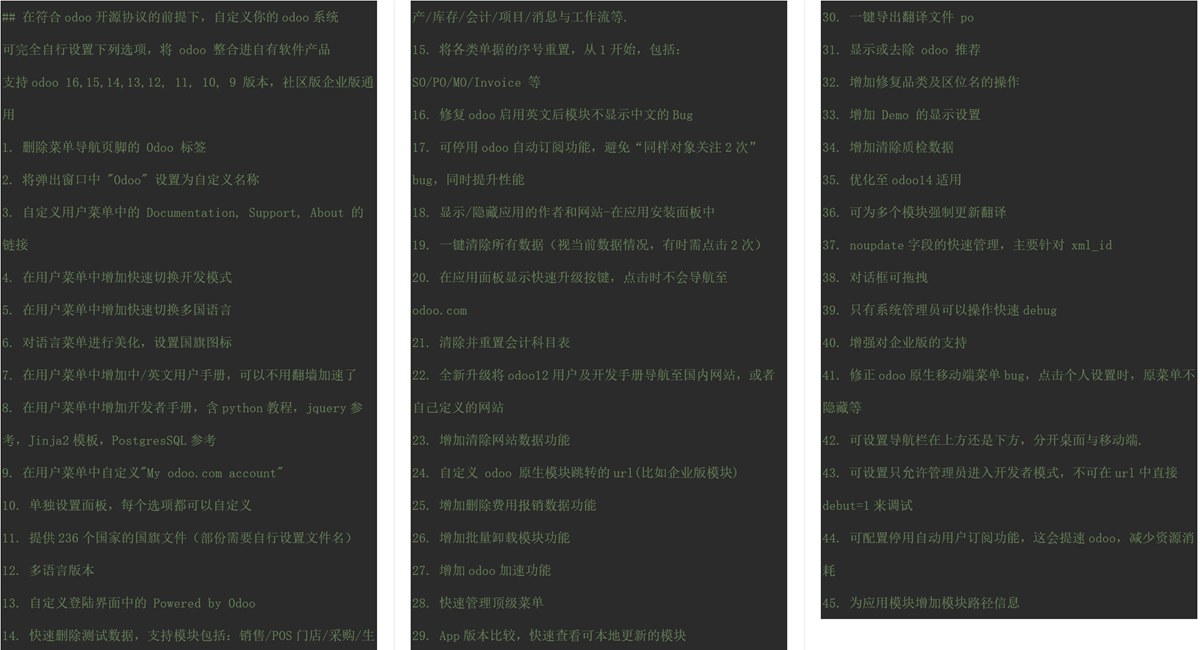
1. 删除菜单导航页脚的 Odoo 标签
Deletes Odoo label in footer -
2. 将弹出窗口中 "Odoo" 设置为自定义名称
Replaces "Odoo" in Windows title -
3. 自定义用户菜单中的 Documentation, Support, About 的链接
Customize Documentation, Support, About links and title in usermenu -
4. 在用户菜单中增加快速切换开发模式
Adds "Developer mode" link to the top right-hand User Menu -
5. 在用户菜单中增加快速切换多国语言
Adds Quick Language Switcher to the top right-hand User Menu -
6. 对语言菜单进行美化,设置国旗图标
Adds Country flags to the top right-hand User Menu -
7. 在用户菜单中增加中/英文用户手册
Adds English and Chinese user documentation access to the top right-hand User Menu -
8. 在用户菜单中增加开发者手册
Adds developer documentation access to the top right-hand User Menu -
9. 在用户菜单中自定义"My odoo.com account"
Customize "My odoo.com account" button -
10. 单独设置面板,每个选项都可以自定义
Standalone setting panel, easy to setup -
11. 提供236个国家/地区的国旗文件
Provide 236 country flags -
12. 自定义登陆界面中的 Powered by Odoo
Change Powered by Odoo in login screen -
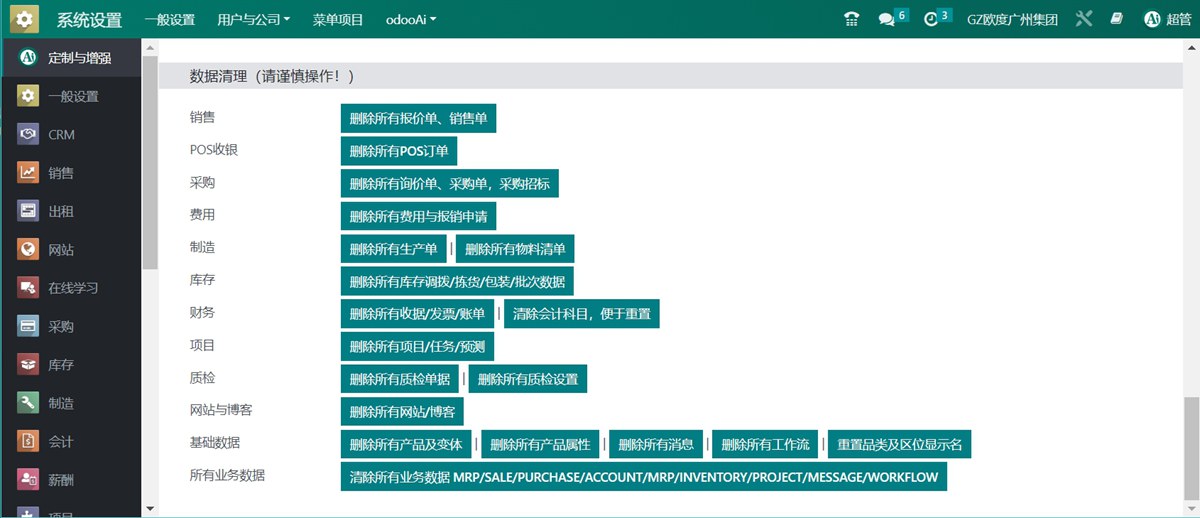
13. 快速删除测试数据,支持销售/POS/采购/生产/库存/会计/项目/消息与工作流等
Quick delete test data in Apps: Sales/POS/Purchase/MRP/Inventory/Accounting/Project/Base Models -
14. 将各类单据的序号重置,从1开始,包括:SO/PO/MO/Invoice 等
Reset All the Sequence to beginning of 1: SO/PO/MO/Invoice... -
15. 修复odoo启用英文后模块不显示中文的Bug
Fix odoo reload module translation bug while enable english language -
16. 可停用odoo自动关注功能,避免"同样对象关注2次"bug,同时提升性能
Stop Odoo Auto Subscribe (Performance Improve) -
17. 显示/隐藏应用的作者和网站-在应用安装面板中
Show/Hide Author and Website in Apps Dashboard -
18. 一键清除所有数据(视当前数据情况,有时需点击2次)
One Click to clear all data (Sometime pls click twice) -
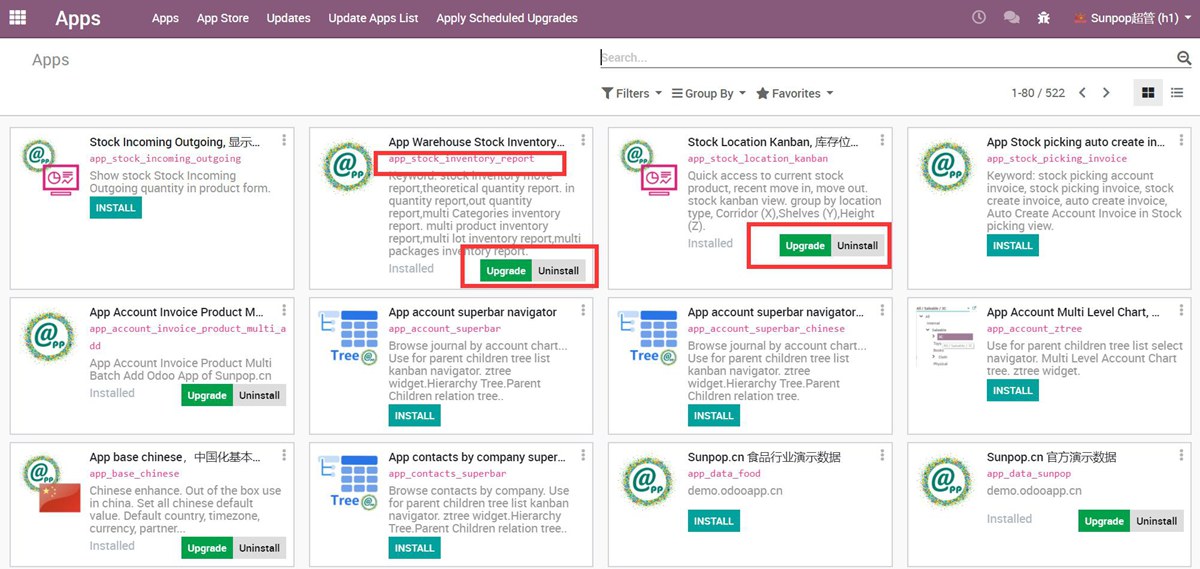
19. 在应用面板显示快速升级按键,点击时不会导航至 odoo.com
Show quick upgrade in app dashboard, click to show module info not go to odoo.com -
20. 清除并重置会计科目表
Can clear and reset account chart. Be cautious -
21. 全新升级将用户及开发手册导航至国内网站,或者自己定义的网站
Update online manual and developer document to odoo18/17 -
22. 增加清除网站数据功能
Add reset or clear website blog data -
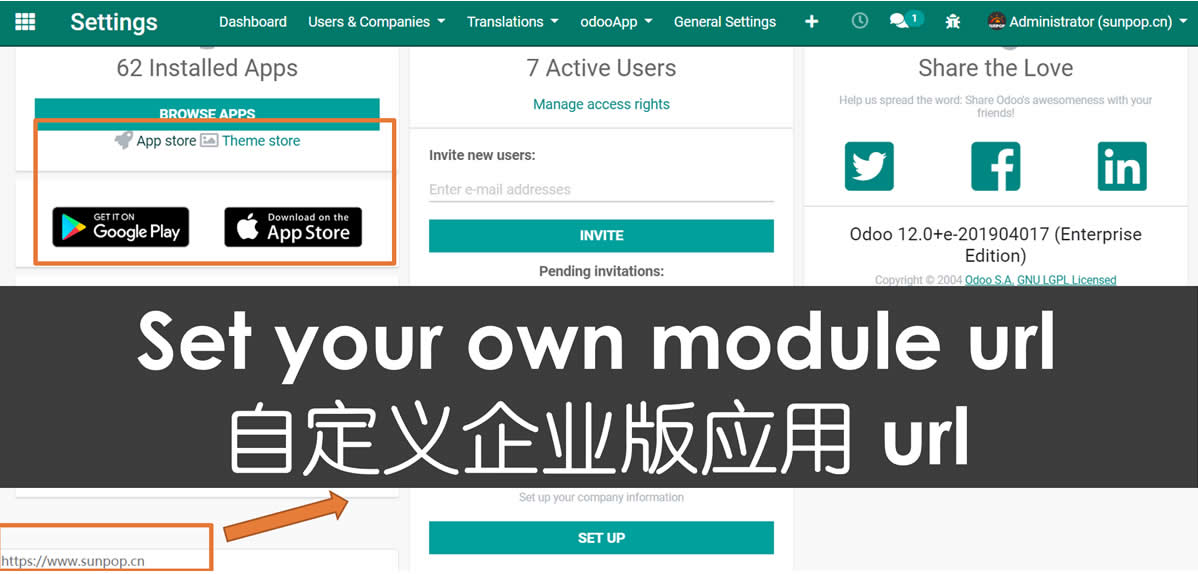
23. 自定义 odoo 原生模块跳转的url(比如企业版模块)
Customize Odoo Native Module(eg. Enterprise) Url -
24. 增加删除费用报销数据功能
Add remove expense data -
25. 增加批量卸载模块功能
Add multi uninstall modules -
26. 增加odoo加速功能
Add odoo boost modules link -
27. 快速管理顶级菜单
Easy Menu manager -
28. App版本比较,快速查看可本地更新的模块
Apps version compare. Add Install version in App list. Add Local updatable filter in app list -
29. 一键导出翻译文件 po
1 key export app translate file like .po file -
30. 显示或去除 odoo 推荐
Show or hide odoo Referral in the top menu -
31. 增加修复品类及区位名的操作
Fix odoo bug of complete name bug of product category and stock location -
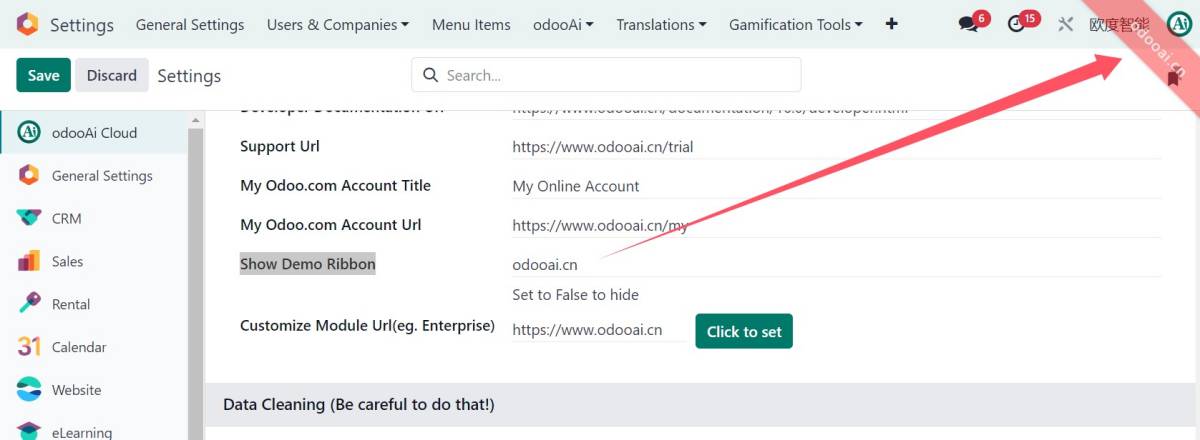
32. 增加 Demo 的显示设置
Add Demo Ribbon Setting -
33. 增加清除质检数据
Add Remove all quality data -
34. 可为多个模块强制更新翻译
Add refresh translate for multi module -
35. noupdate字段的快速管理,主要针对 xml_id
Easy noupdate manage for External Identifiers(xml_id) -
36. 对话框可拖拽,可缩放,自动大屏优化
Add Draggable Dialog enable -
37. 只有系统管理员可以操作快速debug
Only erp manager can see debug menu -
38. 增强对企业版的支持
Fix support for enterprise version -
39. 修正odoo原生移动端菜单bug,点击个人设置时,原菜单不隐藏等
Fix odoo bug, when click Preferences menu not hide in mobile -
40. 可设置导航栏在上方还是下方,分开桌面与移动端
Mobile Enhance. Add menu navbar setup for top or bottom. navigator footer support -
41. 可设置只允许管理员进入开发者模式,不可在url中直接debug=1来调试
Check to only Debug / Debug Assets for Odoo Admin. Deny debug from url for other user -
42. 可配置停用自动用户关注功能,这会提速odoo,减少资源消耗
Check to stop subscribe and follow. This to make odoo speed up -
43. 为应用模块增加模块路径信息
Add addons path info to module -
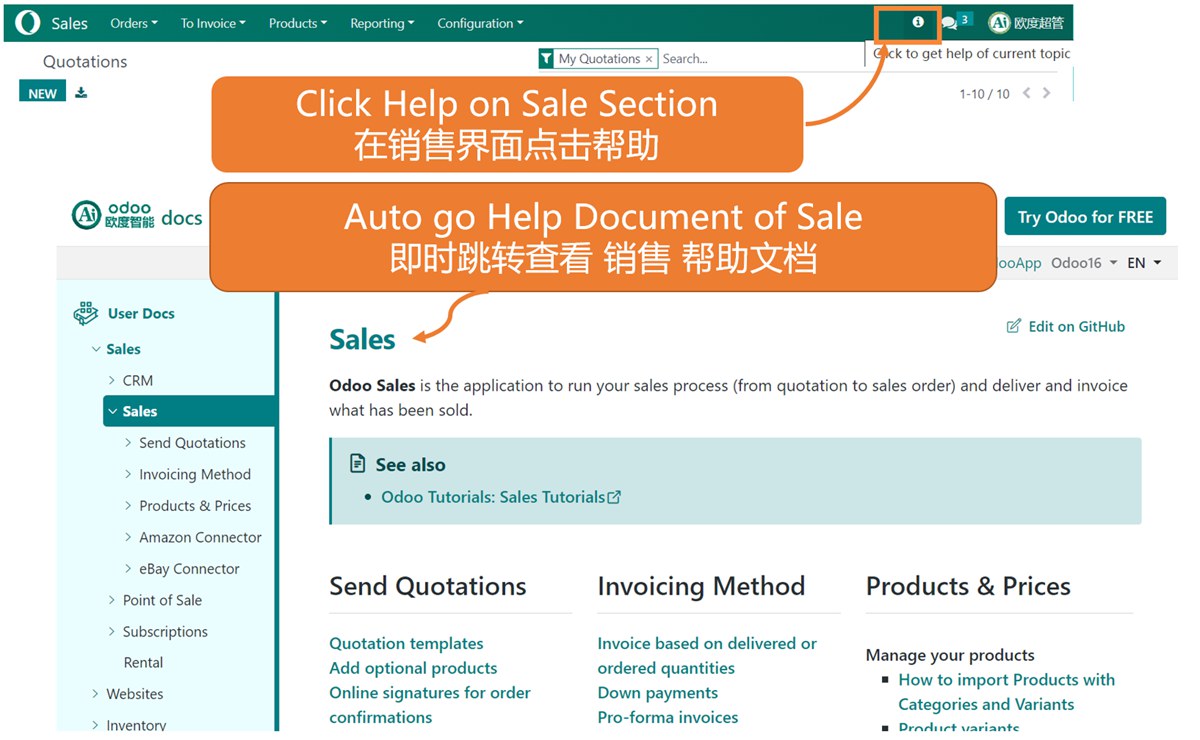
44. 增加快速帮助文档,可以在任意操作中获取相关的 odoo 帮助
Add Help documentation anywhere. easy get help for any odoo operation or action -
45. 增加Ai模块相关信息,可以快速访问ai模块,使用ai员工
Add ai robot app integration. Use Ai as your employee -
46. 增加可配置的系统调试标签,用于系统测试期提示
Add configurable Test Label, Demo Ribbon on top menu -
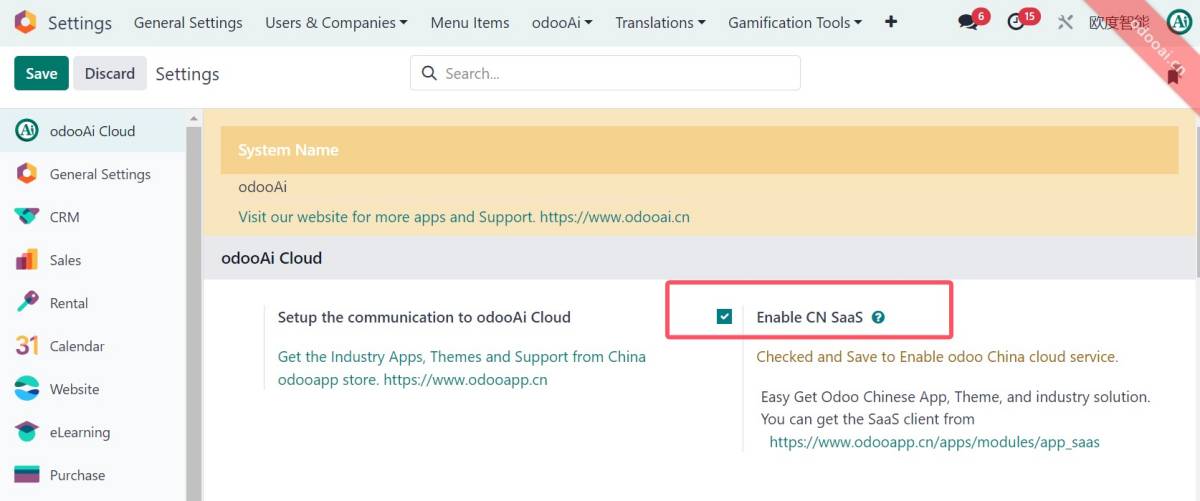
47. 增加 SaaS 客户端开关,可让用户安装在线翻译同步模块及在线更新(仅odoo18)
Add SaaS client switch for online Translate sync(18 only) -
48. 快速菜单管理,快速禁用/启用菜单
Quick Menu manager. de-active / active menu -
49. 在开发者Assets模式中,快速查看菜单Menu 的 xml_id
Show menu xml_id in debug asset mode. easy for menu and action development -
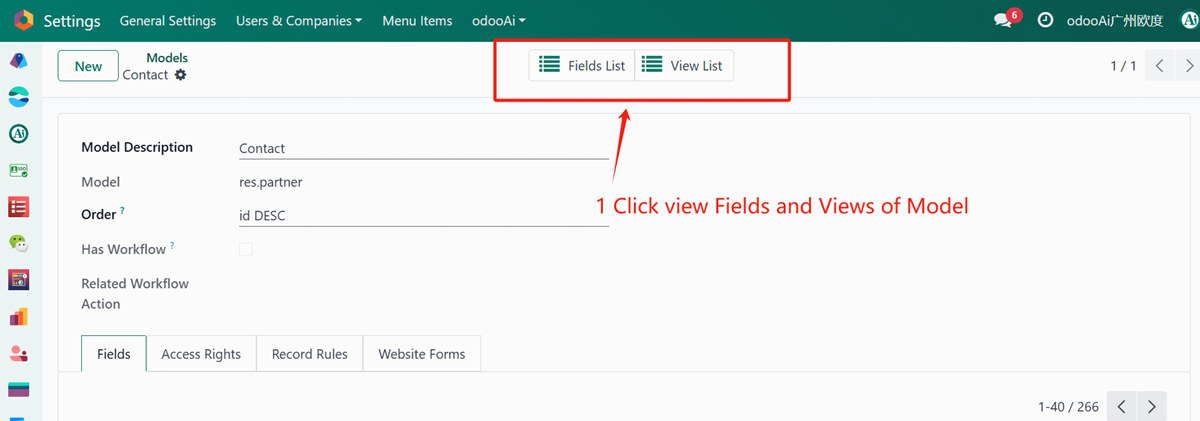
50. 快速管理查看模型的字段和视图列表
Quick View Fields list and View List of every model -
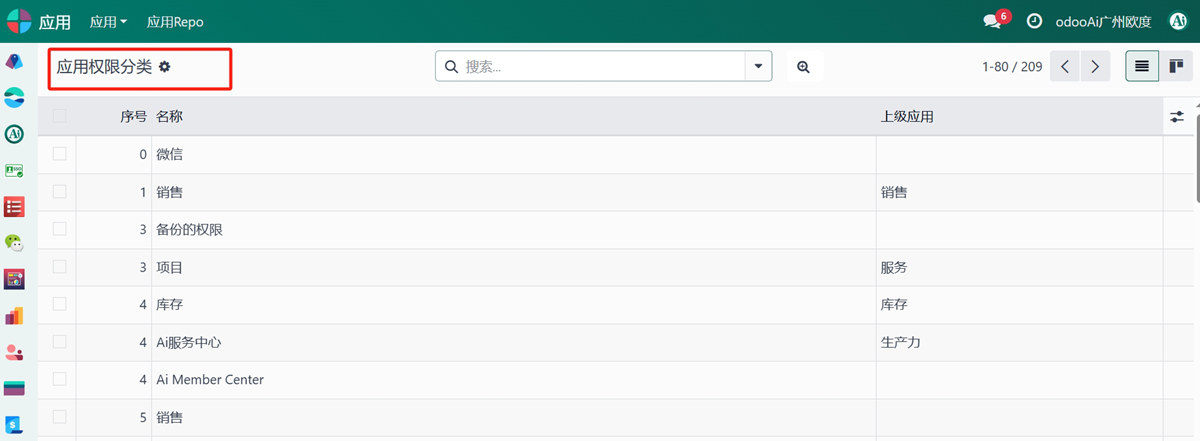
51. 快速管理查看应用权限分类管理
Quick management and view of Application Access Category -
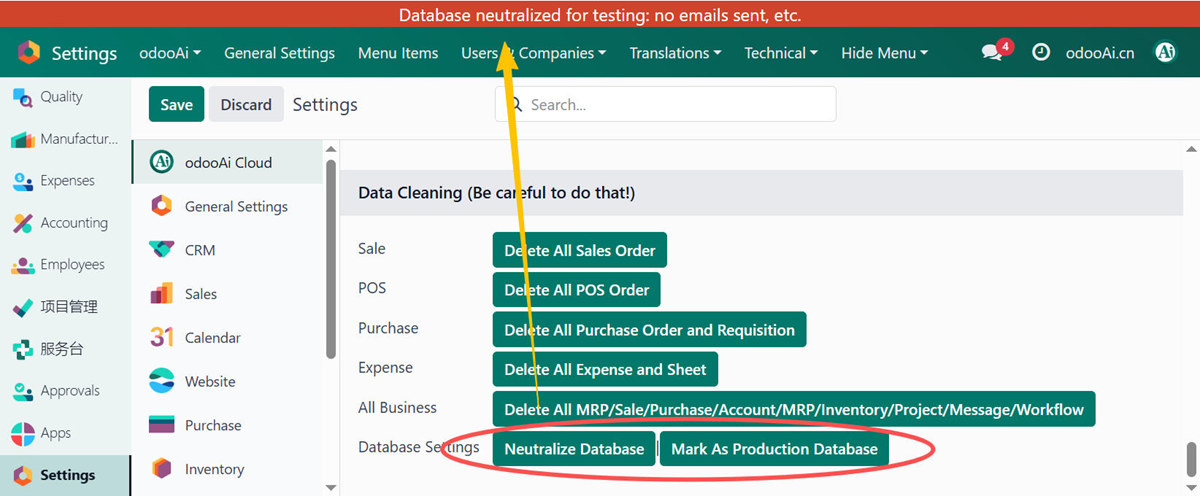
52. 快速设定全数据库为测试实例(Neutralize),或恢复为生产实例
Quick set database to test Neutralize DB, or restore to Production
If you want to change the login page, please modify the file views/app_odoo_customize_views.xml
This module can help to white label the Odoo. Also helpful for training and support for your odoo end-user. The user can get the help document just by one click.
核心亮点 / Key Highlights
精选最受用户欢迎的功能 / Most popular features
1. OEM白标定制 / OEM White Label
Replace Odoo branding with your own
替换系统名称、页脚Logo、登录界面品牌,将Odoo变为你的自有产品
2. 快速调试 / Quick Debug
Developer mode in one click
用户菜单一键进入开发者模式,支持仅管理员访问,拒绝URL调试
3. 语言切换 / Language Switcher
Quick switch with country flags
236国国旗图标,快速切换多国语言,中英文文档一键直达
4. 数据清理 / Data Reset
One-click test data removal
一键清理销售/采购/库存/会计/生产等测试数据,重置序号与科目表
5. 安全与提速 / Security & Boost
Admin-only debug, stop auto subscribe
限制仅管理员调试,停用自动关注提升性能,减少资源消耗
6. AI员工集成 / AI Employee
ChatGPT, Bard, Azure OpenAI
集成ChatGPT、Google Bard、Azure OpenAI等AI服务,用AI做你的员工
7. 全场景帮助 / Help Anywhere
Context help for any operation
任意操作中获取相关Odoo帮助文档,可自定义帮助域名和额外文档
8. 移动端增强 / Mobile Enhance
Navbar top/bottom, footer navigator
导航栏上方/下方切换,移动端底部导航支持,修复原生菜单Bug
9. 可拖拽对话框 / Draggable Dialog
Resizable, auto fullscreen optimize
对话框可拖拽移动、可缩放大小,自动大屏优化显示
10. 快速菜单管理 / Quick Menu Manager
Active/deactive menu in one click
快速禁用/启用菜单,查看菜单xml_id,开发调试必备
11. 数据库测试切换 / DB Neutralize
Switch between test and production
一键将数据库设为测试实例(Neutralize),或恢复为生产实例
通用特性 / General Features
多语言与多公司
Multi-Language & Multi-Company
完整的多语言翻译支持,适配全球化企业部署。原生多公司架构,数据严格隔离。
全版本兼容
Full Version Support
支持 Odoo 19, 18, 17, 16, 15, 14, 13, 12,EE/CE/.SH,兼容企业版、社区版及在线 SaaS。
代码完全开源
Full Open Source
基于 LGPL-3 协议开源,代码透明可审计,支持二次开发与定制。
界面截图 / Screenshots
核心功能界面一览
OEM白标定制 / OEM White Label Customize

设置入口 / How to Use: Settings → odooAi → odooAi Cloud Settings
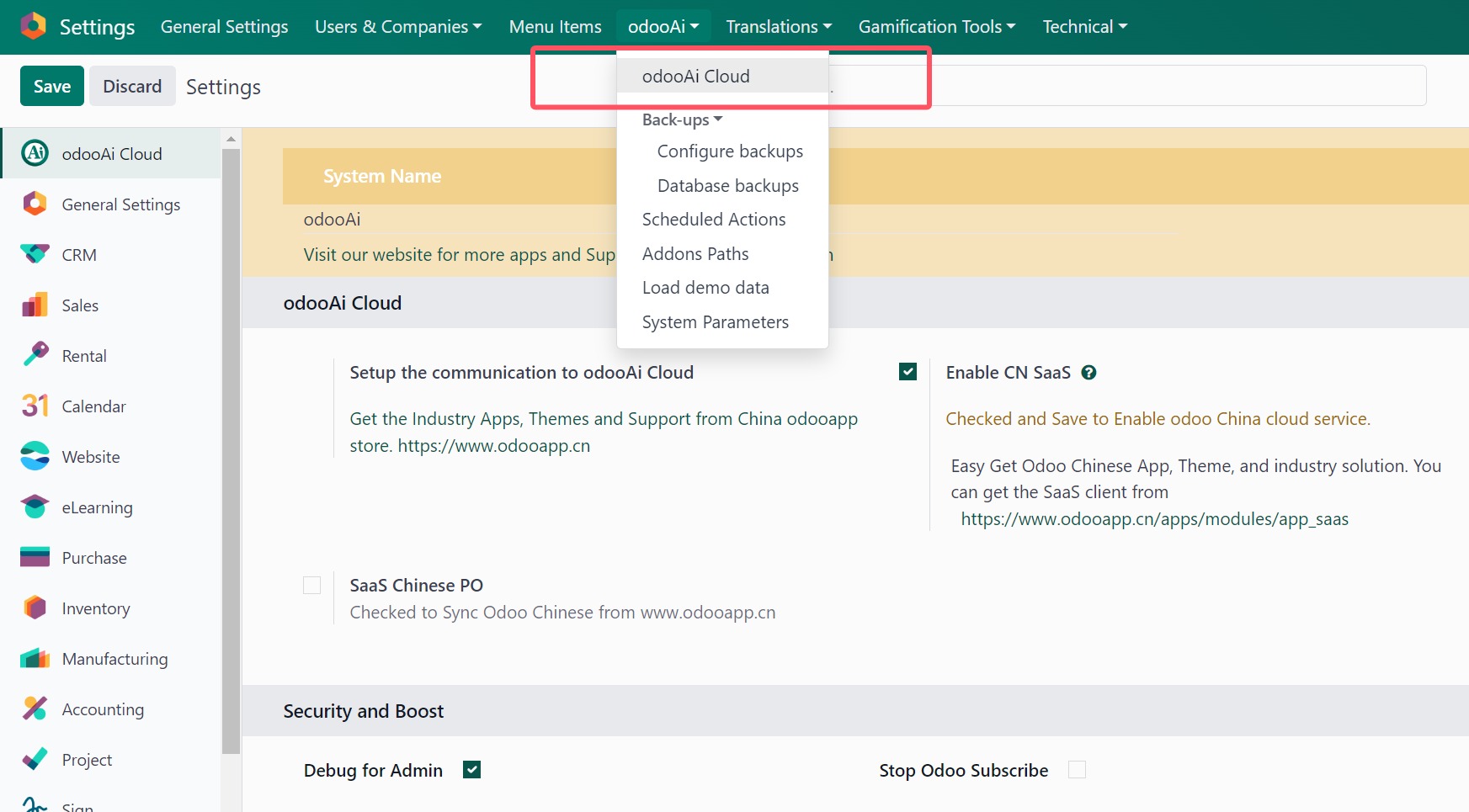
替换系统名称与页脚Logo / Replace Odoo Title and Delete Footer Label
多语言中文支持 / Multi-language Support: Chinese Ready

语言切换与国旗 / Language Switcher with Flags
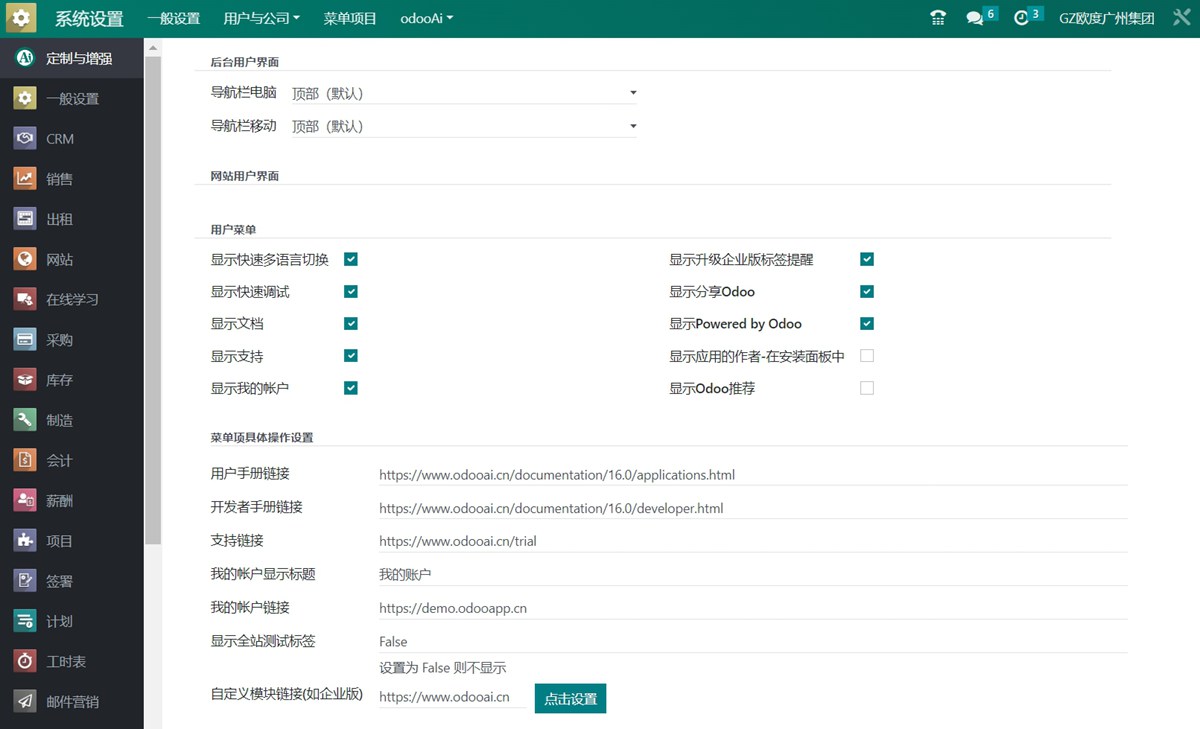
中文界面效果 / Chinese Interface
全场景帮助文档 / Help Document Anywhere
自定义帮助文档Logo / Use Company Logo for Help Document

为模块设置额外帮助文档 / Set Extra Help Doc for Any Addons

开发者模式下帮助 / Must in Development Mode
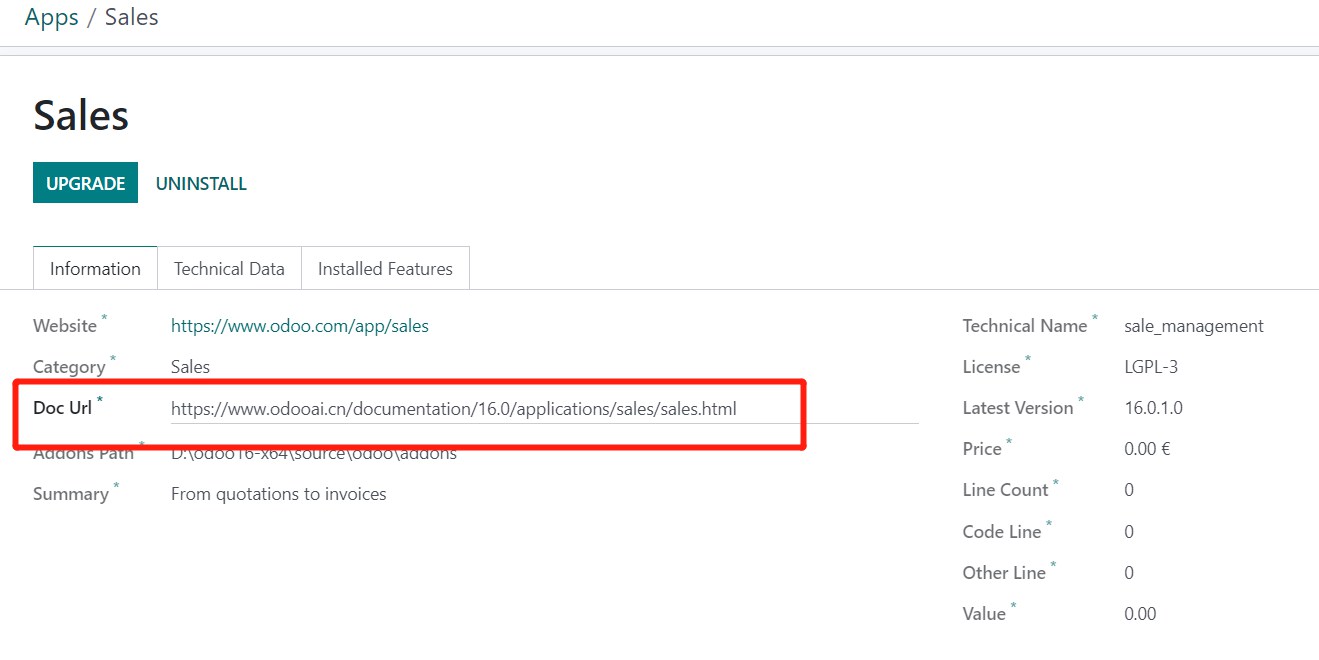
AI中心支持 / New Ai Center Support
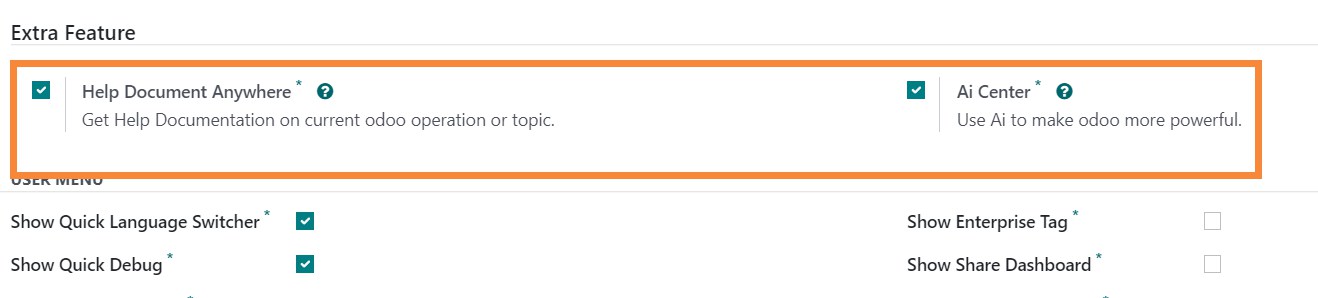
移动端导航栏增强 / Mobile Navbar Setup for Top or Bottom

安全与提速设置 / Security and Boost Settings

模块快速操作 / Quick Module Operation: Refresh Translate, Upgrade, Uninstall

批量模块操作 / Easy Mass Module Operation

导出翻译文件 / Easy Export Translate .po File

可拖拽对话框 / Draggable and Sizeable Dialog

显示/隐藏应用作者 (修改前) / Show/Hide Author in Apps Dashboard (Before)
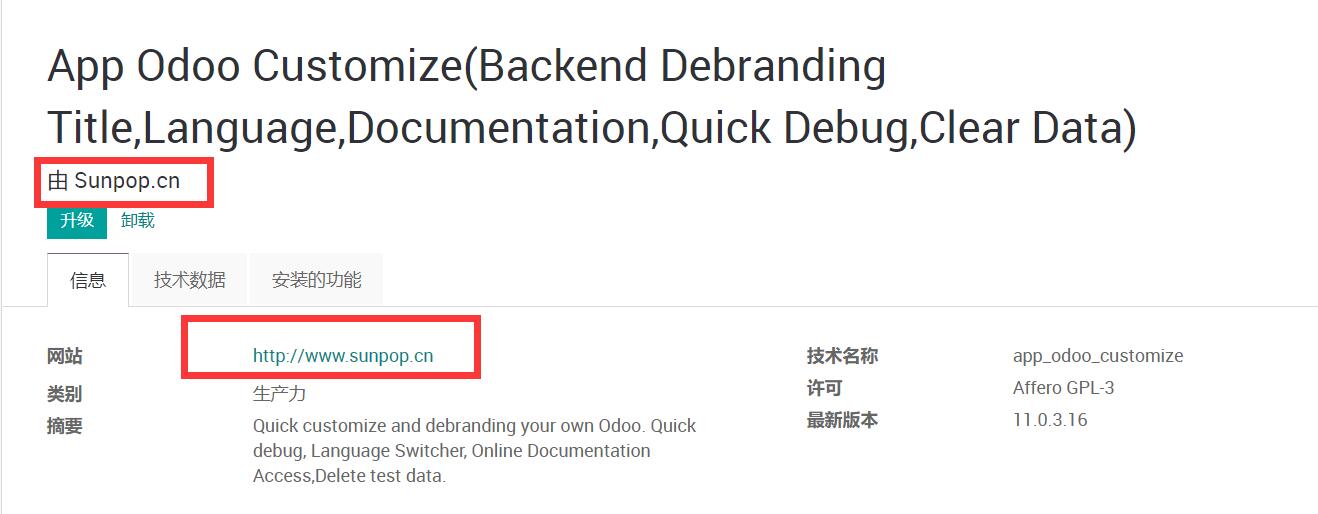
隐藏应用作者 (修改后) / Hide Author in Apps Dashboard (After)
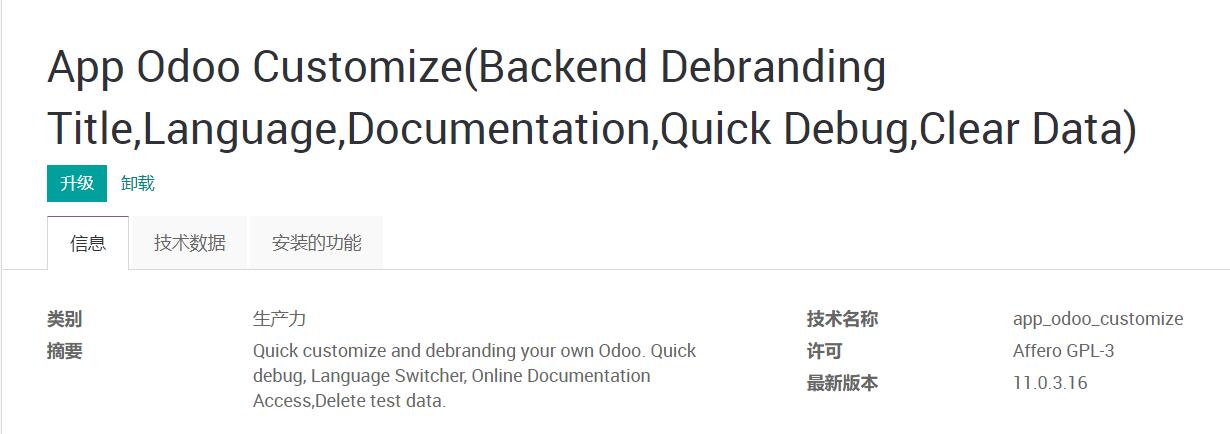
应用面板快速升级 / Quick Upgrade in App Dashboard
自定义企业版模块URL / Customize Enterprise Module URL
快速删除测试数据 / Quick Delete Test Data

可配置测试标签与Demo丝带 / Configurable Test Label and Demo Ribbon
SaaS客户端在线翻译同步 / SaaS Client Switch for Online Translate Sync
快速菜单管理 / Quick Menu Manager: Active/Deactive
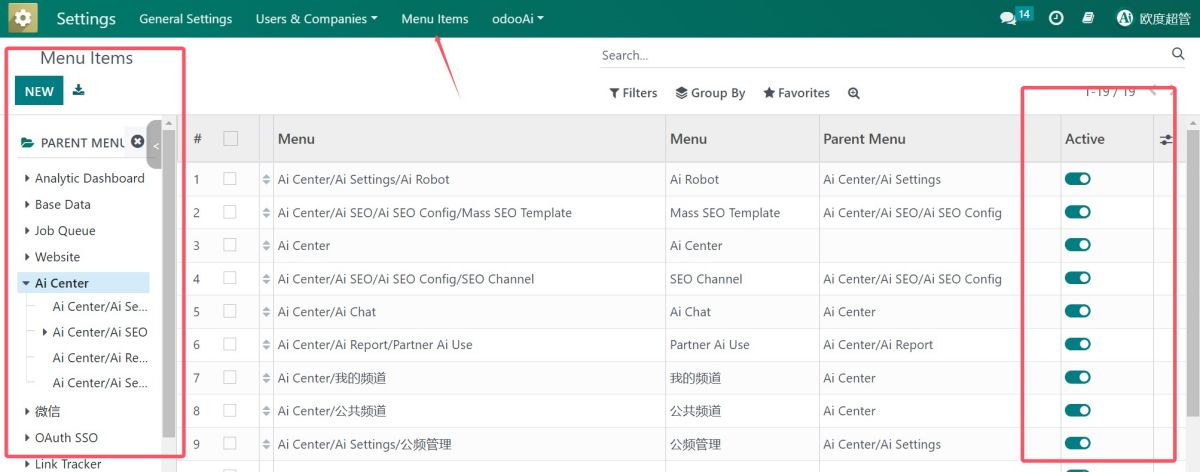
查看菜单xml_id / Show Menu xml_id in Debug Asset Mode

模型字段与视图列表 / Quick View Fields and View List
应用权限分类管理 / Application Access Category Management
数据库测试/生产切换 / Database Neutralize or Restore to Production
多语言支持 / Multi-language Support
免费关联模块 / Free Related Apps
安装本模块后,以下关联模块可免费下载使用
- SuperBar Widget - Navigate by partner and channel Download
使用流程 / How It Works
安装模块
Install Module
进入设置
Settings → odooAi
勾选功能
Enable Features
立即生效
Take Effect
支持与依赖模块 / Supported & Dependent Modules
- app_common / 公共基础模块
- base_setup / 基础设置
- base_import / 数据导入
- base_import_module / 模块导入
- portal / 门户
- mail / 消息
odooai.cn
专业Odoo服务伙伴-开发实施咨询培训全套解决方案 / Professional Odoo Solutions

Specifications
| 版本 | 20.0, 19.0, 18.0, 17.0, 16.0, 15.0, 14.0, 13.0, 12.0, 11.0, 10.0 |
| Tags | |
|---|---|
| Tags | |