- 新春6折: Odoo19全面升级已完成,微信小程序支付全场6折。
- 即时下载:购买后从我的 应用中心下载
- 服务支持:购买后15天内邮件 安装指导
- 授权许可:购买即代表同意 用户协议
- 售后承诺: odooApp.cn 的模块与主题均保证功能与您下载时所见描述一致,如有异议可在下单后15天内申请免费退款
- 更多支持:务必参考 FAQ常见问题与答疑

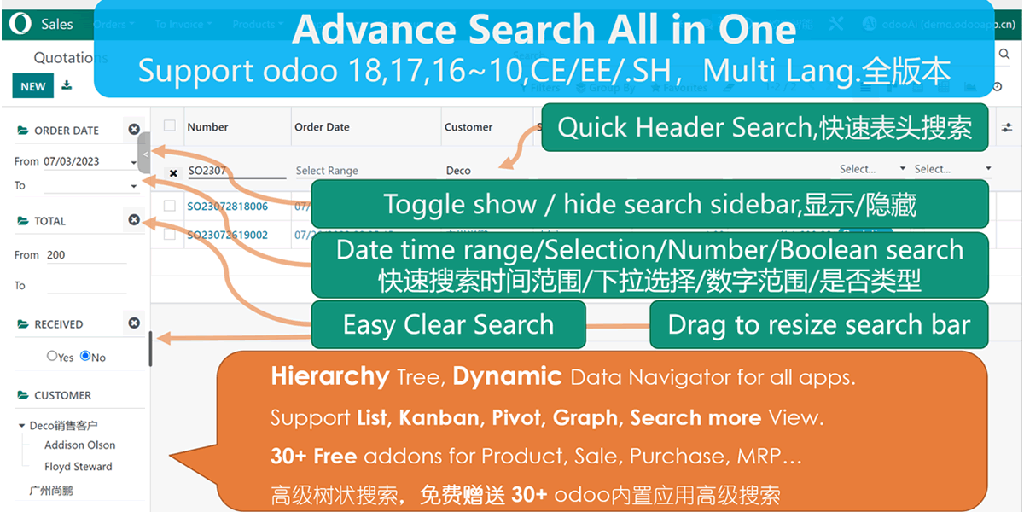
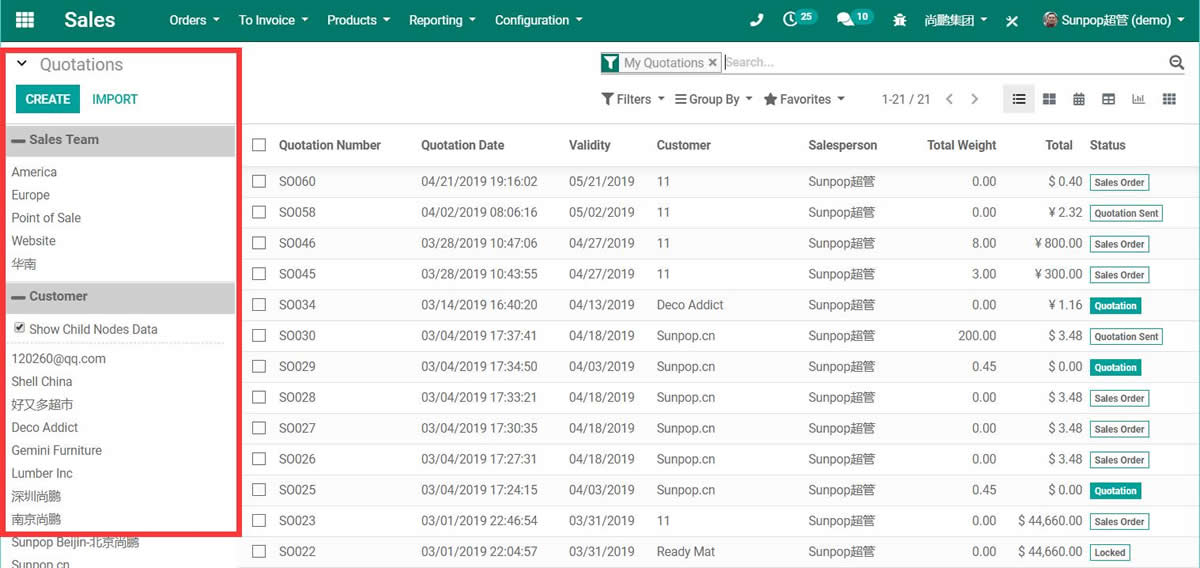
App sale order browse by partner and channel
Browse sale order by partner and sale channel. Use for parent children tree list kanban navigator.
ztree widget.Hierarchy Tree.Parent Children relation tree..

销售订单超级搜索栏 / Sale Order Superbar
按客户和销售渠道浏览销售订单,树状层级导航
使用父子树结构快速导航和搜索销售订单
Browse sale orders by partner and channel with parent children tree navigator
功能概述 / Overview
销售订单超级搜索栏(Superbar)是一个免费的 Odoo 增强模块,通过客户和销售渠道的树状层级结构,让您在列表、看板、透视和图表视图中快速导航和搜索销售订单。
Sale Order Superbar is a free Odoo enhancement that lets you browse and search sale orders using a parent children tree navigator by partner and sale channel across list, kanban, pivot and graph views.
核心亮点 / Key Highlights
树状导航,快速搜索销售数据
1. 父子树导航 / Parent Children Tree
Hierarchy navigation
通过客户和渠道的父子树结构,快速定位销售订单
2. 多视图支持 / Multi-View Support
List, Kanban, Pivot, Graph
支持列表、看板、透视和图表视图中显示搜索树
3. 搜索更多 / Search More
Quick product lookup
在搜索更多窗口中快速过滤和查找产品
4. 显示子节点 / Show Child Nodes
Checkbox toggle
勾选复选框控制是否显示子节点数据
5. 多选节点 / Multi-Node Select
Ctrl/Cmd multi-select
按 Ctrl(Windows) / Cmd(Mac) 选择多个树节点进行搜索
6. 多字段搜索 / Multi-Field Filter
Set multiple search fields
设置多个搜索字段进行组合筛选
通用特性 / General Features
多语言与多公司
Multi-Language & Multi-Company
完整的多语言翻译支持,适配全球化企业部署。原生多公司架构,数据严格隔离。
全版本兼容
Full Version Support
支持 Odoo 19, 18, 17, 16, 15, 14, 13, 12,EE/CE/.SH,兼容企业版、社区版及在线 SaaS。
代码完全开源
Full Open Source
基于 LGPL-3 协议开源,代码透明可审计,支持二次开发与定制。
界面截图 / Screenshots
核心功能界面一览
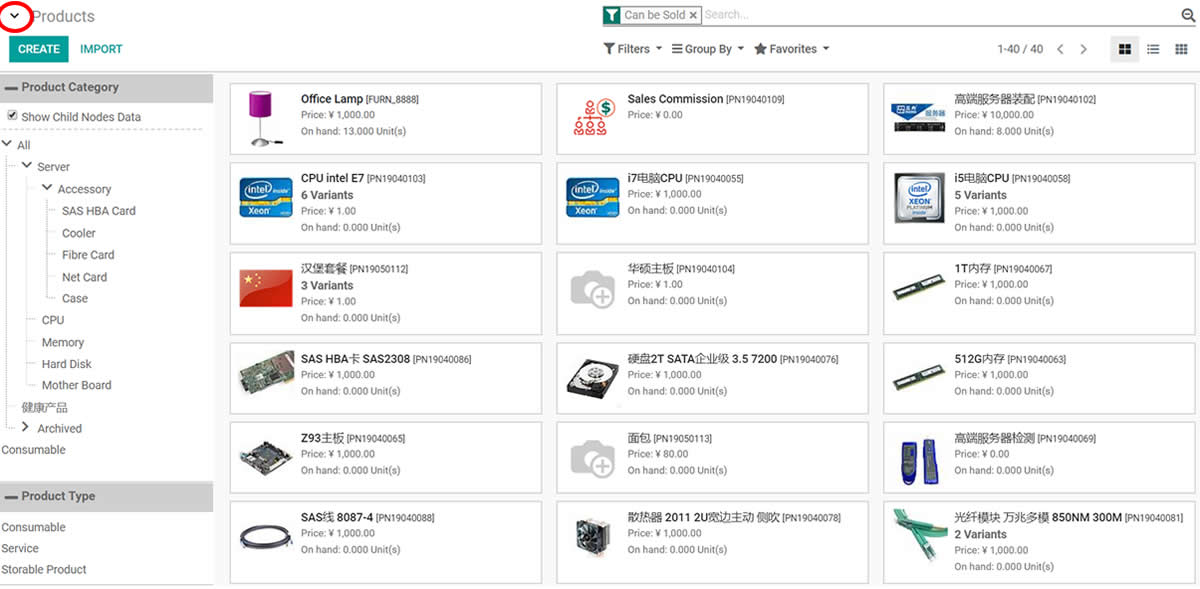
Product by category or type in kanban view / 看板视图按产品分类浏览
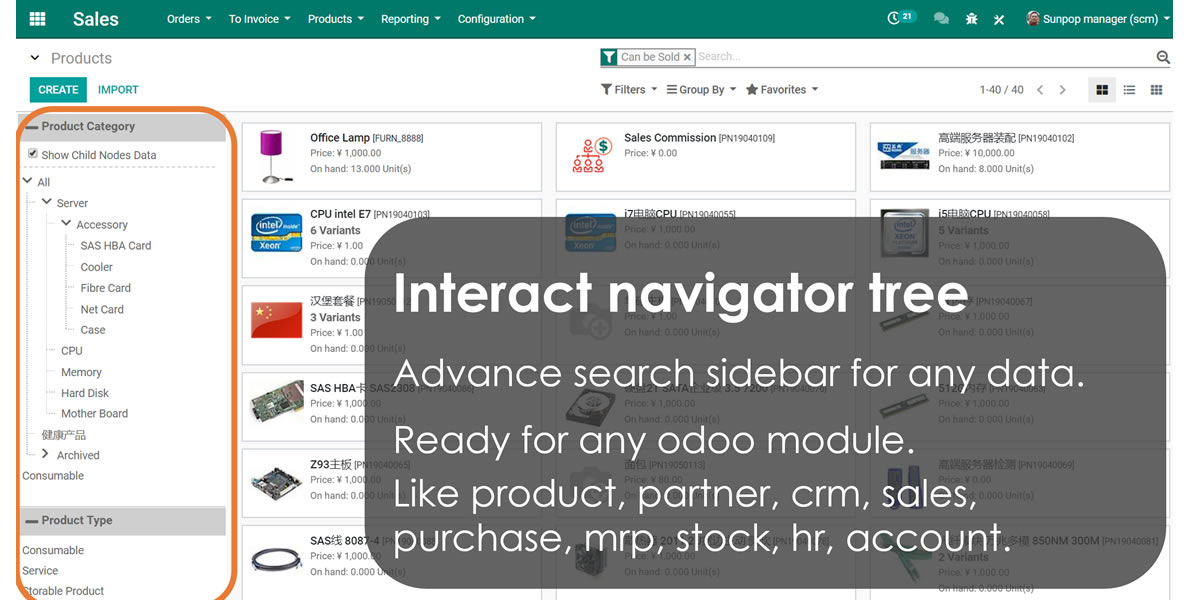
Free to Use in POS point of sale / POS 销售点使用
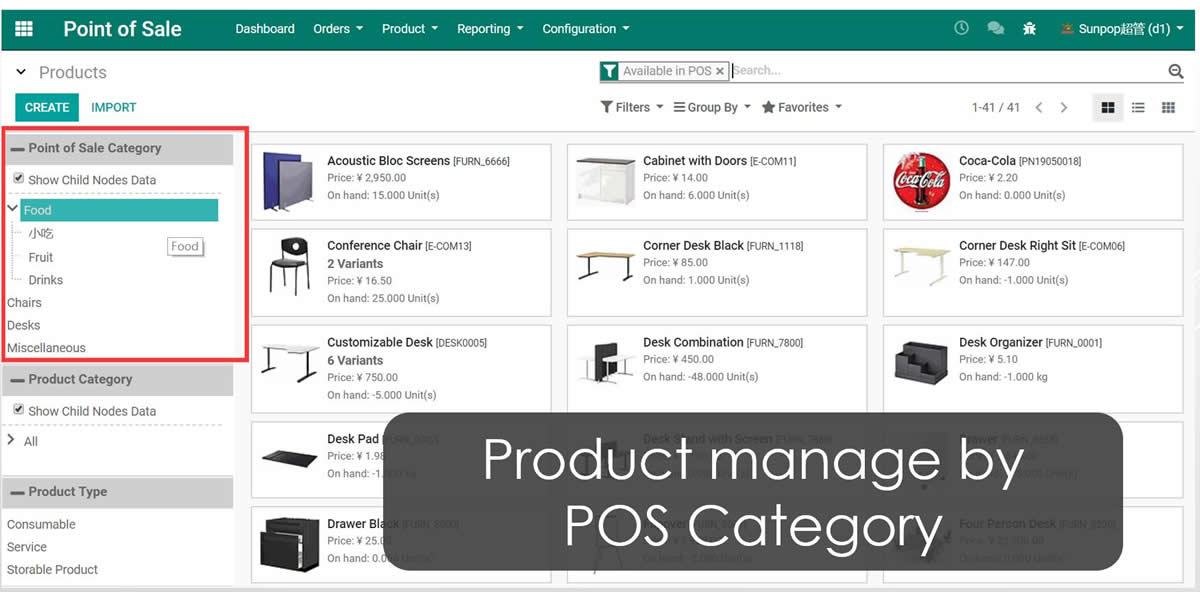
POS product and order / POS 产品与订单

POS report / POS 报表

Use in Account / 会计模块使用
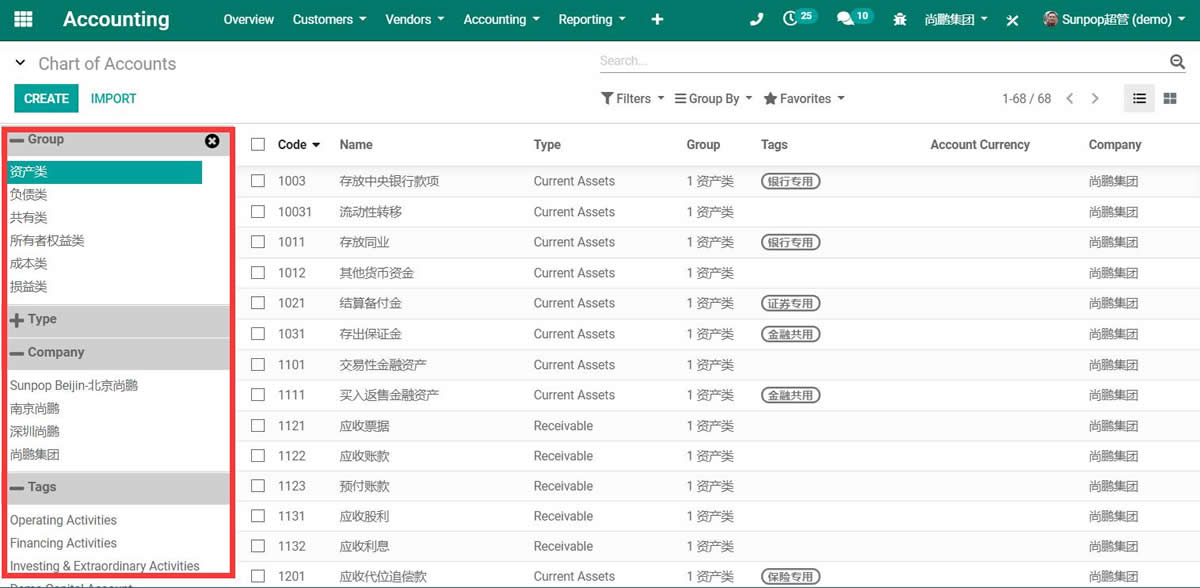
Use in Sale / 销售模块使用
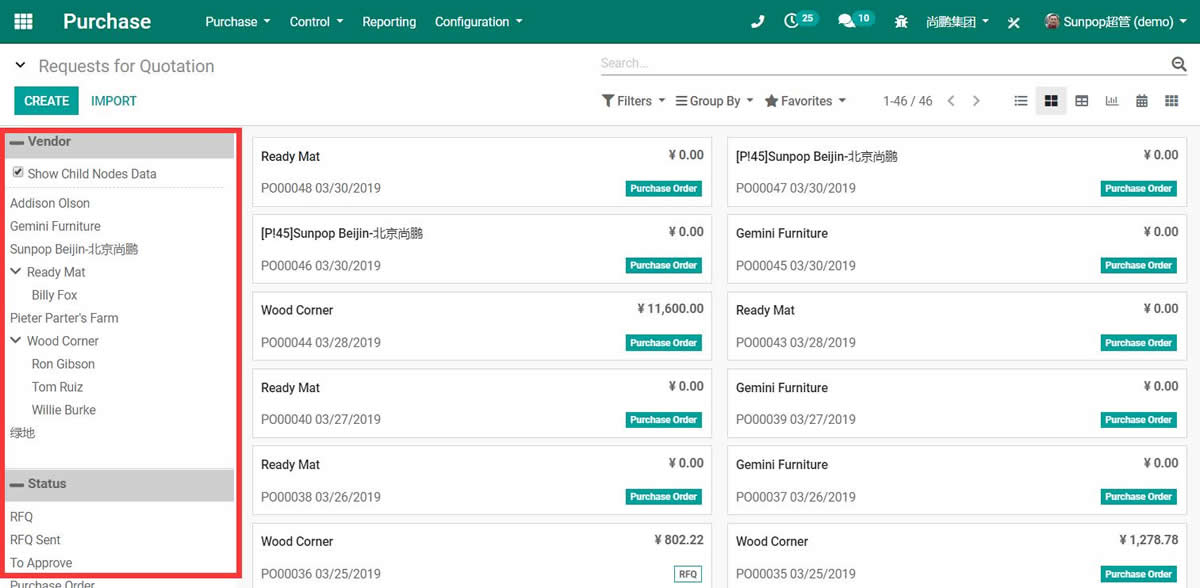
Use in purchase / 采购模块使用
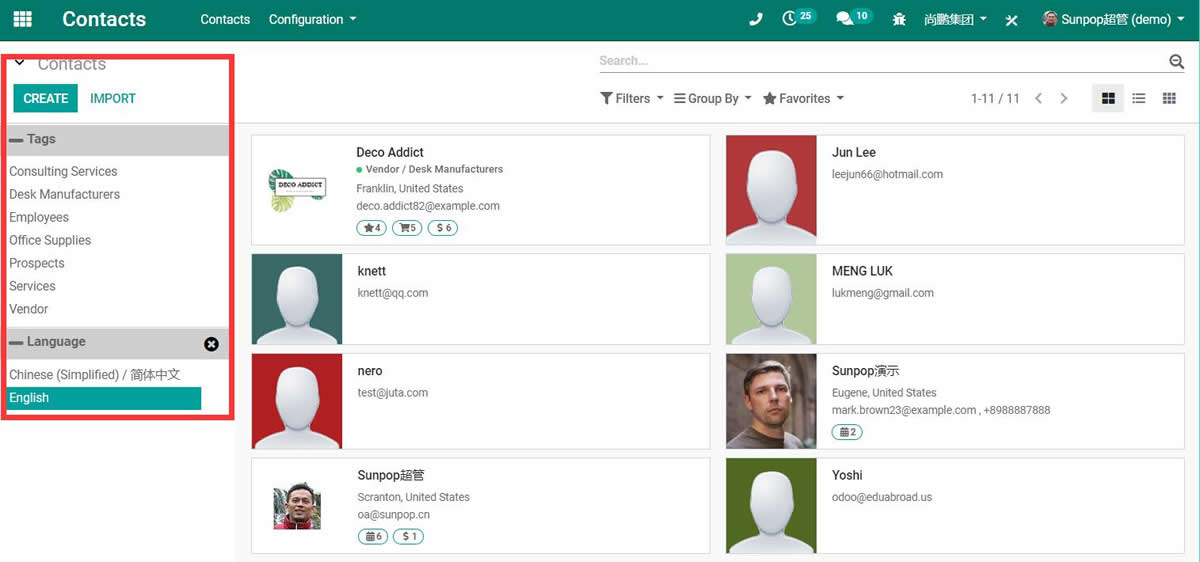
Use in contacts / 联系人模块使用
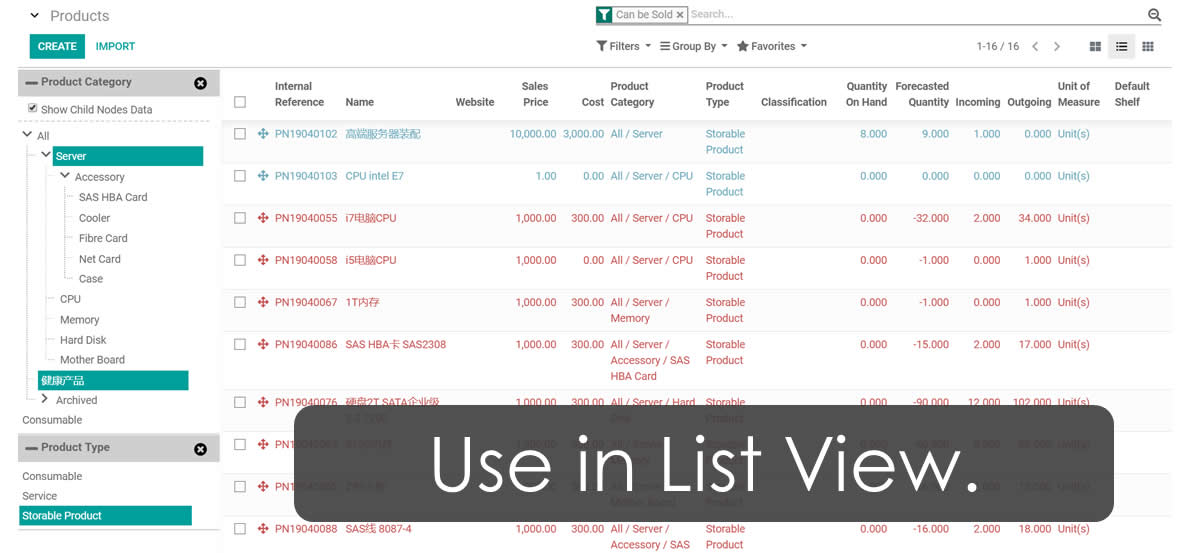
Show superbar in list view / 列表视图显示搜索栏
Show superbar in kanban view / 看板视图显示搜索栏

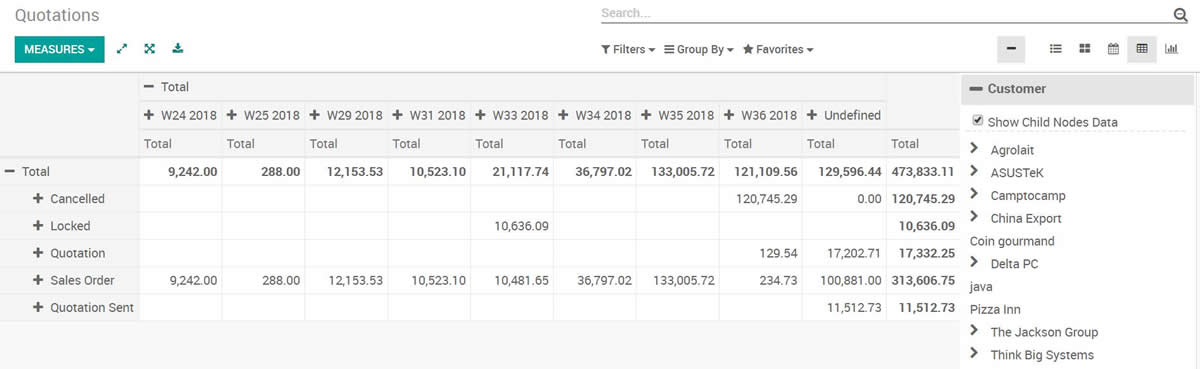
Show superbar in pivot view / 透视视图显示搜索栏
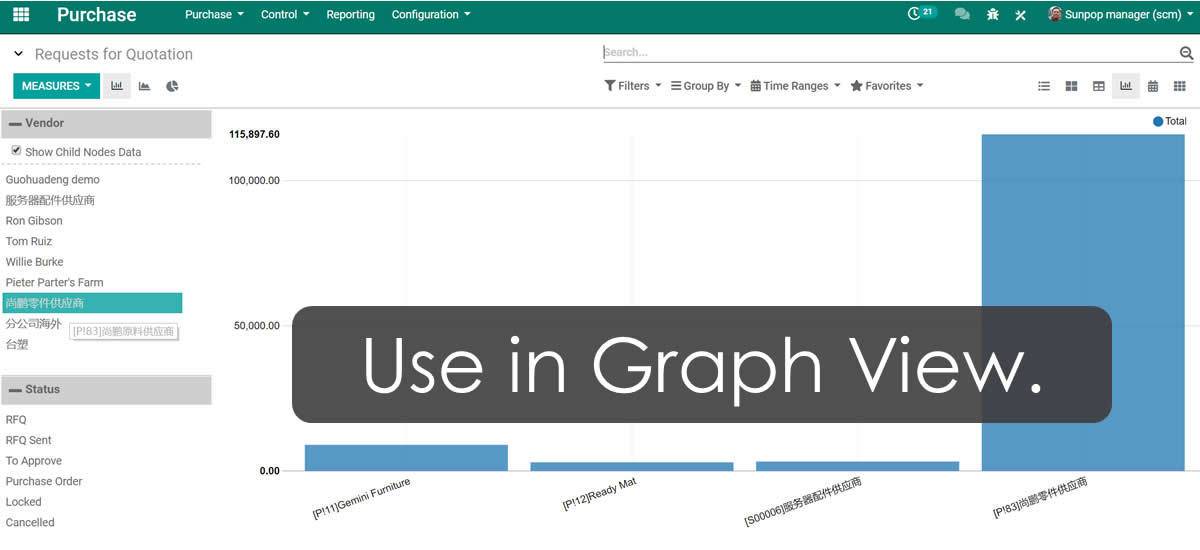
Show superbar in graph view / 图表视图显示搜索栏
Click switch to show or hide superbar / 点击切换显示隐藏搜索栏
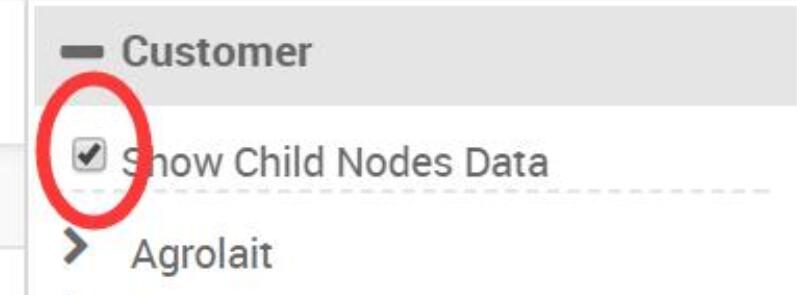
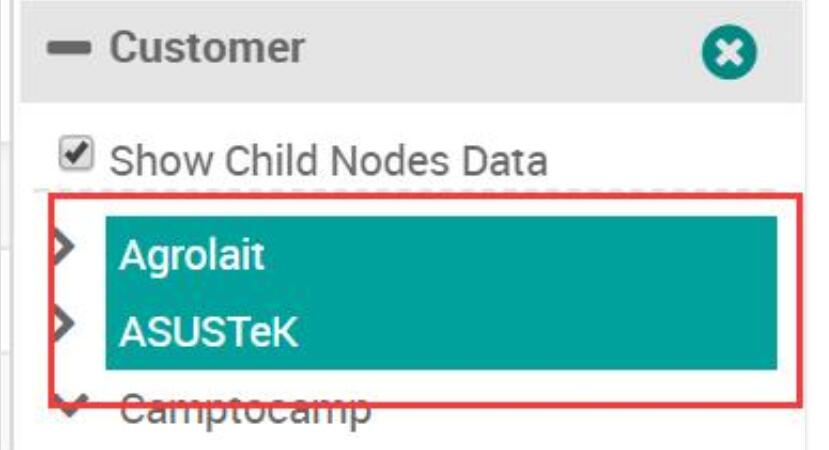
Click checkbox to show child nodes data / 勾选显示子节点数据
Press Ctrl/Cmd to Select Multi Nodes / 多选节点搜索
Set multi field to search or filter / 设置多字段搜索
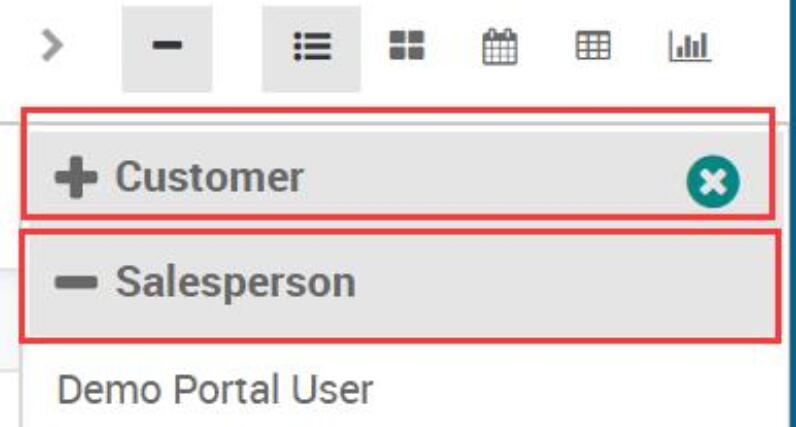
Customize widget setup / 自定义搜索栏配置

免费关联模块 / Free Related Apps
安装本模块后,以下关联模块可免费下载使用
- Advance Search Superbar / 超级搜索栏 Download
- Product navigate by category or type / 产品按分类导航 Download
- POS navigate by category or store / POS 按分类导航 Download
- Account chart navigate by type / 科目按类型导航 Download
- Contacts navigate by company / 联系人按公司导航 Download
- Purchase order navigate by partner / 采购按供应商导航 Download
- HR employee navigate by department / 员工按部门导航 Download
使用流程 / How It Works
安装 zTree 插件
Install zTree Widget
安装 Superbar
Install app_web_superbar
重启 Odoo
Restart Odoo service
开始使用
Start using superbar
支持与依赖模块 / Supported & Dependent Modules
- sale_management / 销售管理
- app_web_widget_ztree / zTree 树控件(需另外安装)
- app_web_superbar / 超级搜索栏(需另外安装)
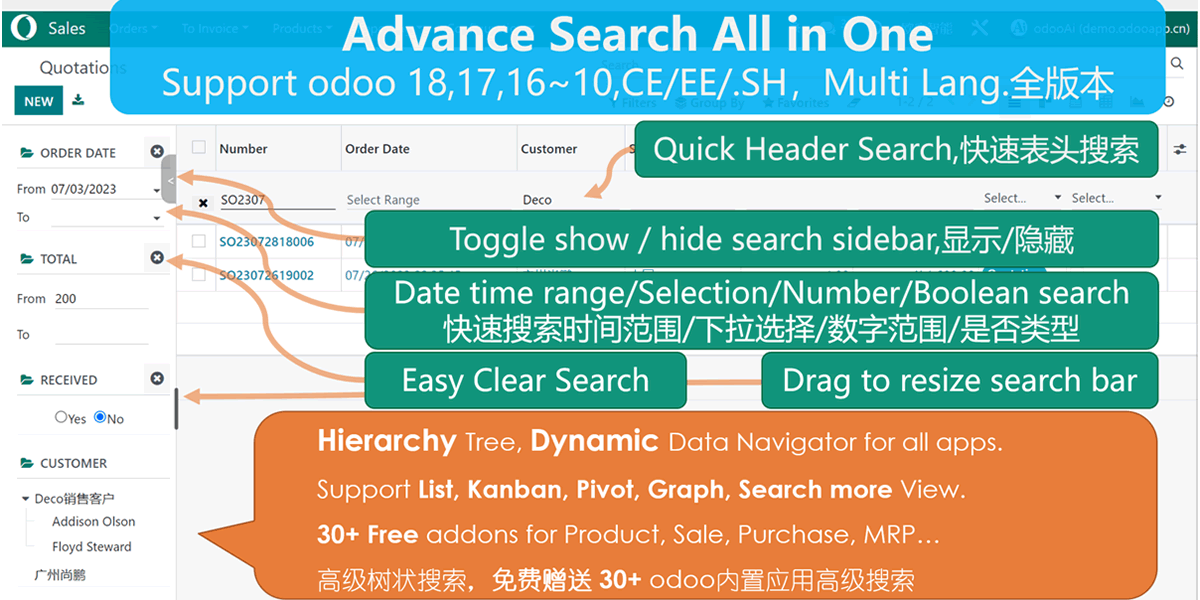
odooai.cn
专业Odoo服务伙伴-开发实施咨询培训全套解决方案 / Professional Odoo Solutions

Specifications
| 版本 | 19.0, 18.0, 17.0, 16.0, 15.0, 14.0, 13.0, 12.0, 11.0, 10.0 |