
- 新春6折: Odoo19全面升级已完成,微信小程序支付全场6折。
- 即时下载:购买后从我的 应用中心下载
- 服务支持:购买后15天内邮件 安装指导
- 授权许可:购买即代表同意 用户协议
- 售后承诺: odooApp.cn 的模块与主题均保证功能与您下载时所见描述一致,如有异议可在下单后15天内申请免费退款
- 更多支持:务必参考 FAQ常见问题与答疑

MCP服务端,Model Context Protocol Server for Odoo 多模型AI接入

MCP 服务端 / MCP Server for Odoo
Model Context Protocol Server for Odoo / Odoo 专用 MCP 服务端
基于 app_chatgpt 多模型 AI,让 ChatGPT、DeepSeek、通义千问等大模型通过标准 MCP 协议安全读写 Odoo 数据。
Expose your Odoo data to ChatGPT, DeepSeek, Qwen and more AI models through the standard MCP protocol.
功能概述 / Overview
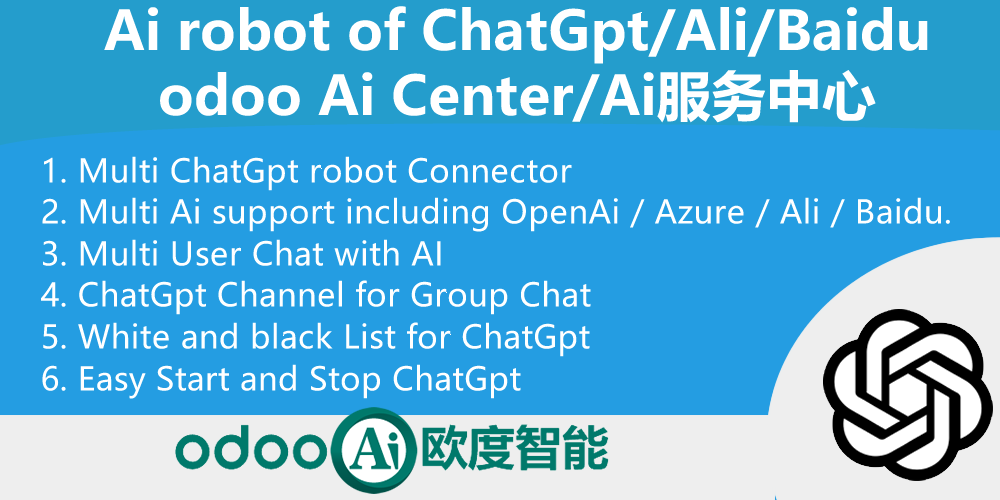
app_mcp 是 Odoo 的独立 MCP (Model Context Protocol) 服务端,提供标准 /ai/mcp 端点(JSONRPC 2.0 Streamable HTTP)。它复用 app_chatgpt 的多模型 AI 能力,支持 ChatGPT-4o、GPT-4 32k、GPT-3.5 Turbo、DeepSeek、阿里通义千问、百度文心、Azure AI 等,让任意兼容 MCP 的 AI 客户端通过 API Key 安全地调用 Odoo 业务工具。
app_mcp is a standalone MCP (Model Context Protocol) server for Odoo, providing a standard /ai/mcp endpoint (JSONRPC 2.0 Streamable HTTP). Reusing the multi-AI capabilities of app_chatgpt, it supports ChatGPT-4o, GPT-4 32k, GPT-3.5 Turbo, DeepSeek, Alibaba Qwen, Baidu AI, Azure AI and more, so any MCP-compatible AI client can securely invoke Odoo business tools with API keys.
核心亮点 / Key Highlights
多模型 AI + 标准 MCP 协议,安全赋能大模型 / Multi-AI meets standard MCP protocol
1. 多模型 AI 支持 / Multi-AI Support
ChatGPT-4o, GPT-4, DeepSeek, Qwen, Baidu, Azure
复用 app_chatgpt 多模型能力,一个 MCP 端点对接全网主流大模型。
2. 标准 MCP 协议 / Standard MCP Protocol
/ai/mcp - JSONRPC 2.0 Streamable HTTP
符合 Model Context Protocol 规范,兼容 Claude、Deepseek、Work Buddy 等 MCP 客户端。
3. 内置通用工具 / Built-in Generic Tools
8 ready-to-use skills, authorized by your own Odoo access rights
list_models 列出可用 AI 模型 · get_fields 获取模型字段结构 · search_records 搜索记录 · get_record 读取单条 · create_record 新建 · update_record 更新 · delete_record 删除 · get_current_context 获取当前用户上下文。按调用用户自身的 Odoo 权限授权,ACL 与记录规则始终生效。
4. 企业级安全 / Enterprise-grade Security
One-click MCP token, scoped API Key, Odoo ACL
一键生成 MCP 令牌与设置,作用域 API Key 鉴权、每用户独立权限、复用 Odoo 全面的权限要求、错误信息清洗,请求体 10MiB 上限。
5. 服务器动作即工具 / Server Actions as Tools
Reuse your Odoo business logic
将"在 MCP 中可用"的服务器动作一键设置为 MCP 工具,复用 app_ai_odoo 的 AI 工具框架。
6. 个性化握手 / Personalized Handshake
User, timezone, companies, UTC rule
initialize 握手返回个性化 instructions,让 AI 理解当前用户上下文与公司规则。
完整功能列表 / Complete Feature List
-
1. 标准 MCP 端点 /ai/mcp(JSONRPC 2.0 Streamable HTTP)
Standard MCP endpoint /ai/mcp with JSONRPC 2.0 Streamable HTTP transport -
2. 多模型 AI 支持:ChatGPT-4o、GPT-4 32k、GPT-3.5 Turbo、DeepSeek、阿里通义千问、百度文心、Azure AI
Multi AI support via app_chatgpt: ChatGPT-4o, GPT-4 32k, GPT-3.5 Turbo, DeepSeek, Alibaba Qwen, Baidu AI, Azure AI -
3. 内置通用工具(8 个 skill):
list_models 列出可用 AI 模型 · get_fields 获取模型字段结构 · search_records 按条件搜索记录 · get_record 读取单条记录 · create_record 新建记录 · update_record 更新记录 · delete_record 删除记录 · get_current_context 获取当前用户/公司上下文。均按调用用户自身的 Odoo 权限授权。 -
4. 按用户 Odoo 权限授权(read/create/write/unlink)
The MCP key belongs to a user: that user's Odoo ACL decides which models and operations are available. Record rules always apply. -
5. 服务器动作一键设置为 MCP 工具
Server actions flagged "Available in MCP" are exposed as tools, reusing the app_ai_odoo AI tool framework -
6. 一键生成 MCP 令牌与设置,作用域 API Key 鉴权(Bearer token,scope=mcp)
One-click MCP token generation and setup, scoped API Key (Bearer token, scope=mcp) authentication against res.users.apikeys, portal "New MCP Key" button -
7. 个性化 initialize 握手(用户/时区/公司/UTC 规则)
Personalized instructions in the initialize handshake with user, timezone, active companies and UTC rule -
8. 企业级安全加固:每用户独立权限、复用 Odoo 全面的权限要求、错误信息清洗、10MiB 请求体上限
Security hardening: per-user independent permission reusing full Odoo ACL, sanitized errors, 10 MiB body cap -
9. 批量读取自动过滤凭据样式的字段名
Credential-looking fields are automatically omitted from bulk reads -
10. 可视化配置:Settings > Technical > MCP
Configuration in Settings > Technical > MCP: endpoint switch, rate limit and record limits
通用特性 / General Features
多语言与多公司
Multi-Language & Multi-Company
完整的多语言翻译支持,适配全球化企业部署。原生多公司架构,数据严格隔离。
全版本兼容
Full Version Support
支持 Odoo 19,18,17,16,15,14,13,12,EE/CE/.SH,兼容企业版、社区版及在线 SaaS。
代码完全开源
Full Open Source
基于 LGPL-3 协议开源,代码透明可审计,支持二次开发与定制。
使用流程 / How It Works
安装与配置
Install & Configure MCP
一键生成 MCP 令牌
One-click MCP Token
连接 AI 客户端
Connect MCP Client
调用业务工具
Invoke Odoo Tools
安装模块后在 Settings > Technical > MCP 开启端点,一键生成 scope=mcp 的 MCP 令牌,在 Claude/Cursor 等客户端配置 https://your-odoo/ai/mcp 与 Bearer Token,即可让大模型调用 Odoo 工具。
支持与依赖模块 / Supported & Dependent Modules
- app_chatgpt - 多模型 AI 服务中心(ChatGPT/DeepSeek/通义千问/百度文心) / Multi-AI Center
- base_setup - 基础设置 / Base Setup
- portal - 门户 / Portal (API Key 自助生成)
odooai.cn
专业Odoo服务伙伴-开发实施咨询培训全套解决方案 / Professional Odoo Solutions

规格
| 版本 | 18.0 |