
- 新春6折: Odoo19全面升级已完成,微信小程序支付全场6折。
- 即时下载:购买后从我的 应用中心下载
- 服务支持:购买后15天内邮件 安装指导
- 授权许可:购买即代表同意 用户协议
- 售后承诺: odooApp.cn 的模块与主题均保证功能与您下载时所见描述一致,如有异议可在下单后15天内申请免费退款
- 更多支持:务必参考 FAQ常见问题与答疑
生产制造开箱用-MRP增强插件-批量完成-BOM自动唯一编码等
Bom 自动序列号,uniq 参考,Bom 版本。
生产领料-执行-报工入库三步生产增强。
生产单派工单关联领料出库单和完工入库单。
生产单批量完成,强制完成/取消等各种一键操作功能。
MRP制造增强 / MRP Manufacturing Enhanced
Odoo生产制造全面增强,BoM自动编码版本管理、批量完成MO、领料打印、BOM精度设置
All-in-one MRP enhancement: BoM auto code/version, mass done MO, picking print, BOM precision
功能概述 / Overview
Odoo生产制造开箱即用增强模块。包含BoM自动编码和唯一引用、版本管理、MO物料领料与完工显示、快速领料打印、一键创建/查看BOM、限制MO关联BOM删除、BOM数量精度设置、一键批量完成MO等功能。
All-in-one MRP manufacturing enhancement module. Includes BoM auto code and unique reference, version management, MO material picking display, quick picking print, one-click create/view BoM, restrict MO-linked BoM deletion, BOM quantity precision, and mass done MO.
完整功能列表 / Complete Feature List
-
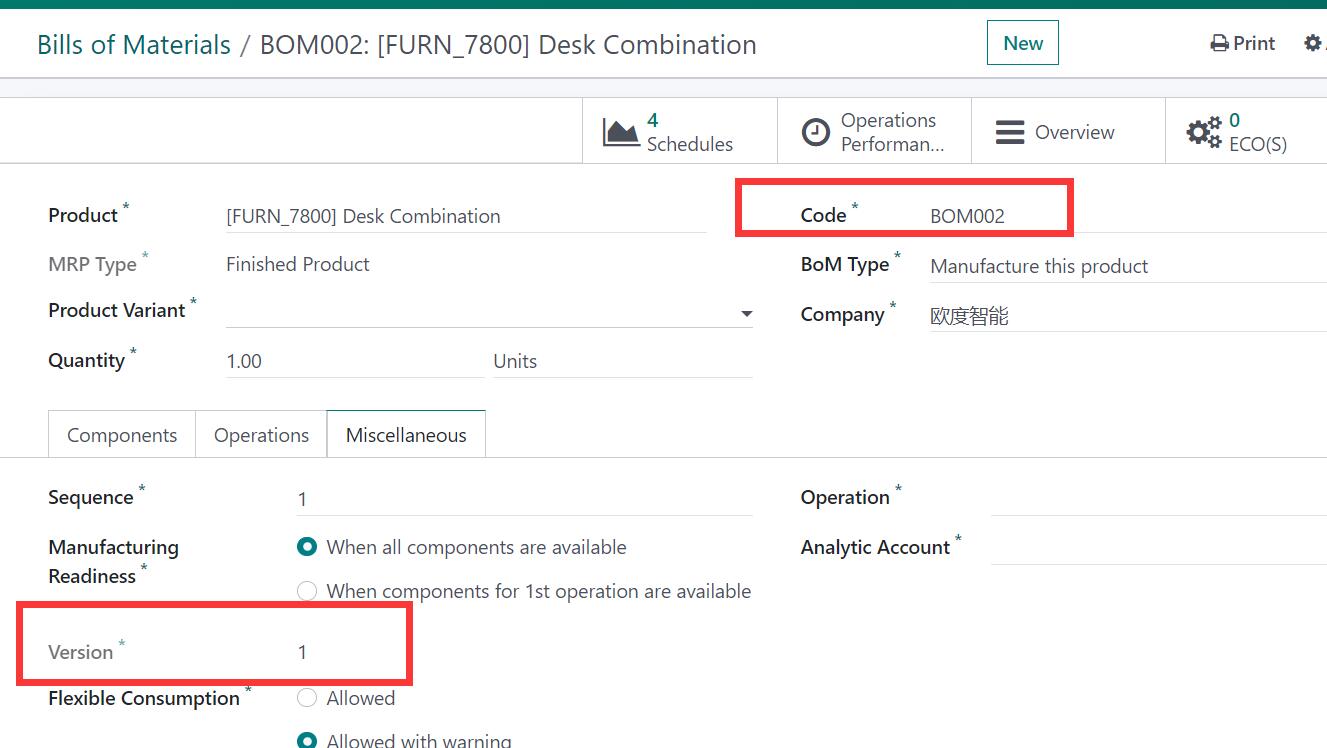
1. PLM BoM自动编码、唯一引用和版本管理
PLM Bom auto code, uniq reference. Bom version. -
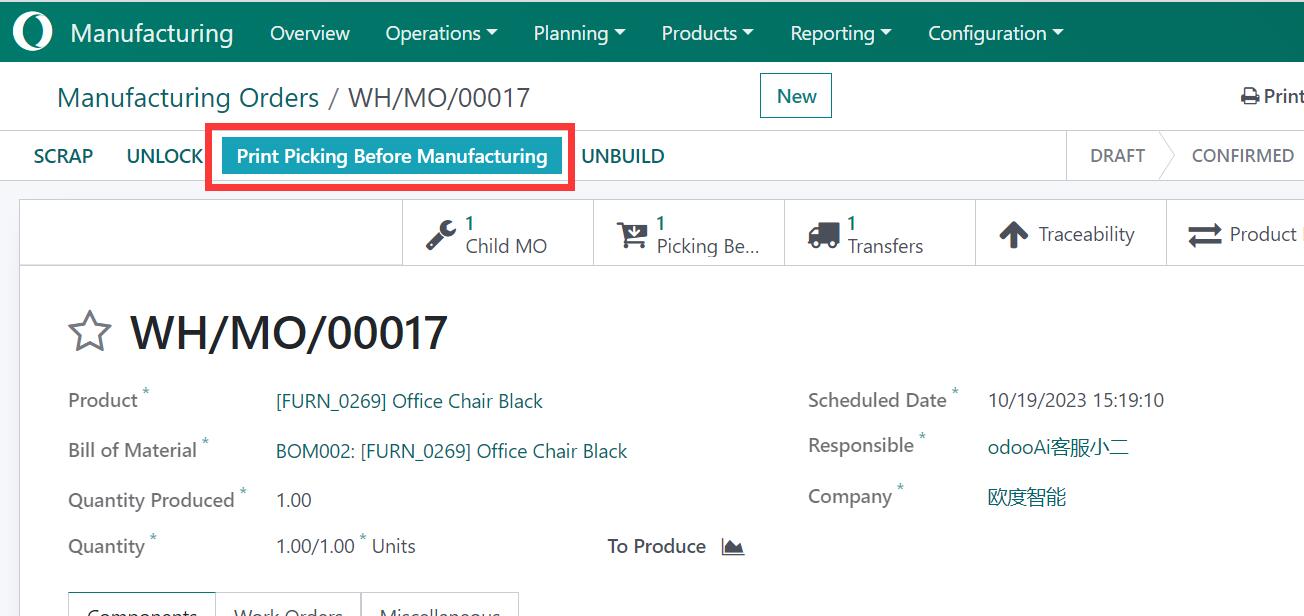
2. MO视图显示领料和完工信息,添加快速领料打印
Show Material picking and finish picking in MO view. add quick picking print. -
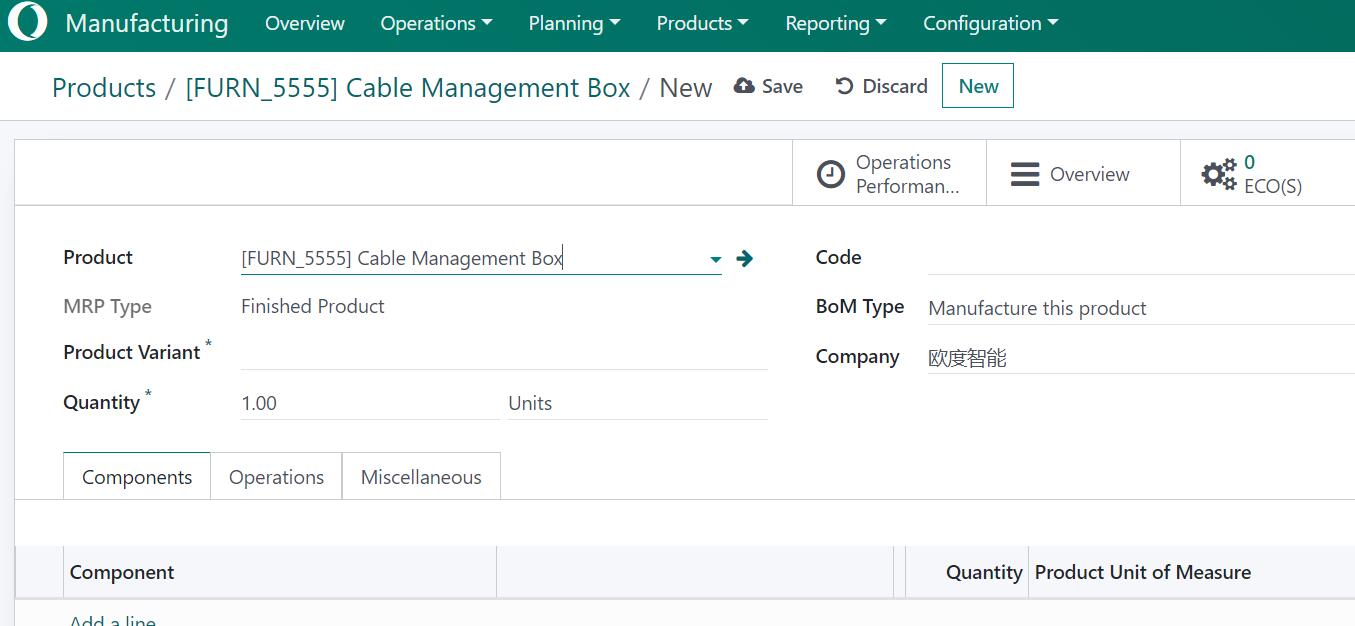
3. 无BOM时一键创建,仅1个BOM时一键查看
One click create bom detail if no bom. One click to show bom detail if only 1 bom. -
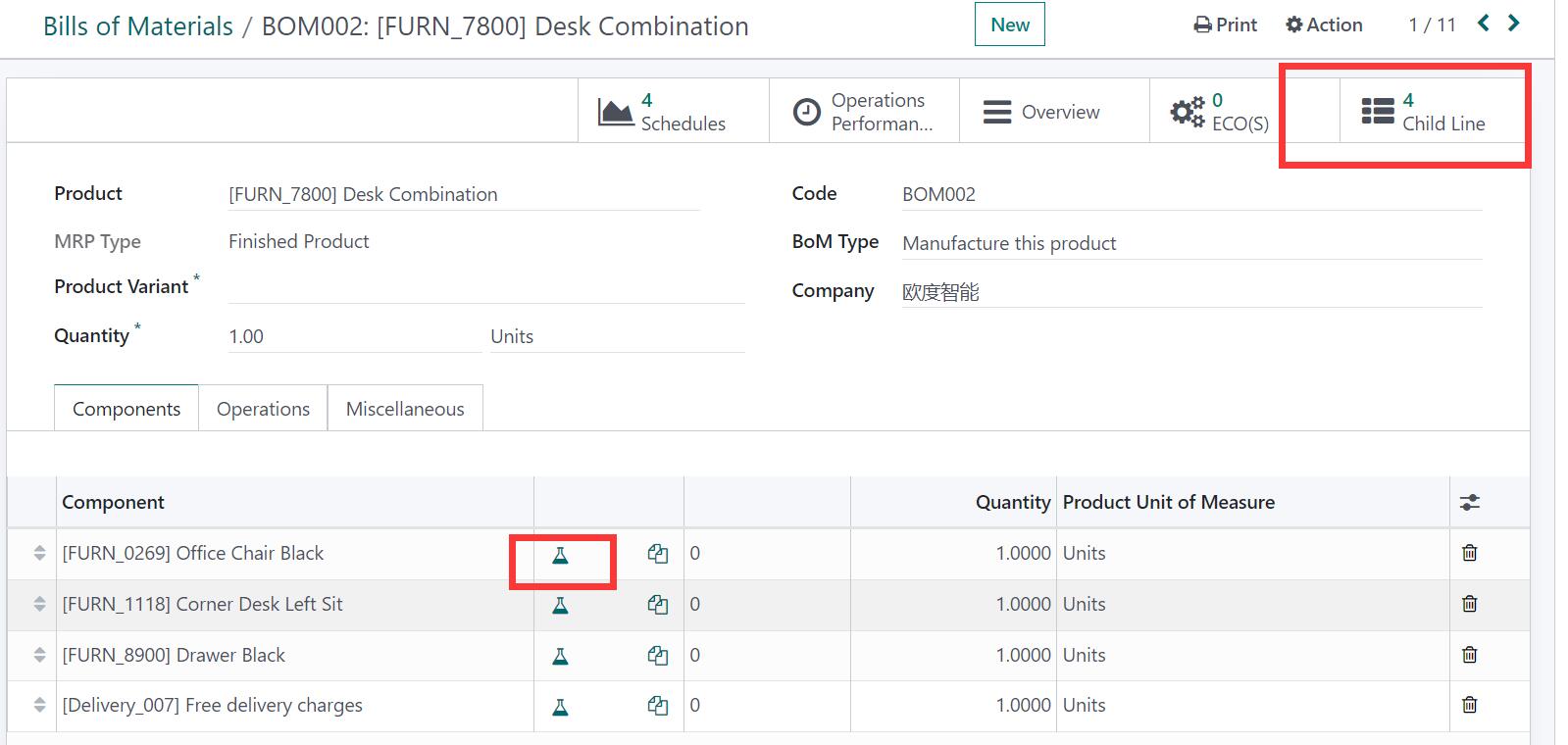
4. 在产品视图和BoM行视图中直接显示BoM明细
Direct show bom detail in product view and bom line view. -
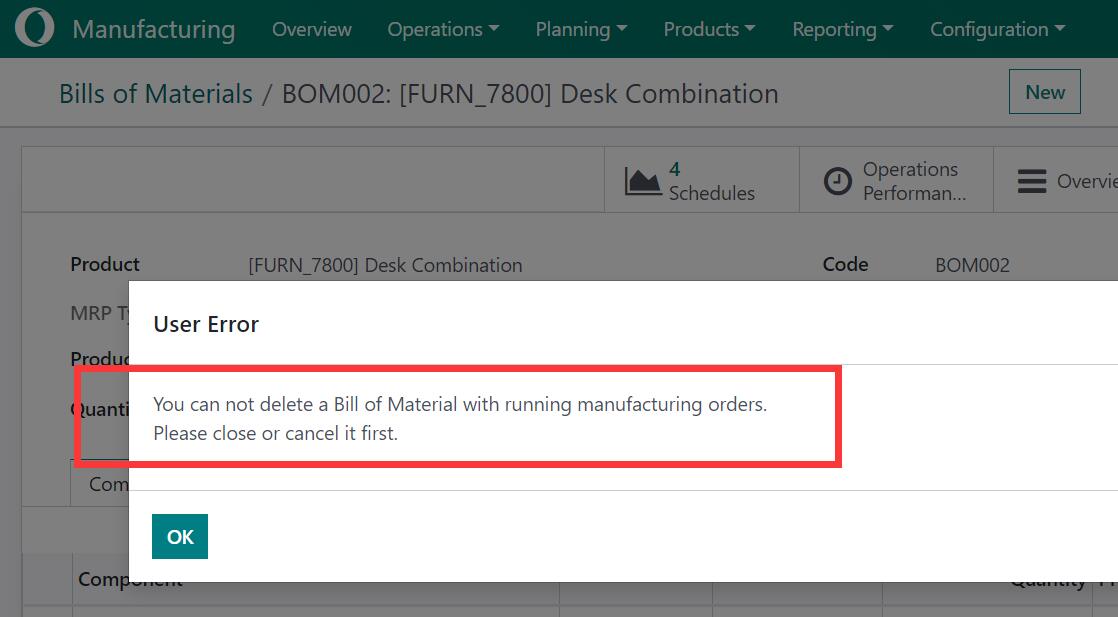
5. BOM在MO中使用时限制删除
Restrict delete bom if the bom use in MO. -
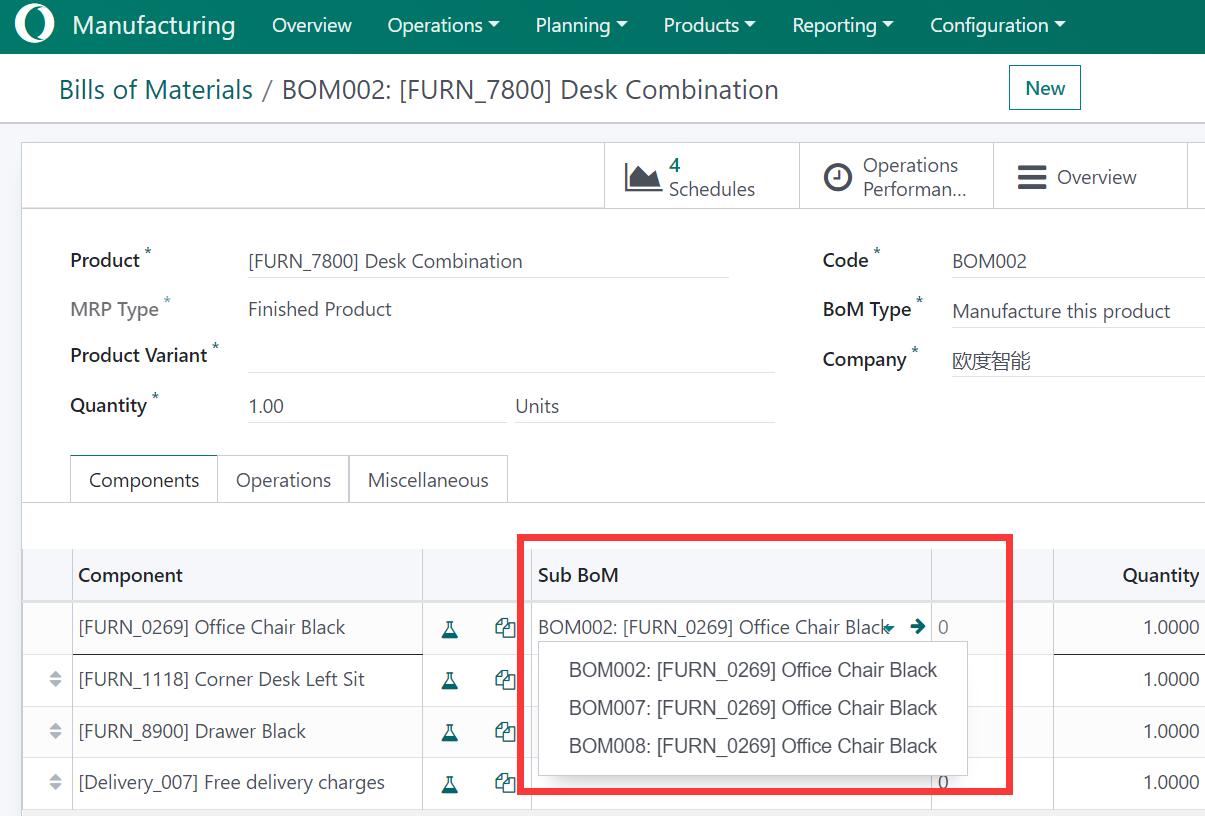
6. 可在BoM行产品中设置产品BoM
Can set product bom in bom line product. -
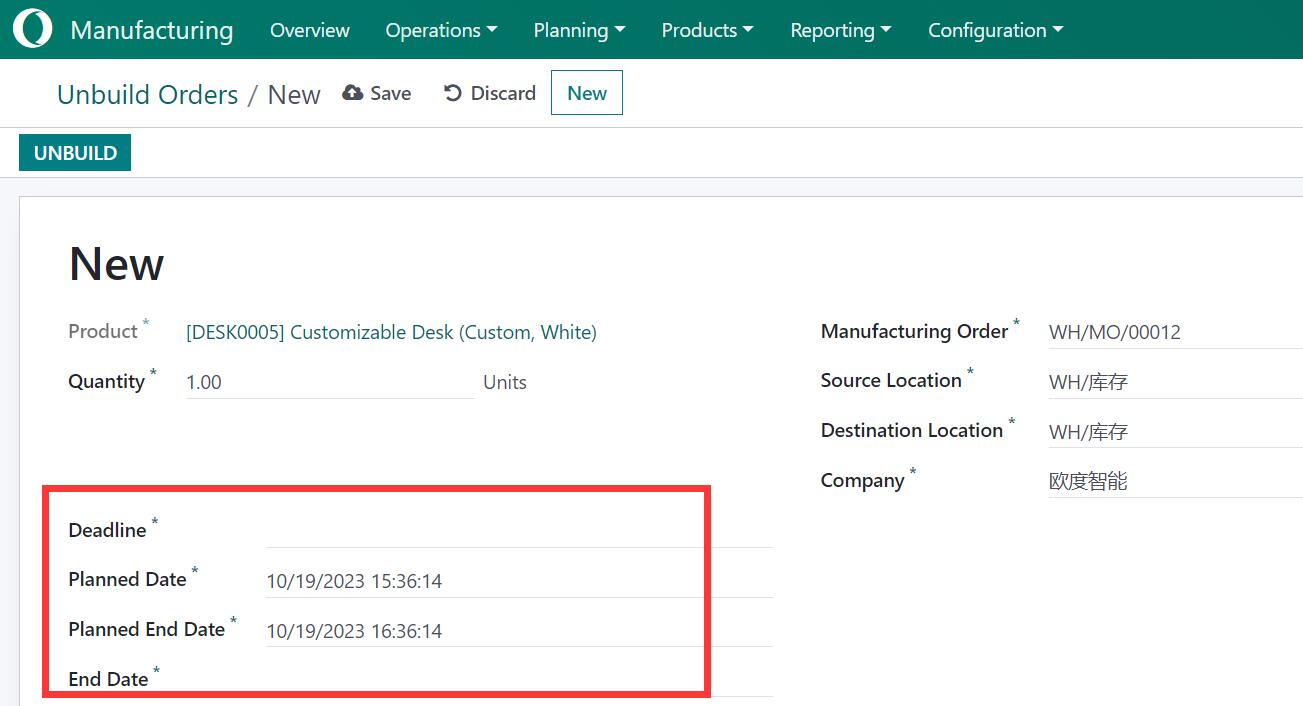
7. 为制造订单和拆解订单添加日期时间信息
Add date time information for mrp order and unbuild order. -
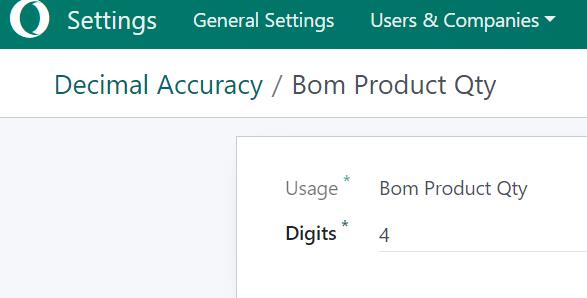
8. BOM数量的小数精度设置
Add Bom decimal precision setting for qty. -
9. 一键批量完成制造订单
Mass Done in One click to finish MO Manufacture. -
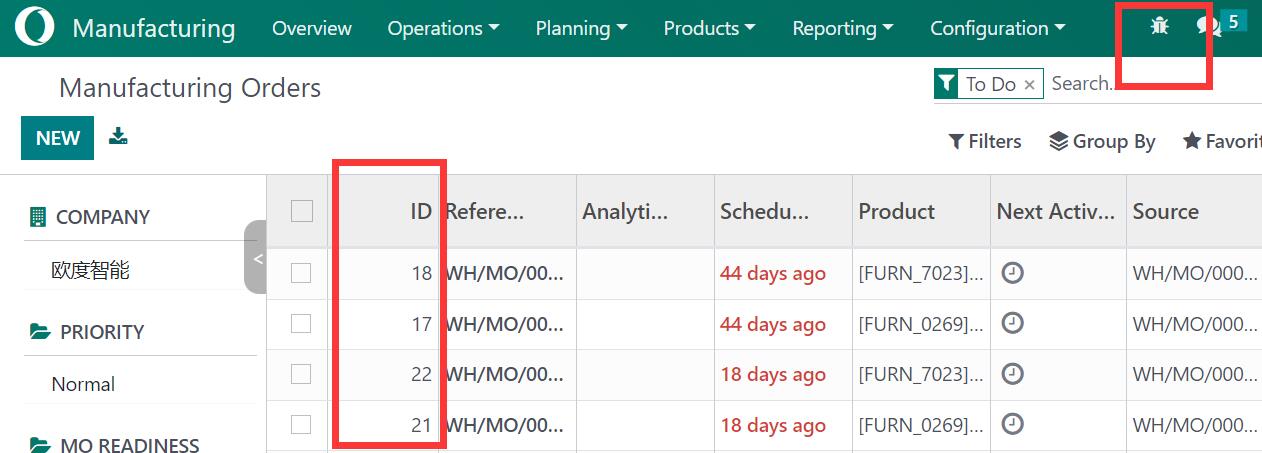
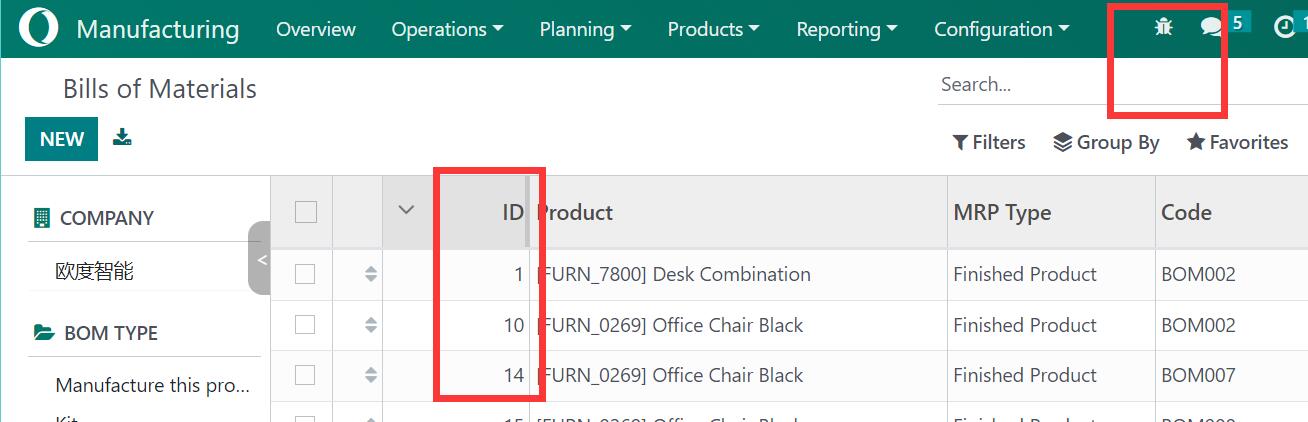
10. MRP视图中添加有用的调试信息
Add useful debug info to some mrp view. -
11. 为MO和BoM添加工序提示
Add Operation tip for MO, BoM.
核心亮点 / Key Highlights
1. BoM自动编码 / BoM Auto Code
BoM自动编码、唯一引用和版本管理
2. 物料领料 / Material Picking
MO视图显示领料和完工信息,支持快速领料打印
3. 一键BoM / One-Click BoM
无BOM时一键创建,仅1个BOM时一键查看
4. BOM保护 / BoM Protection
BOM在MO中使用时限制删除
5. 日期时间 / Date Time Info
MO和拆解单增加日期时间信息
6. 精度设置 / Precision Setting
BOM数量的小数精度设置
7. 批量完成 / Mass Done
一键批量完成制造订单
8. 调试信息 / Debug Info
MRP视图中添加有用的调试信息
通用特性 / General Features
多语言与多公司
Multi-Language & Multi-Company
完整的多语言翻译支持,适配全球化企业部署。原生多公司架构,数据严格隔离。
全版本兼容
Full Version Support
支持 Odoo 19, 18, 17, 16, 15, 14, 13, 12,EE/CE/.SH,兼容企业版、社区版及在线 SaaS。
代码完全开源
Full Open Source
基于 LGPL-3 协议开源,代码透明可审计,支持二次开发与定制。
界面截图 / Screenshots
1. PLM Bom auto code, uniq reference. Bom version / BoM自动编码唯一引用版本管理
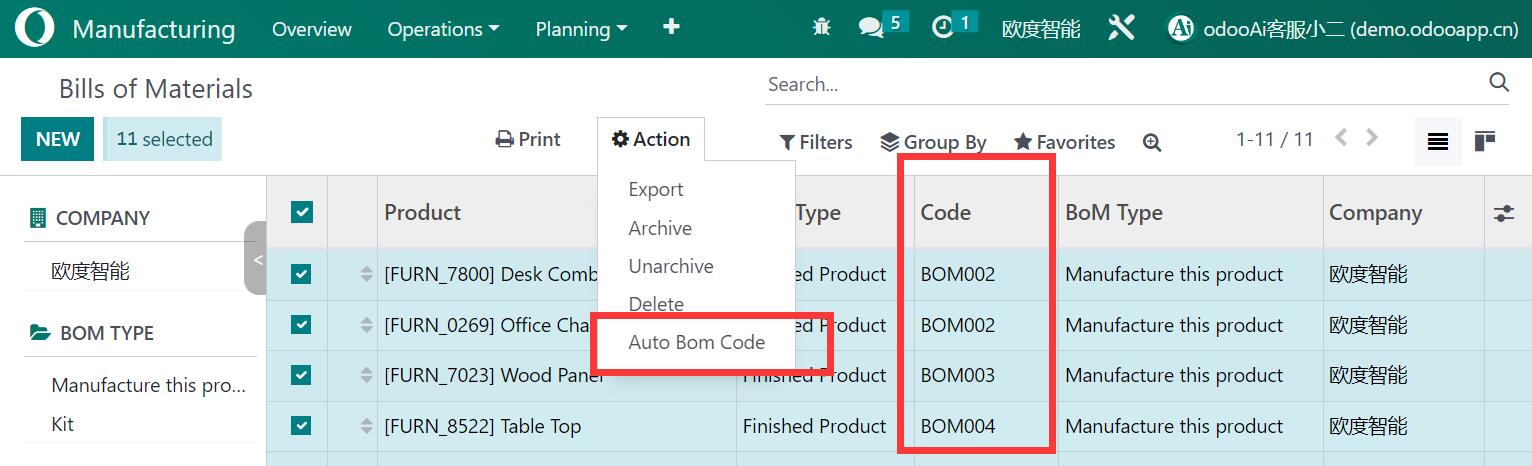
Auto Version / 自动版本
2. Material picking and finish picking / 物料领料与完工
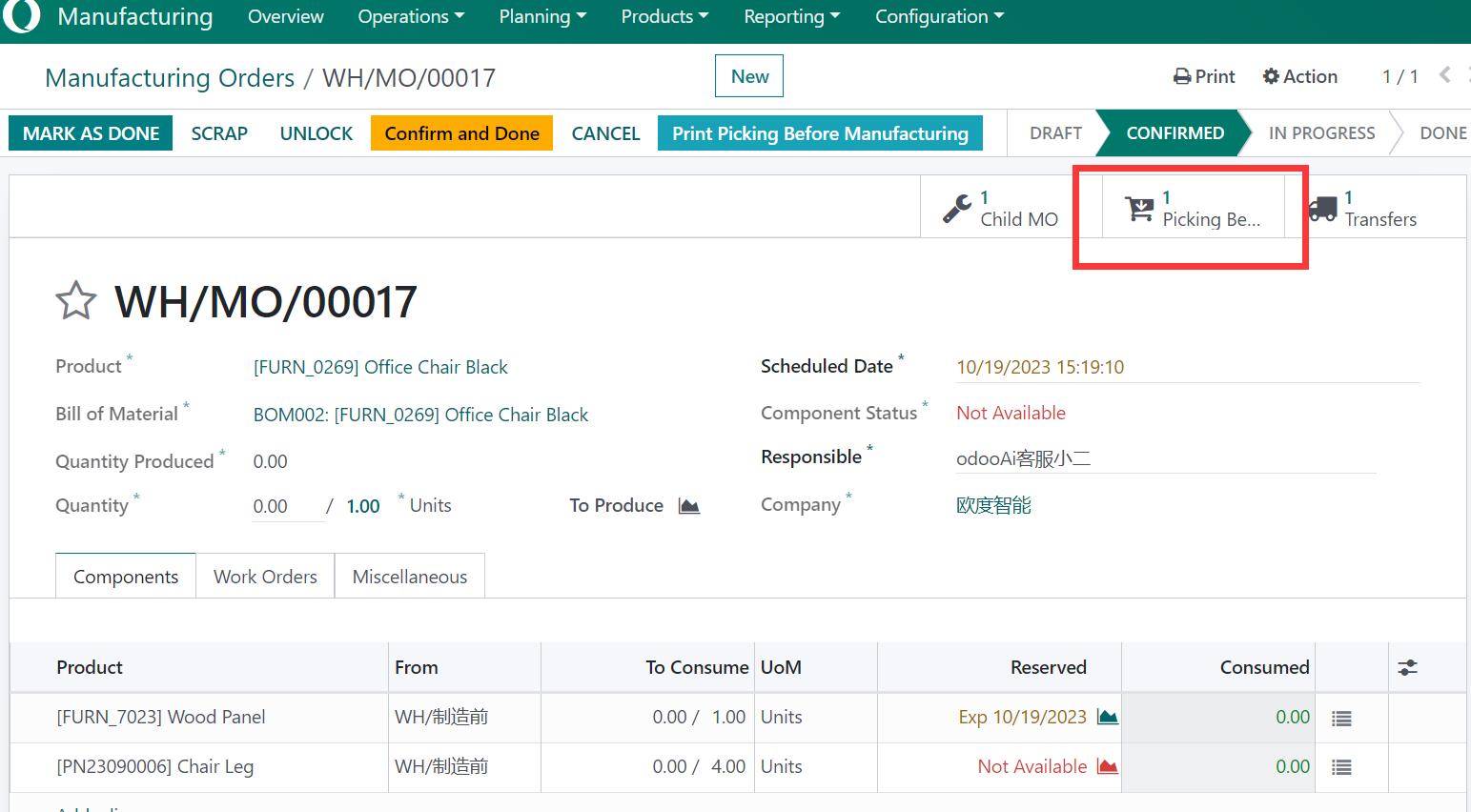
Picking print with barcode / 条码领料打印
3. One click create bom detail / 一键创建BOM
4. Direct show bom detail in product view / 产品视图直接显示BoM
5. Restrict delete bom if used in MO / MO关联BOM保护
6. Set product bom in bom line product / BoM行设置产品BoM
7. Date time for mrp order / MO日期时间
8. Bom decimal precision / BOM精度设置
9. Mass Done in One click / 一键批量完成MO
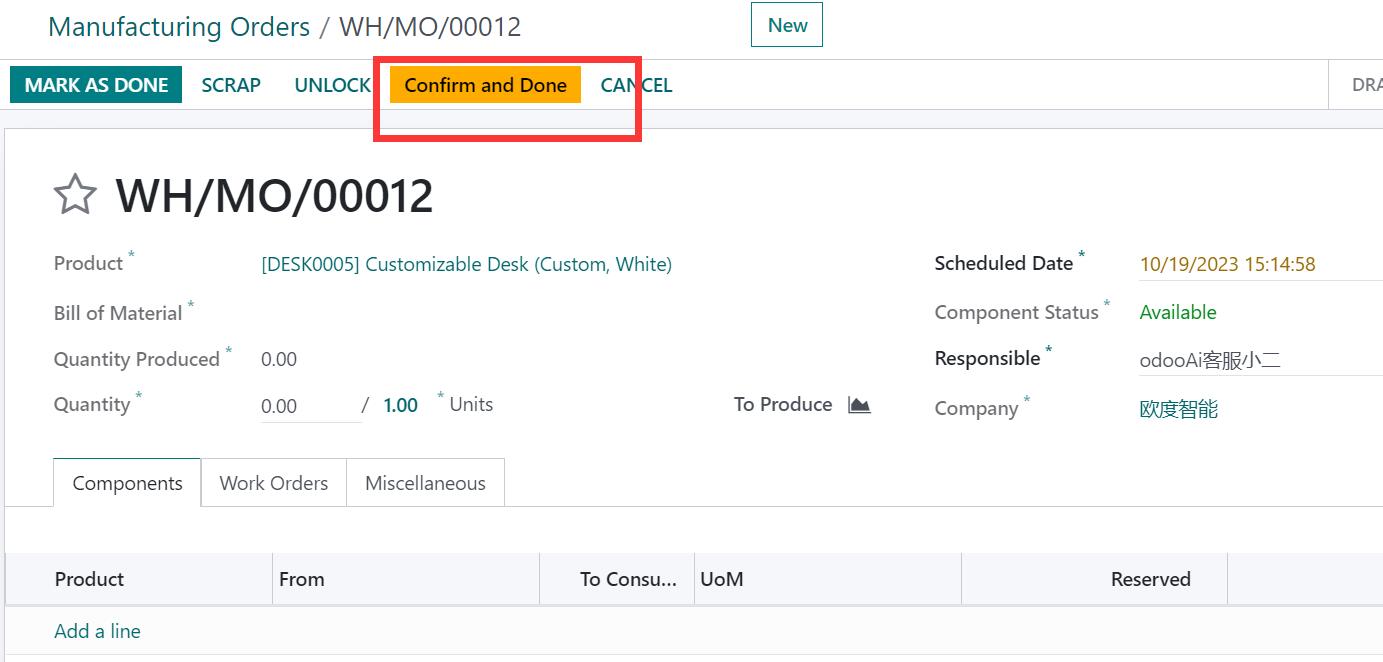
10. Debug info / 调试信息
Bom view debug / BoM视图调试
使用流程 / How It Works
安装模块
Install Module
BoM自动编码与版本管理
BoM Auto Code & Version
创建MO并管理领料
Create MO & Manage Picking
一键批量完成MO
Mass Done MO in One Click
支持与依赖模块 / Supported & Dependent Modules
- mrp
- app_common
- app_partner_user

odooai.cn
专业Odoo服务伙伴-开发实施咨询培训全套解决方案 / Professional Odoo Solutions

规格
| 版本 | 19.0, 18.0, 17.0, 16.0, 15.0, 14.0, 13.0 |