- 新春6折: Odoo19全面升级已完成,微信小程序支付全场6折。
- 即时下载:购买后从我的 应用中心下载
- 服务支持:购买后15天内邮件 安装指导
- 授权许可:购买即代表同意 用户协议
- 售后承诺: odooApp.cn 的模块与主题均保证功能与您下载时所见描述一致,如有异议可在下单后15天内申请免费退款
- 更多支持:务必参考 FAQ常见问题与答疑
字段颜色/背景色/长度限制/按键条件隐藏Widget, Field Color, Field Length Limit
技术名称:
app_web_pro
许可协议:
OPL-1
依赖
[1]:
代码行数:
8,637
代码估值:
计价方法遵循Odoo官方的公开价格政策,代码估值为每100行代码12.00美元。代码计算不包含Odoo原生代码和import的代码。
代码总行数统计包括了 .py, .js, .css and xml 文件。不包含Odoo原生代码和import的代码。
演示地址:
Easy Config char length. max_readonly_length = char number.
Easy set title no breadcrumb with context.
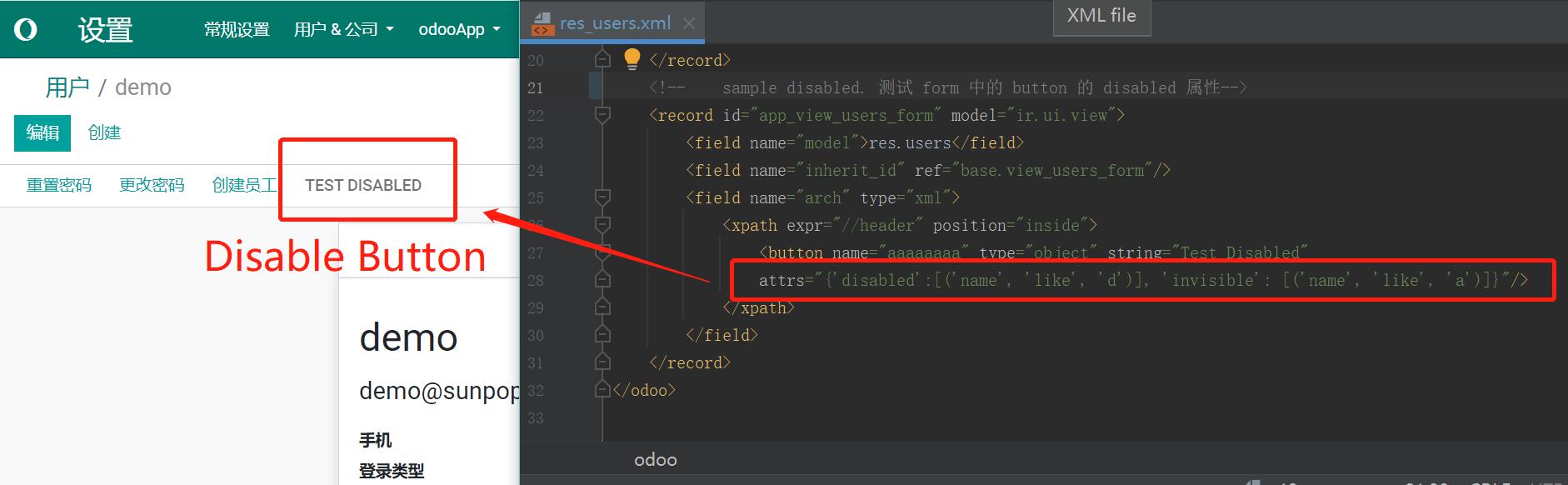
Easy set field background color. Set button disabled.
字段增强Widget, Field Color, Length Limit & Button Control Widget
字段颜色/背景色、字符长度限制、按键可见控制。Field color, char length limit, button visibility widget.
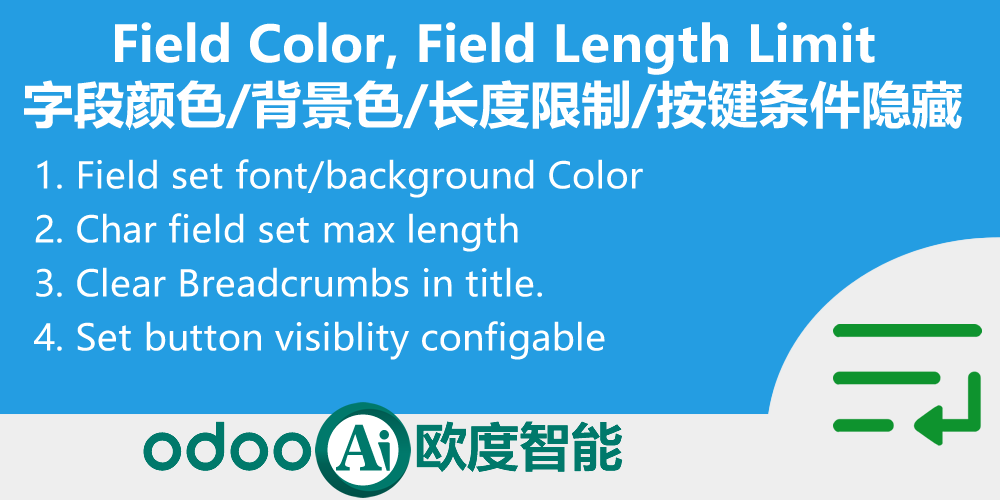
开发者工具集,包含字符长度限制、字段动态颜色、面包屑清除、按钮可见性控制等常用 Widget 增强。
Odoo 18
企业版与社区版 / Enterprise & Community
多公司 / Multi-Company
多语言 / Multi-Language
功能概述 / Overview
开发者工具集,包含字符长度限制、字段动态颜色、面包屑清除、按钮可见性控制等常用 Widget 增强。
Developer widget toolkit: char length limit, field dynamic color, breadcrumb clearing, button visibility control.
完整功能列表 / Complete Feature List
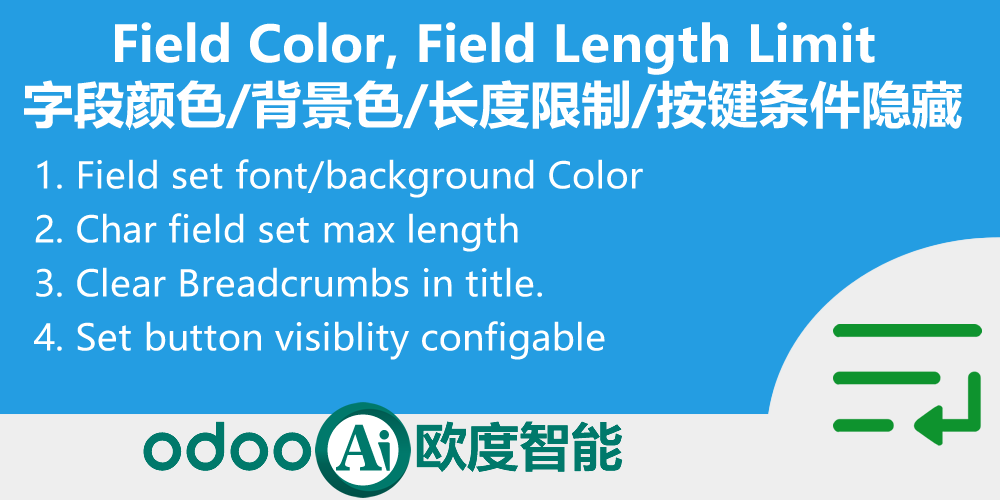
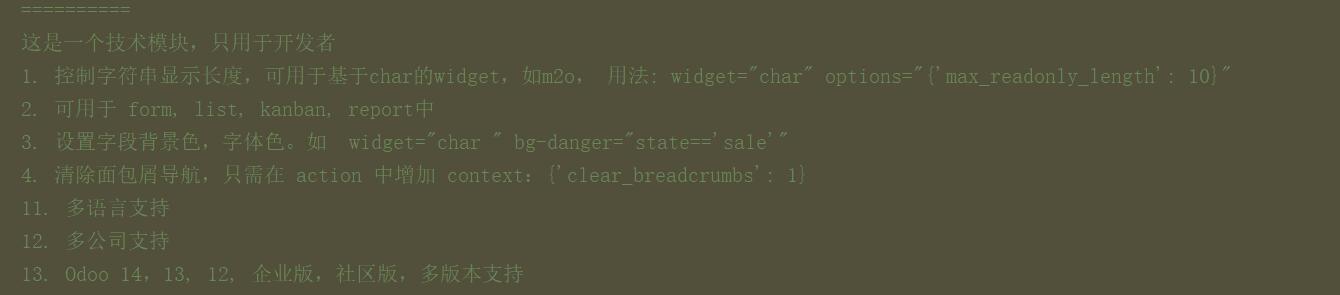
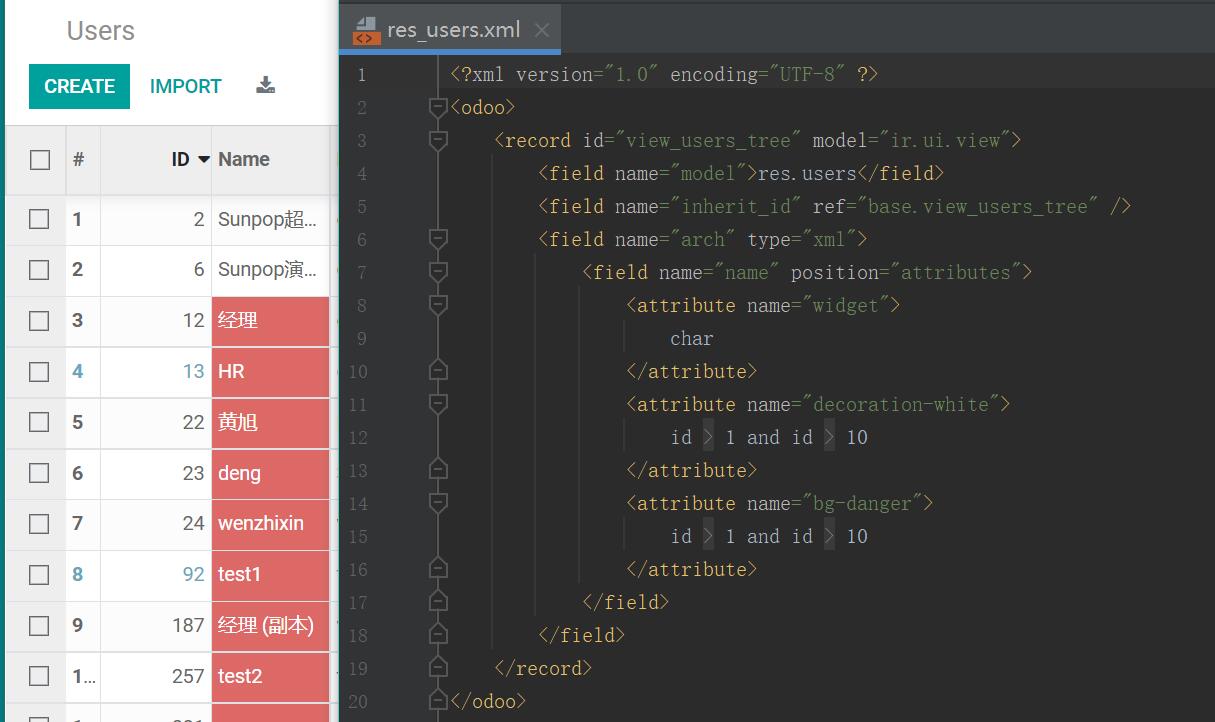
- 1. 1. Field dynamic background color, font color. set decoration-danger , bg-success. Must set widget=xxx in field. like: widget="char " bg-danger="state=='sale'"
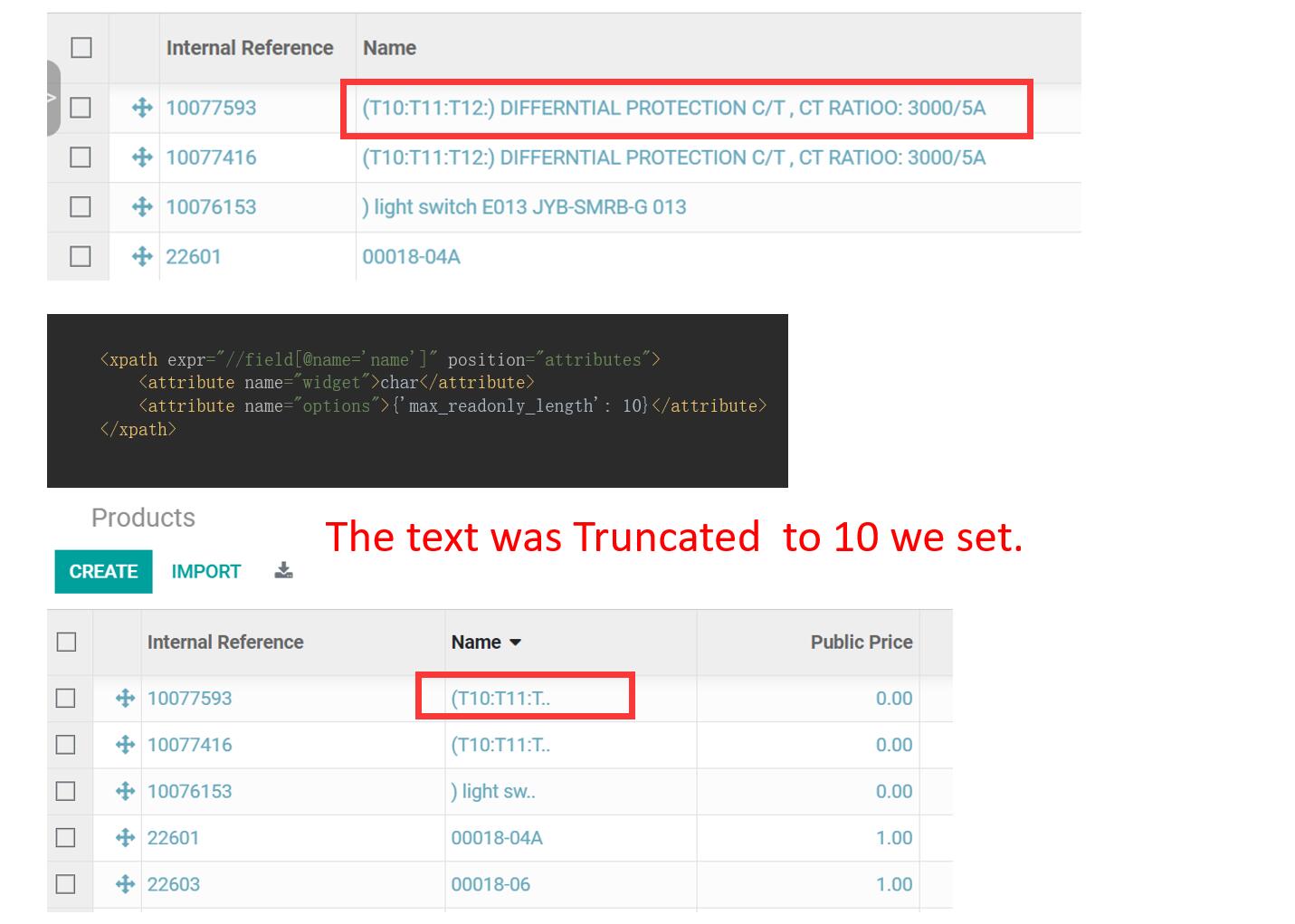
- 2. 2. Char length limit, Text Truncated. enable for char base widget like m2o. Use: widget=char options="{'max_readonly_length': 10}"
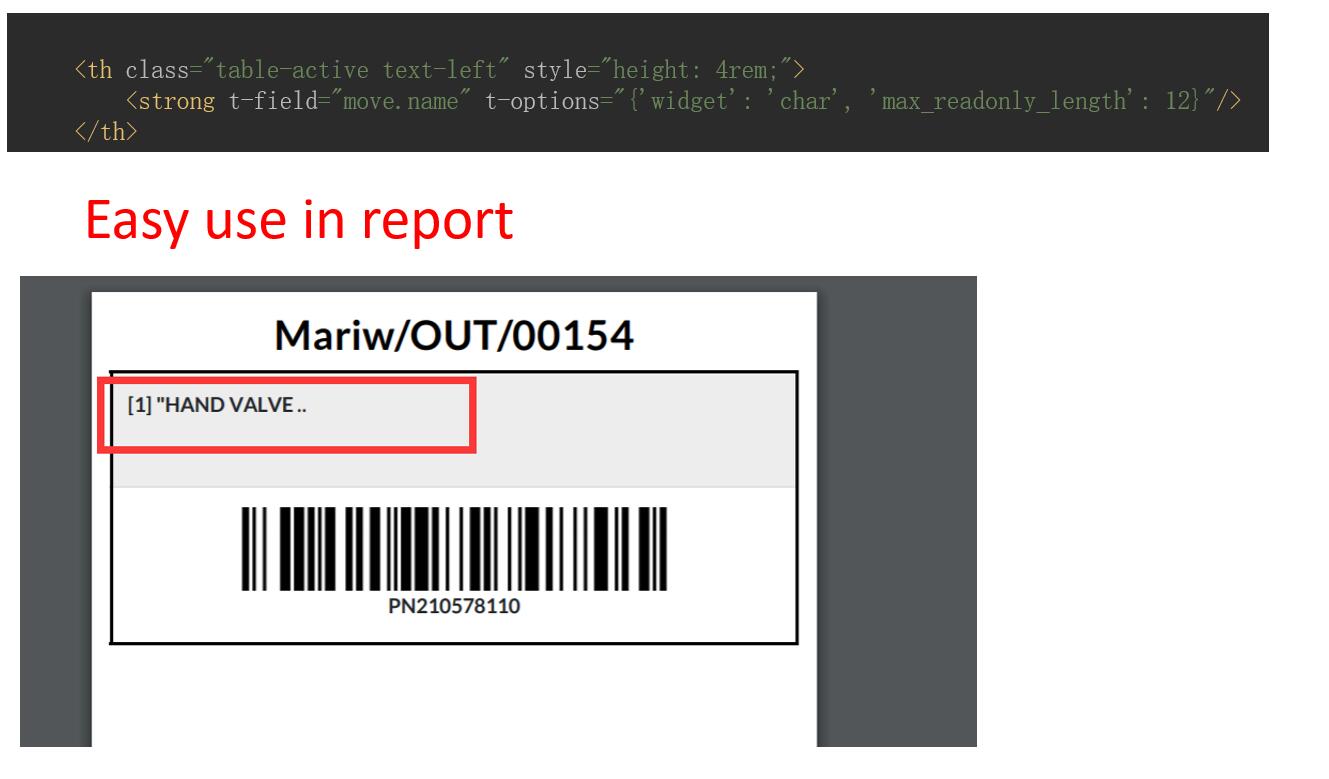
- 3. 3. Length limit Available in form , list, kanban, report.
- 4. 4. Easy set title no breadcrumb in action. set context={'clear_breadcrumbs': 1}
- 5. 5. Can set disabled attributes for button(not for field widget). use attrs={'disabled': [domain xxx]} or attrs={'readonly': [domain xxx]}
- 6. 11. Multi-language Support.
- 7. 12. Multi-Company Support.
- 8. 13. Support Odoo 19,18,17,16,15,14,13,12, Enterprise and Community Edition
核心亮点 / Key Highlights
提升效率的关键功能 / Key Features to Boost Productivity
1. Char Length Limit & Text Truncated
字符长度限制和文本截断
2. Field Background/Font Color
字段背景色/字体色
3. Clear Breadcrumb Navigation
清除面包屑导航
4. Button Disabled/Readonly by Condition
按条件设置按键不可见
5. Remove SMS/Phone Text
移除短信/电话文字
通用特性 / General Features
多语言与多公司
Multi-Language & Multi-Company
完整的多语言翻译支持,适配全球化企业部署。原生多公司架构,数据严格隔离。
全版本兼容
Full Version Support
支持 Odoo 19, 18, 17, 16, 15, 14, 13, 12,EE/CE/.SH,兼容企业版、社区版及在线 SaaS。
代码完全开源
Full Open Source
基于 LGPL-3 协议开源,代码透明可审计,支持二次开发与定制。
界面截图 / Screenshots
核心功能界面一览
Char Length Limit, Char background color, M2o length Limit, base widget enhance
Available in form , list, kanban, report
Field dynamic background color, font color. set decoration-danger , bg-success. Must set widget=xxx in field. like: widget="char " bg-danger="state=='sale'"
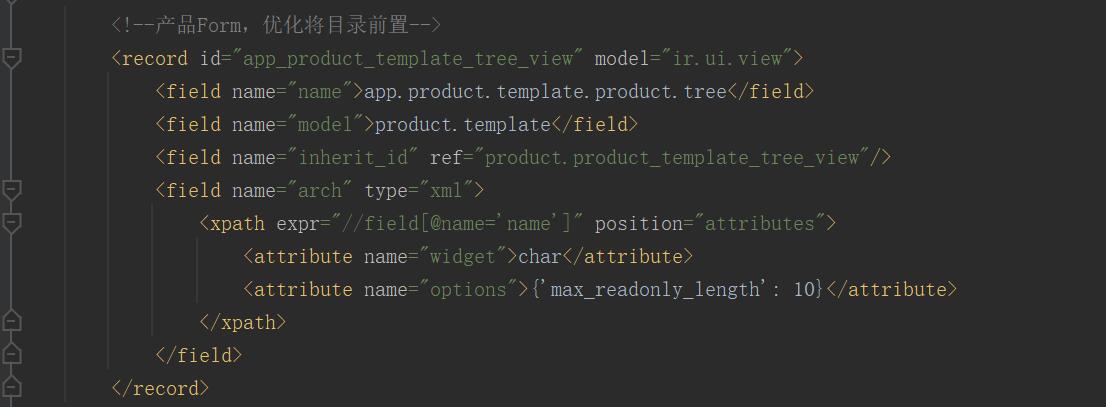
Easy use. Just Add max_readonly_length in options
options={'max_readonly_length': 192}, for list, form, kanban
t-options="{'widget': 'char', 'max_readonly_length': 12}" for report
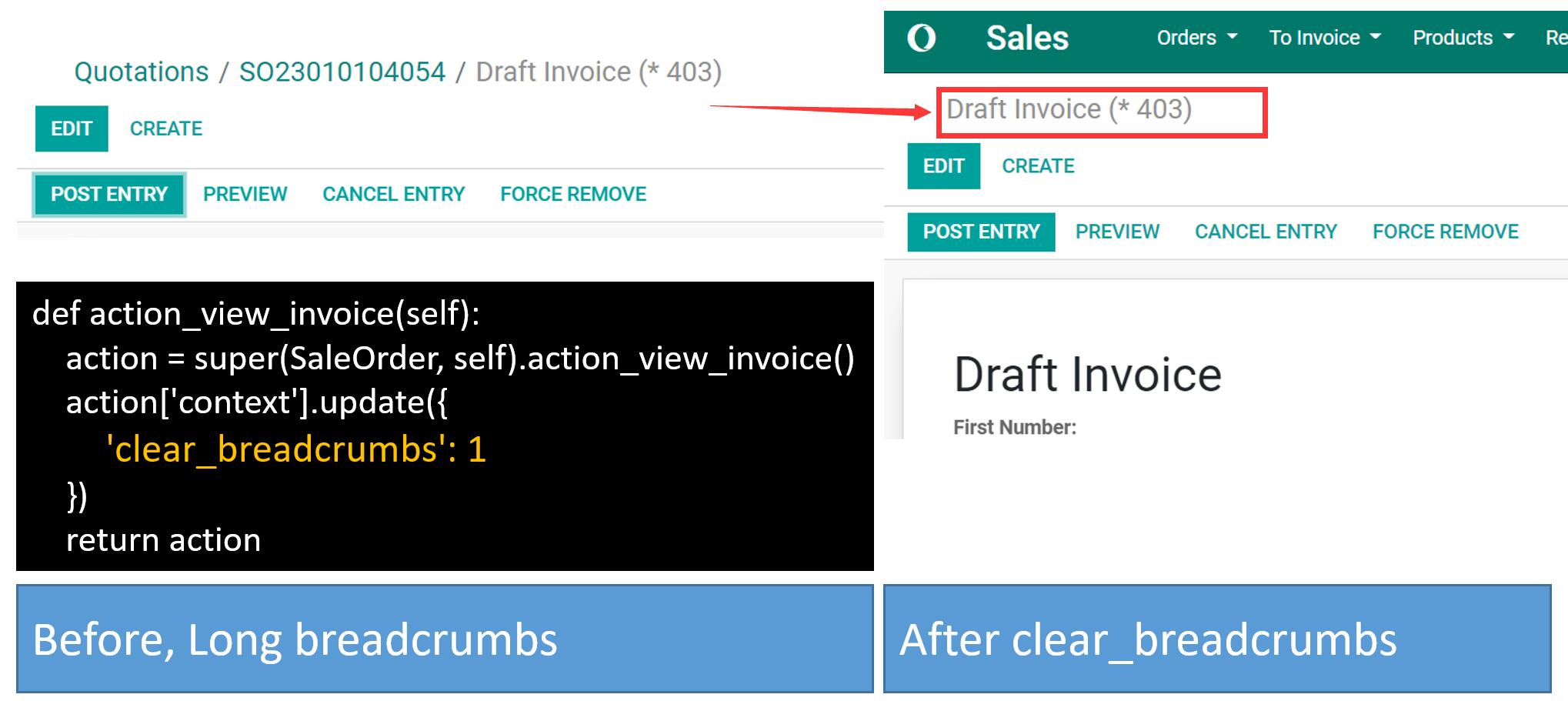
Follow our sample to get char limit
使用流程 / How It Works
安装模块
Install Module
在字段配置 Widget
Configure Widget on Field
设置 options 参数
Set Options
在视图中生效
Effect in Views
支持与依赖模块 / Supported & Dependent Modules
- app_common
- auth_signup
- sms
- product
odooai.cn
专业Odoo服务伙伴-开发实施咨询培训全套解决方案 / Professional Odoo Solutions

您的动态代码段将显示在这里……
显示此消息是因为您没有同时提供要使用的筛选器和模板。
规格
| 版本 | 19.0, 18.0, 17.0, 16.0, 15.0, 14.0, 13.0 |