
Skip to Content
Product Icon

Odoo20 Tweak OEM Development Enhance.Boost,Customize,Ai Employee,UI,Security,Remove Data All in One-优化提速65+项大全

Technical Name:
app_odoo_customize
License:
LGPL-3
Included Dependencies [1]:
Lines of code:
11,652
Code Value:
¥ 1,398.24
Follow Odoo's public price policy, The code valuation is $12.00 per 100 line code. Here we only get code line of this app. Depends is included.
Here we only get code line of this app. Depends is included. Total line of Source Code. Including .py, .js, .css and xml file.
¥ 0.00 ¥ 0.00
Coupon: 中国区9折 会员赠积分 VIP专享
53,775
  • Version

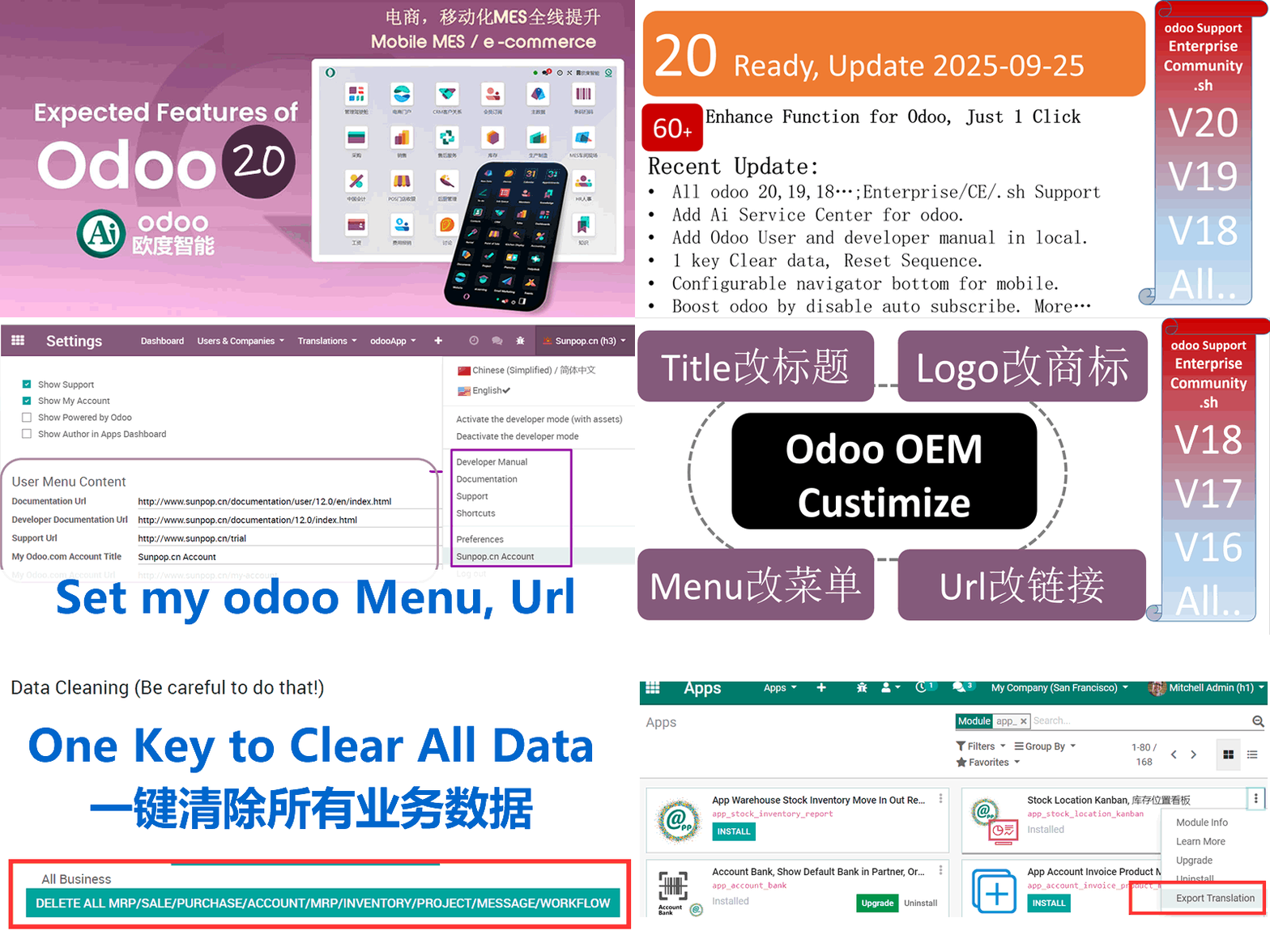
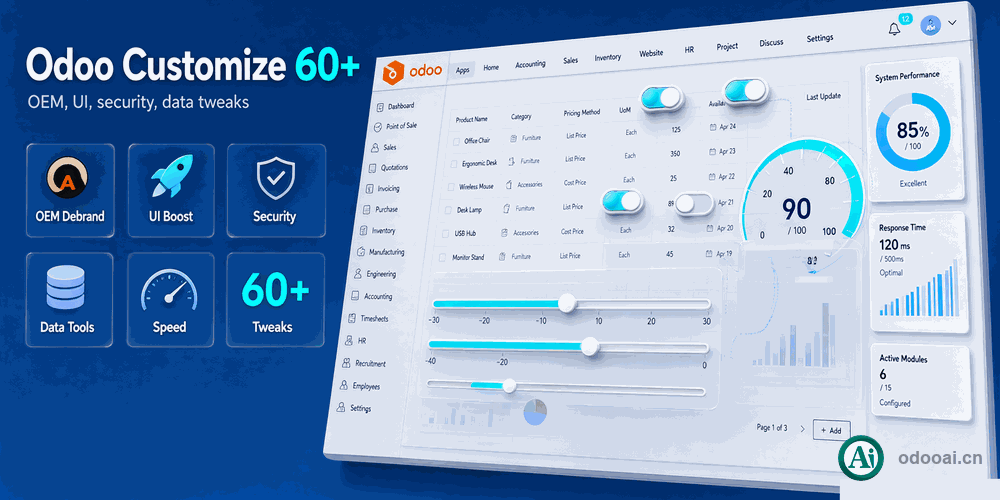
60+ Odoo20 Tweak,Ai Employee,Boost,Customize All in One.

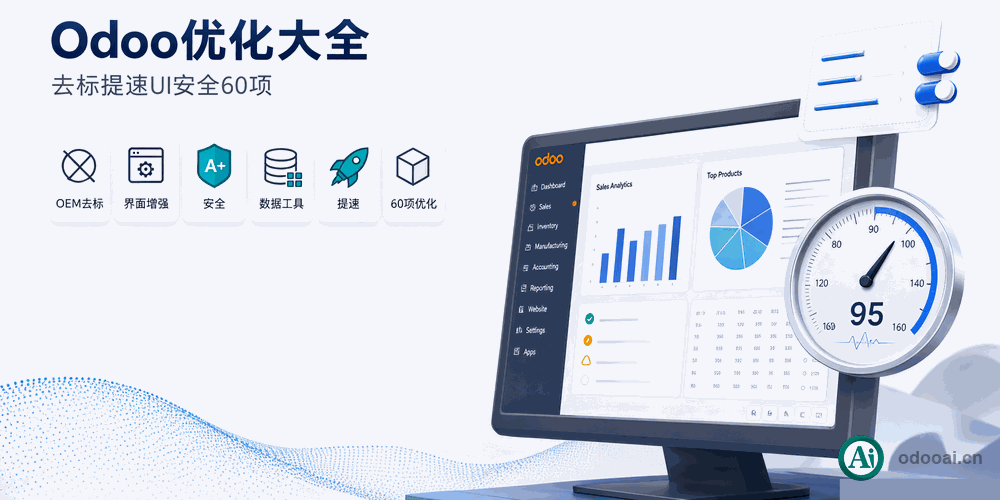
65+ Odoo Enhance with Customize,UI,Boost,Security,Data,Development Advance Setup

65+项优化,已升级Odoo20支持。odoo优化大全,oem去Logo,odoo提速与数据清理,开发者必备增强,聊天窗口拖拽缩放

This is a Long Term Support Apps.Update: v20.0.26.10.21

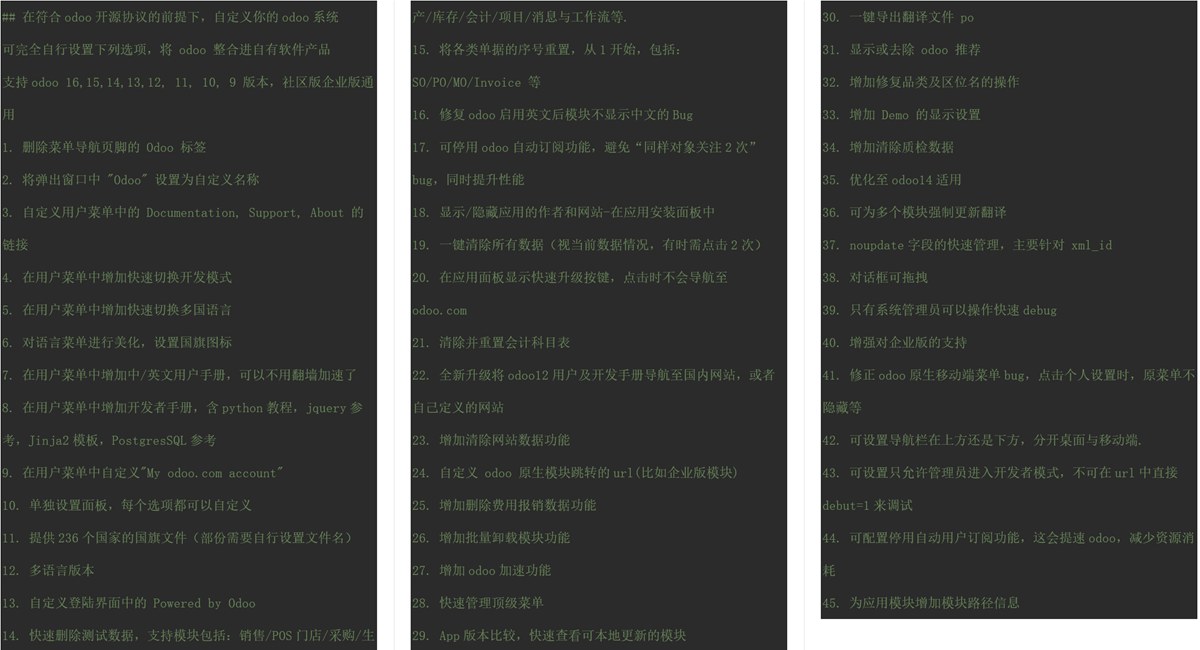
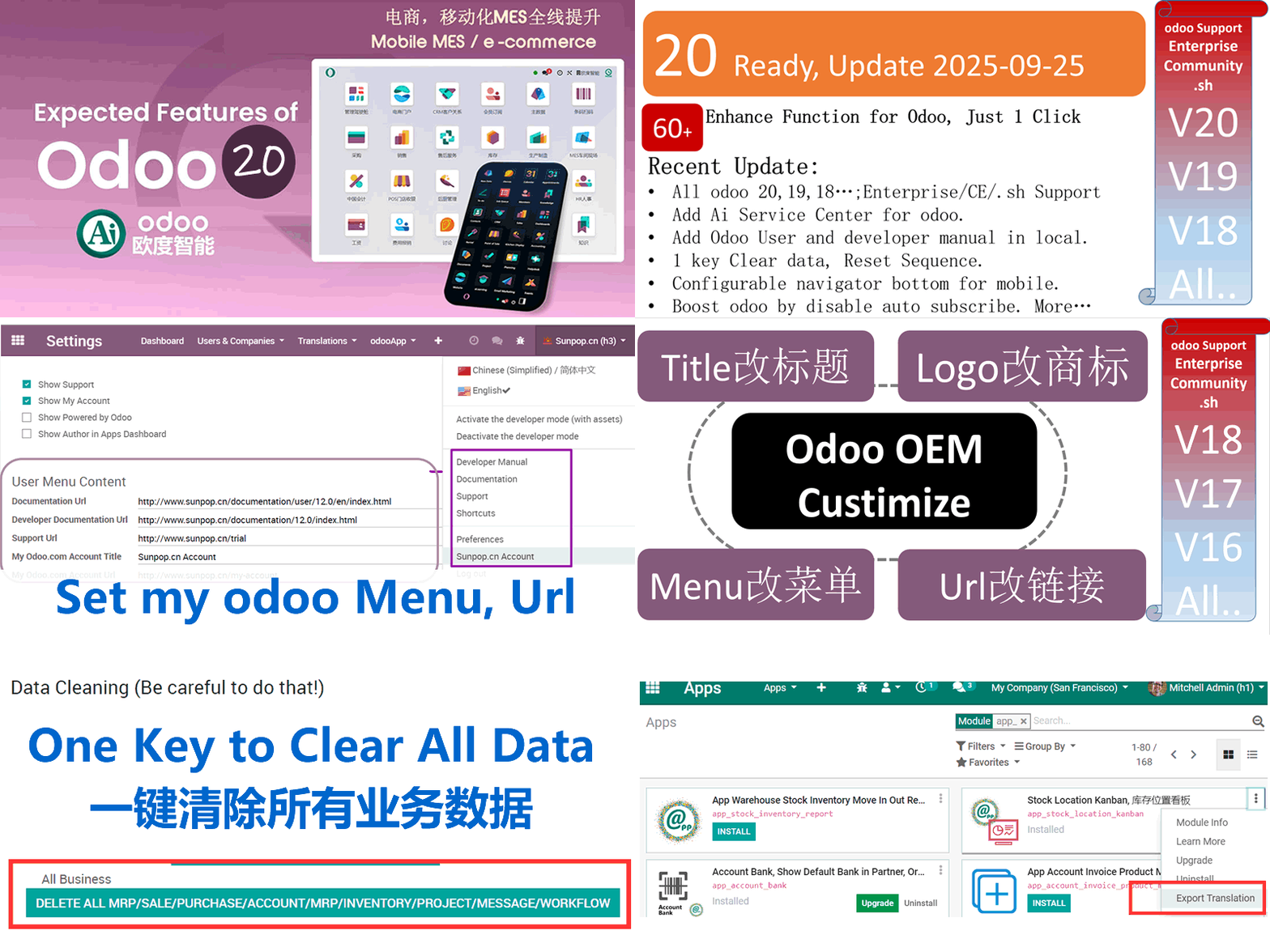
  • 1. Deletes Odoo label in footer
  • 2. Replaces "Odoo" in Windows title
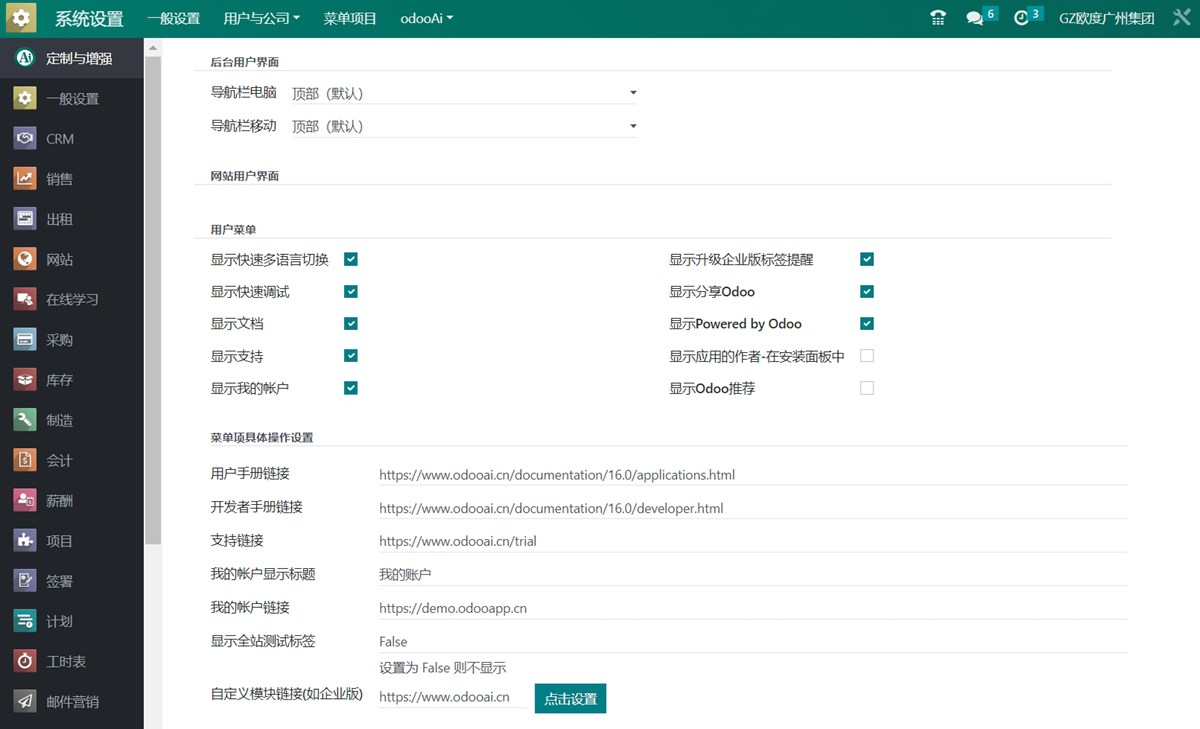
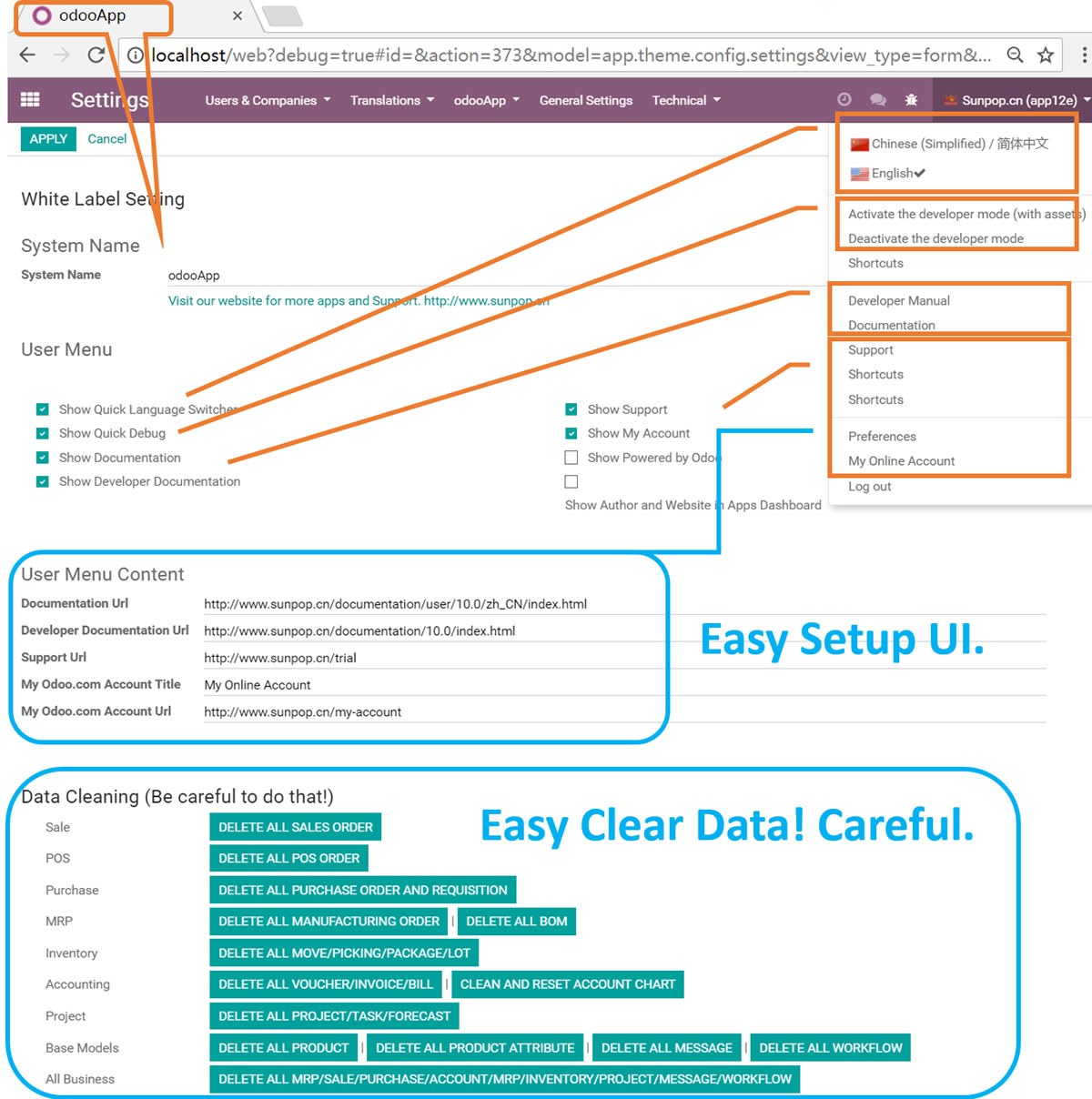
  • 3. Customize Documentation, Support, About links and title in usermenu
  • 4. Adds "Developer mode" link to the top right-hand User Menu.
  • 5. Adds Quick Language Switcher to the top right-hand User Menu.
  • 6. Adds Country flags to the top right-hand User Menu.
  • 7. Adds English and Chinese user documentation access to the top right-hand User Menu.
  • 8. Adds developer documentation access to the top right-hand User Menu.
  • 9. Customize "My odoo.com account" button
  • 10. Standalone setting panel, easy to setup.
  • 11. Provide 236 country flags.
  • 12. Multi-language Support.
  • 13. Change Powered by Odoo in login screen.(Please change '../views/app_odoo_customize_view.xml' #15)
  • 14. Quick delete test data in Apps: Sales/POS/Purchase/MRP/Inventory/Accounting/Project/Message/Workflow etc.
  • 15. Reset All the Sequence to beginning of 1: SO/PO/MO/Invoice...
  • 16. Fix odoo reload module translation bug while enable english language
  • 17. Stop Odoo Auto Subscribe(Moved to app_odoo_boost)
  • 18. Show/Hide Author and Website in Apps Dashboard
  • 19. One Click to clear all data (Sometime pls click twice)
  • 20. Show quick upgrade in app dashboard, click to show module info not go to odoo.com
  • 21. Can clear and reset account chart. Be cautious
  • 22. Update online manual and developer document to odoo16
  • 23. Add reset or clear website blog data
  • 24. Customize Odoo Native Module(eg. Enterprise) Url
  • 25. Add remove expense data
  • 26. Add multi uninstall modules
  • 27. Add odoo boost modules link.
  • 28. Easy Menu manager.
  • 29. Apps version compare. Add Install version in App list. Add Local updatable filter in app list.
  • 30. 1 key export app translate file like .po file.
  • 31. Fix odoo bug of complete name bug of product category and stock location..
  • 32. Add Demo Ribbon Setting.
  • 33. Add Remove all quality data.
  • 34. Fixed for odoo 14.
  • 35. Add refresh translate for multi module.
  • 36. Easy noupdate manage for External Identifiers(xml_id)
  • 37. Add Draggable and sizeable Dialog enable.
  • 38. Only erp manager can see debug menu..
  • 39. Fix support for enterprise version.
  • 40. Fix odoo bug, when click Preferences menu not hide in mobile.
  • 41. Mobile Enhance. Add menu navbar setup for top or bottom. navigator footer support.
  • 42. Check to only Debug / Debug Assets for Odoo Admin. Deny debug from url for other user.
  • 43. Check to stop subscribe and follow. This to make odoo speed up.
  • 44. Add addons path info to module.
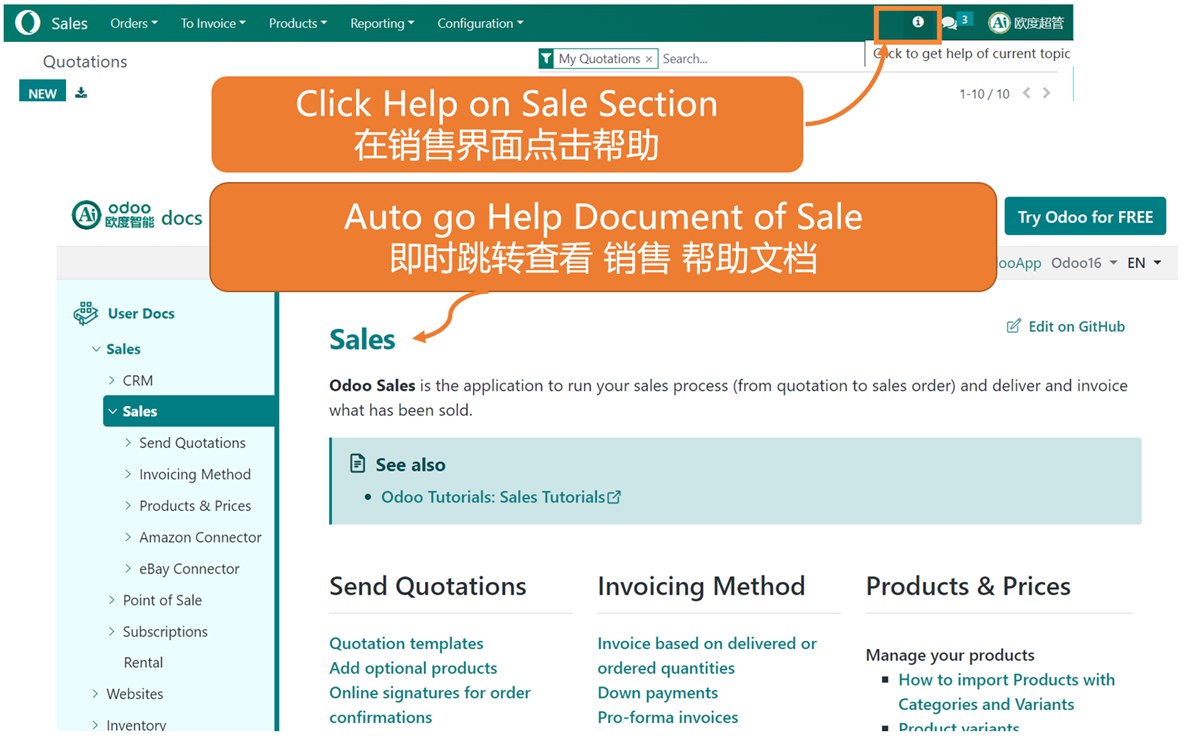
  • 45. Add Help documentation anywhere. easy get help for any odoo operation or action.
  • 46. Add ai robot app integration. Use Ai as your employee.
  • 47. Add configurable Test Label, Demo Ribbon on top menu.
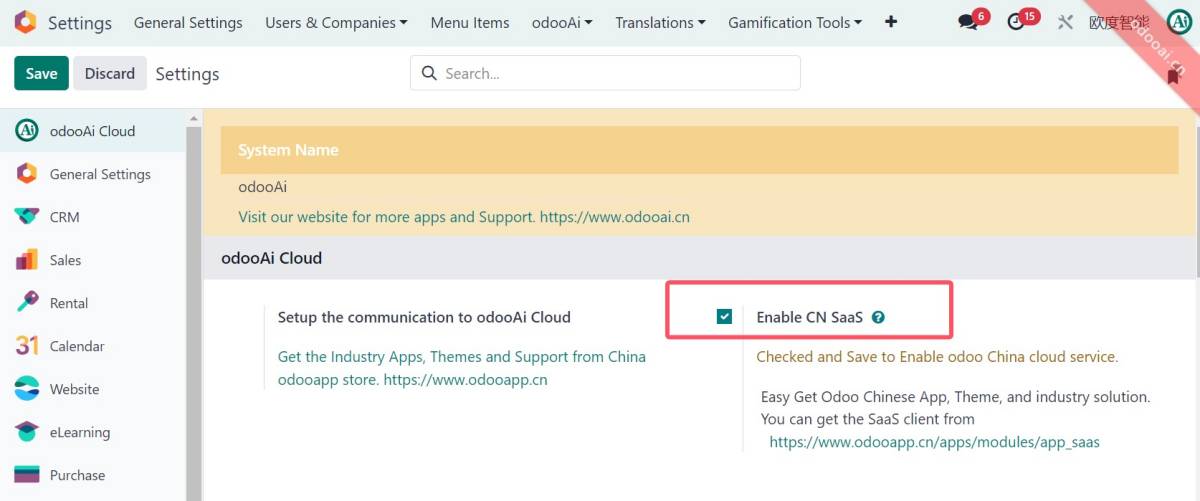
  • 48. Add SaaS client switch for online Translate sync(18 only).
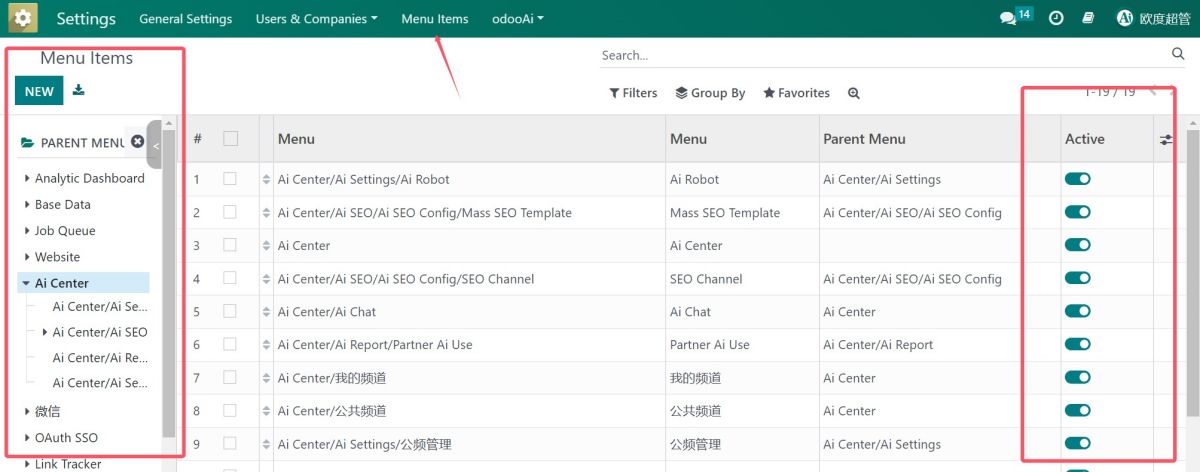
  • 49. Quick Menu manager. de-active / active menu.
  • 50. Show menu xml_id in debug asset mode. easy for menu and action development.
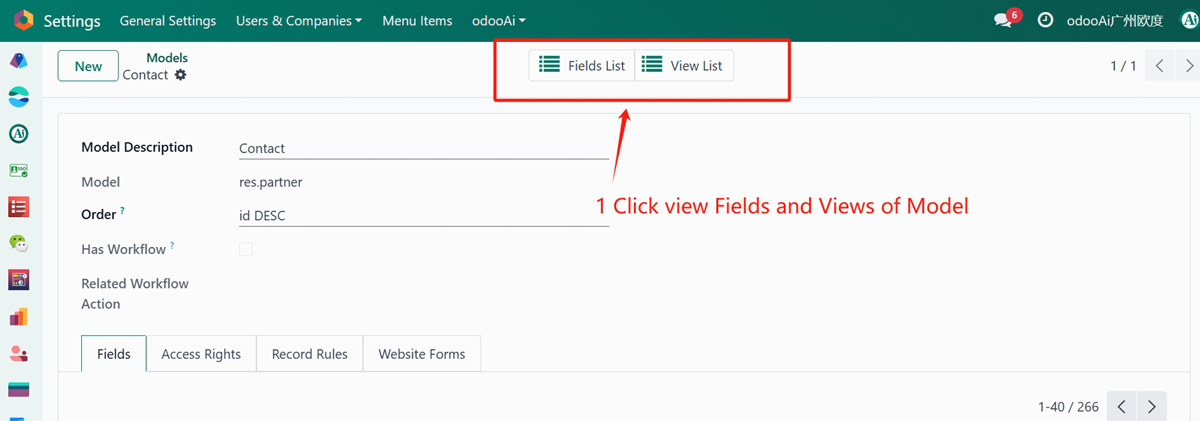
  • 51. Quick View Fields list and View List of every model.
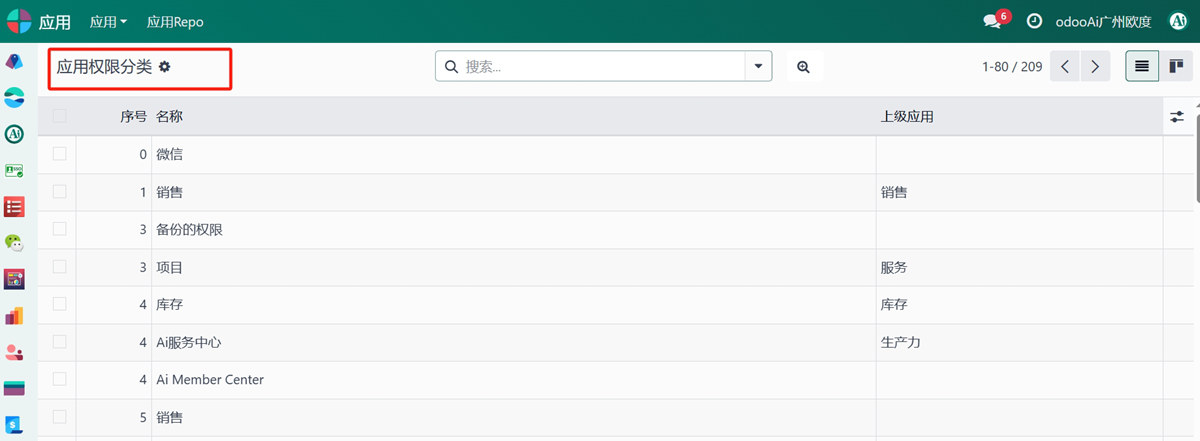
  • 52. Quick management and view of [Application Access Category].
  • 53. ChatWindow Draggable and Resizable with Min W/H Constraints (Bottom-Left & Bottom-Right).
  • 54. Quick set database to test Neutralize DB, or restore to Production.
  • 55. Multi-language Support. Multi-Company Support.
  • 56. Support Odoo 20, 19, 18, 17, 16, 15, 14, 13, 12, Enterprise and Community and odoo.sh Edition.
  • 57. Full Open Source.
  • 58. Show record XML ID in debug menu with one-click copy to clipboard.
  • 59. Redirect native Odoo documentation help links (e.g. Check why) to configurable app_doc_root_url domain.
  • 60. Show or hide the Odoo Studio icon in the top menu; works with or without web_studio installed, and needs no web_enterprise dependency.
  • 61. Add "Hide Now" button to hide the site-wide test ribbon with one click.
  • 62. Manage addons paths: list every addons path with module count, open the apps of a path, and refresh module-path mapping on module update.
  • 63. Add "Odoo Chinese Apps" module type and filter in Apps Dashboard, click to open module info instead of the Odoo store.
  • 64. Enhanced access-denied diagnostics in debug mode: failing records, rules and multi-company switching hint.
  • 65. Auto refresh the current language .po before upgrading a module, so translations always take effect.

If you want to change the login page.

Please modify the file \views\app_odoo_customize_views.xml

This module can help to white label the Odoo. Also helpful for training and support for your odoo end-user.
The user can get the help document just by one click.

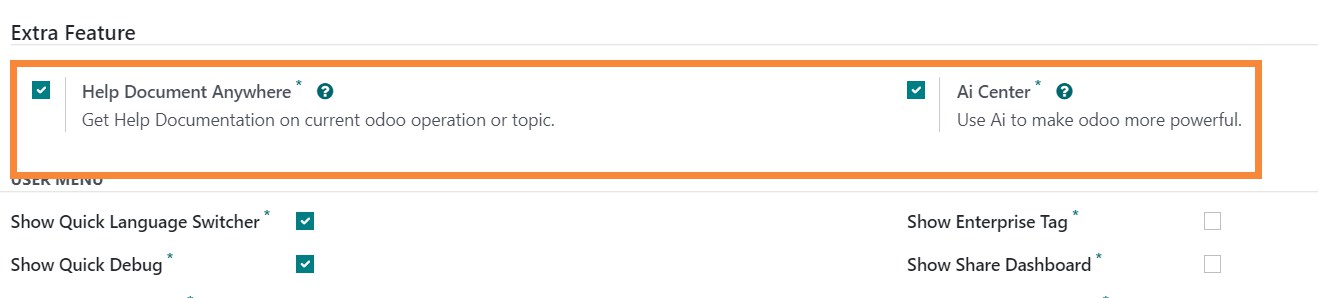
Help Document Anywhere

Get Help Documentation on current odoo operation or topic.

You can use you company logo for the document with you help document

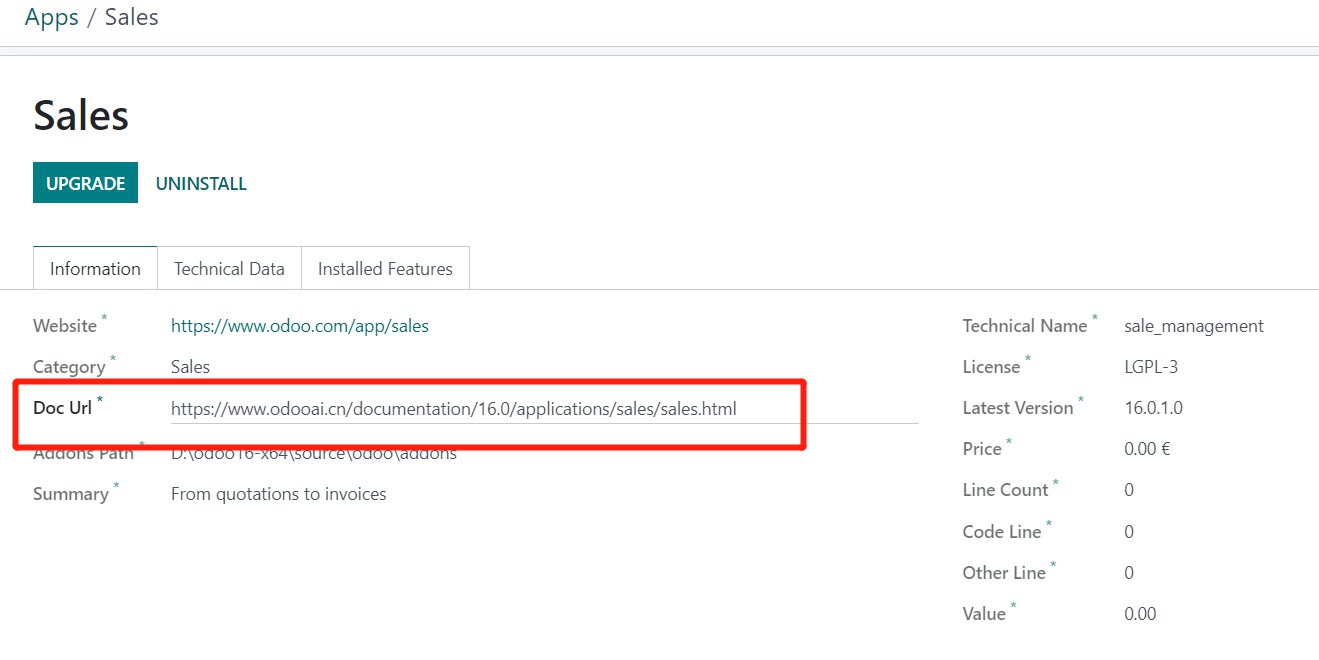
You can set extra help doc for any addons

Must in development mode

New Ai Center Support

You can install Ai service like chatgpt and google bard and azure openai.

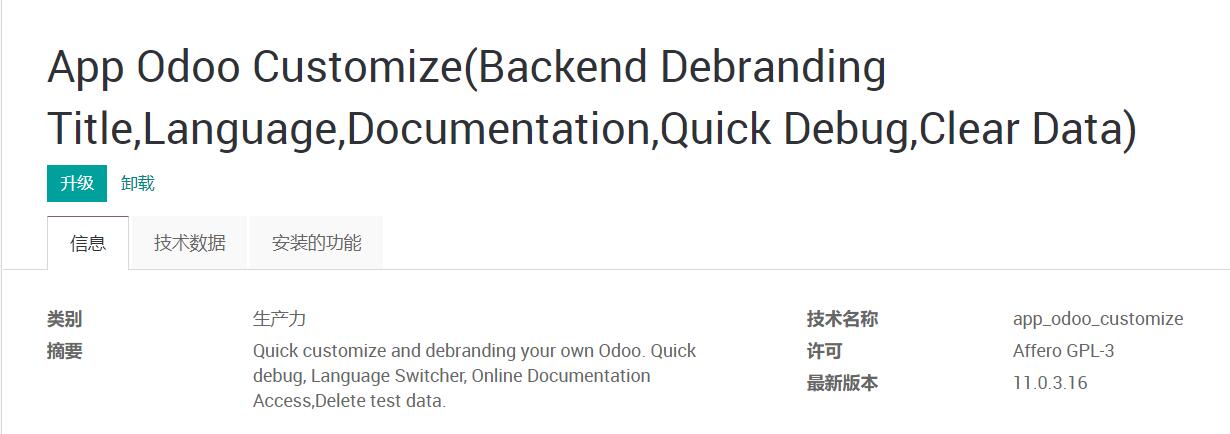
Odoo Customize(Debranding Title,Language,Documentation,Quick Debug)


Multi-language support: Chinese ready


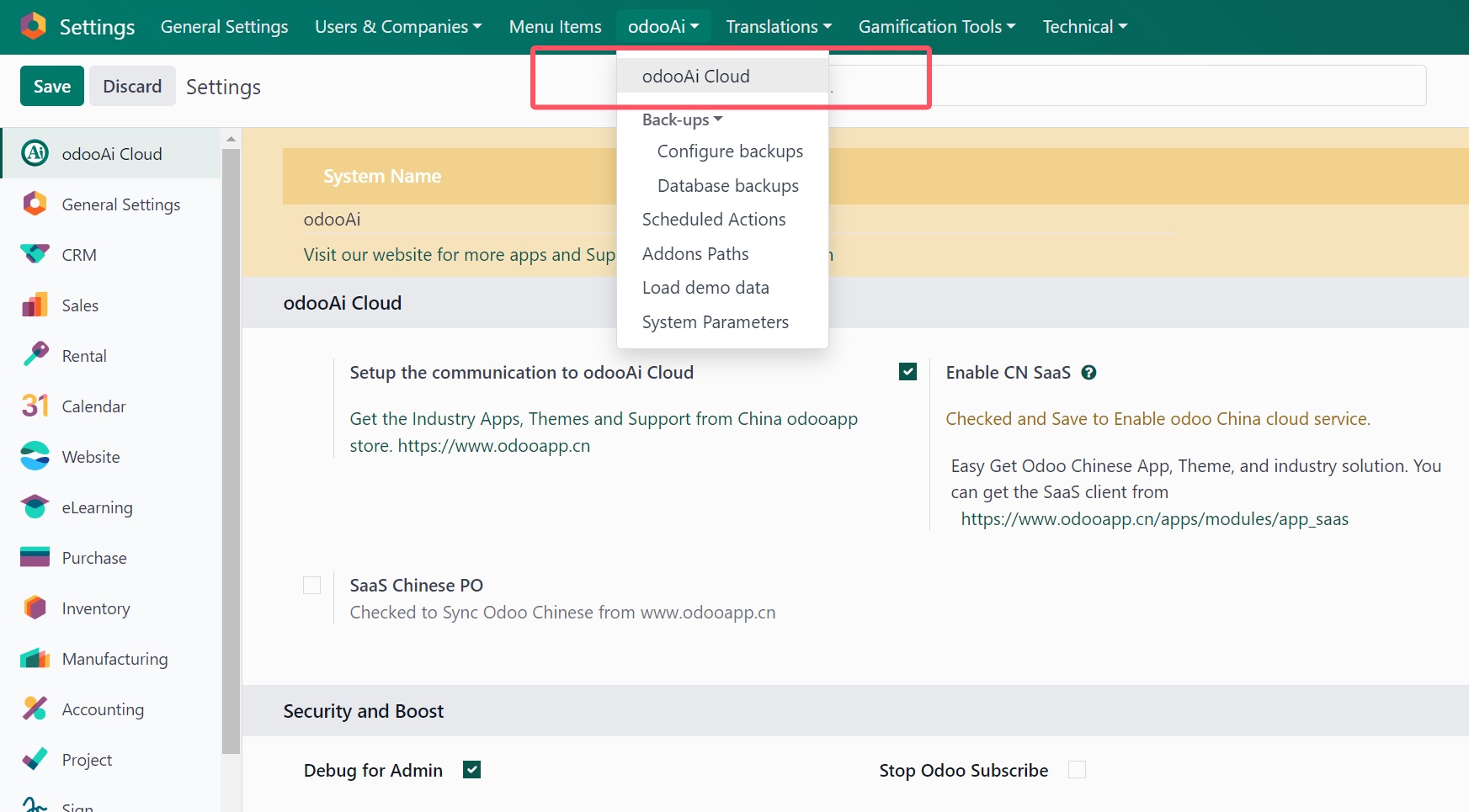
How to use: Go to Settings -> odooAi -> odooAi Cloud Settings


OEM White label your odoo

Replaces "Odoo" in Windows title, Deletes Odoo label in footer, Customize all odoo link to my link

Mobile Enhance. Add menu navbar setup for top or bottom. navigator footer support.

Easy set navbar on bottom or top.

odoo SECURITY AND BOOST

Enable only Debug / Debug Assets for Odoo Admin. Deny debug from url for other user.stop subscribe and follow. This to make odoo speed up.

Add quick operation for odoo modules.

Refresh translate. Upgrade, Uninstall, help on topic

Easy mass module operation

Easy Export translate follow your language

Add Draggable and sizeable Dialog enable.

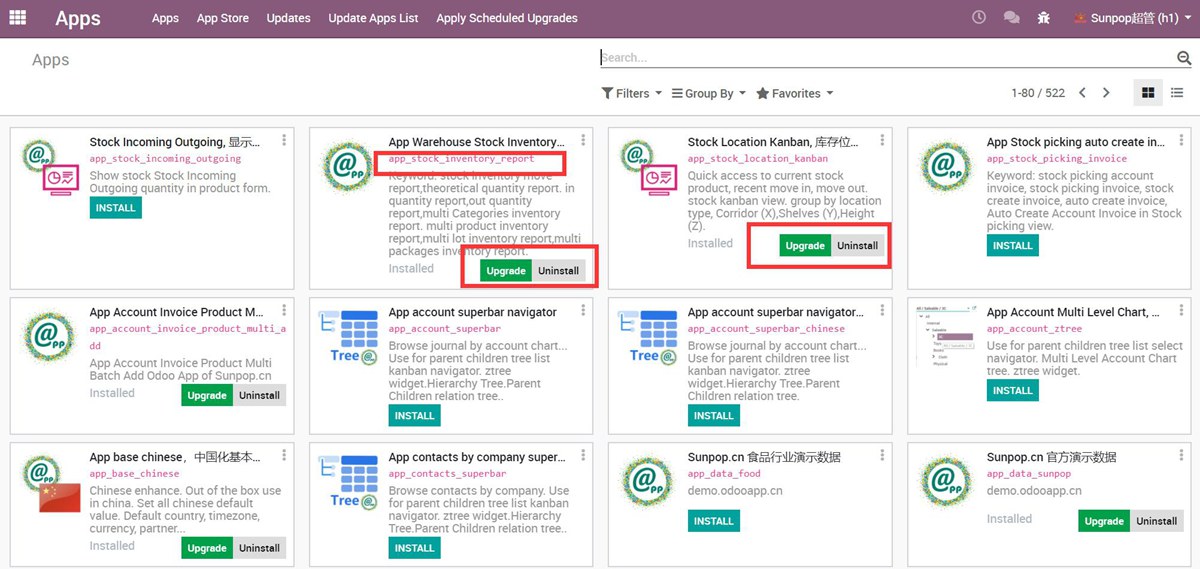
Show/Hide Author and Website in Apps Dashboard

Before


After uncheck "Show Author in Apps Dashboard"


Show quick upgrade in app dashboard, click to show module info not go to odoo.com

No more redirect to odoo.com


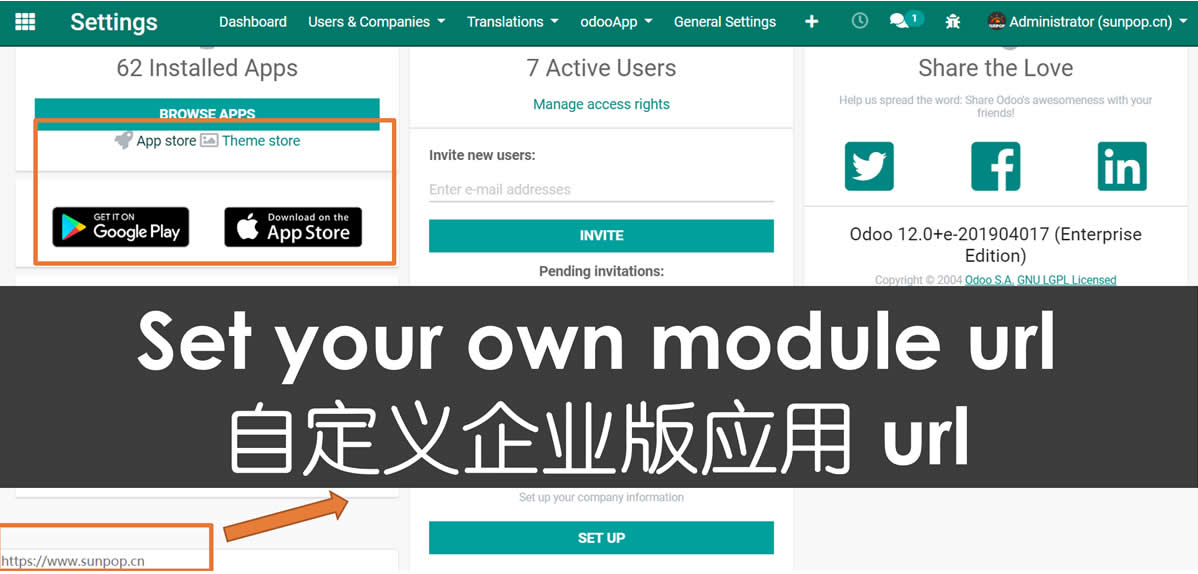
Customize Extra enterprise Module Url(eg. Enterprise).


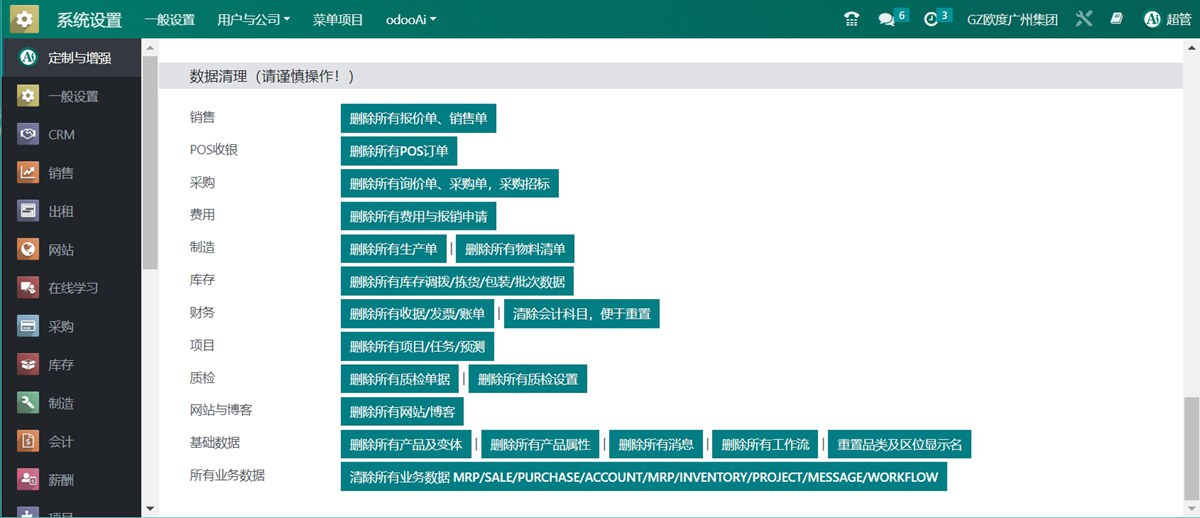
Quick Delete test Data.

You can quickly delete all the test data in Apps: Sales/POS/Purchase/MRP/Inventory/Accounting/Message/Workflow etc.


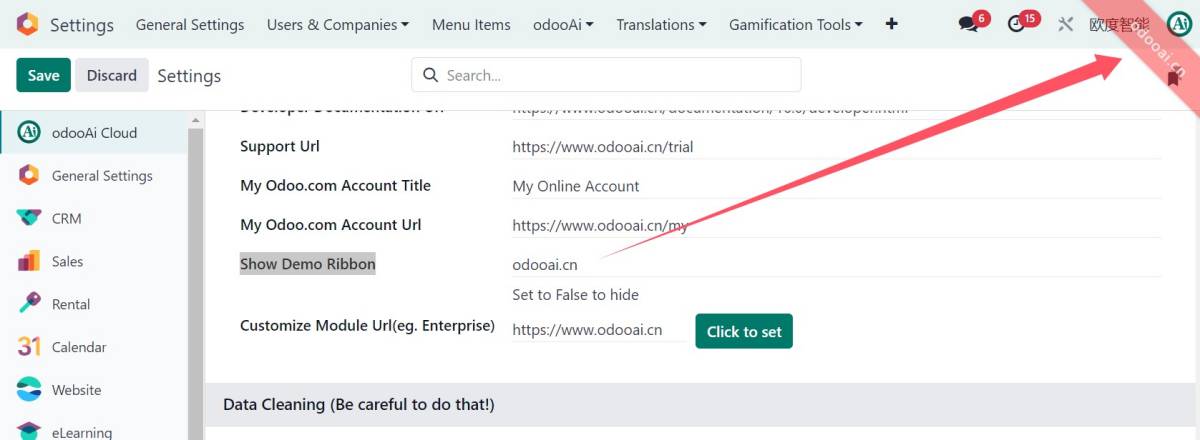
48. Add configurable Test Label, Demo Ribbon on top menu.

Set the label for demo. Set to 'False' to hide the label

49. Add SaaS client switch for online Translate sync(18 only).

You can get update message and sync chinese form saas server of www.odooapp.cn

50. Quick Menu manager. de-active / active menu.

51. Show menu xml_id in debug asset mode. easy for menu and action development.

52. Quick View Fields list and View List of every model.

53. Quick management and view of [Application Access Category].

54. ChatWindow Draggable and Resizable with Min W/H Constraints (Bottom-Left & Bottom-Right).

Drag chat window via header, resize from bottom-left or bottom-right corner with minimum width (300px) and height (200px).

聊天窗口可拖拽移动(标题栏),右下角和左下角均可缩放,最小宽300px、高200px。

Multi-language Support..

Also you can get more powerful odoo apps from us. . like [superbar widget]

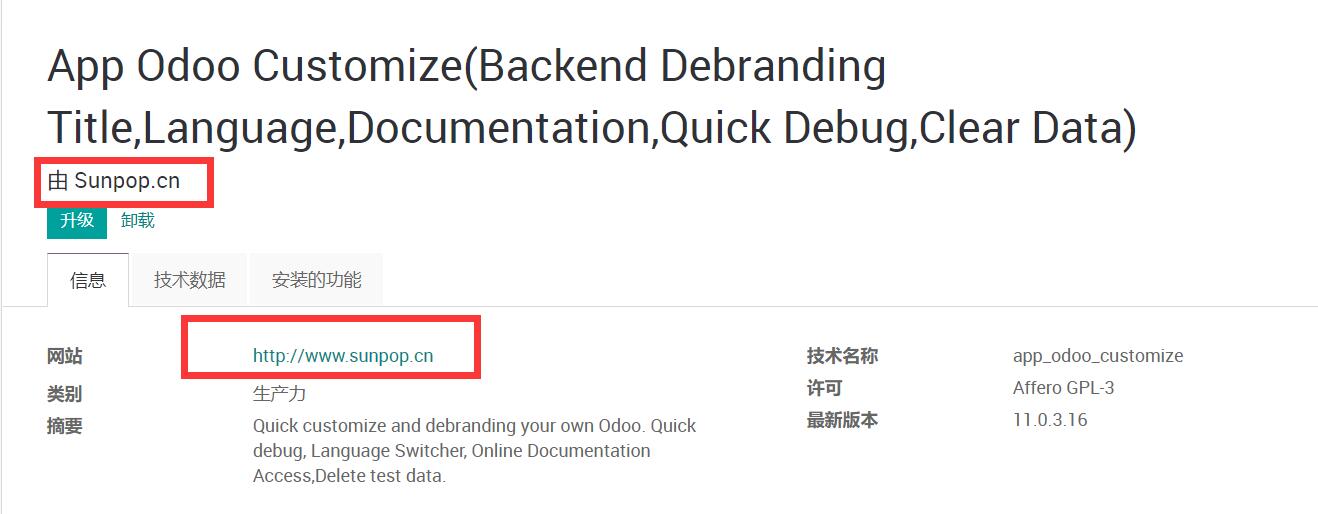
This moduld allows user to quickly customize and debranding Odoo. Quick debug, Language Switcher, Online Documentation Access,Quick Data Clear.

Support odoo 20,19,18,17,16,15,14,13,12,11,10,9. Including community and enterprise version.

Technical Help & Support

For any type of technical help & support requests, Feel free to contact us

odoo@china.com

Via QQ: 300883 (App user would not get QQ or any other IM support. Only for odoo project customize.)

300883@qq.com

Visit our website for more support.

https://www.odooai.cn

Specifications

Version 20.0, 19.0, 18.0, 17.0, 16.0, 15.0, 14.0, 13.0, 12.0, 11.0, 10.0