Skip to Content
Product Icon

Print Partner Labels, Customer Labels, Vendor Labels, Employee labels

Technical Name:
app_partner_labels
License:
LGPL-3
Included Dependencies :
None
Lines of code:
69
Code Value:
¥ 8.28
Follow Odoo's public price policy, The code valuation is $12.00 per 100 line code. Here we only get code line of this app. Depends is included.
Here we only get code line of this app. Depends is included. Total line of Source Code. Including .py, .js, .css and xml file.
¥ 38.00 ¥ 38.00
Coupon: 中国区9折 会员赠积分 VIP专享
  • Version
App Icon

Partner Label Print

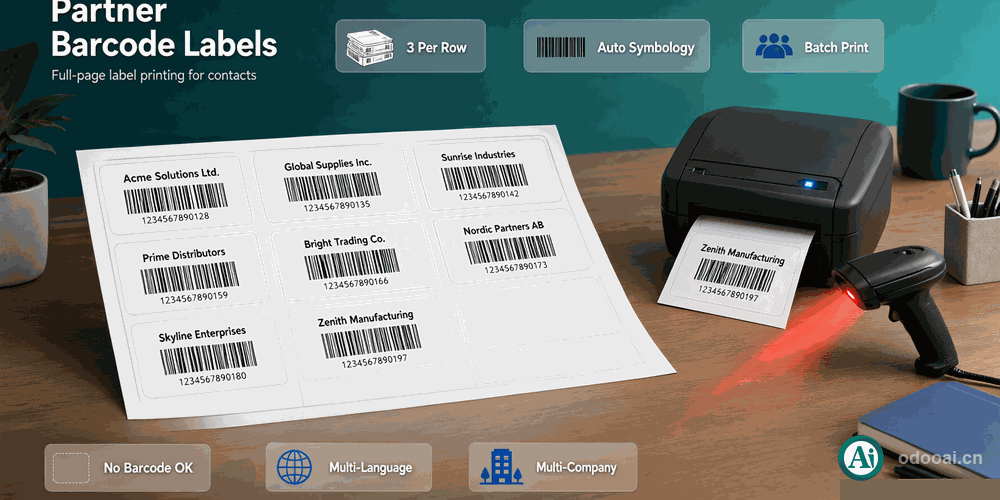
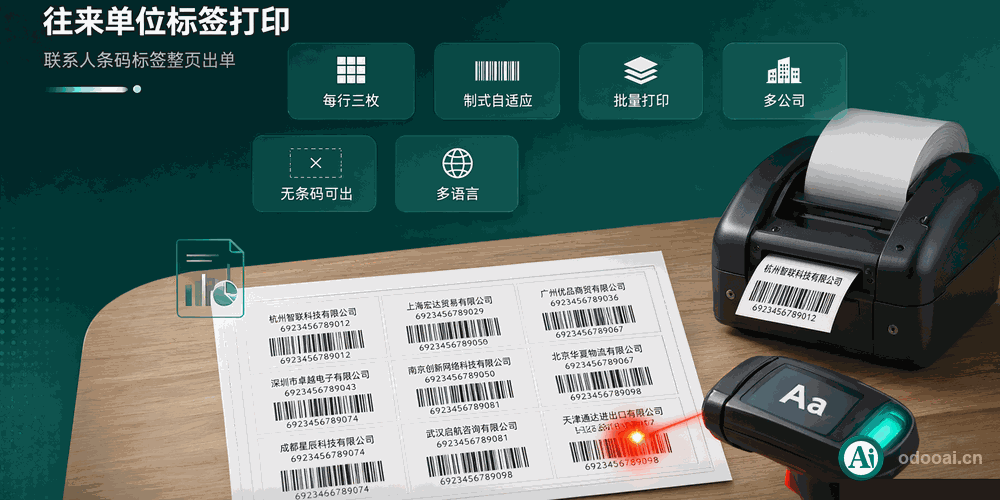
Full page barcode labels for contacts, customers, vendors and employees

Select partners and print a whole sheet of barcode labels
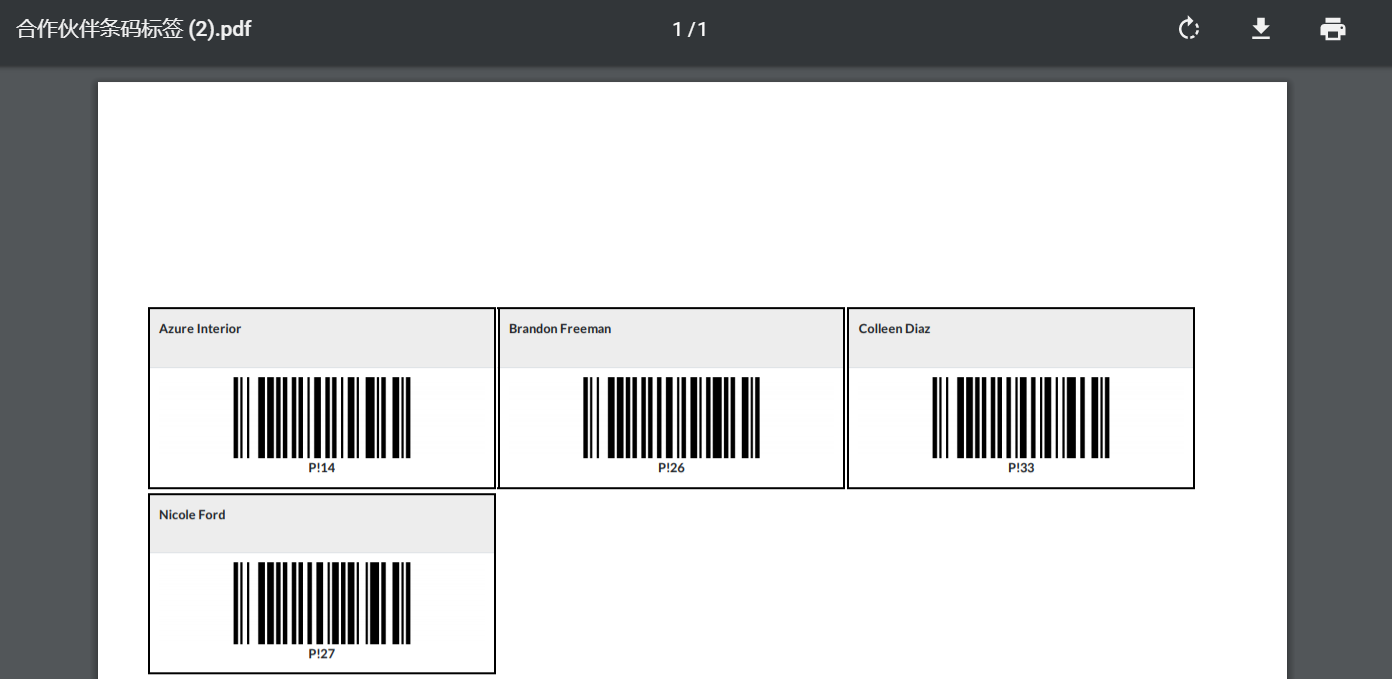
Three labels per A4 row, name on top, bar and barcode text below

Odoo 20 Enterprise & Community Multi-Company Multi-Language

Overview

Odoo prints product barcode labels out of the box, but there is no report for the other side of the counter: the people. This module adds a full page label report on res.partner, so a customer, a supplier or an employee badge can be printed the same way a goods label is.

One report covers every symbology in use: EAN13 for 13-digit barcodes, EAN8 for 8-digit ones and Code128 for everything else, chosen from the barcode length at render time.

Complete Feature List

  • 1. Print partner labels, customer labels, vendor labels, employee labels
    The report is bound to res.partner, so every partner type is covered
  • 2. Easy print in one page
    Three labels per A4 row, no manual layout in a spreadsheet
  • 3. Automatic barcode symbology
    EAN13, EAN8 or Code128 detected from the barcode length
  • 4. Barcode text under the bar
    Readable even when a scanner cannot read the print
  • 5. Single print from the contact form
    Print button available on the partner sheet
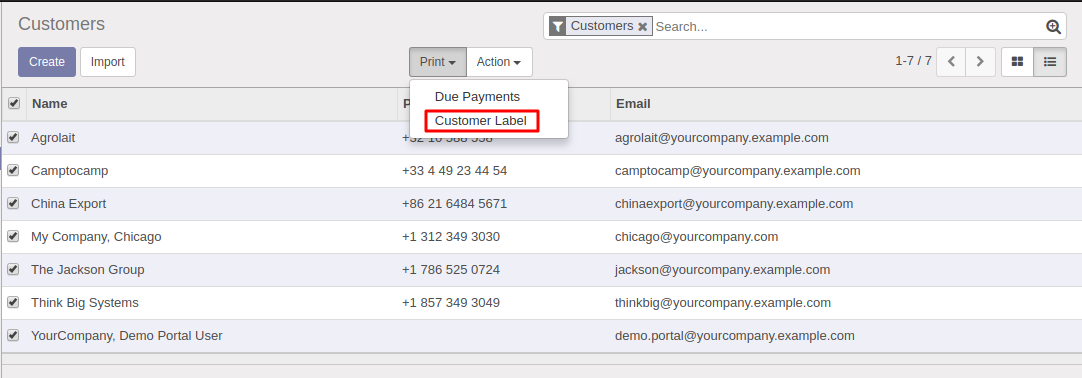
  • 6. Batch print from the contact list
    Tick several partners, then Action > Partner Label
  • 7. Dedicated zero-margin A4 paper format
    A4, 96 dpi, shrinking disabled, so the label grid stays aligned
  • 8. Partners without a barcode still print
    A placeholder note is shown instead of a broken bar
  • 9. Label template open for customization
    The single label is its own QWeb template; inherit it to change size or fields
  • 10. Chinese translation included
    Report name and paper format shipped in i18n/zh_CN.po
  • 11. Multi-language support, multi-company support
    Respects the record rules of the company the partner belongs to
  • 12. Supports Odoo 20, 19, 18, 17, 16, 15, 14, 13, 12, Enterprise and Community Edition
    Also runs on odoo.sh and Odoo Online SaaS where custom modules are allowed

Key Highlights

What you get that standard Odoo does not give you

1. One Report, Three Symbologies

EAN13 / EAN8 / Code128

The bar type is resolved from the barcode length while the label renders. Keep one print action for EAN customer codes and internal Code128 codes instead of maintaining several reports.

2. Three Labels Per A4 Row

Sheet layout without stationery

Each label takes a third of the page width with a printed frame, so an ordinary A4 sheet works as label stock. Cut along the frame and the label is ready.

3. Batch Print From The List

Action menu on selected records

Filter the contacts you need, tick the rows, then print one sheet. Useful when onboarding a batch of new customers or reissuing employee badges.

4. A Paper Format Made For Labels

A4, zero margin, 96 dpi

A dedicated report paper format removes headers, footers and page margins, and disables shrinking so the bars keep the width the scanner expects.

5. No Barcode, No Failure

Safe on incomplete data

A partner with an empty barcode field prints with a placeholder line rather than raising a render error, so one missing code never blocks the whole sheet.

6. Easy To Restyle

Inheritable label template

The single label is a separate QWeb template called by the page template. Inherit it to change the label width, add a phone number, or drop in a company logo.

General Features

Multi-Language & Multi-Company
Built for Global Teams

Full multi-language translation support for global deployments. Native multi-company architecture with strict data isolation.

Full Version Support
Odoo 12 to 20

Works with Odoo 20, 19, 18, 17, 16, 15, 14, 13, 12, EE/CE/.SH, compatible with Enterprise, Community and Odoo Online SaaS.

Full Open Source
LGPL-3 Licensed

Released under LGPL-3. Transparent, auditable code, open for further development and customization.

Screenshots

Core features at a glance

Partner barcode labels, three per row on one A4 page

Partner barcode labels printed three per row on one A4 page

Print a whole sheet from the contact list Action menu

Label action available in the Action menu of the contact list

How It Works

Step One

Install the module, no configuration needed

Step Two

Set a barcode on the contact, General Information tab

Step Three

Open one contact, or tick several in the list view

Step Four

Action > Partner Label, then print the A4 sheet

Supported & Dependent Modules

  • contacts
  • base
Banner

odooai.cn

Professional Odoo Solutions: Development, Implementation, Consulting & Training

Website: www.odooai.cn

Demo: demo.odooapp.cn

Support: odoo@china.com

QR Code

Specifications

Version 20.0, 19.0, 18.0, 17.0, 16.0, 14.0, 13.0, 12.0