- 新春6折: Odoo19全面升级已完成,微信小程序支付全场6折。
- 即时下载:购买后从我的 应用中心下载
- 服务支持:购买后15天内邮件 安装指导
- 授权许可:购买即代表同意 用户协议
- 售后承诺: odooApp.cn 的模块与主题均保证功能与您下载时所见描述一致,如有异议可在下单后15天内申请免费退款
- 更多支持:务必参考 FAQ常见问题与答疑
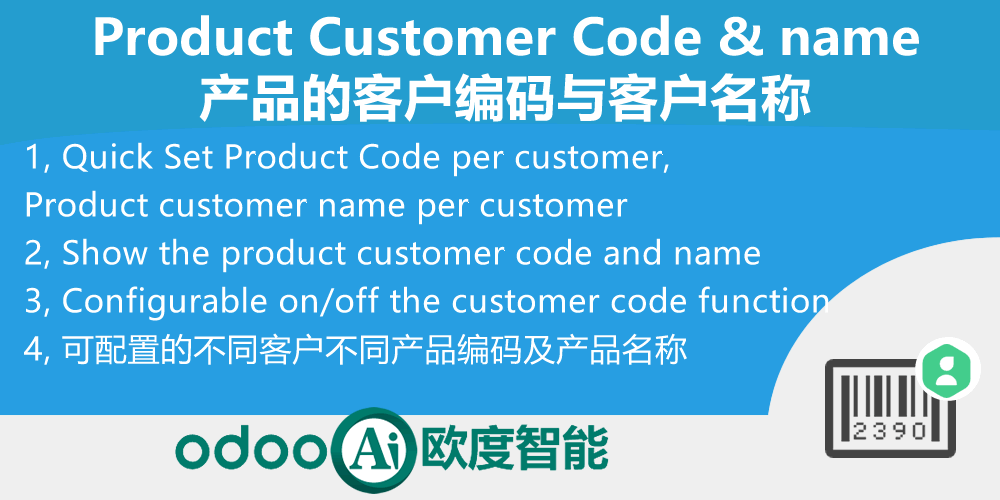
Product Customer Code Customer name.产品的客户编码与客户名称
Product Code per customer, Product customer name per customer. Product Sku Customer name, Sku customer Code.
Configurable Easy and quick set for different name and default code per customer.
Quick search product with customer code or name in sale
产品客户编码 / Product Customer Code
产品客户编码与客户名称管理 / Customer Code & Name Management
为每个客户设置独立的产品编码与名称,销售订单自动显示
Set unique product code & name per customer, auto display in SO
功能概述 / Overview
本模块允许为每个客户设置独立的产品编码与客户产品名称,可在客户界面、产品模板(SPU)、产品变体(SKU)界面进行设置。销售订单中会根据不同客户自动显示对应的客户产品编码与名称,并支持打印输出。
This module allows setting unique product code & customer product name per customer. Configurable at customer, SPU, SKU level. Sale orders auto-display the corresponding customer product code & name based on the customer, with print support.
完整功能列表 / Complete Feature List
-
1. 快速设置客户产品代码及客户产品名称,可以在客户界面、SPU、SKU界面设置
Quick Set Product Code per customer, Product customer name per customer. Product Sku Customer name, Sku customer Code. -
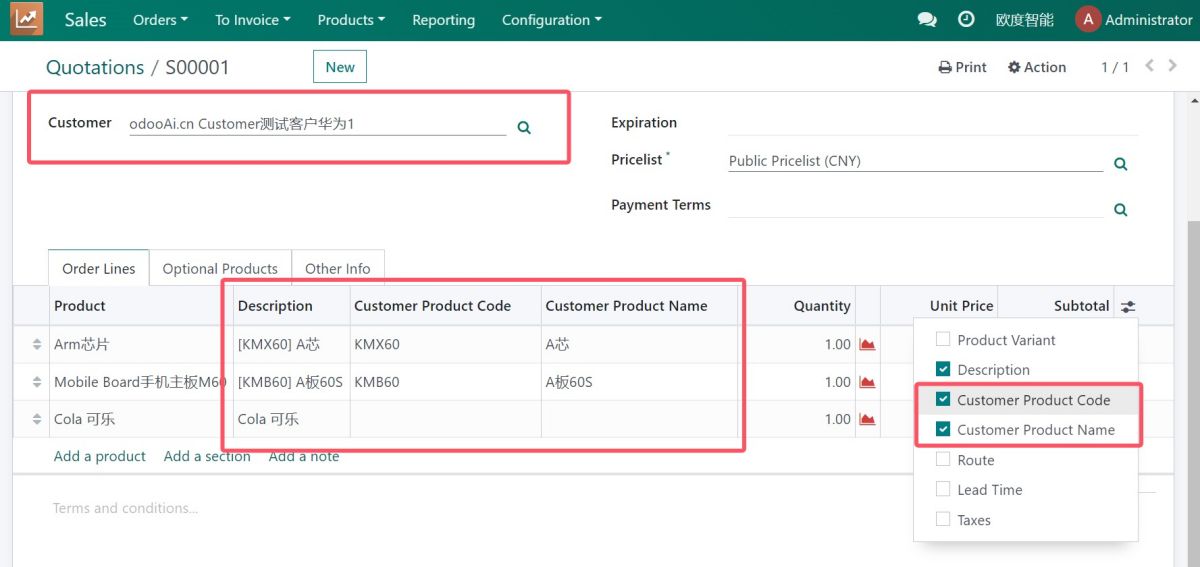
2. 自动在SO销售订单中,根据不同的客户,显示出不同的客户产品名及产品代码并打印
Auto Show the product customer code and name for the sku in sale order, follow by the sale partner -
3. 独立菜单管理客户编码,可配置是否启用客户代码功能
Action and menu for Customer code setup. Configurable on/off the customer code function.
核心亮点 / Key Highlights
每个客户独立的产品编码体系 / Per-Customer Product Code System
1. 客户产品编码 / Customer Code
Per Customer
为每个客户设置独立的产品编码,支持在不同界面快速配置
2. 客户产品名称 / Customer Name
Per Customer
为每个客户设置独立的客户产品名称,便于客户沟通
3. 销售订单自动显示 / Auto in SO
Auto Display
销售订单中根据客户自动显示对应的产品编码与名称
4. 打印支持 / Print Support
Print Output
客户产品编码与名称支持在销售订单打印输出中显示
5. 可配置开关 / Configurable
On/Off Switch
可配置是否启用客户代码功能,灵活控制
6. 快速搜索 / Quick Search
Quick Search
在销售订单中可使用客户编码或名称快速搜索产品
通用特性 / General Features
多语言与多公司
Multi-Language & Multi-Company
完整的多语言翻译支持,适配全球化企业部署。原生多公司架构,数据严格隔离。
全版本兼容
Full Version Support
支持 Odoo 19, 18, 17, 16, 15, 14, 13, 12,EE/CE/.SH,兼容企业版、社区版及在线 SaaS。
代码完全开源
Full Open Source
基于 LGPL-3 协议开源,代码透明可审计,支持二次开发与定制。
界面截图 / Screenshots
核心功能界面一览
客户界面设置 / Setup in Customer

产品界面设置 / Setup in Product
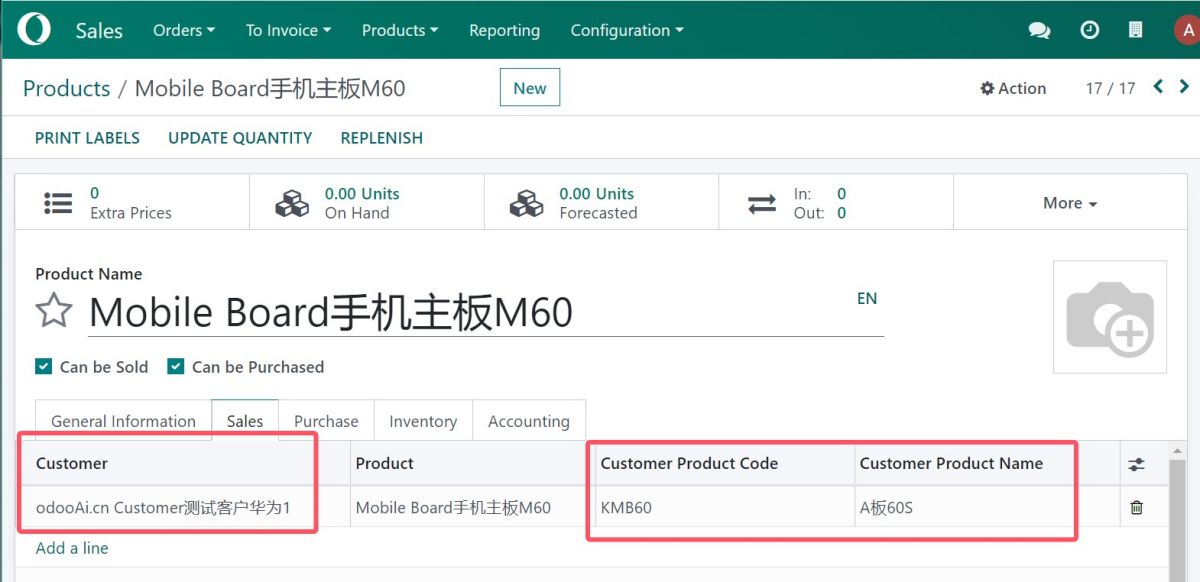
销售订单自动显示 / Auto Show in SO
打印输出 / Print Output

菜单管理 / Menu Management

配置开关 / Configuration

使用流程 / How It Works
安装模块
Install Module
设置编码
Setup Code
自动显示
Auto Display
完成
Done
支持与依赖模块 / Supported & Dependent Modules
- sale_management / 销售管理

odooai.cn
专业Odoo服务伙伴-开发实施咨询培训全套解决方案 / Professional Odoo Solutions

Specifications
| 版本 | 19.0, 18.0, 17.0, 16.0 |