- 新春6折: Odoo19全面升级已完成,微信小程序支付全场6折。
- 即时下载:购买后从我的 应用中心下载
- 服务支持:购买后15天内邮件 安装指导
- 授权许可:购买即代表同意 用户协议
- 售后承诺: odooApp.cn 的模块与主题均保证功能与您下载时所见描述一致,如有异议可在下单后15天内申请免费退款
- 更多支持:务必参考 FAQ常见问题与答疑

App Product Weight Auto Set
Technical Name:
app_product_weight_auto
License:
OPL-1
Included Dependencies
:
None
Lines of code:
62
Code Value:
计价方法遵循Odoo官方的公开价格政策,代码估值为每100行代码12.00美元。代码计算不包含Odoo原生代码和import的代码。
Here we only get code line of this app. Depends is included. Total line of Source Code. Including .py, .js, .css and xml file.
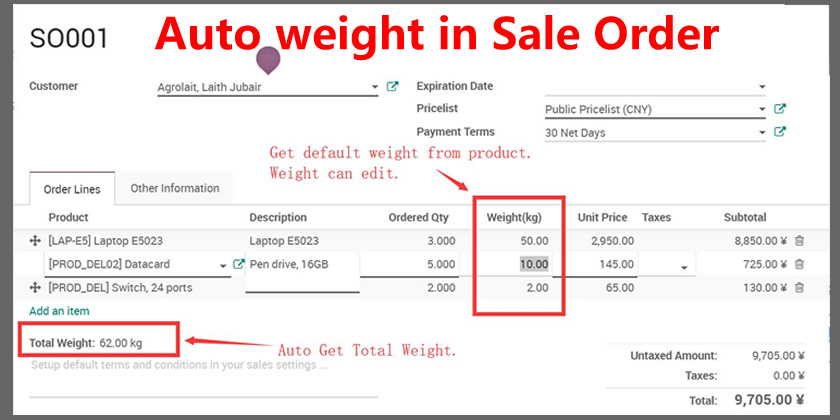
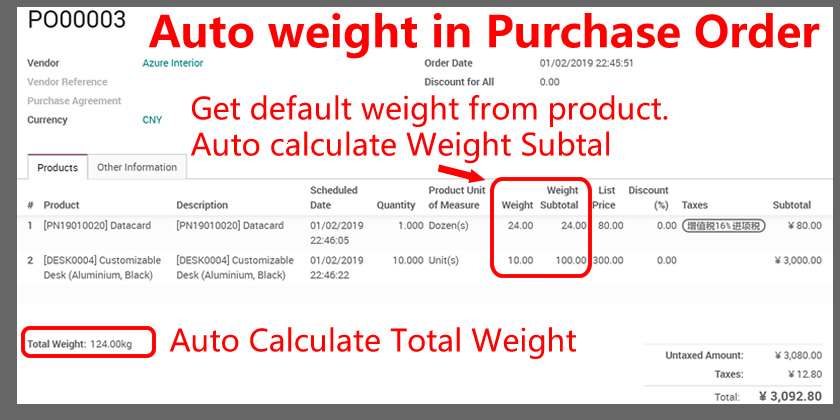
Auto set Product weight if the UoM is in Weight Category. Show Weight in Product List, Kanban Views. Can be use in sale, purchase, stock

自动重量设置,Product Weight Auto Set
根据重量单位自动设置产品重量,支持千克磅秤自动转换 / Auto set product weight based on weight UoM, support kg and lb conversion
根据重量单位类别自动设置产品重量,如设置单位为吨则自动换算为1000kg
Automatically set product weight based on weight unit category, e.g., set UoM to ton and auto-convert to 1000kg
Odoo 18
企业版与社区版 / Enterprise & Community
多公司 / Multi-Company
多语言 / Multi-Language
完整功能列表 / Complete Feature List
保留原始功能描述 / Preserved original feature descriptions
-
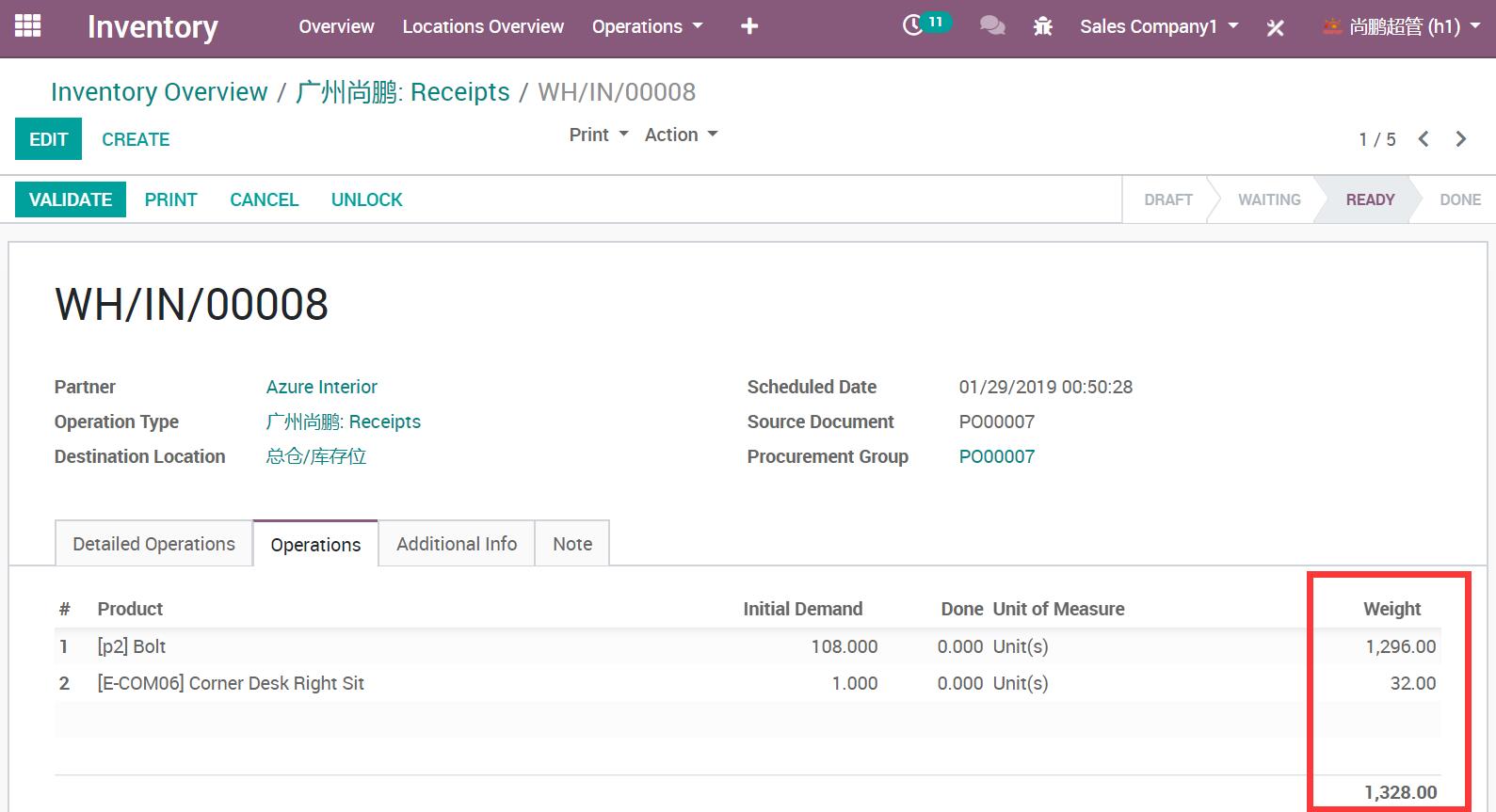
1. 在库存调拨和拣货操作中添加产品SKU重量
Add product SKU weight in Stock picking Operation -
2. 计算库存调拨单的总重量
Calculate total weight of a Stock picking -
3. 支持千克(kg)和磅(lb)单位自动转换
Support kg(s) or lb(s) unit auto conversion -
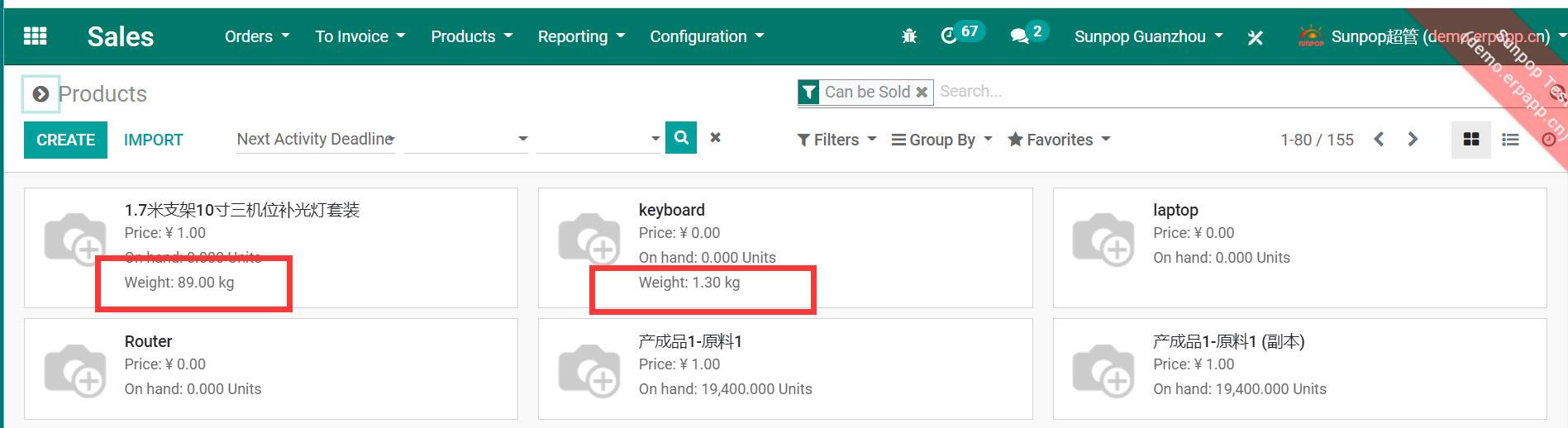
4. 在产品列表和看板视图中显示重量
Show weight in Product List and Kanban Views -
5. 在调拨单列表和表单中显示重量
Display weight in picking list and form -
6. 在配送单报表中输出重量
Output weight in delivery slip report
核心亮点 / Key Highlights
产品重量管理一站式解决方案 / Complete Weight Management Solution
1. 设置产品重量
Setup Product Weight
设置产品重量
2. 在产品列表中显示重量
Show Weight in Product List
在产品列表中显示重量
3. 自动设置示例
Auto Set Example
自动设置示例
通用特性 / General Features
多语言与多公司
Multi-Language & Multi-Company
完整的多语言翻译支持,适配全球化企业部署。原生多公司架构,数据严格隔离。
全版本兼容
Full Version Support
支持 Odoo 19, 18, 17, 16, 15, 14, 13, 12,EE/CE/.SH,兼容企业版、社区版及在线 SaaS。
代码完全开源
Full Open Source
基于 LGPL-3 协议开源,代码透明可审计,支持二次开发与定制。
界面截图 / Screenshots
核心功能界面一览
设置产品重量 / Setup Product Weight
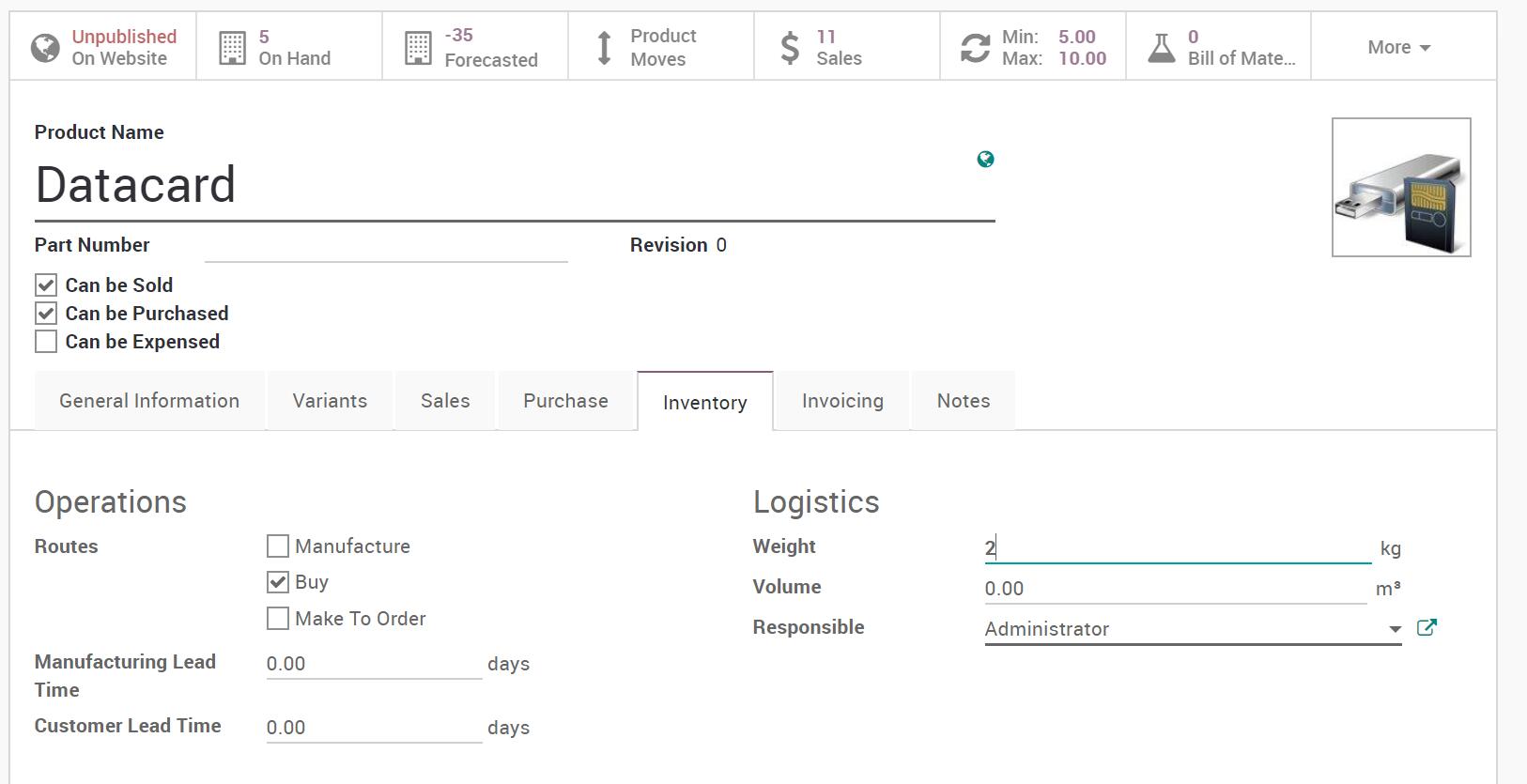
在产品列表中显示重量 / Show Weight in Product List
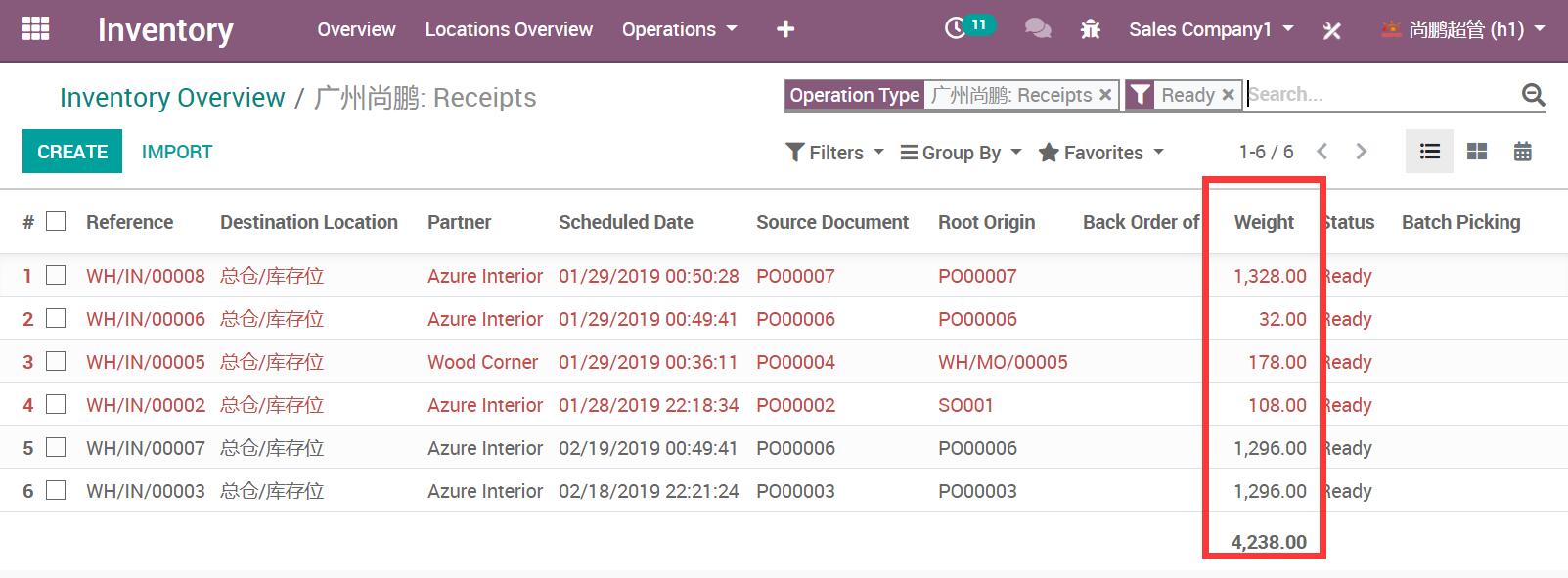
自动设置示例 / Auto Set Example
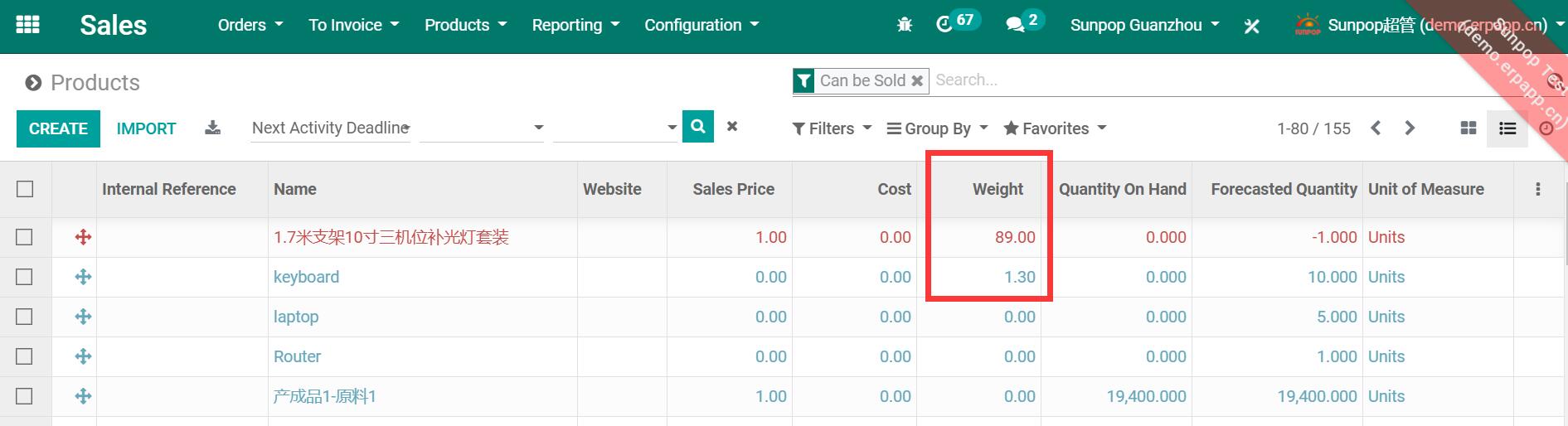
自动设置产品重量 / Auto Set Product Weight
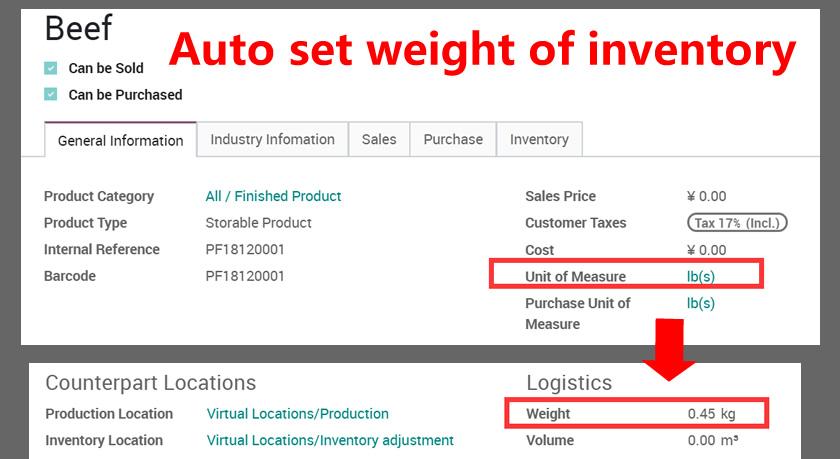
产品列表重量显示 / Product List Weight Display
看板视图重量显示 / Kanban View Weight
销售订单重量 / Sale Order Weight
采购订单重量 / Purchase Order Weight
库存调拨重量 / Stock Picking Weight
使用流程 / How It Works
步骤一
设置产品重量
步骤二
在业务单据中自动计算
步骤三
汇总总重量
步骤四
报表输出与追溯
支持与依赖模块 / Supported & Dependent Modules
- 产品 / Product
odooai.cn
专业Odoo服务伙伴-开发实施咨询培训全套解决方案 / Professional Odoo Solutions

您的动态代码段将显示在这里……
显示此消息是因为您没有同时提供要使用的筛选器和模板。
Specifications
| 版本 | 19.0, 18.0, 17.0, 16.0, 15.0, 14.0, 13.0, 12.0 |