
Skip to Content
Product Icon

Weight in Purchase Order

Technical Name:
app_product_weight_purchase
License:
OPL-1
Included Dependencies :
None
Lines of code:
104
Code Value:
¥ 12.48
Follow Odoo's public price policy, The code valuation is $12.00 per 100 line code. Here we only get code line of this app. Depends is included.
Here we only get code line of this app. Depends is included. Total line of Source Code. Including .py, .js, .css and xml file.
¥ 38.00 ¥ 38.00
Coupon: 中国区9折 会员赠积分 VIP专享
2
  • Version
App Icon

采购订单重量管理,Weight in Purchase Order

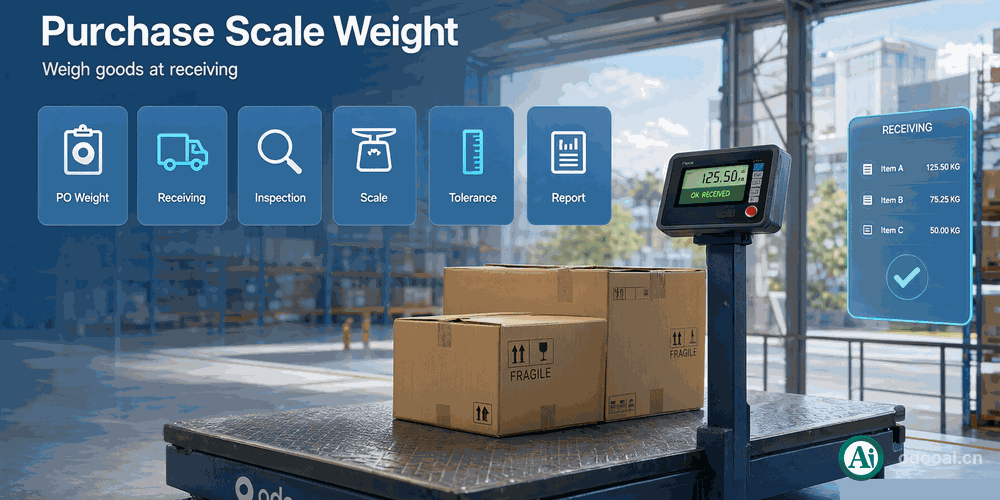
采购订单磅秤重量管理,支持到货验收和入库 / Weight management in purchase orders with receiving inspection

在采购订单中自动计算产品重量,支持到货验收和入库复核
Automatically calculate product weight in purchase orders, support goods receiving inspection

Odoo 18 企业版与社区版 / Enterprise & Community 多公司 / Multi-Company 多语言 / Multi-Language

完整功能列表 / Complete Feature List

保留原始功能描述 / Preserved original feature descriptions

  • 1. 在库存调拨和拣货操作中添加产品SKU重量
    Add product SKU weight in Stock picking Operation
  • 2. 计算库存调拨单的总重量
    Calculate total weight of a Stock picking
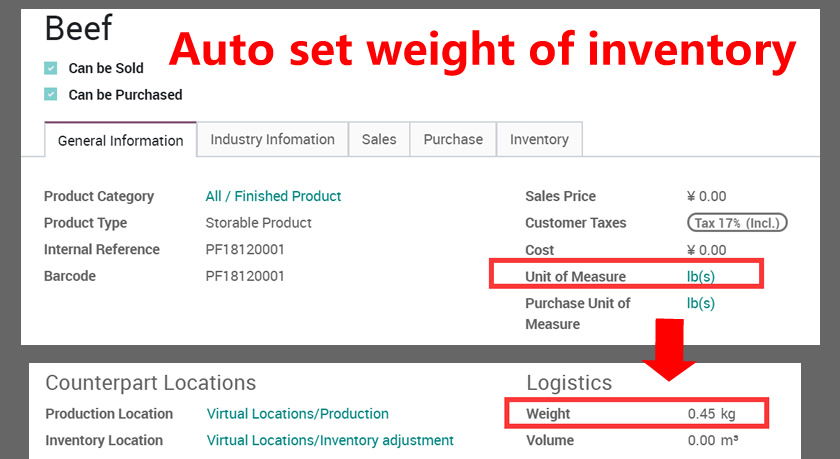
  • 3. 支持千克(kg)和磅(lb)单位自动转换
    Support kg(s) or lb(s) unit auto conversion
  • 4. 在产品列表和看板视图中显示重量
    Show weight in Product List and Kanban Views
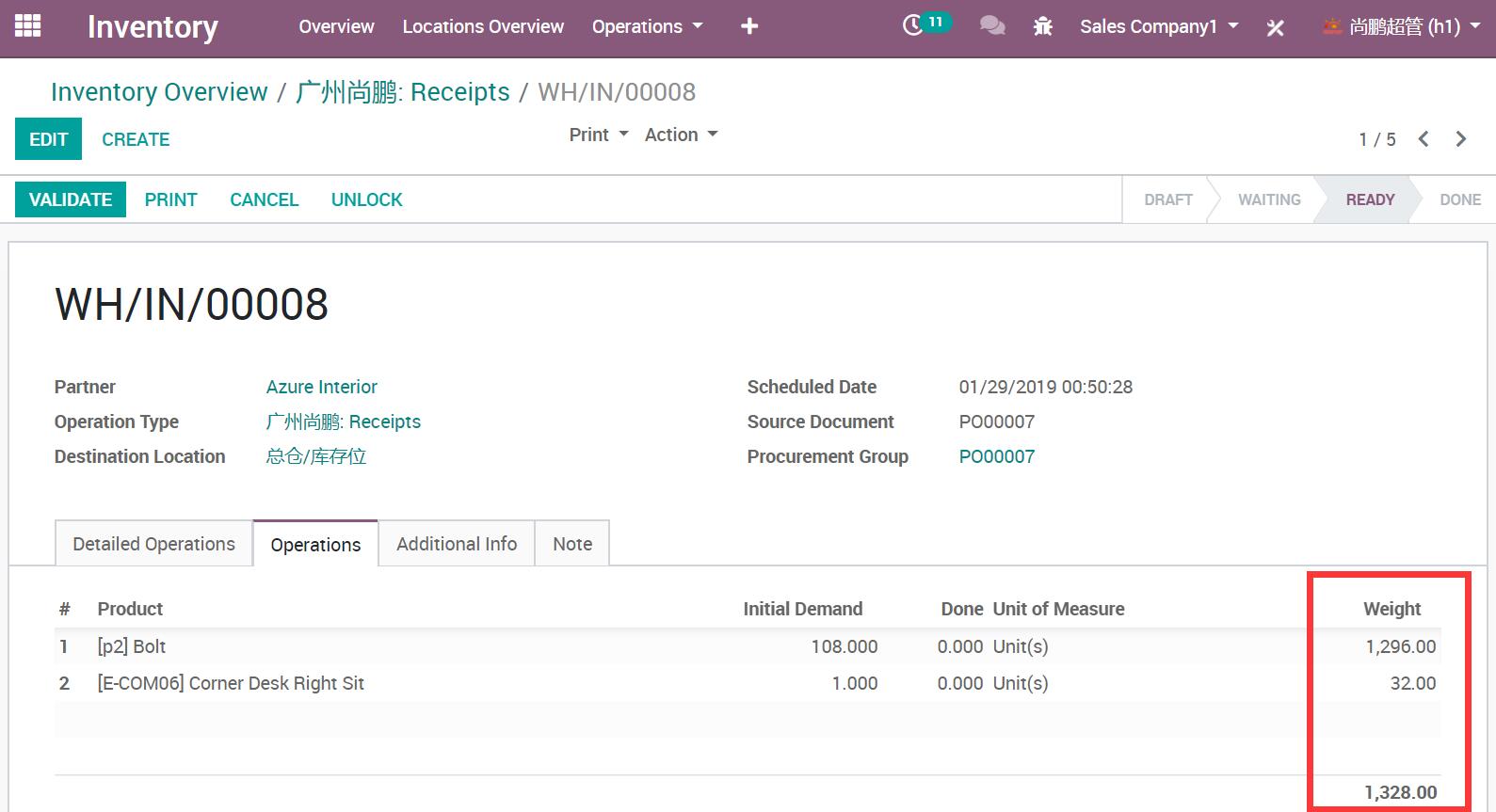
  • 5. 在调拨单列表和表单中显示重量
    Display weight in picking list and form
  • 6. 在配送单报表中输出重量
    Output weight in delivery slip report

核心亮点 / Key Highlights

产品重量管理一站式解决方案 / Complete Weight Management Solution

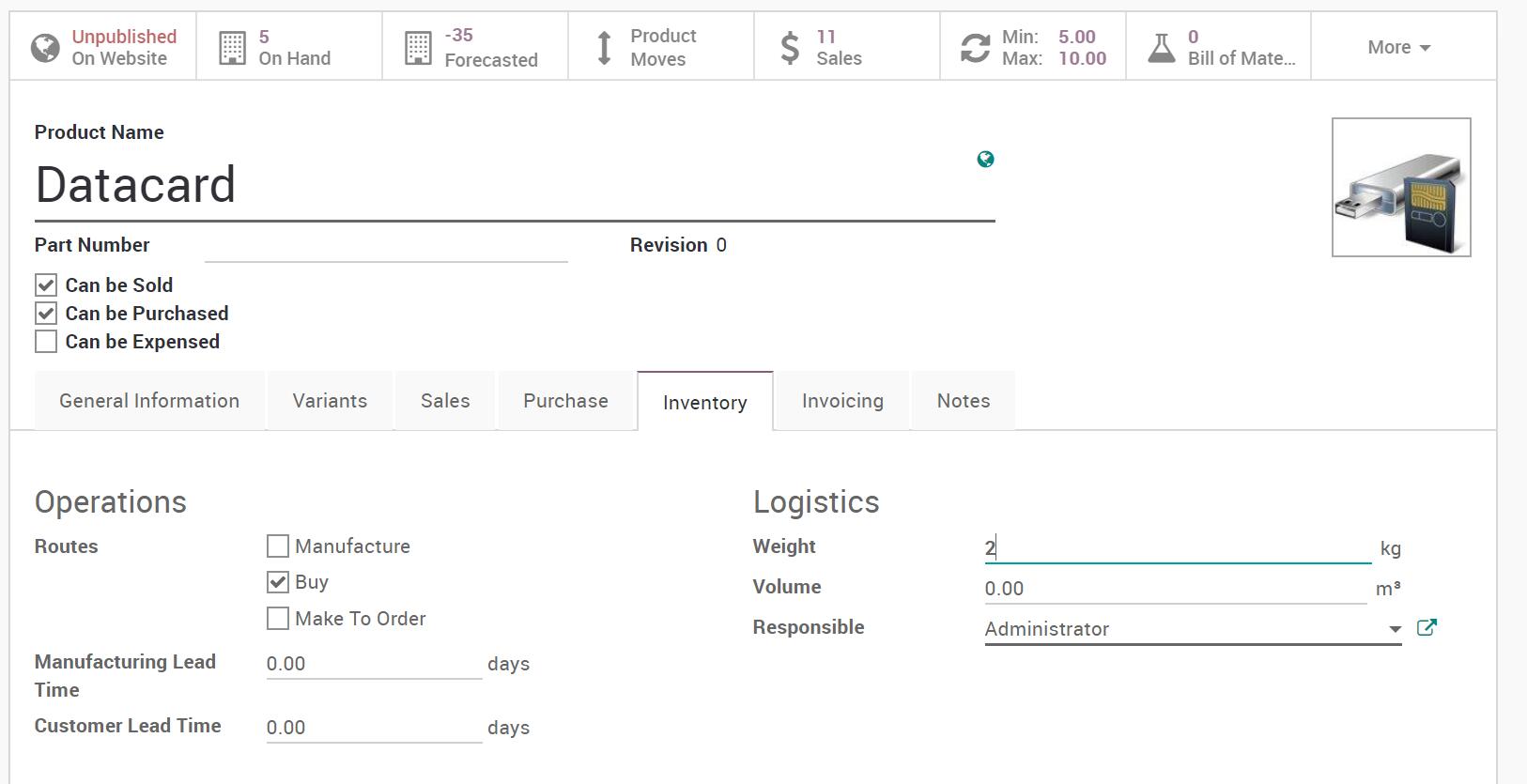
1. 设置产品重量

Setup Product Weight

设置产品重量

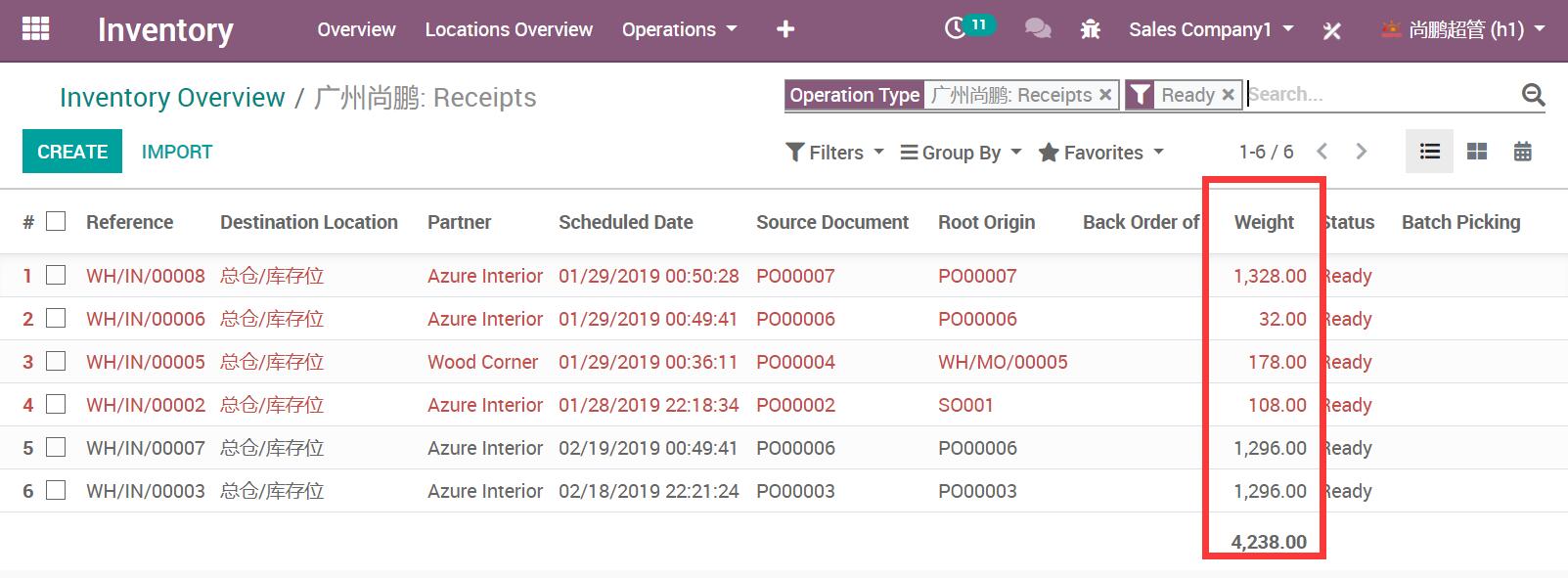
2. 在列表视图中显示产品总重量

Show Product Total Weight in List View

在列表视图中显示产品总重量

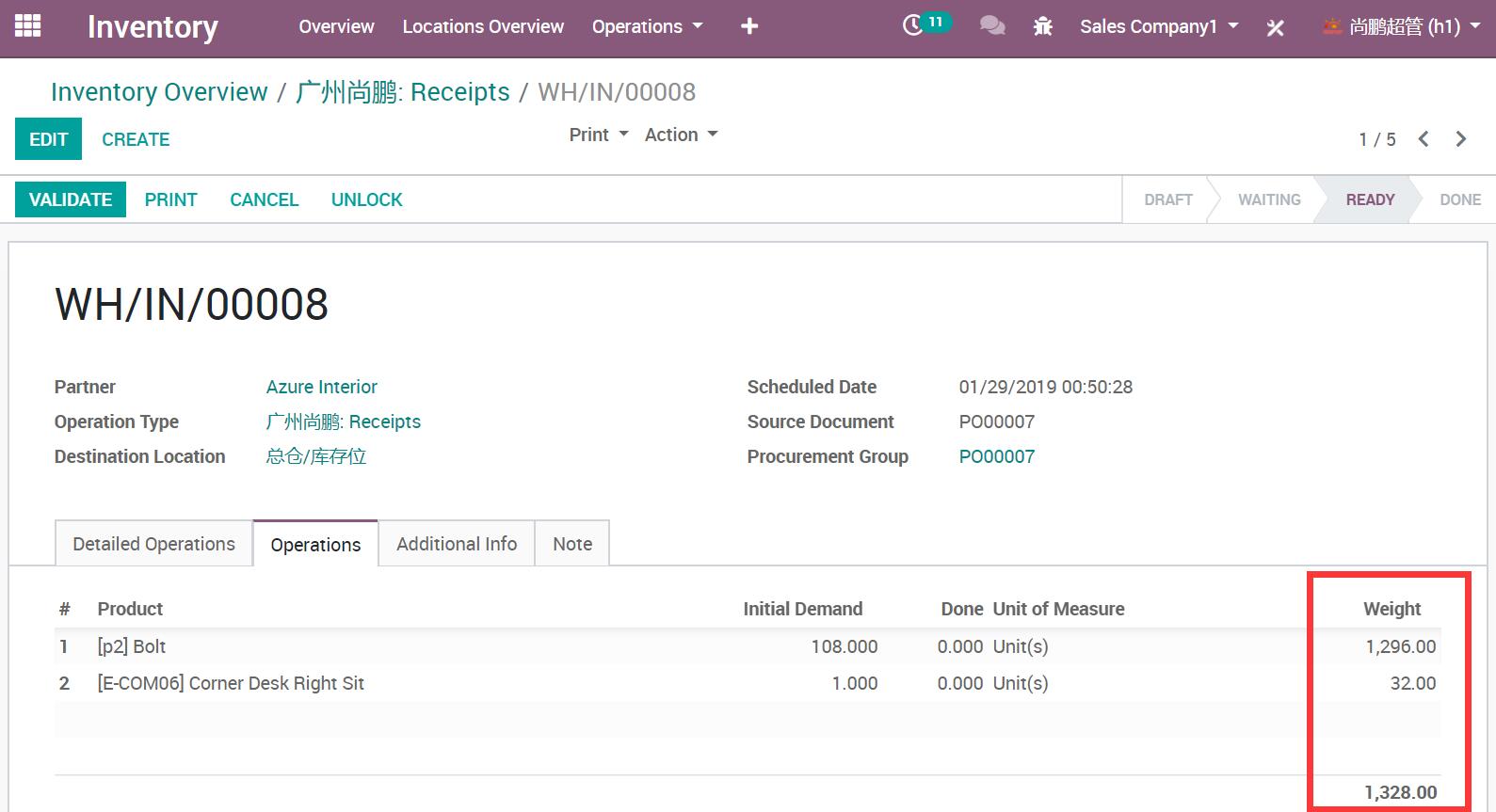
3. 在采购订单中获取产品重量和总重量

Get Product Weight in Purchase Order

在采购订单中获取产品重量和总重量

通用特性 / General Features

多语言与多公司
Multi-Language & Multi-Company

完整的多语言翻译支持,适配全球化企业部署。原生多公司架构,数据严格隔离。

全版本兼容
Full Version Support

支持 Odoo 19, 18, 17, 16, 15, 14, 13, 12,EE/CE/.SH,兼容企业版、社区版及在线 SaaS。

代码完全开源
Full Open Source

基于 LGPL-3 协议开源,代码透明可审计,支持二次开发与定制。

界面截图 / Screenshots

核心功能界面一览

设置产品重量 / Setup Product Weight

设置产品重量 / Setup Product Weight

在列表视图中显示产品总重量 / Show Product Total Weight in List View

在列表视图中显示产品总重量 / Show Product Total Weight in List View

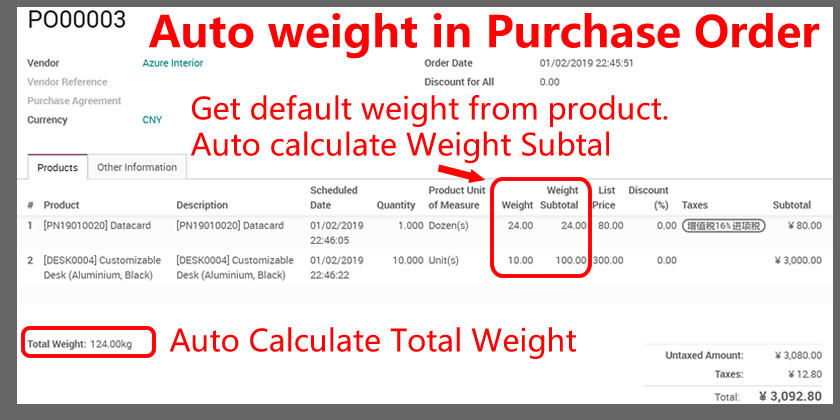
在采购订单中获取产品重量和总重量 / Get Product Weight in Purchase Order

在采购订单中获取产品重量和总重量 / Get Product Weight in Purchase Order

自动设置产品重量 / Auto Set Product Weight

自动设置产品重量 / Auto Set Product Weight

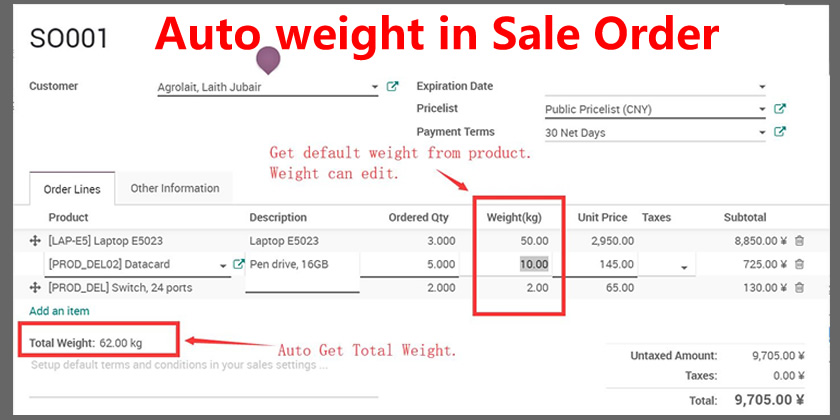
销售订单重量 / Sale Order Weight

销售订单重量 / Sale Order Weight

采购订单重量 / Purchase Order Weight

采购订单重量 / Purchase Order Weight

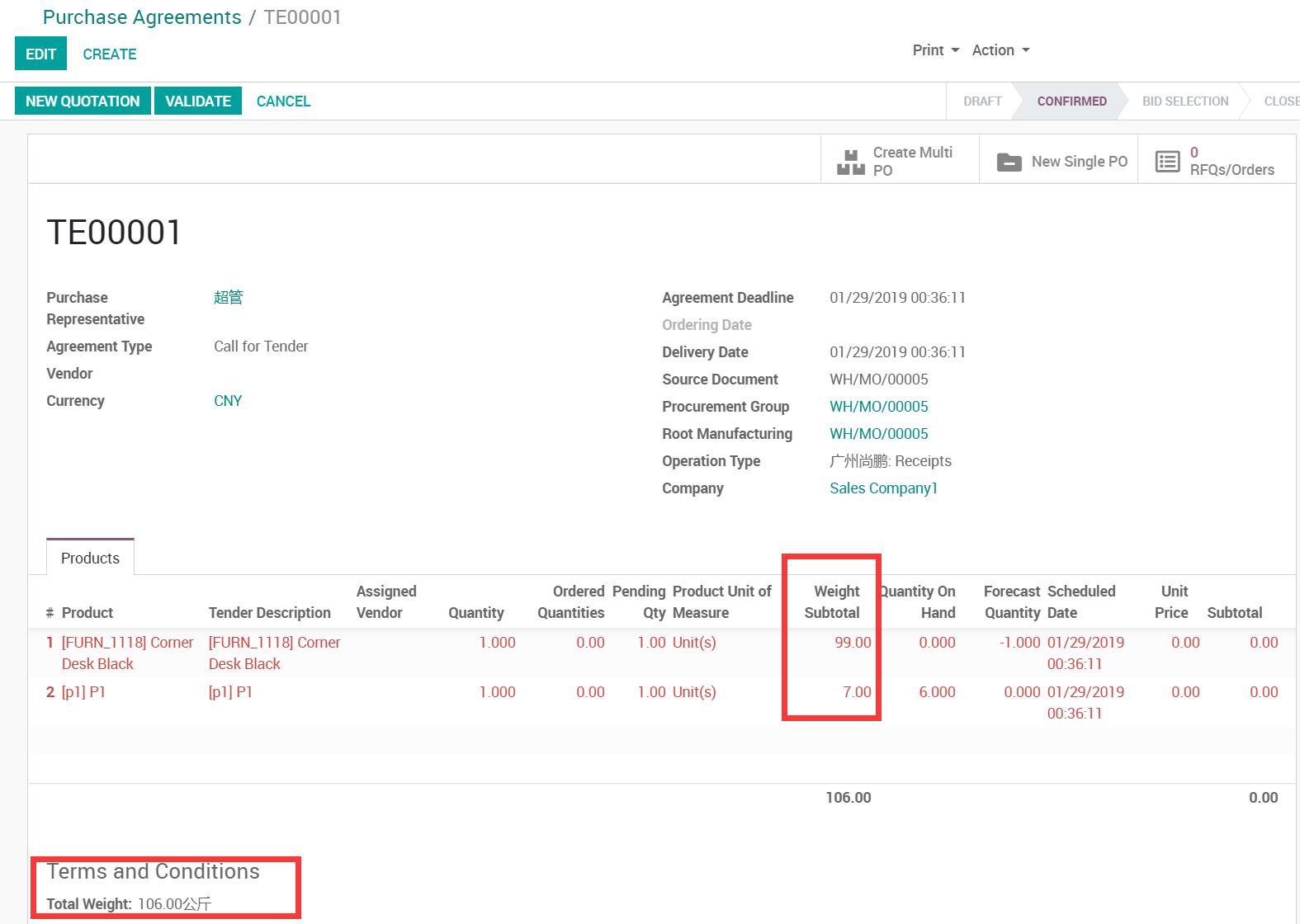
采购协议重量 / Purchase Agreement Weight

采购协议重量 / Purchase Agreement Weight

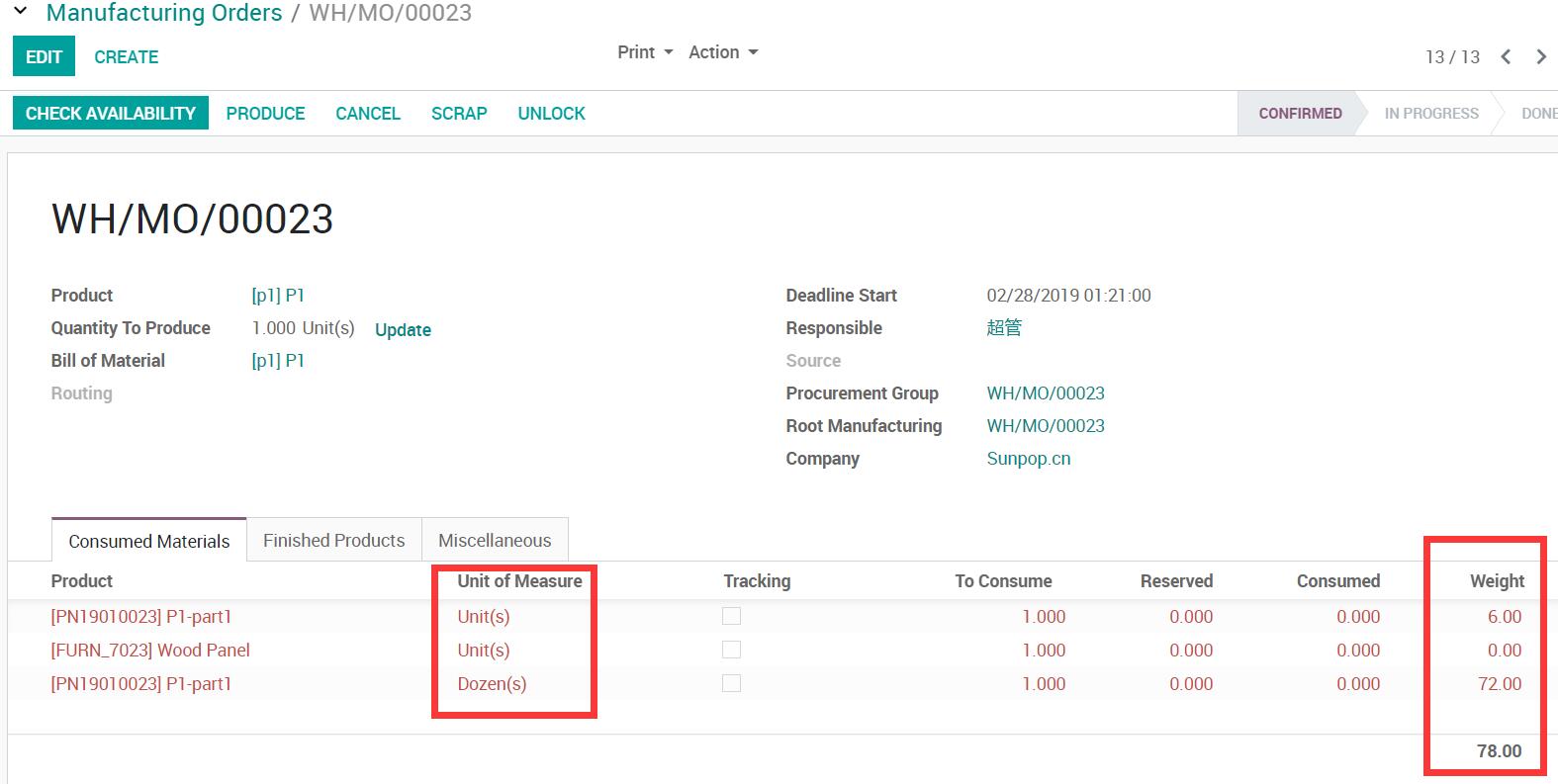
生产制造重量 / MRP Manufacturing Weight

生产制造重量 / MRP Manufacturing Weight

库存调拨重量 / Stock Picking Weight

库存调拨重量 / Stock Picking Weight

使用流程 / How It Works

步骤一

设置产品重量

步骤二

在业务单据中自动计算

步骤三

汇总总重量

步骤四

报表输出与追溯

支持与依赖模块 / Supported & Dependent Modules

  • 采购 / Purchase
Banner

odooai.cn

专业Odoo服务伙伴-开发实施咨询培训全套解决方案 / Professional Odoo Solutions

Website: www.odooai.cn

Demo: demo.odooapp.cn

Support: odoo@china.com

QR Code

Specifications

Version 20.0, 19.0, 18.0, 17.0, 16.0, 15.0, 14.0, 13.0, 12.0