

Skip to Content
Product Icon

Dynamic Excel Reports. 动态Excel报表

Technical Name:
app_report_xls
License:
OPL-1
Included Dependencies :
None
Lines of code:
2,723
Code Value:
¥ 326.76
Follow Odoo's public price policy, The code valuation is $12.00 per 100 line code. Here we only get code line of this app. Depends is included.
Here we only get code line of this app. Depends is included. Total line of Source Code. Including .py, .js, .css and xml file.
¥ 168.00 ¥ 168.00
Coupon: 中国区9折 会员赠积分 VIP专享
  • Version
App Icon

Dynamic Excel Reports

Design your own Excel template and print it for any Odoo model

Upload an .xlsx or .xls layout, drop in field tags, and generate a real Excel file from any record
Table loops, sheet-per-record, Python expressions and images inside cells — no developer needed

Odoo 20 Enterprise & Community Multi-Company Multi-Language

Overview

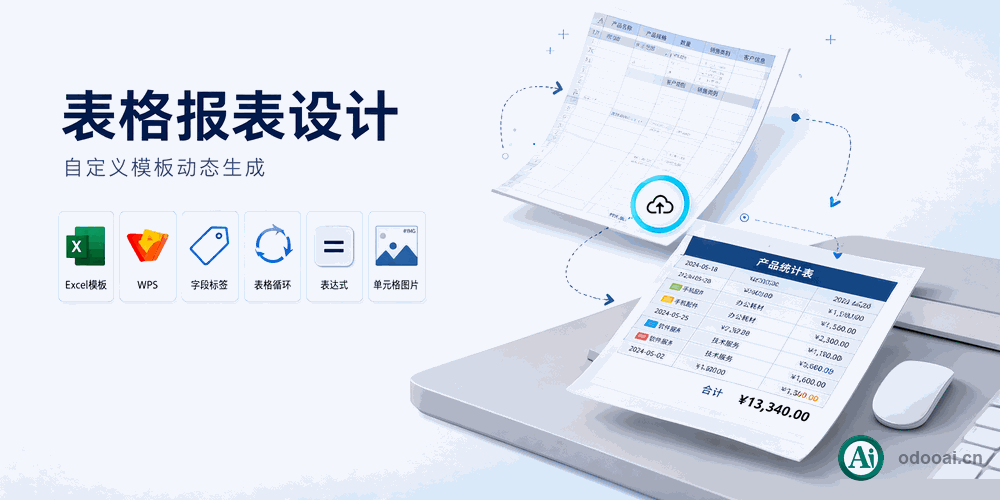
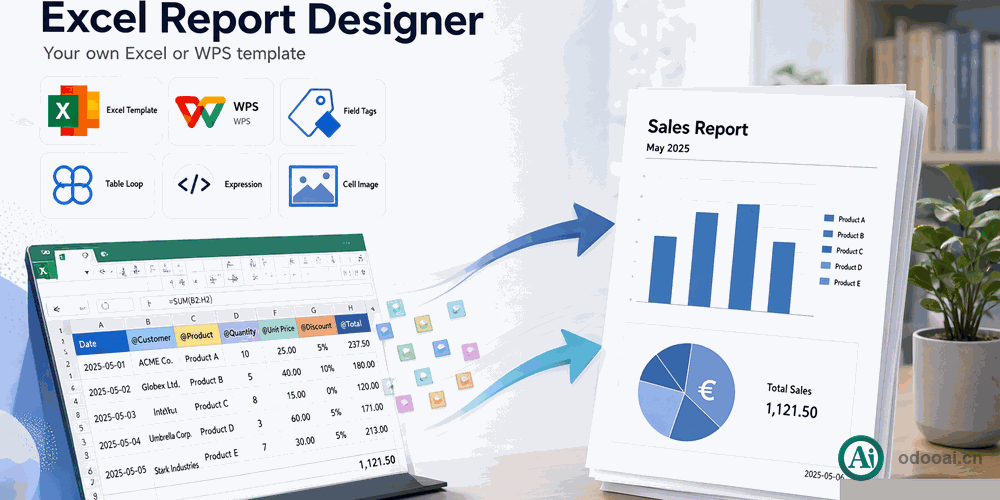
Dynamic Excel Reports lets you build printable Excel output from a template you design yourself in Excel or WPS. Upload the file, bind it to any model, and a server action appears on that model's form and list views.

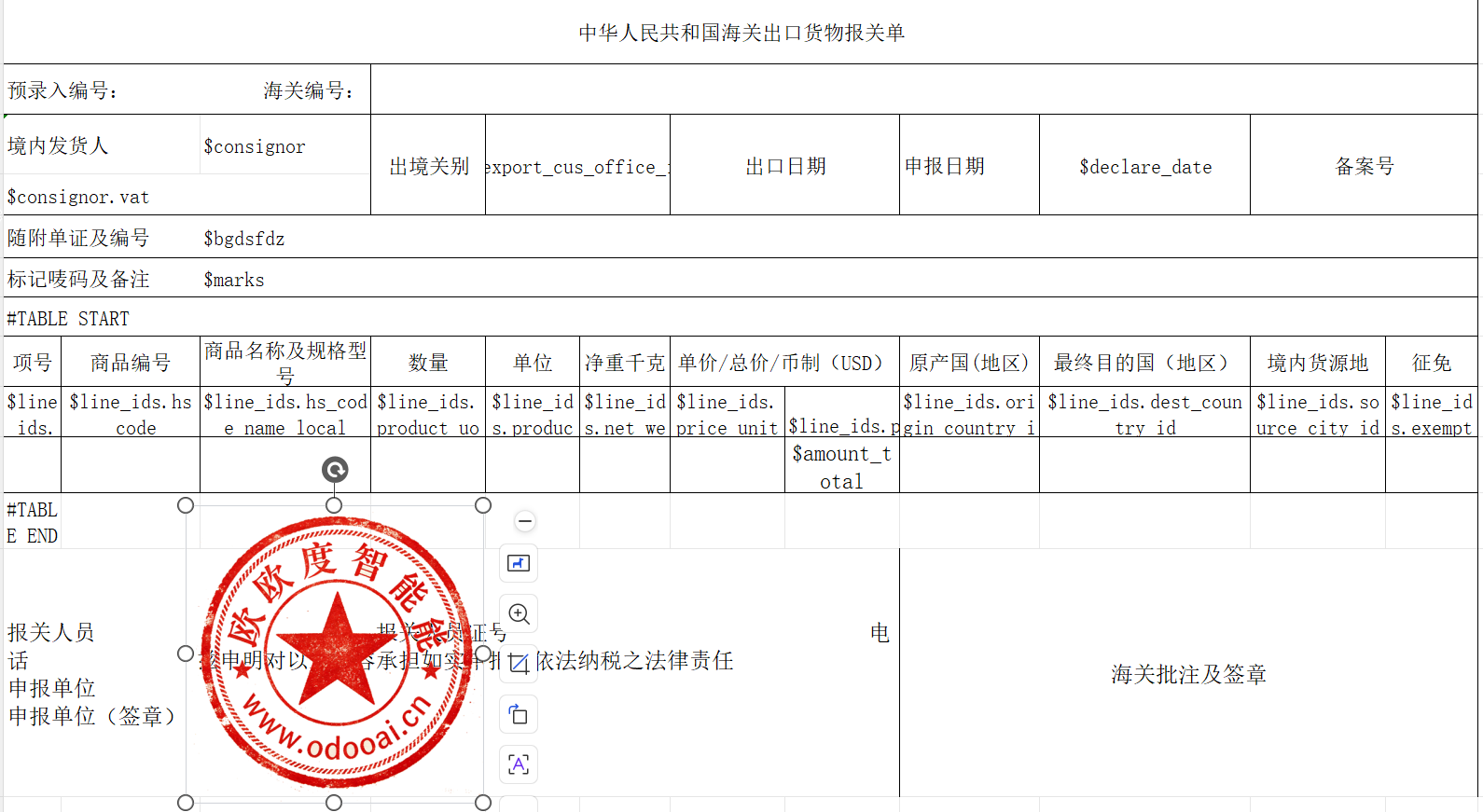
Field tags such as $partner_id.name, table markers #TABLE START/END, sheet markers #SHEET START/END and {{expression}} cover simple to advanced layouts, including images inside cells.

Complete Feature List

  • 1. Upload your own Excel template
    Design the layout in Excel or WPS, keep all styles, borders and merged cells
  • 2. Bind a template to any model
    A server action is created automatically on the model's form and list views
  • 3. $field placeholders with dot-path relations
    $name, $partner_id, $partner_id.country_id, $env.user.name
  • 4. #TABLE START / #TABLE END dynamic tables
    Expand a one2many field into table rows automatically
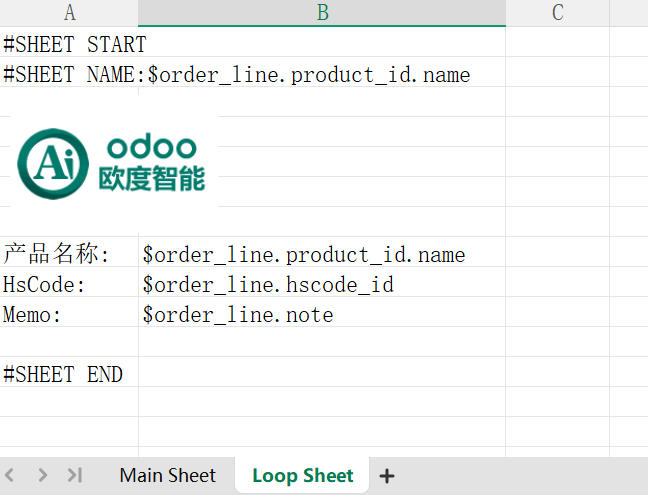
  • 5. #SHEET START / #SHEET END sheet loops
    Generate one worksheet per line, named by #SHEET NAME:$field
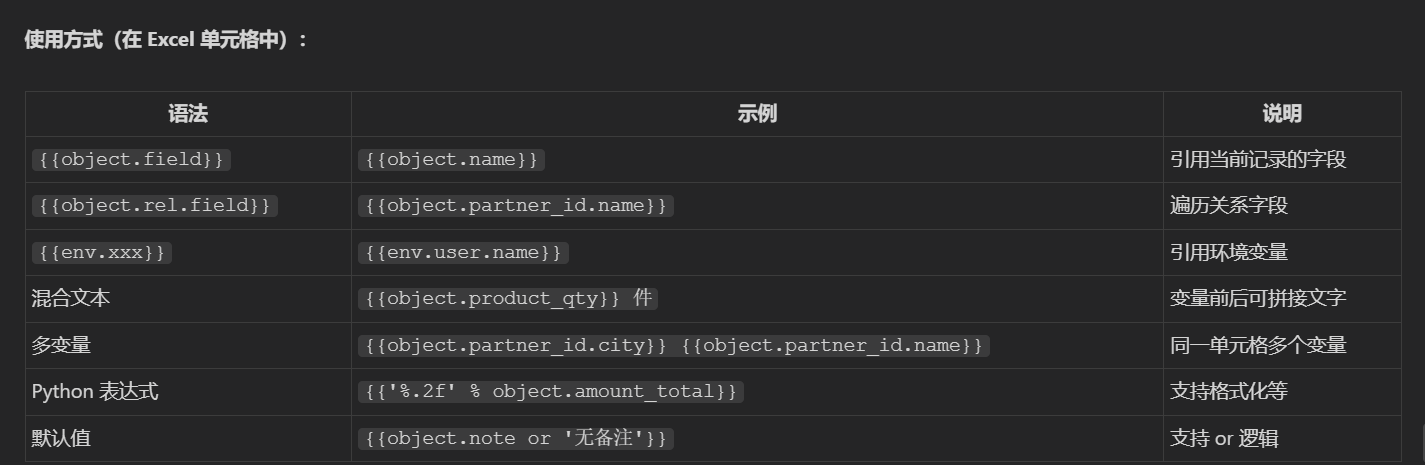
  • 6. {{expression}} safe Python rendering
    Relation fields, env variables, formatting like {{'%.2f' % object.amount_total}}, or-defaults and text concatenation
  • 7. Images inside cells
    Binary fields such as product pictures are inserted as pictures in the cell
  • 8. Multi-record output
    Select many records and merge them into a single workbook, one sheet per record
  • 9. Preferred template switching
    Resolve a different template per record through prefer_xls_field and prefer_xls_check_field
  • 10. Multi-company scoping
    Limit a template to selected companies; leave empty to share across all
  • 11. Manager / User access groups
    Managers maintain templates; users run the report actions

Key Highlights

Why teams pick this over a fixed QWeb PDF

1. Excel as the template

No developer round-trips

Business users keep the layout they already know. Upload the workbook and the report is ready.

2. Loops for tables and sheets

One2many aware

#TABLE expands line rows; #SHEET produces one worksheet per line, named from a field value.

3. Expressions and images

Beyond plain fields

{{expression}} handles formatting, relations and defaults; binary fields render as pictures inside cells.

General Features

Multi-Language & Multi-Company
Built for Global Teams

Full multi-language translation support for global deployments. Native multi-company architecture with strict data isolation.

Full Version Support
Odoo 12 to 19

Works with Odoo 20,19,18,17,16,15,14,13,12, EE/CE/.SH, compatible with Enterprise, Community and Odoo Online SaaS.

Full Open Source
OPL-1 Licensed

Transparent, auditable code, open for further development and customization.

Screenshots

Core features at a glance

Excel template with $field tags and #TABLE loop

Excel template with field tags and table markers

Sheet loop example (#SHEET START / END)

Sheet loop example worksheet

{{expression}} syntax reference in cells

Expression syntax reference table

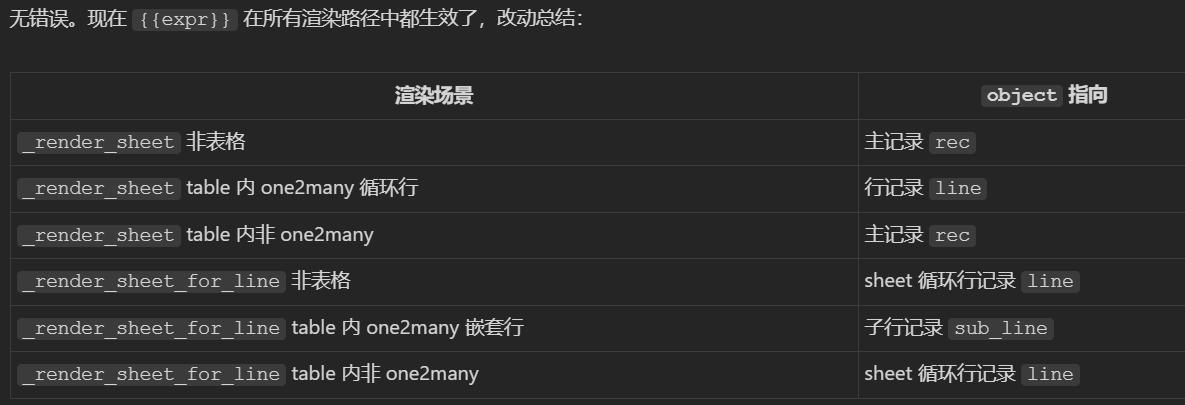
Object binding across render paths

Object binding across render scenarios

How It Works

Step One

Create a template, pick the model, upload the .xlsx

Step Two

Drop $field tags, #TABLE / #SHEET markers and {{expressions}}

Step Three

Open a record, run the generated action

Step Four

Download the filled Excel report

Supported & Dependent Modules

  • base
  • web
Banner

odooai.cn

Professional Odoo Solutions: Development, Implementation, Consulting & Training

Website: www.odooai.cn

Demo: demo.odooapp.cn

Support: odoo@china.com

QR Code

Specifications

Version 20.0, 18.0