

Skip to Content
Product Icon

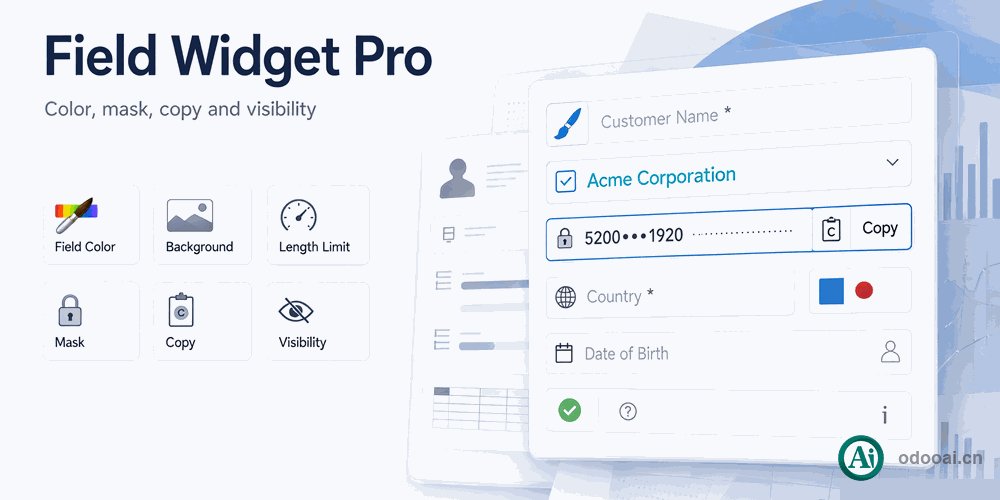
Field Color, Field Length Limit,字段颜色/背景色/长度限制/按键可见Widget

Technical Name:
app_web_pro
License:
OPL-1
Lines of code:
24,781
Code Value:
¥ 23,789.76
Follow Odoo's public price policy, The code valuation is $12.00 per 100 line code. Here we only get code line of this app. Depends is included.
Here we only get code line of this app. Depends is included. Total line of Source Code. Including .py, .js, .css and xml file.
¥ 848.00 ¥ 544.00
Coupon: 中国区9折 会员赠积分 VIP专享
  • Version

Char Length Limit, Char background color, M2o length Limit, base widget enhance

Available in form , list, kanban, report

Latest update: v18.26.03.19

Key features:
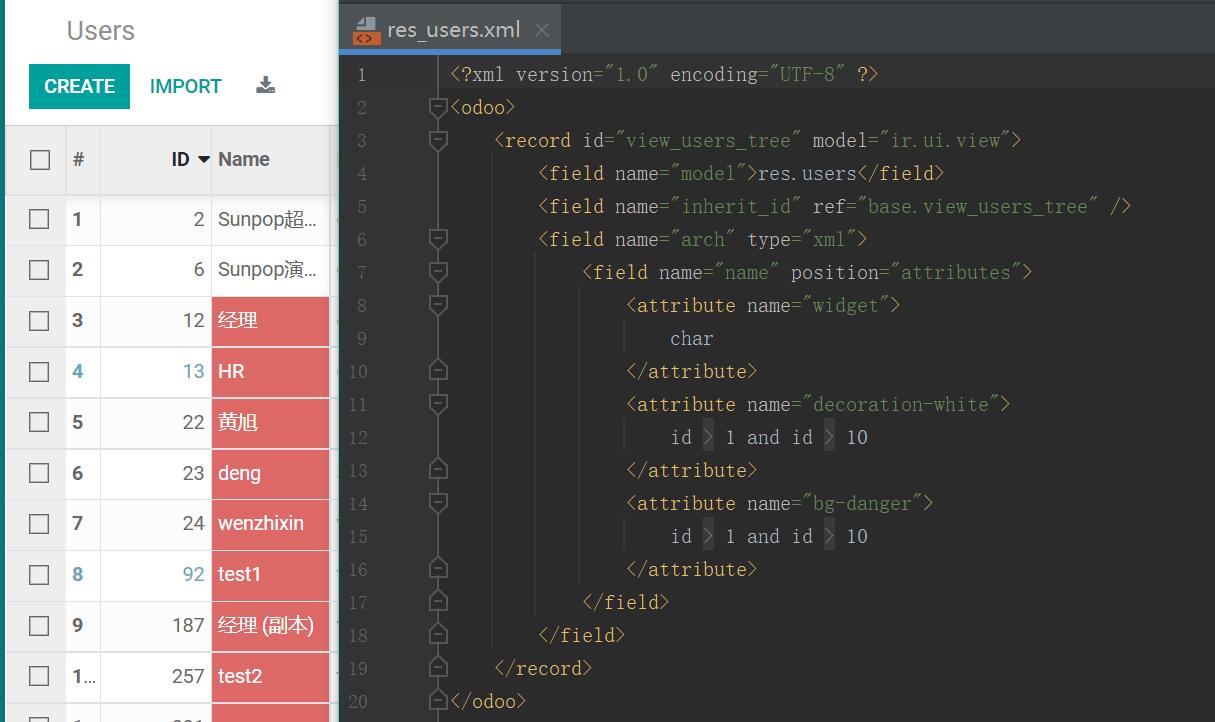
  • 1. 1. Field dynamic background color, font color. set decoration-danger , bg-success. Must set widget=xxx in field. like: widget="char " bg-danger="state=='sale'"
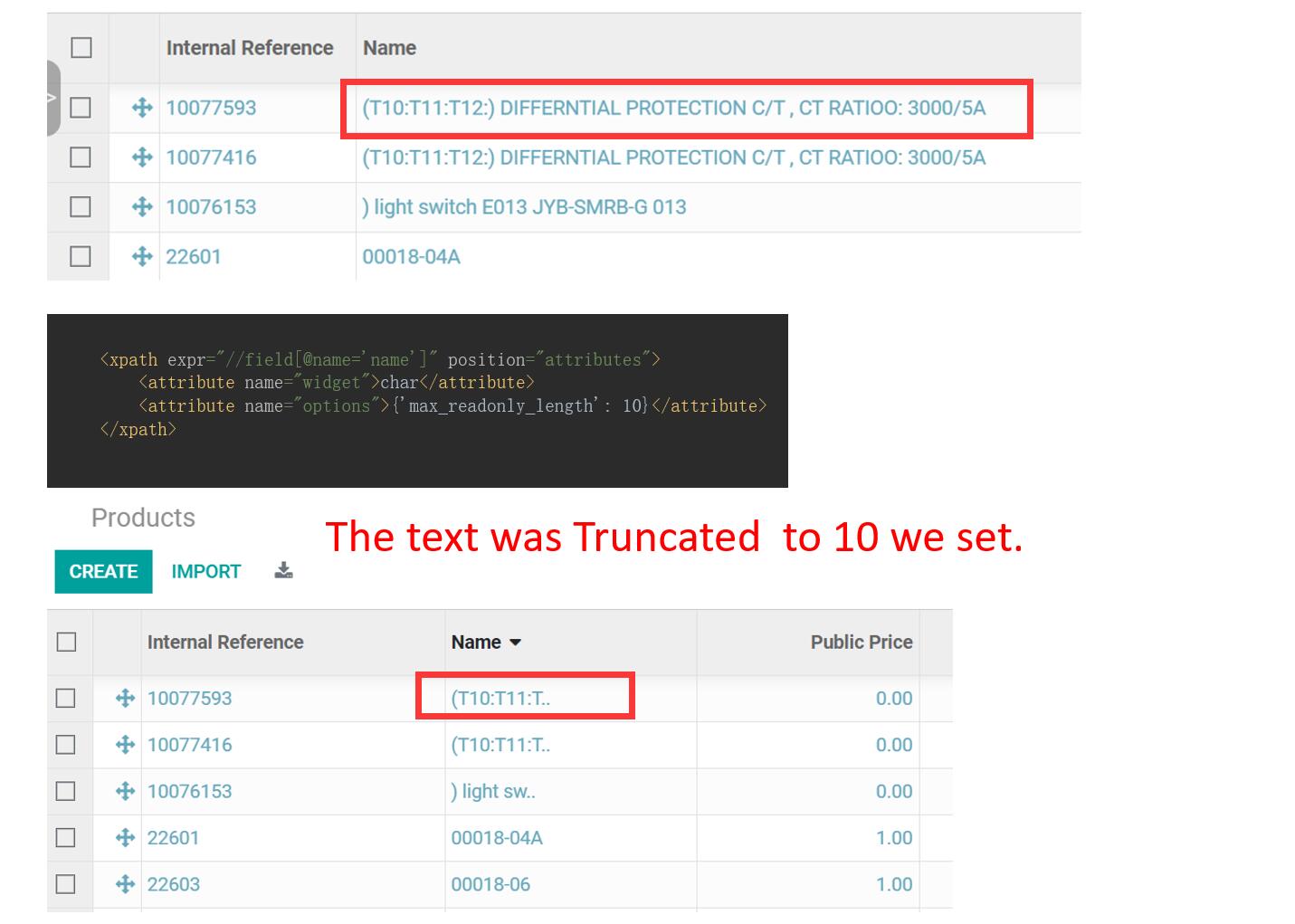
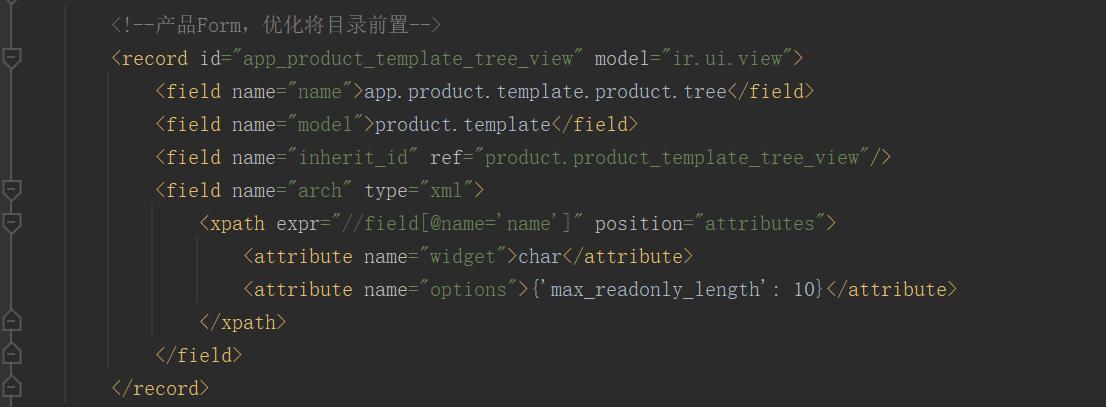
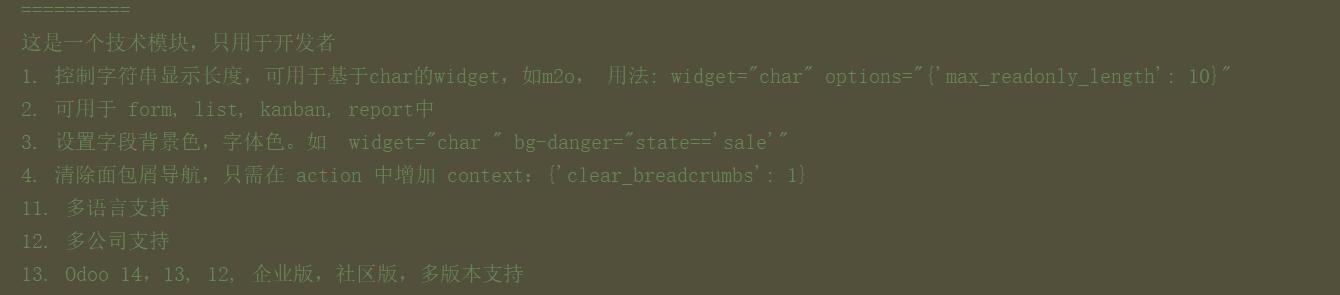
  • 2. 2. Char length limit, Text Truncated. enable for char base widget like m2o. Use: widget=char options="{'max_readonly_length': 10}"
  • 3. 3. Length limit Available in form , list, kanban, report.
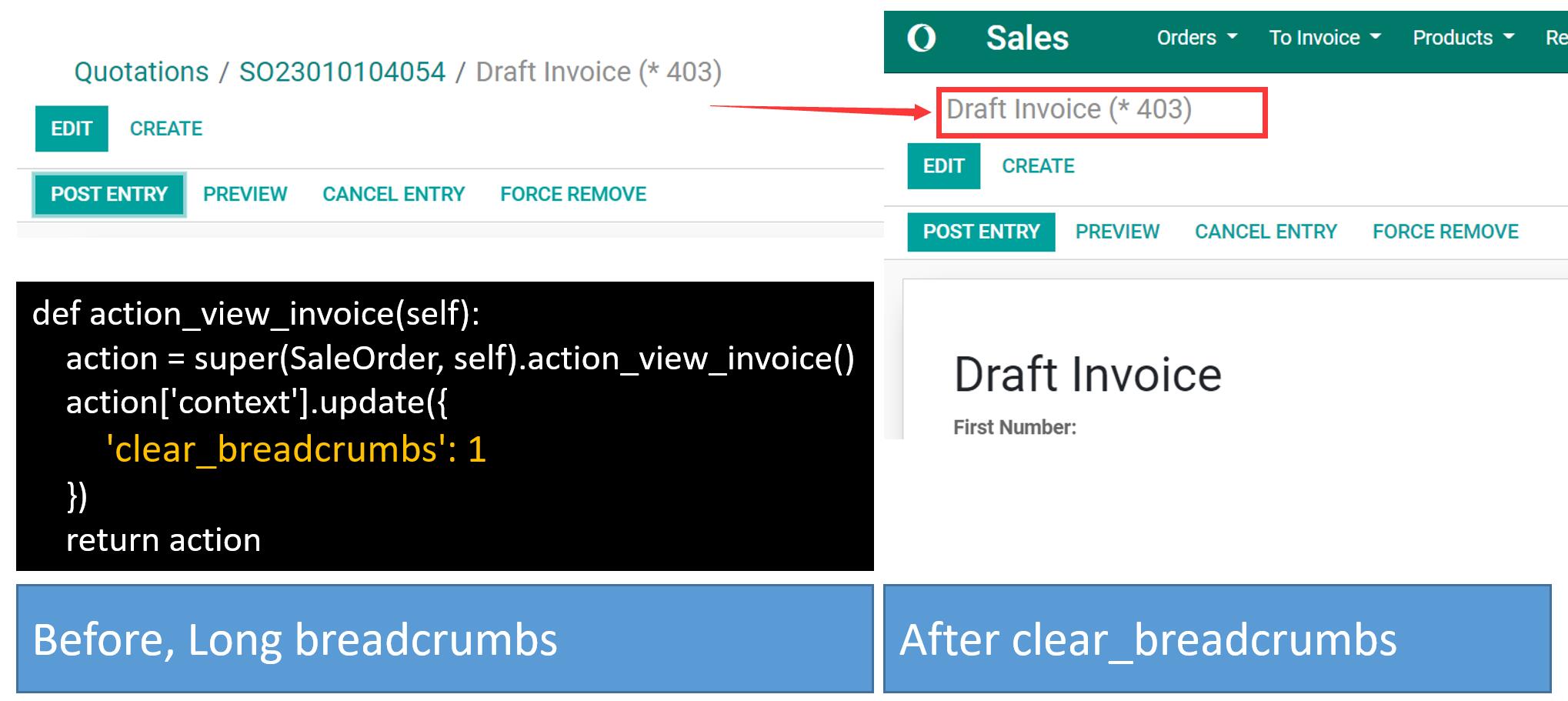
  • 4. Easy set title no breadcrumb in action. set context={'clear_breadcrumbs': 1}
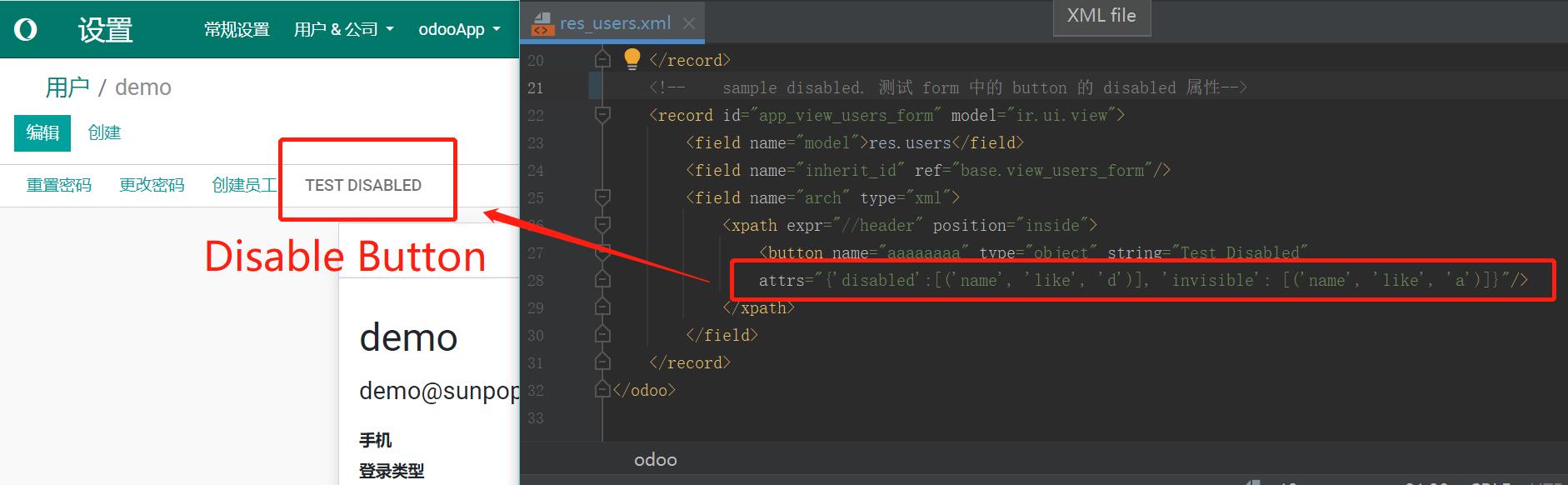
  • 5. Can set disabled attributes for button(not for field widget). use attrs={'disabled': [domain xxx]} or attrs={'readonly': [domain xxx]}
  • 6. 11. Multi-language Support.
  • 7. 12. Multi-Company Support.
  • 8. 13. Support Odoo 20,19,18,17,16,15,14,13,12, Enterprise and Community Edition

Field dynamic background color, font color. set decoration-danger , bg-success. Must set widget=xxx in field. like: widget="char " bg-danger="state=='sale'"

Easy use. Just Add max_readonly_length in options

options={'max_readonly_length': 192}, for list, form, kanban

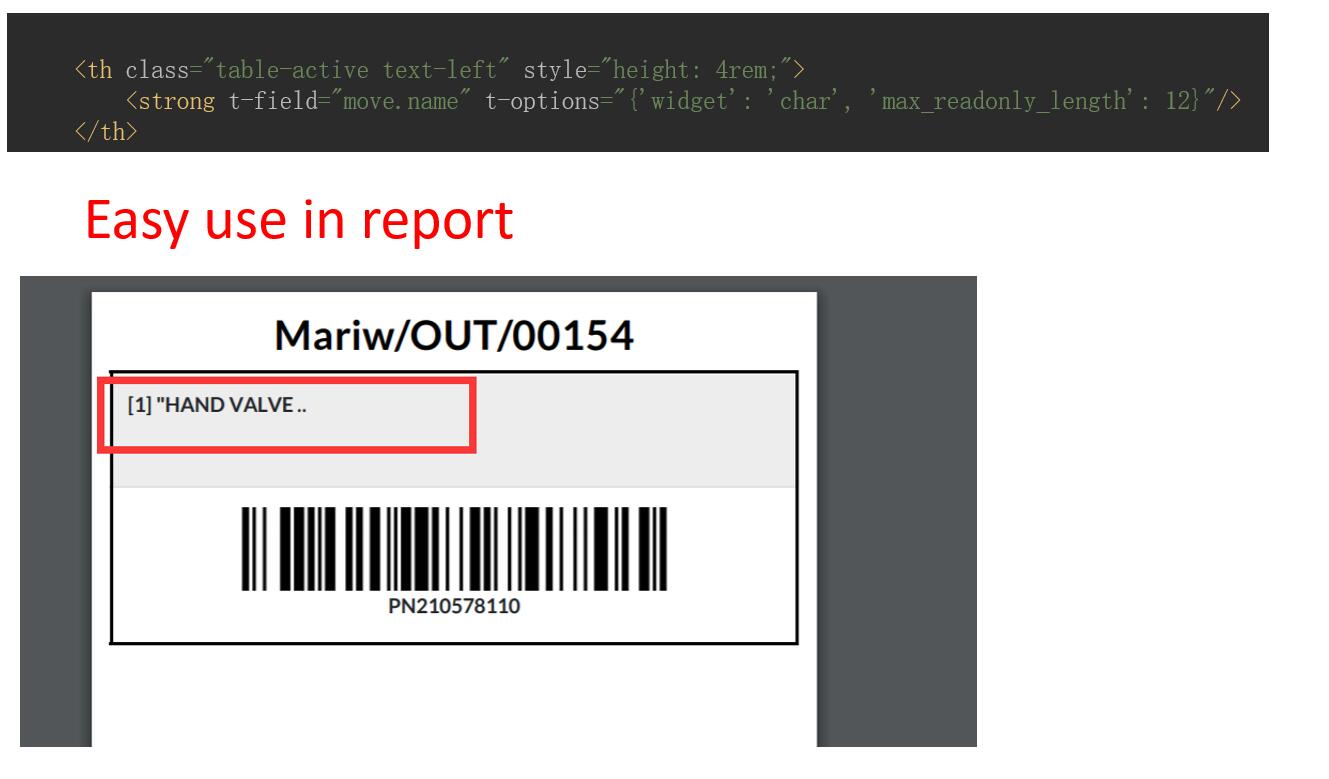
t-options="{'widget': 'char', 'max_readonly_length': 12}" for report

Follow our sample to get char limit

Length limit Available in form , list, kanban, report.

Length limit Available in form , list, kanban, report.

5. Can set disabled attributes for button(not for field widget). use attrs={'disabled': [domain xxx]} or attrs={'readonly': [domain xxx]}

4. Easy set title no breadcrumb in action. set context={'clear_breadcrumbs': 1}

Multi-language Support..

Technical Help & Support

For any type of technical help & support requests, Feel free to contact us

odoo@china.com

Via QQ: 300883 (App user would not get QQ or any other IM support. Only for odoo project customize.)

300883@qq.com

Visit our website for more support.

https://www.odooai.cn

More Powerful addons, Make your odoo very easy to use, easy customize: odooai.cn Odoo Addons

Specifications

Version 20.0, 19.0, 18.0, 17.0, 16.0, 15.0, 14.0, 13.0