- 新春6折: Odoo19全面升级已完成,微信小程序支付全场6折。
- 即时下载:购买后从我的 应用中心下载
- 服务支持:购买后15天内邮件 安装指导
- 授权许可:购买即代表同意 用户协议
- 售后承诺: odooApp.cn 的模块与主题均保证功能与您下载时所见描述一致,如有异议可在下单后15天内申请免费退款
- 更多支持:务必参考 FAQ常见问题与答疑

JSON查看与编辑组件,JSON Viewer Widget

JSON查看与编辑控件 / JSON Viewer Widget
Odoo表单JSON字段高级查看与编辑控件 / Advanced JSON Viewer and Editor Widget for Odoo Form Fields
Odoo 18 原生OWL框架打造,为任意表单TextField提供交互式JSON树状查看、语法高亮、
实时搜索、一键复制、统计面板和内建编辑器,支持查看/编辑模式智能切换。
Built with Odoo 18 OWL framework. Interactive tree visualization, syntax highlighting,
real-time search, copy, statistics, and in-place editing with smart mode detection.
功能概述 / Overview
JSON查看与编辑控件为Odoo表单中的JSON字段提供专业的可视化工具。 无需离开表单即可查看、搜索、复制和编辑JSON数据,大幅提升开发者和用户的工作效率。
The JSON Viewer Widget provides professional visualization tools for JSON fields in Odoo forms. View, search, copy, and edit JSON data without leaving the form, significantly improving productivity for developers and end users alike.
完整功能列表 / Complete Feature List
保留原始功能描述 / Preserved original feature descriptions
-
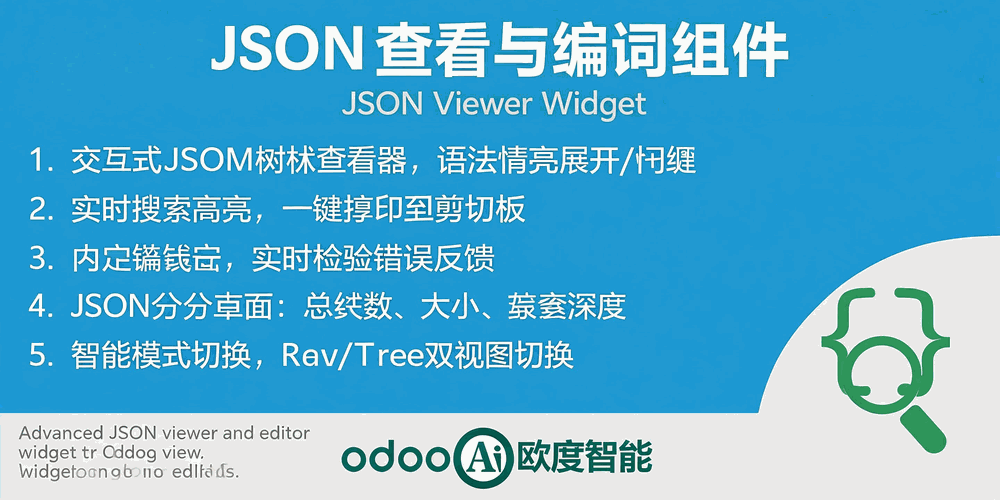
1. 交互式树状查看器
Expand/collapse nested JSON structures with syntax-highlighted keys and values -
2. Raw JSON视图切换
Toggle between tree view and raw formatted JSON display -
3. 实时搜索高亮
Real-time search with highlighted matching keys and values -
4. 一键复制至剪贴板
One-click copy of the full JSON content -
5. JSON统计面板
Display total keys, data size, and nesting depth -
6. 内建JSON编辑器
Edit JSON directly with real-time validation feedback -
7. 智能模式切换
Automatically adapts based on field readonly status
核心亮点 / Key Highlights
一站式JSON数据可视化与管理 / All-in-One JSON Visualization & Management
1. 交互式树状查看器 / Interactive Tree Viewer
Syntax-highlighted expand/collapse
语法高亮的JSON树状结构展示,支持嵌套对象的展开与折叠,直观浏览复杂JSON数据。
2. Raw/树状双视图 / Raw & Tree View
Toggle between raw and tree display
一键切换Raw原始文本视图与树状结构视图,满足不同场景下的查看需求。
3. 实时搜索与复制 / Search & Copy
Search highlight and one-click copy
实时搜索JSON中的键和值并高亮显示,一键复制完整JSON内容至剪贴板。
4. JSON统计面板 / JSON Statistics
Keys, size, depth metrics
自动统计并展示总键数、数据大小(KB)和嵌套深度,帮助快速评估JSON结构复杂度。
5. 内建JSON编辑器 / Built-in Editor
Real-time validation and editing
内置代码编辑器,支持直接编辑JSON文本,实时校验语法并反馈Valid/Invalid状态。
6. 智能模式切换 / Smart Mode Switch
Auto-detect based on readonly
根据字段只读状态自动切换查看/编辑模式,同时支持用户手动切换,无需额外配置。
通用特性 / General Features
多语言与多公司
Multi-Language & Multi-Company
完整的多语言翻译支持,适配全球化企业部署。原生多公司架构,数据严格隔离。
全版本兼容
Full Version Support
支持 Odoo 19,18,17,16,15,14,13,12,EE/CE/.SH,兼容企业版、社区版及在线 SaaS。
代码完全开源
Full Open Source
基于 LGPL-3 协议开源,代码透明可审计,支持二次开发与定制。
界面截图 / Screenshots
核心功能界面一览
使用示例 / Usage Demo

使用流程 / How It Works
安装模块
Install Module
配置widget
Add widget="json_viewer"
查看与搜索
View & Search JSON
编辑与保存
Edit & Save JSON
支持与依赖模块 / Supported & Dependent Modules
- Web / Odoo Web模块
odooai.cn
专业Odoo服务伙伴-开发实施咨询培训全套解决方案 / Professional Odoo Solutions

规格
| 版本 | 20.0, 19.0, 18.0 |