

Skip to Content
Product Icon

ChatGPT IM App

Technical Name:
app_chatgpt_im
License:
LGPL-3
Lines of code:
2,715
Code Value:
¥ 325.80
Follow Odoo's public price policy, The code valuation is $12.00 per 100 line code. Here we only get code line of this app. Depends is included.
Here we only get code line of this app. Depends is included. Total line of Source Code. Including .py, .js, .css and xml file.
¥ 77.00 ¥ 38.00
Coupon: 中国区9折 会员赠积分 VIP专享
  • Version
App Icon

ChatGPT IM App

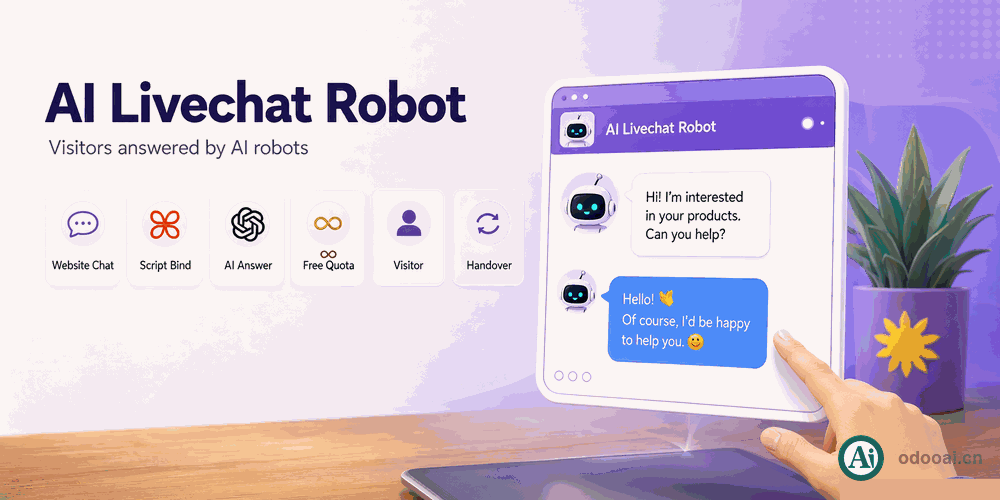
Livechat Answered By Ai Robots

Give your website visitors an AI answer inside the livechat window.
One AI robot per chatbot script, one free question quota per guest.

Odoo 20 Enterprise & Community Multi-Company Multi-Language

Overview

A stock Odoo chatbot script can only route a visitor to a live operator or to another script step. This app adds a third branch: forward the question to an AI robot and post the answer back into the same conversation, before any human joins.

It builds on the AI Center module, so ChatGPT, DeepSeek, Tongyi Qwen and every other robot already configured in Odoo can serve livechat.

Complete Feature List

  • 1. One AI robot per chatbot script
    A "Bind to Ai" field picks the partner that owns the AI robot
  • 2. New step type: Forward to Ai
    Add it anywhere in the flow, next to the native operator branches
  • 3. Fixed prompt or the last visitor message
    Leave the message empty and the previous visitor message is sent instead
  • 4. Answer posted back into the same thread
    No separate panel; the reply sits inside the livechat conversation
  • 5. Free question quota for guests
    Three AI questions per channel by default, then a prompt to register
  • 6. Conversations kept in Discuss
    AI replies are authored by the bound partner and stay in the message history
  • 7. Failures reply instead of hanging
    Timeout or a missing AI binding sends a visible message to the visitor

Key Highlights

Answer first, escalate to a human second

1. Per-Script AI Binding

Bind to Ai

Each chatbot script points to its own AI robot through a contact, so the support line and the sales line can answer with different models and different personas.

2. Forward To Ai Step

A new branch in the flow

Drop the step wherever an answer should be automated. It takes the message you write, or falls back to what the visitor just typed, and posts the AI reply under the bound contact.

3. Guest Question Quota

Turn traffic into members

Anonymous visitors get three AI answers per conversation. Once the quota is used, the script tells them to register, which moves the lead into your member base.

General Features

Multi-Language & Multi-Company
Built for Global Teams

Full multi-language translation support for global deployments. Native multi-company architecture with strict data isolation.

Full Version Support
Odoo 12 to 18

Works with Odoo 20,19,18,17,16,15,14,13,12, EE/CE/.SH, compatible with Enterprise, Community and Odoo Online SaaS.

Full Open Source
LGPL-3 Licensed

Released under LGPL-3. Transparent, auditable code, open for further development and customization.

How It Works

Install

Install AI Center and this module

Bind

Pick the AI robot on the chatbot script

Add step

Insert a Forward to Ai step in the flow

Answer

Visitors get AI replies in livechat

Supported & Dependent Modules

  • app_im_livechat
  • app_chatgpt
  • im_livechat
Banner

odooai.cn

Professional Odoo Solutions: Development, Implementation, Consulting & Training

Website: www.odooai.cn

Demo: demo.odooapp.cn

Support: odoo@china.com

QR Code

Specifications

Version 20.0, 19.0, 18.0, 17.0, 16.0