


Skip to Content
¥ 311.00 ¥ 68.00
Coupon: 中国区9折 会员赠积分 VIP专享
36
  • Version
App Icon

AI SEO & GEO Website Builder & Content Writer

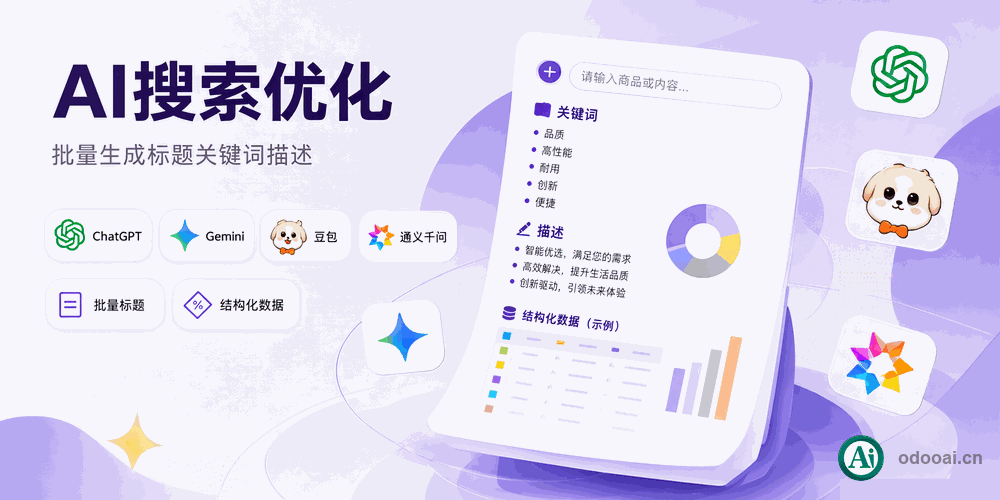
AI SEO & GEO optimization for Odoo websites, products, blogs and static HTML

Generate search-ready and AI-ready meta titles, descriptions, keywords, URLs and content for every product, blog post, page and static HTML file.
Batch-optimize multiple Odoo websites with the AI model you already use, and keep your content readable for search engines and AI answer engines.

Odoo 18 Enterprise & Community Multi-Company Multi-Language GEO Ready

Overview

AI SEO & GEO Website Builder connects the Odoo website, blog, e-commerce and AI services. It writes meta titles, descriptions, keywords, URL slugs and body content with an AI channel, then applies them to products, blog posts, website pages, specific views and static HTML files. Records can be processed one by one or in batches across multiple websites.

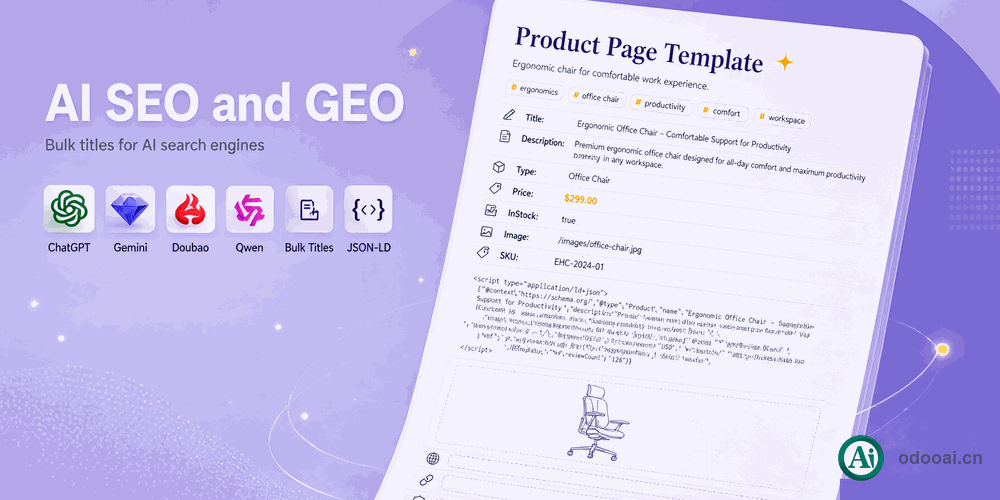
The module covers two layers. Classic SEO helps pages rank in Google, Bing and Baidu. GEO (Generative Engine Optimization) prepares the same titles, descriptions and content so AI search and answer engines such as ChatGPT, Google Gemini, Microsoft Copilot, Doubao and Qwen can parse, summarize and cite them. AI channels, prompt templates and model parameters are configurable, and every result can be previewed before it is written.

The module prepares and writes the content. Indexing, ranking and citation decisions remain with each search engine and AI platform.

GEO: Optimized for AI Search & Answer Engines

GEO is the practice of making content easy for generative engines to read, trust and quote. This module produces the metadata and copy those engines consume.

ChatGPT / OpenAI

OpenAI search and assistants

Clear titles, descriptions and structured copy for OpenAI-powered search and assistants.

Google Gemini

Google Search and Gemini answers

Keyword and description coverage aligned with Google Search and Gemini answers.

Microsoft Copilot / Bing

Bing index and Copilot answers

Meta information that Bing and Copilot can read, summarize and cite.

Doubao (ByteDance)

ByteDance answer engine

Chinese titles and descriptions written for Doubao and ByteDance search surfaces.

Qwen (Alibaba)

Qwen and Quark search

Chinese and English content prepared for Qwen, Quark and Alibaba AI services.

Kimi, ERNIE, Yuanbao, DeepSeek

Other Chinese AI engines

The same metadata and content set also serves Kimi, ERNIE Bot, Tencent Yuanbao and DeepSeek.

  • AI-readable TDK: a precise title, description and keywords for every record.
  • Answer-ready content: product descriptions, blog articles and page copy generated in clear sections.
  • Multilingual consistency: the same facts and terms across languages, so AI engines do not contradict themselves.
  • Static HTML coverage: documentation and exported HTML pages receive the same TDK treatment.

GEO results depend on content quality, site authority, indexing and the policies of each platform. The module prepares the data; it does not submit to or control any AI engine.

Complete Feature List

Five SEO/GEO entry points, one AI workflow.

  • 1. SEO/GEO for products, blog posts, website pages, specific views and static HTML
    Five entry points under one Ai SEO menu.
  • 2. Mass AI optimization across multiple Odoo websites
    Select many records, run one action, choose sync or async.
  • 3. Product SEO/GEO: meta title, description, keywords, URL slug and content
    Built for website_sale product pages.
  • 4. Blog and website page SEO/GEO
    Optimize blog posts, blog tags and website pages.
  • 5. Specific view SEO/GEO
    Handle special website views and controller pages.
  • 6. Static HTML SEO/GEO
    Scan folders, read page titles, generate TDK and write meta tags back to .html/.htm files.
  • 7. AI meta title builder
    Generate a concise title from the record content and target keywords.
  • 8. AI meta description and keyword builders
    Write search-result summaries and six relevant keywords per record.
  • 9. AI URL slug builder
    Create short English URL keys without spaces.
  • 10. AI content builder in the Odoo editor
    Type / in any editor to insert AI-generated content.
  • 11. AI translator for the editor and website builder
    Translate the current page without leaving the editor.
  • 12. AI translate all terms
    Translate every term in translatable fields and PO files.
  • 13. Preview the AI prompt and response before writing
    Check the result, then overwrite, insert before or append.
  • 14. Configurable AI channels, prompts and model parameters
    AI character, prompt template, temperature, top-p, penalties and language.
  • 15. OpenAI, Azure, DeepSeek, Ollama and OpenAI-compatible providers
    Use the AI service you already run.
  • 16. Multi-website and multi-language processing
    Run per website and per language with translated prompts.
  • 17. Odoo AI assistant in a discuss channel
    Chat with AI as a colleague, support agent or content reviewer.

Key Highlights

Built for search rankings and AI citations.

1. SEO/GEO Everywhere

Product, blog, page, view, static HTML

One module covers the five places where Odoo publishes web content, with the same AI workflow.

2. One-Click Mass Optimization

Batch across websites

Select dozens of products, posts or pages and let AI fill their meta information in one run.

3. Product SEO/GEO

Titles, keywords, URLs, copy

Generate meta title, description, keywords, URL slug and body copy for a product in one pass.

4. Blog & Page SEO/GEO

Posts, tags and pages

Keep blog articles, blog tags and website pages aligned with the same keyword strategy.

5. Static HTML SEO/GEO

TDK written back to files

Scan a documentation folder, read each page title, generate TDK and write the meta tags into the HTML file.

6. GEO for AI Engines

ChatGPT, Gemini, Doubao, Qwen

Prepare titles, descriptions and content that AI answer engines can parse, summarize and cite.

7. AI Content Builder

Slash command in editor

Type / in the Odoo editor to draft or rewrite product copy, blog sections and landing page text.

8. AI Translator

Editor and all terms

Translate the current editor content or run a full-site translation over translatable fields.

9. Preview Before Apply

Prompt and response

Inspect the rendered prompt and AI answer, then choose overwrite, insert before or append.

10. Configurable AI Channels

Characters, prompts, parameters

Set the AI character, prompt template, temperature, top-p, penalties and target language per channel.

11. Multi-Website & Multi-Language

One database, many sites

Process records per website and per language, with prompts that follow the active language.

12. Odoo AI Assistant

Chat as a colleague

Use a discuss channel to ask AI for SEO ideas, copy reviews or content drafts.

General Features

Multi-Language & Multi-Company
Built for Global Teams

Full multi-language translation support for global deployments. Native multi-company architecture with strict data isolation.

Full Version Support
Odoo 12 to 19

Works with Odoo 19,18,17,16,15,14,13,12, EE/CE/.SH, compatible with Enterprise, Community and Odoo Online SaaS.

Full Open Source
LGPL-3 Licensed

Released under LGPL-3. Transparent, auditable code, open for further development and customization.

Demo Video

The same workflow in the Odoo backend.

If the video is unavailable, the animation below shows the same workflow.

AI SEO demo animation

Screenshots

From configuration to batch results.

AI SEO and GEO website builder overview

AI SEO and GEO website builder overview

Use AI SEO from the website editor

Use AI SEO from the website editor

Use any configured AI model

Use any configured AI model

SEO and GEO with multiple AI engines

SEO and GEO with multiple AI engines

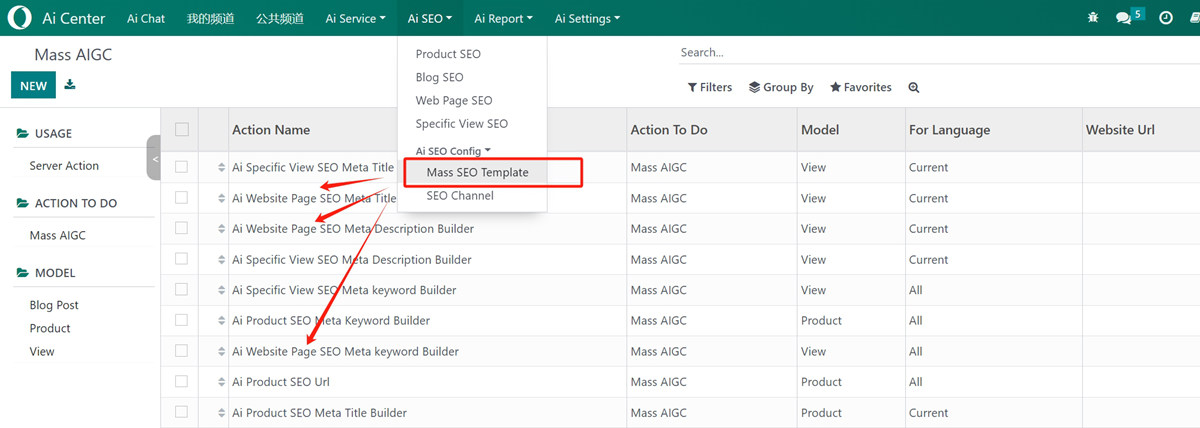
Mass optimize products, blog posts and pages for multiple websites

Mass optimize products, blog posts and pages for multiple websites

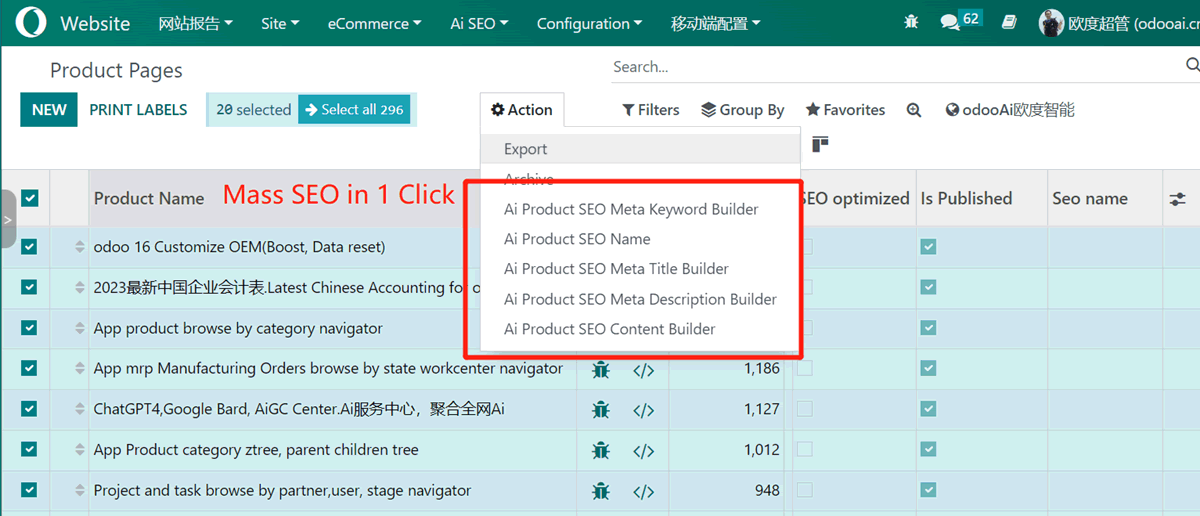
Set meta information for many records in one click

Set meta information for many records in one click

Select products, blog posts and pages, then run AI SEO

Select products, blog posts and pages, then run AI SEO

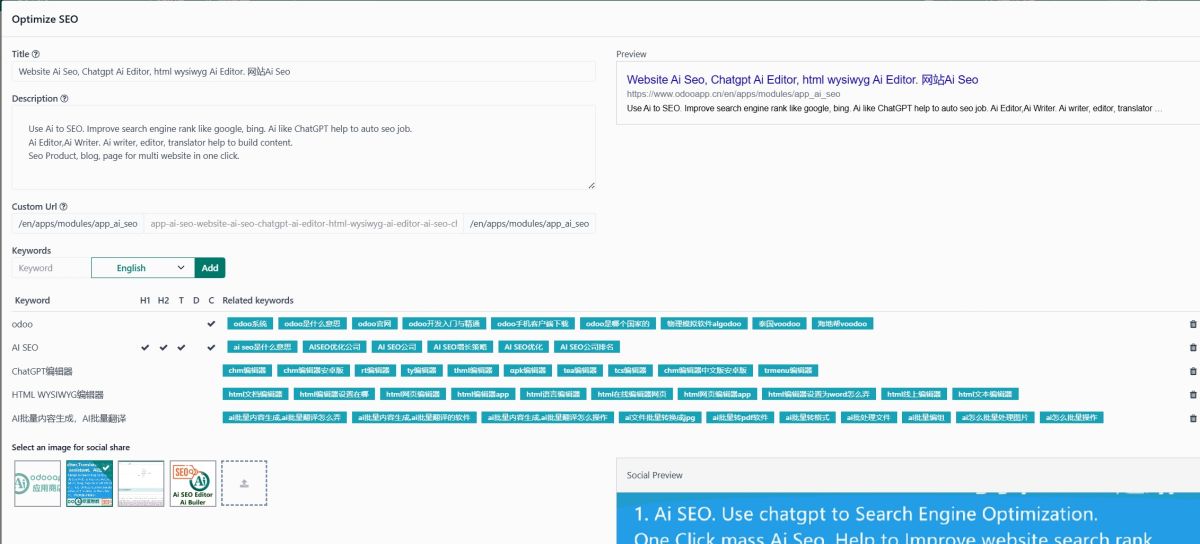
Optimize the meta title, keywords, URL and description of a product

Optimize the meta title, keywords, URL and description of a product

Preview and customize the AI prompt and response

Preview and customize the AI prompt and response

SEO keywords generated and mass optimization completed

SEO keywords generated and mass optimization completed

AI keyword prompt and response

AI keyword prompt and response

View all SEO information in developer mode

View all SEO information in developer mode

Mass optimize blog posts and website pages

Mass optimize blog posts and website pages

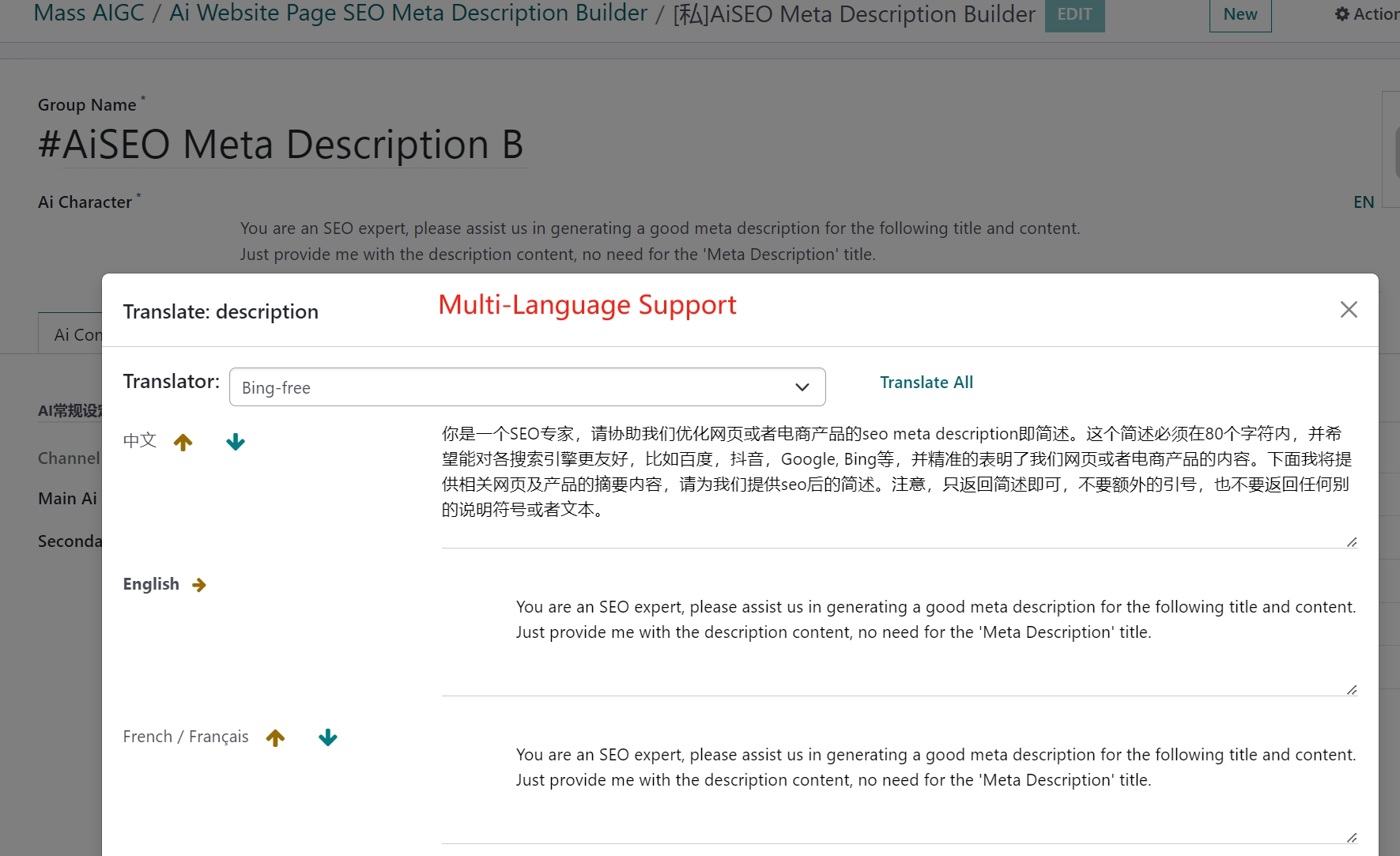
Configure the AI channel for the editor and content builder

Configure the AI channel for the editor and content builder

Use / in any Odoo editor to insert custom AI content

Use / in any Odoo editor to insert custom AI content

Generate content with AI in the Odoo editor and website builder

Generate content with AI in the Odoo editor and website builder

AI content generation in the website editor

AI content generation in the website editor

AI translator for the Odoo editor

AI translator for the Odoo editor

Translate editor and website builder content automatically

Translate editor and website builder content automatically

AI translate all fields with translate=true

AI translate all fields with translate=true

Click Translate All to load every translation term

Click Translate All to load every translation term

Translate an entire website page in one click

Translate an entire website page in one click

Odoo AI assistant with OpenAI, Azure AI and other models

Odoo AI assistant with OpenAI, Azure AI and other models

Chat with AI as a colleague or employee

Chat with AI as a colleague or employee

Multi-language and multi-company support

Multi-language and multi-company support

China-specific notes and setup

China-specific notes and setup

Install app_ai_seo and configure the AI provider

Install app_ai_seo and configure the AI provider

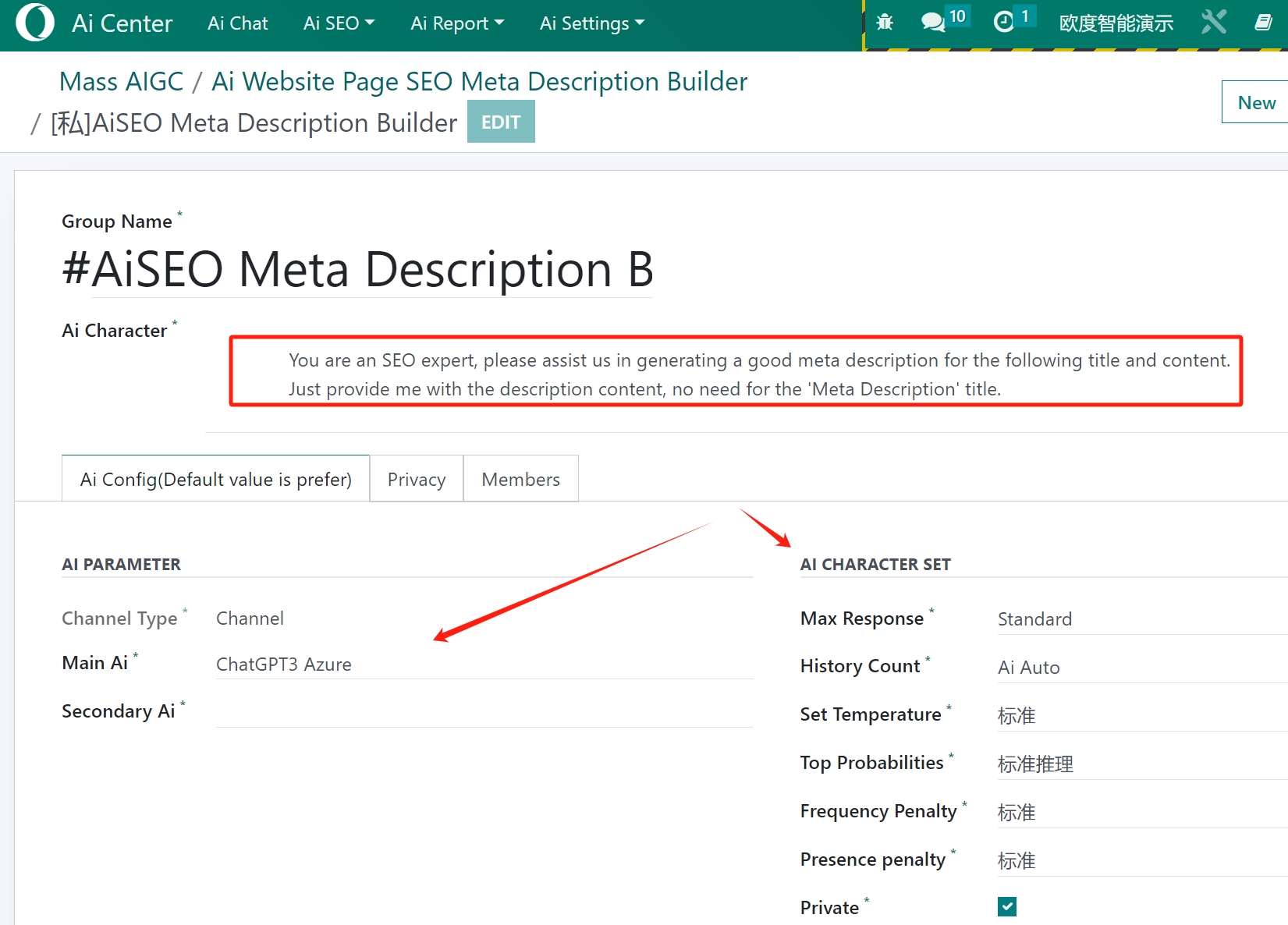
Set up the AI character for a channel

Set up the AI character for a channel

Set up the AI prompt template

Set up the AI prompt template

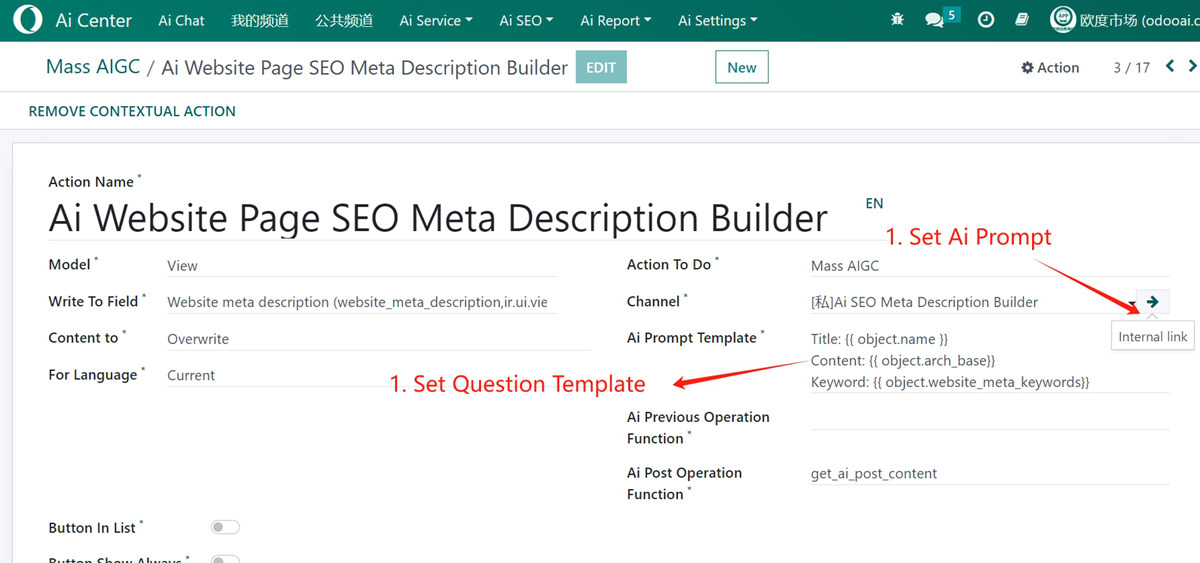
Example: customize website page SEO

Example: customize website page SEO

Set up the question template and AI channel with a custom prompt

Set up the question template and AI channel with a custom prompt

Fine-tune the AI configuration

Fine-tune the AI configuration

Set up a Chinese prompt in developer mode

Set up a Chinese prompt in developer mode

How It Works

Configure AI

Create an AI provider and channel; set the model, API key, prompt template and parameters.

Choose Records

Open Product SEO/GEO, Blog SEO/GEO, Web Page/GEO, Specific View/GEO or Static Html SEO/GEO.

Preview

Review the rendered prompt and the AI response; adjust the template if the result needs a different tone or length.

Run the Batch

Apply in sync or async mode; choose overwrite, insert before or append, and set the pacing between records.

Verify

Check the meta title, description, keywords and URL on the record; re-run when the source content changes.

Supported & Dependent Modules

  • web_editor
  • website_blog
  • app_common
  • app_web_translator
  • app_website_sale_editor
  • app_website_blog_editor
Banner

odooai.cn

Professional Odoo Solutions: Development, Implementation, Consulting & Training

Website: www.odooai.cn

Demo: demo.odooapp.cn

Support: odoo@china.com

QQ: 300883 (custom projects only)

QR Code

Specifications

Version 20.0, 19.0, 18.0, 17.0, 16.0, 15.0, 14.0