

MCP服务端,Model Context Protocol Server for Odoo 多模型AI接入
429
-
Version
Model Context Protocol Server for Odoo
Built on app_chatgpt's multi-model AI, this module lets ChatGPT, DeepSeek, Qwen and other large language models securely read and write Odoo data through the standard MCP protocol.
Expose your Odoo data to ChatGPT, DeepSeek, Qwen and more AI models through the standard MCP protocol.
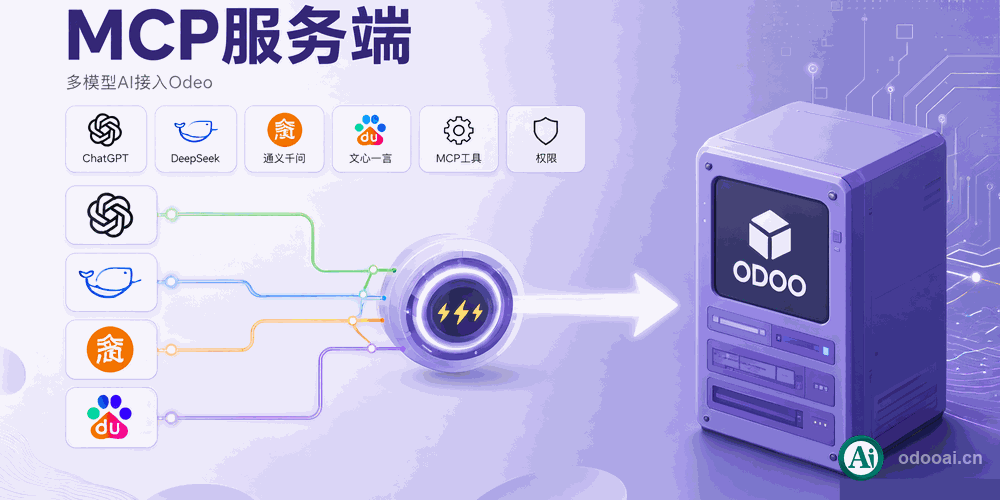
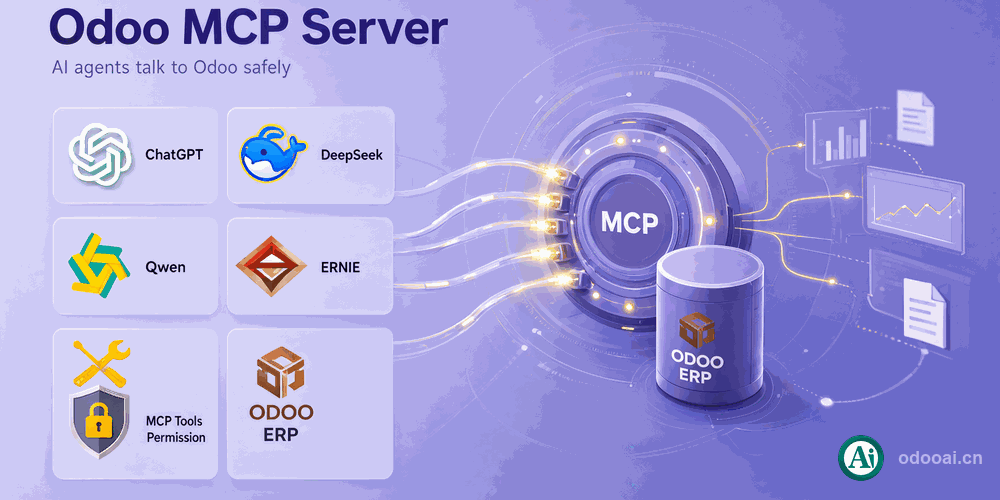
app_mcp is a standalone MCP (Model Context Protocol) server for Odoo, providing a standard /ai/mcp endpoint (JSONRPC 2.0 Streamable HTTP). It reuses app_chatgpt's multi-model AI capabilities, supporting ChatGPT-4o, GPT-4 32k, GPT-3.5 Turbo, DeepSeek, Alibaba Qwen, Baidu ERNIE, Azure AI and more, so any MCP-compatible AI client can securely invoke Odoo business tools via an API Key.
app_mcp is a standalone MCP (Model Context Protocol) server for Odoo, providing a standard /ai/mcp endpoint (JSONRPC 2.0 Streamable HTTP). Reusing the multi-AI capabilities of app_chatgpt, it supports ChatGPT-4o, GPT-4 32k, GPT-3.5 Turbo, DeepSeek, Alibaba Qwen, Baidu AI, Azure AI and more, so any MCP-compatible AI client can securely invoke Odoo business tools with API keys.
Multi-AI meets standard MCP protocol
ChatGPT-4o, GPT-4, DeepSeek, Qwen, Baidu, Azure
Reuses app_chatgpt's multi-model capabilities — one MCP endpoint connects to all mainstream LLMs.
/ai/mcp - JSONRPC 2.0 Streamable HTTP
Fully compliant with the Model Context Protocol specification, compatible with MCP clients such as Claude, DeepSeek and WorkBuddy.
WorkBuddy, Claude Code, Codex, Qoder and more
Automatically generates MCP configuration files for AI agents such as WorkBuddy, Claude Code, Codex and Qoder — copy and use, no manual editing required.
8 ready-to-use skills, authorized by your own Odoo access rights
list_models List available AI models · get_fields Get model field structure · search_records Search records · get_record Read a single record · create_record Create · update_record Update · delete_record Delete · get_current_context Get the current user context. Authorization follows the calling user's own Odoo permissions; ACLs and record rules always apply.
One-click MCP token, scoped API Key, Odoo ACL
One-click generation of MCP tokens and settings: scoped API Key authentication, per-user permissions, full reuse of Odoo's access requirements, sanitized error messages, and a 10MiB request body limit.
Reuse your Odoo business logic
Expose server actions marked as "Available in MCP" as MCP tools with one click, reusing app_ai_odoo's AI tool framework.
User, timezone, companies, UTC rule
The initialize handshake returns personalized instructions so the AI understands the current user's context and company rules.
Full multi-language translation support for global deployments. Native multi-company architecture with strict data isolation.
Works with Odoo 19, 18, 17, 16, 15, 14, 13, 12, EE/CE/.SH, compatible with Enterprise, Community and online SaaS
Released under LGPL-3. Transparent, auditable code, open for further development and customization.
Install & Configure
Install & Configure MCP
Generate MCP Token in One Click
One-click MCP Token
Connect Your AI Client
Connect MCP Client
Invoke Business Tools
Invoke Odoo Tools
After installing the module, enable the endpoint in Settings > Technical > MCP and generate an MCP token with scope=mcp in one click. MCP configuration files for AI agents such as WorkBuddy, Claude Code, Codex and Qoder are generated automatically (including the https://your-odoo/ai/mcp endpoint and Bearer Token). Copy them into the corresponding agent and the LLM can start invoking Odoo tools.
Professional Odoo Solutions: Development, Implementation, Consulting & Training
| Version | 20.0, 19.0, 18.0 |