

Skip to Content
Product Icon

四季-莫兰迪色调主题, Morandi 4 Seasons Theme

Technical Name:
app_theme_seasons
License:
OPL-1
Lines of code:
12,003
Code Value:
¥ 11,522.88
Follow Odoo's public price policy, The code valuation is $12.00 per 100 line code. Here we only get code line of this app. Depends is included.
Here we only get code line of this app. Depends is included. Total line of Source Code. Including .py, .js, .css and xml file.
¥ 768.00 ¥ 464.00
Coupon: 中国区9折 会员赠积分 VIP专享
14
  • Version
App Icon

四季-莫兰迪色调主题 / Morandi 4 Seasons Theme

温润雅致,静谧护眼,极速兼容 / Elegant, Eye-friendly, Deeply Refined

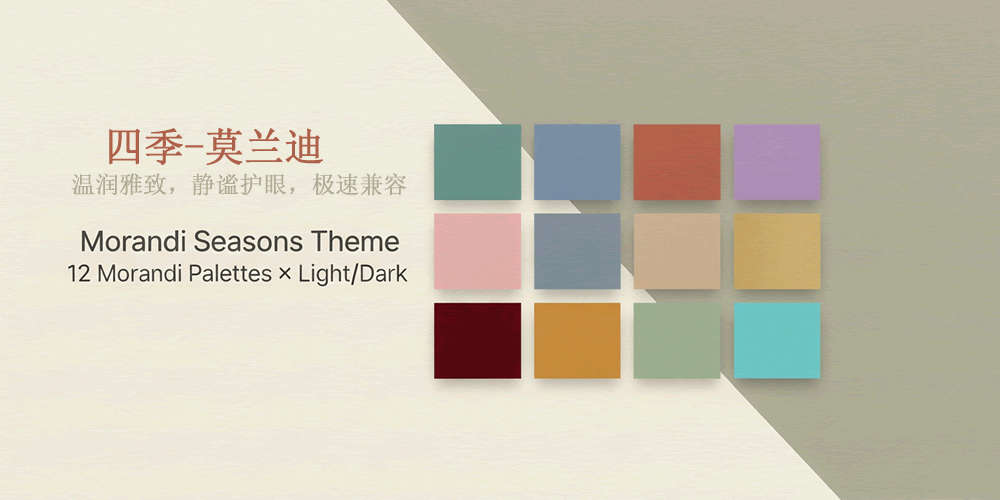
全部 12 套配色均取自莫兰迪(Morandi)色系:低饱和度、高级灰调、柔和雅致——浅色如宣纸般温润,深色如夜晚般静谧。只优化了颜色,速度极快,同时支持 Odoo 企业版、社区版、.sh 在线版,护眼且高端。安装即默认春主题。
All 12 palettes are drawn from the Morandi color family — light as rice paper, dark as a quiet night. Only colors are touched, so it stays extremely fast on Community, Enterprise and Odoo.sh.

Odoo 18 企业版与社区版 / Enterprise & Community 深色模式 / Dark Mode 多语言 / Multi-Language

在线交互预览 / Interactive Preview

点击切换 12 套莫兰迪配色与浅色/深色模式,实时预览效果 / Click to switch 12 Morandi palettes and light/dark mode

功能概述 / Overview

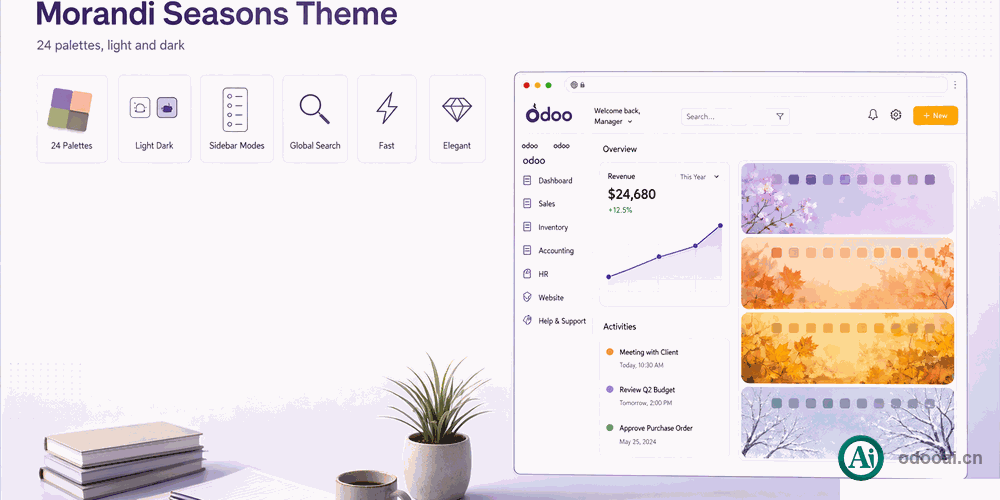
温润雅致,静谧护眼,极速兼容:24 套莫兰迪低饱和配色(12 主题 × 浅色/深色),一键整套换色——背景、文字、边框、主色、状态色全部主题化。主题面板同时集成边栏菜单模式切换(6 种显示模式,含双列 Mega 与 Outlook 手风琴)与全局搜索入口,每位用户可独立设置自己的主题与边栏样式。附赠多项 UI 增强:多级菜单下拉箭头、可编辑字段下划线、列表行列分隔线、紧凑 One2Many 空行。

Elegant, eye-friendly and quietly refined: 24 muted Morandi combinations (12 themes × light/dark) recolor the whole backend in one click — background, text, border, primary and status colors. The theme panel also integrates sidebar menu modes (6 display modes incl. 2-Column Mega and Outlook accordion, powered by app_web_menu_sidebar) and Global Search. Bonus UI enhancements: parent menu arrows, editable field underline, list grid lines and compact one2many filler rows.

完整功能列表 / Complete Feature List

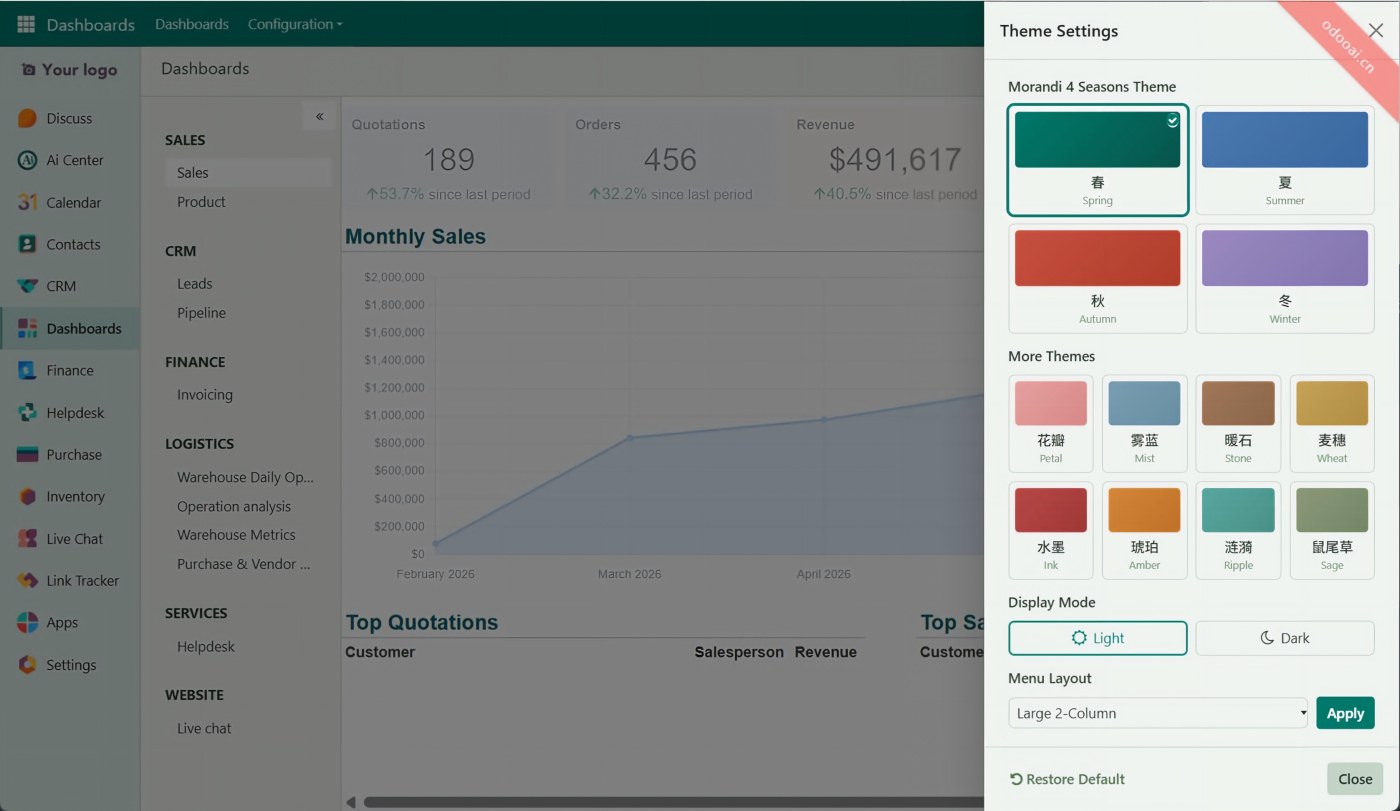
  • 1. 右上角用户菜单 →「主题-xxx … 更改」,右侧边栏抽屉面板
    User menu entry "Theme-xxx ... Change", right drawer panel
  • 2. 点击色卡即换色;浅色 / 深色明暗模式一键切换(兼容企业版 Dark Mode)
    Click a swatch to switch; one-click light/dark mode (Enterprise Dark Mode compatible)
  • 3. Restore default:一键恢复 Odoo 原生配色
    Restore default: back to native Odoo colors in one click
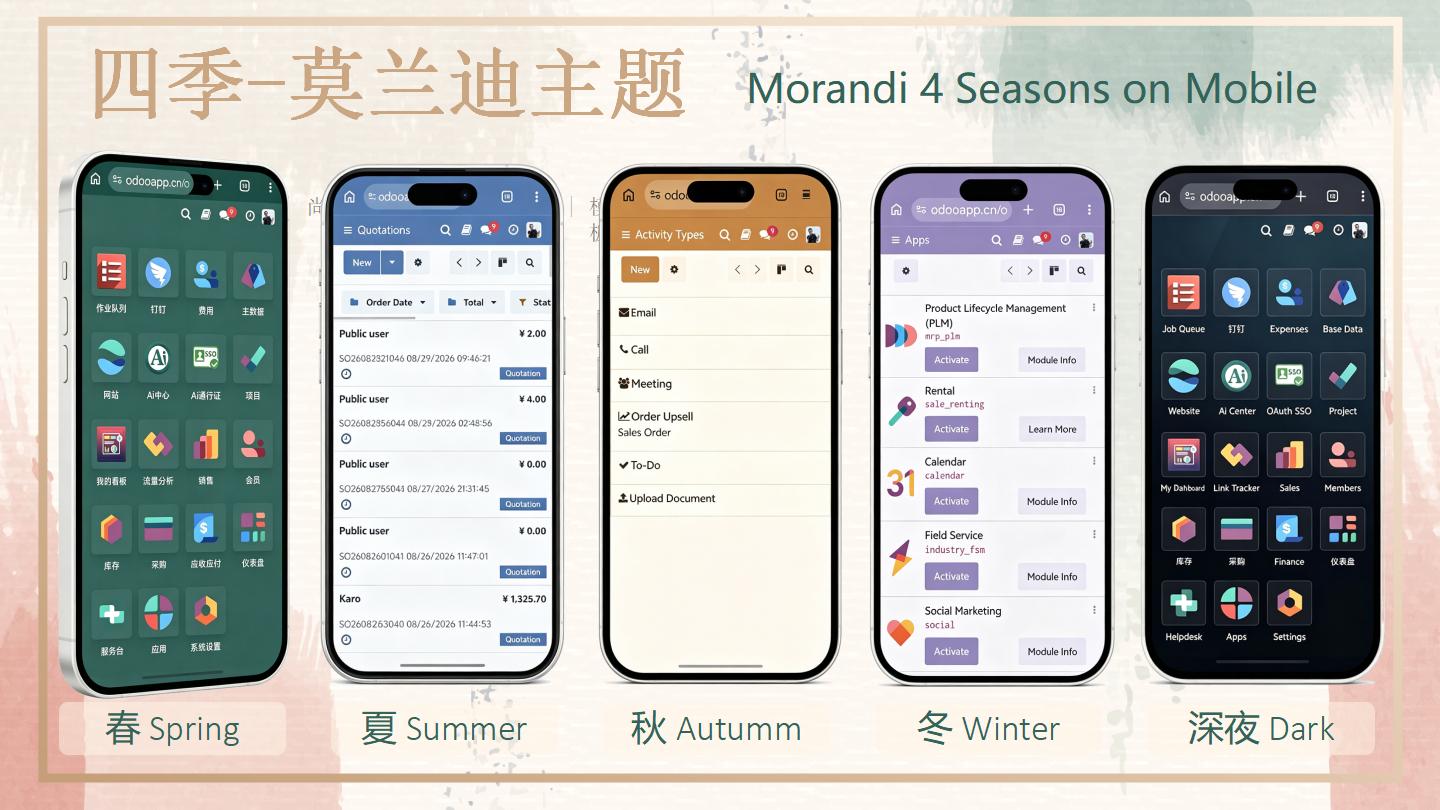
  • 4. 四季主题:春 / 夏 / 秋 / 冬(安装后默认春)
    Seasons Morandi Themes: Spring / Summer / Autumn / Winter (Spring by default after install)
  • 5. 更多主题:花瓣 / 雾蓝 / 暖石 / 麦穗 / 水墨 / 涟漪 / 丹红 / 浅草
    More themes: Petal / Mist / Stone / Wheat / Ink / Ripple / Cinnabar / Sage
  • 6. 浅色/深色均为整套调色板:背景、文字、边框、主色、状态色全部主题化
    Both light & dark are full palettes: background, text, border, primary and status colors are all themed
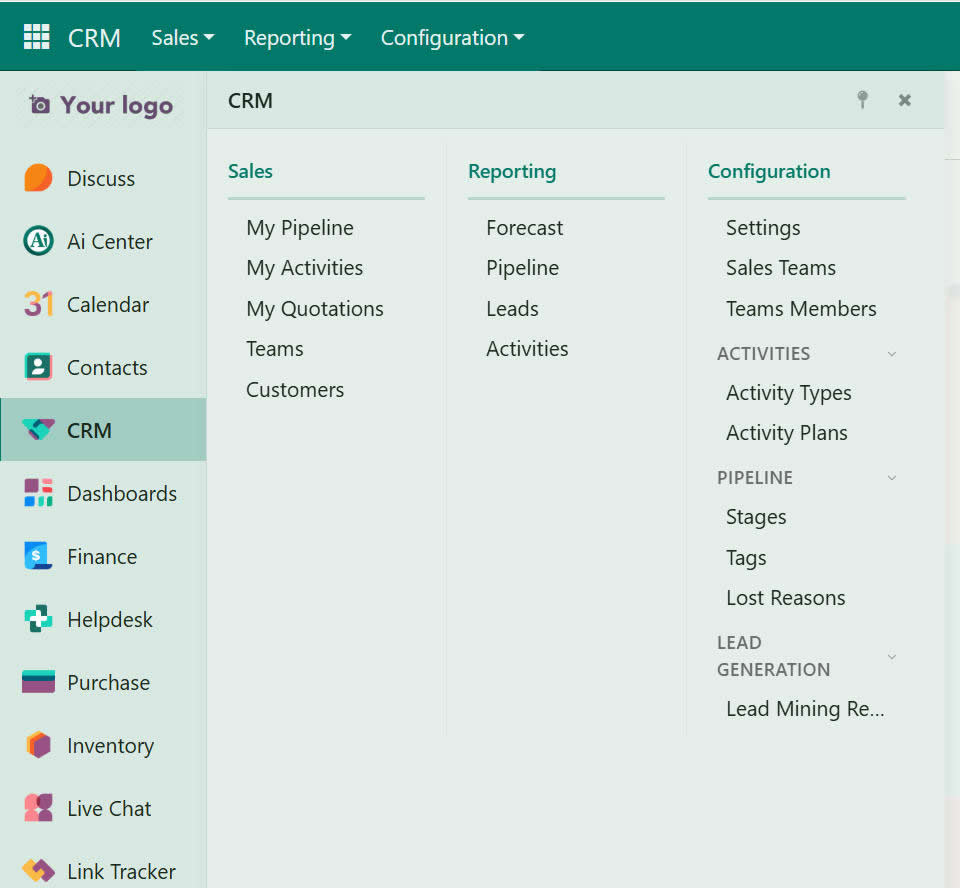
  • 7. 主题面板集成边栏菜单模式:6 种显示模式(不可见 / 紧凑-仅图标 / 紧凑-Mega动态多列 / 标准-带文字 / 标准-Mega动态多列 / Outlook 多层级手风琴),下拉选择点「应用」即生效(依赖 app_web_menu_sidebar)
    Sidebar menu modes integrated in the theme panel: 6 display modes (Invisible / Small / Small 2-Column Mega / Large / Large 2-Column Mega / Outlook accordion), select and Apply to take effect instantly (depends on app_web_menu_sidebar)
  • 8. 响应式边栏:列出所有已安装应用快速导航;拖拽调宽并 Cookie 持久化
    Responsive sidebar with all installed apps; drag-to-resize width with persistent cookie storage
  • 9. Outlook 手风琴多级菜单:最多 5 级深度,自动展开当前菜单路径并高亮
    Outlook accordion up to 5 levels deep, auto-expands and highlights the current menu path
  • 10. 全局搜索与全局菜单搜索:原生 Odoo 命令面板(同 Ctrl+K),跨模型模糊搜记录,中英文双语搜菜单
    Global Search & Global Menu Search: native Odoo command palette (same as Ctrl+K), fuzzy search records across models and menus in both languages
  • 11. 每位用户独立设置自己的主题与边栏菜单模式
    Per-user preference: each user sets their own theme and sidebar mode
  • 12. UI 增强:多级菜单出现下拉箭头,导航更方便
    UI enhance: dropdown arrow on parent menu for easier navigation
  • 13. UI 增强:可编辑字段下方增加下划线(必填深色),易于分辨
    UI enhance: underline below editable fields (darker for required)
  • 14. UI 增强:表格列表增加行列分隔线,易于看数据
    UI enhance: row and column grid lines on list view for easier reading
  • 15. UI 增强:One2Many 列表仅无数据时补 1 个空行,界面更紧凑
    UI enhance: compact one2many list — only 1 filler row when no data
  • 16. 兼容社区版、企业版、.sh 线上版(含企业版 Dark Mode)
    Compatible with Community, Enterprise and Odoo.sh (incl. Enterprise Dark Mode)
  • 17. 多语言支持,多公司支持
    Multi-language support, multi-company support

核心亮点 / Key Highlights

温润雅致,静谧护眼,极速兼容 / Elegant, Eye-friendly, Deeply Refined

Feature One
1. 莫兰迪四季主题 / Morandi 4 Seasons Theme

12 Muted Morandi Palettes

春 / 夏 / 秋 / 冬 + 花瓣 / 雾蓝 / 暖石 / 麦穗 / 水墨 / 涟漪 / 丹红 / 浅草,低饱和高级灰调,安装即默认春。

2. 整套调色板换色 / Full Palette Recolor

24 Combinations, One Click

背景、文字、边框、主色、状态色全部主题化,不是只改主色;浅色 × 深色共 24 套组合一键切换。

3. 深色如夜晚般静谧 / Dark as a Quiet Night

Full Dark Mode

深色为完整夜间配色(夜底、边框、文字全套),兼容企业版 Dark Mode;Restore default 一键回原生。

Feature Two
4. 面板集成边栏菜单模式 / Sidebar Modes in Panel

6 Display Modes, Apply Instantly

主题面板直接切换 6 种边栏模式(含双列 Mega 与 Outlook 手风琴),点「应用」即生效(依赖 app_web_menu_sidebar)。

5. 全局搜索 Ctrl+K / Global Search

Records & Menu Search

原生 Odoo 命令面板跨模型模糊搜记录,中英文双语搜菜单,直达表单视图。

6. UI 细节增强 / UI Enhancements

Arrows, Underline, Grid Lines

多级菜单下拉箭头、可编辑字段下划线(必填深色)、列表行列分隔线、紧凑 One2Many 空行,工作更高效。

Feature Three
7. 只改颜色,速度极快 / Fast & Non-invasive

Colors Only, Zero Bloat

不动布局、圆角、字体与组件结构,颜色在资产编译期确定,运行零开销,护眼且高端。

8. 每用户个性化 / Per-user Preference

Own Theme & Sidebar

每位用户独立设置自己的主题色、浅/深模式与边栏菜单样式,互不影响。

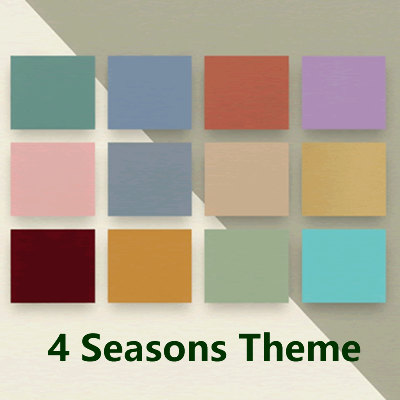
主题色卡一览 / Palette Gallery

12 套莫兰迪配色 × 浅色/深色 / 12 Morandi palettes × light & dark

四季-莫兰迪主题 / Seasons Morandi Themes

春 Spring
夏 Summer
秋 Autumn
冬 Winter

更多精选主题 / More Themes

花瓣 Petal
雾蓝 Mist
暖石 Stone
麦穗 Wheat
水墨 Ink
涟漪 Ripple
丹红 Cinnabar
浅草 Sage

通用特性 / General Features

多语言与多公司
Multi-Language & Multi-Company

完整的多语言翻译支持,适配全球化企业部署。原生多公司架构,数据严格隔离。

全版本兼容
Full Version Support

支持 Odoo 20, 19, 18,EE/CE/.SH,兼容企业版、社区版及在线 SaaS,含企业版 Dark Mode。

源码完全开放
Open Source Code

基于 OPL-1 协议发布,代码透明可审计,支持二次开发与定制。

使用流程 / How It Works

安装模块

Install the module

用户菜单打开面板

Open panel from user menu

选色卡 / 模式 / 边栏样式

Pick palette, mode & sidebar

一键生效或恢复原生

Apply or restore default

右上角用户菜单 →「主题-xxx … 更改」→ 右侧抽屉面板:点击色卡换色、切换浅/深模式、下拉选择边栏菜单样式后点「应用」,Restore default 随时一键恢复 Odoo 原生配色。

支持与依赖模块 / Supported & Dependent Modules

  • app_web_menu_sidebar — 超级动态边栏菜单 + 全局搜索(本模块依赖;6 种边栏显示模式、Outlook 手风琴、双列 Mega 菜单、Ctrl+K 全局搜索)
  • web — Odoo 原生 Web 后端(浅/深明暗模式)
Banner

odooai.cn

专业Odoo服务伙伴-开发实施咨询培训全套解决方案 / Professional Odoo Solutions

Website: www.odooai.cn

Demo: demo.odooapp.cn

Support: odoo@china.com

QR Code

Specifications

Version 20.0, 19.0, 18.0